Minecraft version
Back to mods 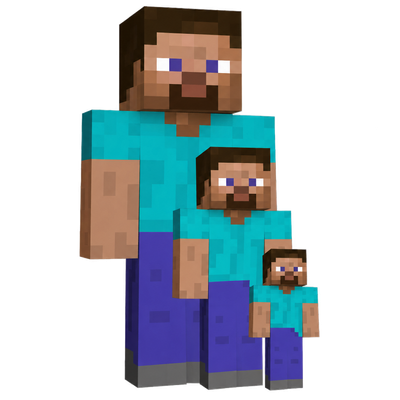
CurseForge · Minecraft mod
Wacky Size's
This wAcKy mod lets you be TeEnY tInY or sUpEr BiG, including the blocks you break or place! Just like the mod (you were likely hoping for) that the Dream Team played!
Choose a version Pick your version below, then grab the matching file.
Quick answer
Which Wacky Size's release should I use?
Latest stable file wackysize-1.0.0.jar
Game version 1.21.11
Loader Fabric
Wacky Size's wackysize-1.0.0.jar targets 1.21.11 with Fabric. The project page does not say whether this file belongs on the client, dedicated server, or both. No extra mods listed for this file.
Where it goes
Is Wacky Size's required on the client, server, or both?
The project page does not say whether this file belongs on the client, dedicated server, or both.
Client Source doesn’t say
Dedicated server Source doesn’t say
Loader for this release Fabric
Required install it here Optional supported, not mandatory Not supported do not install here Source doesn’t say do not assume
The source does not explicitly classify this release as client-only or server-only.
What else does Wacky Size's wackysize-1.0.0.jar need?
wackysize-1.0.0.jar. Change the file and its required mods may change too.
This file does not list any required mods. Do not add a library just because a different file uses it.
This file does not list any required or optional mods.
Before you install it
Add Wacky Size's without breaking your instance.
Built for Wacky Size's wackysize-1.0.0.jar. Pick another file and the loader, install side or required mods may change.
- 01
Stick to this file
Use wackysize-1.0.0.jar. It targets 1.21.11 with Fabric; another release may have different loader, side or dependency requirements.
- 02
Bring the mods it needs
This file does not list any required mods. Do not add a library just because a different file uses it.
- 03
Put it on the correct side
The project page does not say whether this file belongs on the client, dedicated server, or both.
- 04
Pick the file you checked
Use the “Get this file” button beside wackysize-1.0.0.jar. It opens that exact file at the source.
About this project
What does Wacky Size's add?
A Wacky Size Mod for Minecraft
Let's you become Pixel Tiny and break pixels off the world, or become Ginormous you can gobble up Minecraft.
Makes the dream of that Teeny Tiny House of yours come true!
To set your size, run /size set @s <size>.
Setting the size is based off of the original players size, so size of 1 is default player size, size of 0.5 is half of players size, and so on.
When you mine an area with multiple blocks, you mine a structure, each structure has a unique ID.
You can place structures down, just like in the Dream Team video!
You can mine tiny parts of a block, and all attributes scale with size! Hurrah! :)
There is also a Merger and a Disassembler block. The Merger allows you to merge multiple bits into a bigger block. The Disassembler can disassemble structures into individual bits (there is NO undo for these actions).
160 words! Yay!
Project description from CurseForge.
Pick your setup
Wacky Size's by Minecraft version and loader
Choose the version and loader you play, then open the matching release.
Check the dependencies, then try the file in a copied instance before changing a world you care about.
Recent files
Wacky Size's versions and loaders
wackysize-1.0.0.jar
11 Sept 2026
Client Source doesn’t say Server Source doesn’t say Dependencies No extras listed Listed on Release listing
Check the 1.21.11 · Fabric setup Fabric1.21.11 release
Looking for an older file? The official CurseForge project page is in Resources.
 mod
CurseForge · Minecraft
Inventory Expanded
Completely reimagines Minecraft's inventory with a fully interactive 3D system, featuring realistic item placement, smooth animations, intuitive crafting, and immersive equipment management.
 mod
CurseForge · Minecraft
Cobblemon Game Battle: Fire Red
Adds battles inspired by Pokémon Fire Red.
 mod
CurseForge · Minecraft
Advanced Compass HUD
Displays a compass bar at the top of the client that tracks mobs and players as well as displays coordinates below it.