Minecraft version
Back to mods 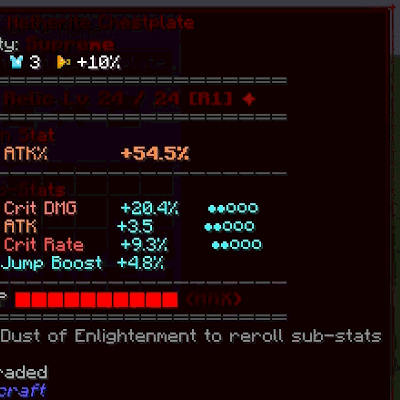
CurseForge · Minecraft mod
Sol's Chroma Name Fix
Fixes Sol's Item Rarity's rainbow item names rendering as broken tofu boxes on some items.
Choose a version Pick your version below, then grab the matching file.
Quick answer
Which Sol's Chroma Name Fix release should I use?
Latest stable file sols_chroma_name_fix-1.0.3.jar
Game version 1.20.1
Loader Forge
Sol's Chroma Name Fix sols_chroma_name_fix-1.0.3.jar targets 1.20.1 with Forge. The project page does not say whether this file belongs on the client, dedicated server, or both. No extra mods listed for this file.
Where it goes
Is Sol's Chroma Name Fix required on the client, server, or both?
The project page does not say whether this file belongs on the client, dedicated server, or both.
Client Source doesn’t say
Dedicated server Source doesn’t say
Loader for this release Forge
Required install it here Optional supported, not mandatory Not supported do not install here Source doesn’t say do not assume
The source does not explicitly classify this release as client-only or server-only.
What else does Sol's Chroma Name Fix sols_chroma_name_fix-1.0.3.jar need?
sols_chroma_name_fix-1.0.3.jar. Change the file and its required mods may change too.
This file does not list any required mods. Do not add a library just because a different file uses it.
This file does not list any required or optional mods.
Before you install it
Add Sol's Chroma Name Fix without breaking your instance.
Built for Sol's Chroma Name Fix sols_chroma_name_fix-1.0.3.jar. Pick another file and the loader, install side or required mods may change.
- 01
Stick to this file
Use sols_chroma_name_fix-1.0.3.jar. It targets 1.20.1 with Forge; another release may have different loader, side or dependency requirements.
- 02
Bring the mods it needs
This file does not list any required mods. Do not add a library just because a different file uses it.
- 03
Put it on the correct side
The project page does not say whether this file belongs on the client, dedicated server, or both.
- 04
Pick the file you checked
Use the “Get this file” button beside sols_chroma_name_fix-1.0.3.jar. It opens that exact file at the source.
About this project
What does Sol's Chroma Name Fix add?
Sol's Chroma Name Fix
Fixes a display bug in Sol's Item Rarity: Legendary/Mythical/Supreme items get a per-letter rainbow "chroma" name effect, and for some modded items that name renders as broken/garbled boxes instead of readable text.
Why this happens
Sol's Item Rarity's chroma effect works by splitting the item's display name into individual letters, one text component per character, so each letter can carry its own shifting rainbow color. That's fine for a plain name — but some modded items (for example EpicFight Nightfall's Kusabimaru) bake old-style Minecraft formatting codes (like §l for bold) directly into their own display name string.
Minecraft always treats a formatting code and the character right after it as one inseparable pair. When Sol's Item Rarity splits that name into single-character pieces, it can tear a formatting code in half — the lone leftover control character then gets drawn as a real glyph, and since the default font has no symbol for it, it shows up as a broken box right before the item's name (e.g. Kusabimaru renders as ?!Kusabimaru).
What this addon does
Strips any legacy formatting codes out of an item's name before Sol's Item Rarity splits it into per-letter chroma text — exactly mirroring what vanilla Minecraft would have silently done with those codes if the name had never been split apart in the first place. The rainbow chroma effect itself is untouched; only the corrupted-glyph bug is fixed.
Requirements
- Minecraft 1.20.1
- Minecraft Forge 47+
- Sol's Item Rarity (required dependency)
Notes
Client-side only; safe to install on a server, where it simply does nothing. This is an unofficial third-party addon, not affiliated with the author of Sol's Item Rarity.
Project description from CurseForge.
Pick your setup
Sol's Chroma Name Fix by Minecraft version and loader
Choose the version and loader you play, then open the matching release.
Check the dependencies, then try the file in a copied instance before changing a world you care about.
Recent files
Sol's Chroma Name Fix versions and loaders
sols_chroma_name_fix-1.0.3.jar
19 Sept 2026
Client Source doesn’t say Server Source doesn’t say Dependencies No extras listed Listed on Release listing
Check the 1.20.1 · Forge setup 1.20.1Forge release
sols_chroma_name_fix-1.0.0.jar
12 Sept 2026
Client Source doesn’t say Server Source doesn’t say Dependencies No extras listed Listed on Release listing
Check the 1.20.1 · Forge setup 1.20.1Forge release
Looking for an older file? The official CurseForge project page is in Resources.