Minecraft version
Back to mods 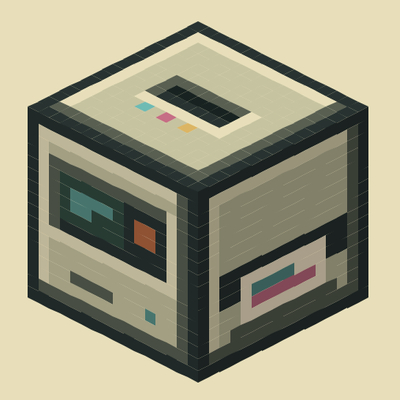
CurseForge · Minecraft mod
Printer
Print out images in game from a url or local files, designed to be survival friendly.
Choose a version Pick your version below, then grab the matching file.
Quick answer
Which Printer release should I use?
Latest stable file Printer 0.1.1
Game version 1.21.1
Loader NeoForge
Printer 0.1.1 targets 1.21.1 with NeoForge. The project page does not say whether this file belongs on the client, dedicated server, or both. No extra mods listed for this file.
Where it goes
Is Printer required on the client, server, or both?
The project page does not say whether this file belongs on the client, dedicated server, or both.
Client Source doesn’t say
Dedicated server Source doesn’t say
Loader for this release NeoForge
Required install it here Optional supported, not mandatory Not supported do not install here Source doesn’t say do not assume
The source does not explicitly classify this release as client-only or server-only.
What else does Printer 0.1.1 need?
Printer 0.1.1. Change the file and its required mods may change too.
This file does not list any required mods. Do not add a library just because a different file uses it.
This file does not list any required or optional mods.
Before you install it
Add Printer without breaking your instance.
Built for Printer 0.1.1. Pick another file and the loader, install side or required mods may change.
- 01
Stick to this file
Use Printer 0.1.1. It targets 1.21.1 with NeoForge; another release may have different loader, side or dependency requirements.
- 02
Bring the mods it needs
This file does not list any required mods. Do not add a library just because a different file uses it.
- 03
Put it on the correct side
The project page does not say whether this file belongs on the client, dedicated server, or both.
- 04
Pick the file you checked
Use the “Get this file” button beside Printer 0.1.1. It opens that exact file at the source.
About this project
What does Printer add?
A mod for printing web and local images as items and wall displays with selectable background colors.
Upload an image URL or local file to the Printer block, select your background color and size, then collect your Image items to place on walls as decorative displays!
What's up
- Printer Block prints images from URLs or local uploads. Place it, load cartridges, submit an image, and it outputs Image items. Hopper-compatible for automation.
- Image Items are reusable wall decorations displaying your printed images. Place them on any wall to create borderless displays with customizable background colors.
- Photobook collects and organizes all your printed images in a browsable book.
- Color & Black Cartridges power the printer for 3 prints each before needing replacement (realistic).
- Create mod Integration with create installed recipes are changed to use sequenced assembly.
Server safety and storage
The server controls what images can be downloaded and how they're handled. Only trust image URLs from people you know!!! the printer can download from anywhere on the internet, so don't submit untrusted URLs. Images are stored on the server and deduplicated so multiple players can print the same image without hogging space. Your client keeps a local cache so images load smoothly. The server admin can set limits on image size, download speed, storage space, and which websites can be accessed.
Attribution
- Analog Audio GUI inspiration
- Immersive Paintings Render code assistance
- Image2Map Inspiration for image mapping techniques
Project description from CurseForge.
Pick your setup
Printer by Minecraft version and loader
Choose the version and loader you play, then open the matching release.
Check the dependencies, then try the file in a copied instance before changing a world you care about.
Recent files
Printer versions and loaders
Printer 0.1.1
printer-0.1.1.jar
27 Sept 2026
Client Source doesn’t say Server Source doesn’t say Dependencies No extras listed Listed on Release listing
Check the 1.21.1 · NeoForge setup 1.21.1NeoForge release
Looking for an older file? The official CurseForge project page is in Resources.
 mod
CurseForge · Minecraft
Basic Backpack
Adds a wearable backpack with easy access.
 mod
CurseForge · Minecraft
Style Models
Transform into animated 3D characters, starting with a black clapping cat, with optional NPC model support.
 mod
CurseForge · Minecraft
Create: Schematic Folders
Organize Create schematics into folders and search them from the Schematic Table.