Fabric API Needed by autobot MinaBot 0.2.9 - equipa por nombre
requiredMatching file found Matched file: [26.2] Fabric API 0.161.0+26.2
CurseForge · Minecraft mod
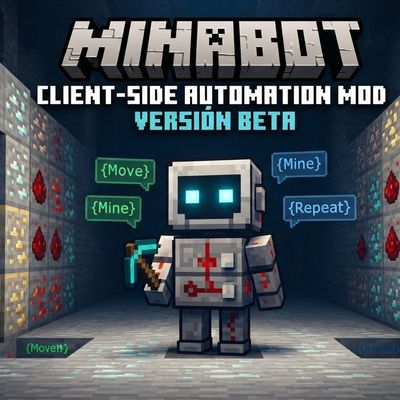
bot farming mine and more and logo is generated ia
Quick answer
autobot MinaBot 0.2.9 - equipa por nombre targets 26.2 with Fabric. The project page does not say whether this file belongs on the client, dedicated server, or both. All 1 required mods have matching files.
Where it goes
The project page does not say whether this file belongs on the client, dedicated server, or both.
The source does not explicitly classify this release as client-only or server-only.
MinaBot 0.2.9 - equipa por nombre. Change the file and its required mods may change too.
Install Fabric API first. We found matching files for this game-version and loader setup.
We only count dependency files that match this setup. A file for another loader does not fill the gap.
Before you install it
Built for autobot MinaBot 0.2.9 - equipa por nombre. Pick another file and the loader, install side or required mods may change.
Use MinaBot 0.2.9 - equipa por nombre. It targets 26.2 with Fabric; another release may have different loader, side or dependency requirements.
Install Fabric API first. We found matching files for this game-version and loader setup.
The project page does not say whether this file belongs on the client, dedicated server, or both.
Use the “Get this file” button beside MinaBot 0.2.9 - equipa por nombre. It opens that exact file at the source.
About this project
MinaBot (Beta) — Client-Side Automation Mod
Take automation in Minecraft to the next level with MinaBot. This Fabric mod is designed as a client-side technical assistant that allows you to automate mechanical actions using a custom task and script system.
ATTENTION: BETA VERSION
This mod is currently in Beta phase. It may contain errors, bugs, or unfinished features. We greatly appreciate your feedback, bug reports, and suggestions in our Issues section to keep improving.
Main Features:
Requirements and Installation:
Beta Changelog:
VERSIÓN EN ESPAÑOL
MinaBot (Beta) — Client-Side Automation Mod
Lleva la automatización en Minecraft al siguiente nivel con MinaBot. Este mod para Fabric está diseñado como un asistente técnico del lado del cliente que te permite automatizar acciones mecánicas mediante un sistema de tareas y scripts personalizados.
ATENCIÓN: VERSIÓN BETA
Este mod se encuentra actualmente en fase Beta. Puede contener errores, bugs o funciones sin terminar. Agradecemos enormemente tus comentarios, reportes de errores y sugerencias en nuestra sección de problemas para seguir mejorando.
Características Principales:
Requisitos e Instalación:
Notas de Versión (Beta Changelog):
Project description from CurseForge.
Pick your setup
Choose the version and loader you play, then open the matching release.
Check the dependencies, then try the file in a copied instance before changing a world you care about.
Recent files
MinaBot-0.2.9-Minecraft-26.2-Fabric.jar
4 Nov 2026
MinaBot-0.2.8-Minecraft-26.2-Fabric.jar
4 Nov 2026
MinaBot-0.2.7-Minecraft-26.2-Fabric.jar
31 Oct 2026
MinaBot-0.2.6-Minecraft-26.2-Fabric.jar
25 Oct 2026
MinaBot-0.2.5-Minecraft-26.2-Fabric.jar
25 Oct 2026
MinaBot-0.2.3-Minecraft-26.2-Fabric.jar
15 Oct 2026
MinaBot-0.2.2-Minecraft-26.2-Fabric.jar
15 Oct 2026
MinaBot-0.2.1-Minecraft-26.2-Fabric.jar
15 Oct 2026
MinaBot-0.2.0-Minecraft-26.2-Fabric.jar
16 Sept 2026
Looking for an older file? The official CurseForge project page is in Resources.
 mod
Updating old blocks with new, better block sounds.
 mod
Request on-demand crafting from your network through the Stock Keeper.
 mod
An addon for Farmer's Delight about sky