Create Aeronautics Needed by Create: Assembly Animations create_assembly_animation-1.0.1.jar
requiredMatching file found Matched file: Create Aeronautics 1.3.2 for mc1.21.1
CurseForge · Minecraft mod
Client-side animations for the Create Aeronautics physics assembler
Quick answer
Create: Assembly Animations create_assembly_animation-1.0.1.jar targets 1.21.1 with NeoForge. The project page does not say whether this file belongs on the client, dedicated server, or both. All 3 required mods have matching files.
Where it goes
The project page does not say whether this file belongs on the client, dedicated server, or both.
The source does not explicitly classify this release as client-only or server-only.
create_assembly_animation-1.0.1.jar. Change the file and its required mods may change too.
Install Create Aeronautics, Sable, Create first. We found matching files for this game-version and loader setup. 3 come through another mod in the chain.
3 extra mods were pulled in by other dependencies. Indented rows show who needs each one. We only count dependency files that match this setup. A file for another loader does not fill the gap.
Before you install it
Built for Create: Assembly Animations create_assembly_animation-1.0.1.jar. Pick another file and the loader, install side or required mods may change.
Use create_assembly_animation-1.0.1.jar. It targets 1.21.1 with NeoForge; another release may have different loader, side or dependency requirements.
Install Create Aeronautics, Sable, Create first. We found matching files for this game-version and loader setup. 3 come through another mod in the chain.
The project page does not say whether this file belongs on the client, dedicated server, or both.
Use the “Get this file” button beside create_assembly_animation-1.0.1.jar. It opens that exact file at the source.
About this project


Assembly and disassembly of a Create Aeronautics ship finally look like something
The physics assembler no longer works in silence: you watch it go over your build while it becomes a ship, and the same on disassembly

Diagram - the structure is redrawn as a page of the Contraption Diagram: a pencil sketches the outline, the blocks turn into its dithered grey palette, and the centre of mass, dimensions and force arrows.

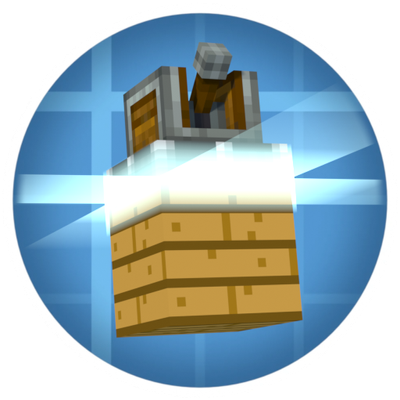
Scanner - a laser sheet sweeps the structure: up on assembly, down on disassembly.

Assembly and disassembly each get their own switch and style. Every style has its own page with brightness, speed and options of its own: force arrows and measurements for Diagram, laser colour and halo for Scanner. Each tile shows the style running, so you see what you pick.


Project description from CurseForge.
Pick your setup
Choose the version and loader you play, then open the matching release.
Check the dependencies, then try the file in a copied instance before changing a world you care about.
Recent files
18 Sept 2026
16 Sept 2026
Looking for an older file? The official CurseForge project page is in Resources.
 mod
modAn addon for Create Aeronautics that adds gases, aircraft mechanics, warp travel, and new utility systems.
 mod
modJEED/Emiffect addon with support for over 100 mods and 600 status effects!
 mod
modAn extension mod for the hub server