Pandorical lib Needed by Amethyst Door amethyst-door-justfatlard-1.1.2.jar
requiredMatching file found Matched file: pandorical-15.13.0.jar
CurseForge · Minecraft mod
A door of amethyst, and behind it a geode of your own (better than a backpack)
Quick answer
Amethyst Door amethyst-door-justfatlard-1.1.2.jar targets 26.3 with Fabric. The project page does not say whether this file belongs on the client, dedicated server, or both. All 2 required mods have matching files.
Where it goes
The project page does not say whether this file belongs on the client, dedicated server, or both.
The source does not explicitly classify this release as client-only or server-only.
amethyst-door-justfatlard-1.1.2.jar. Change the file and its required mods may change too.
Install Pandorical lib, Fabric API first. We found matching files for this game-version and loader setup.
We only count dependency files that match this setup. A file for another loader does not fill the gap.
Before you install it
Built for Amethyst Door amethyst-door-justfatlard-1.1.2.jar. Pick another file and the loader, install side or required mods may change.
Use amethyst-door-justfatlard-1.1.2.jar. It targets 26.3 with Fabric; another release may have different loader, side or dependency requirements.
Install Pandorical lib, Fabric API first. We found matching files for this game-version and loader setup.
The project page does not say whether this file belongs on the client, dedicated server, or both.
Use the “Get this file” button beside amethyst-door-justfatlard-1.1.2.jar. It opens that exact file at the source.
About this project
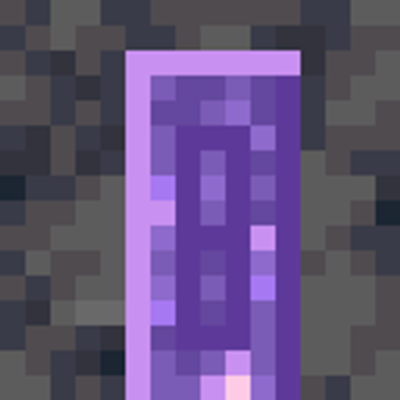
Six amethyst blocks make a door. Place it anywhere, right-click it, and you are inside a hollow amethyst geode that nobody else can reach. Build in it as you like. The door on the far side brings you back to the exact spot you left from.
Everyone gets their own, and gets it the first time they open a door - it is cut then, and it stays cut. Layered the way a real geode is, outside in: basalt skin, calcite rind, amethyst you can actually see, some of it budding. What grows off it grows into the hollow and is shell too, bud and cluster alike: a cluster that could be broken over a budding block that could not would be a shard farm, and the geode is a room. A floor is laid across the bottom third, solid crystal from there down to the shell, because a sphere is a lovely shape to look at and an awful one to put a chest on. The door is set into the north wall, in a frame cut for it, and you arrive three blocks in front of it, facing into the room.
The shell does not give. Everything in the hollow above the floor is yours to break, place, flood or fill. Everything from the amethyst outwards is not, and neither is the floor, the sill under the door or the door itself, whoever you are: only creative mode gets through, for repairs. Something you have set into a hole in the floor is still yours. That is not a rule for its own sake: on the other side of the shell is empty space with no floor, and a hole in it is a hole somebody falls out of and cannot climb back into.
The door inside is permanent and cannot be broken. Should it ever be missing all the same, the geode is cut again the next time its owner arrives or loads in, and they are stood on the floor in front of the door. An earlier build laid the floor, the door and the doorstep at the bottom of the outer skin, outside the geode, and this is what got everyone it stranded back out.
It returns you to where you were standing, not to where the door was. The door you came in by is a block, and a block can be mined by somebody else while you are inside. Recording the doorstep rather than the doorframe is what stops that stranding anyone.
Geodes can grow into one another. /geode join <player> asks; their /geode accept grows your geode into theirs - partly inside their sphere, at a bearing and a height of its own, everything you built carried across - and the two rooms open into each other where the crystal walls meet. Each of you still has your own door into your own room; a grown geode's door is in the wall facing away from the one it grew onto. Any number can grow together.
A cluster is a community: everyone already grown into it has to accept the newcomer, any one of them can /geode deny, and all of them must be online to be asked. An ask lapses after two minutes. Only a geode standing alone can go and join; one that others have grown onto stays where it is. Crystal that has grown together does not come apart, and the ask says so, with Accept and Deny to click.
| Command | Who | What |
|---|---|---|
/geode join <player> |
anyone | Ask to grow your geode into that player's |
/geode accept |
anyone | Agree to the ask put to you |
/geode deny |
anyone | Refuse it; nothing changes |
/geode who |
anyone | Whose geodes yours is grown together with |
/geode mend |
anyone | Put back together any double chest in your cluster that came apart |
/geode force <geode> <onto> |
ops | Grow one player's geode into another's without asking anybody, for when somebody in a cluster cannot be reached to answer |
"A pocket dimension each" is the feeling; a plot each is the implementation. Dimensions are registered when a server loads its data and not afterwards, so one per player would mean restarting the server before anybody could open their first door. Plots sit half a kilometre apart in an empty world, which is out of sight and out of reach of every other plot, and needs nothing of the sort.
Amethyst Door registers its block and item models through Pandorical's content sync, and requires Pandorical on the server.
The Pandorical mod must be installed client-side to see the door rendered. Without it the door still works - it can be crafted, placed and walked through - but a connecting client does not see it correctly.
Project description from CurseForge.
Pick your setup
Choose the version and loader you play, then open the matching release.
Check the dependencies, then try the file in a copied instance before changing a world you care about.
Recent files
15 Oct 2026
5 Oct 2026
17 Sept 2026
Looking for an older file? The official CurseForge project page is in Resources.
 mod
modA client-side Fabric and NeoForge mod that improves performance in water-heavy scenes with hidden-water culling, reduced water geometry, particle optimisations, configurable profiles, and safe vanilla fallbacks.
 mod
modThis is a decorative mod used for displaying items!
 mod
modA Dragon Ball progression and combat overhaul — races, transformations, ki techniques, training, Dragon Balls, and two new dimensions, all opt-in on top of vanilla Minecraft and other mods compatibility. Heavily WIP for now...