Create Aeronautics Needed by Create Shining Stage create_shining_stage-1.2.0.jar
requiredMatching file found Matched file: Create Aeronautics 1.3.3 for mc1.21.1
CurseForge · Minecraft mod
Adds stage machinery to Minecraft! Built upon Create and Aeronautics. (WIP — lots of new content coming soon!)
Quick answer
Create Shining Stage create_shining_stage-1.2.0.jar targets 1.21.1 with NeoForge. The project page does not say whether this file belongs on the client, dedicated server, or both. All 3 required mods have matching files.
Where it goes
The project page does not say whether this file belongs on the client, dedicated server, or both.
The source does not explicitly classify this release as client-only or server-only.
create_shining_stage-1.2.0.jar. Change the file and its required mods may change too.
Install Create Aeronautics, Create, Sable first. We found matching files for this game-version and loader setup. 2 come through another mod in the chain.
2 extra mods were pulled in by other dependencies. Indented rows show who needs each one. We only count dependency files that match this setup. A file for another loader does not fill the gap.
Before you install it
Built for Create Shining Stage create_shining_stage-1.2.0.jar. Pick another file and the loader, install side or required mods may change.
Use create_shining_stage-1.2.0.jar. It targets 1.21.1 with NeoForge; another release may have different loader, side or dependency requirements.
Install Create Aeronautics, Create, Sable first. We found matching files for this game-version and loader setup. 2 come through another mod in the chain.
The project page does not say whether this file belongs on the client, dedicated server, or both.
Use the “Get this file” button beside create_shining_stage-1.2.0.jar. It opens that exact file at the source.
About this project
Bring professional stagecraft to Minecraft! Check out all of our feature blocks here:
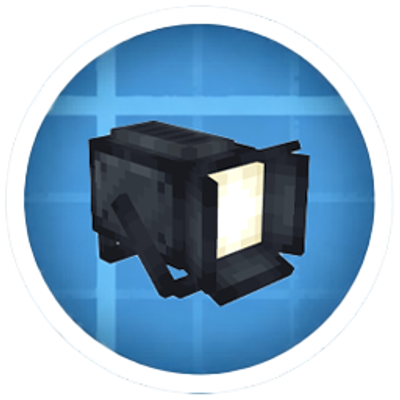
The spotlight block emits a pyramidal light beam. The stronger the redstone signal, the more opaque the beam becomes — and the more focused it gets.
The beam can be dyed with dye items, and is blocked by solid blocks.
When mounted on a contraption, the spotlight automatically emits a beam equivalent to a redstone signal strength of 4, while retaining its dyed color.
The microphone must be placed on a tripod. It automatically "captures" sounds within a 16-block radius and transmits them to its bound speaker.
The speaker then plays back whatever the microphone picks up. Multiple speakers placed adjacent to each other cluster into a single sound source (clustering range is configurable).
Both the microphone and the speaker are compatible with contraptions.
Illuminates distant blocks when powered by redstone.
Connects to blocks in any direction and transmits redstone signals without attenuation.
Professional stage rigging blocks. Can enclose shafts like casings; additionally, AE2 cable facades have been added
Shoots sparks upward to highlight the entrance of the protagonist. Redstone-activated; the ejection height can be adjusted. Requires Cold Spark Fuel.
WIP…
Project description from CurseForge.
Pick your setup
Choose the version and loader you play, then open the matching release.
Check the dependencies, then try the file in a copied instance before changing a world you care about.
Recent files
13 Nov 2026
30 Sept 2026
17 Sept 2026
Looking for an older file? The official CurseForge project page is in Resources.
 mod
Industrial complex from the coal mine to the closed nuclear fuel cycle: steel, power grids, oil and gas, chemistry and reactors on real physics, run by relays, PLCs and SCADA that you build.
 mod
Enhance fluid logistics and processing system for Create
 mod
A mod designed to add all the weapons from Counter-Strike 2