Minecraft version
Back to mods 
CurseForge · Minecraft mod
Sleep Time Simulation
Sleeping simulates the skipped night so loaded crops, machines, redstone, and animal ages can advance before morning.
Choose a version Pick your version below, then grab the matching file.
Quick answer
Which Sleep Time Simulation release should I use?
Latest stable file Sleep Time Simulation Neoforge v0.4.4.jar
Game version 1.21.1
Loader NeoForge
Sleep Time Simulation Neoforge v0.4.4.jar targets 1.21.1 with NeoForge. The project page does not say whether this file belongs on the client, dedicated server, or both. No extra mods listed for this file.
Where it goes
Is Sleep Time Simulation required on the client, server, or both?
The project page does not say whether this file belongs on the client, dedicated server, or both.
Client Source doesn’t say
Dedicated server Source doesn’t say
Loader for this release NeoForge
Required install it here Optional supported, not mandatory Not supported do not install here Source doesn’t say do not assume
The source does not explicitly classify this release as client-only or server-only.
What else does Sleep Time Simulation Neoforge v0.4.4.jar need?
Sleep Time Simulation Neoforge v0.4.4.jar. Change the file and its required mods may change too.
This file does not list any required mods. Do not add a library just because a different file uses it.
This file does not list any required or optional mods.
Before you install it
Add Sleep Time Simulation without breaking your instance.
Built for Sleep Time Simulation Neoforge v0.4.4.jar. Pick another file and the loader, install side or required mods may change.
- 01
Stick to this file
Use Sleep Time Simulation Neoforge v0.4.4.jar. It targets 1.21.1 with NeoForge; another release may have different loader, side or dependency requirements.
- 02
Bring the mods it needs
This file does not list any required mods. Do not add a library just because a different file uses it.
- 03
Put it on the correct side
The project page does not say whether this file belongs on the client, dedicated server, or both.
- 04
Pick the file you checked
Use the “Get this file” button beside Sleep Time Simulation Neoforge v0.4.4.jar. It opens that exact file at the source.
About this project
What does Sleep Time Simulation add?
Sleep Time Simulation
Let the world keep running while you sleep. Instead of jumping the clock straight to morning, Sleep Time Simulation processes the night while you stay in bed. Loaded crops and saplings get their normal chances to grow, redstone and furnaces keep ticking, and tick-based modded machines can continue working. Baby animals age through the night. Simulation starts without the usual bed wait and ends at morning once the required ticks have run.
A smooth Night progress bar above the hotbar shows how much of the night has been processed. The sleep darkness starts clear, peaks halfway through, and clears again by morning. The bar begins fading as you wake. You can turn the bar, darkness effect, and chat messages on or off independently.
Two simulation modes
- FULL_SERVER (default): Runs complete server ticks as quickly as the computer can process them while someone sleeps. This covers server-wide tick listeners as well as the loaded worlds. The player remains in bed until the simulation reaches morning.
- WORLD_BATCH: Runs extra world ticks in batches at the normal server loop pace. This can be easier to use on slower computers, but it does not advance every server-wide system. The progress bar and darkness are smoothed on the client so batch updates do not look stepped.
By default, mob movement and AI stay near normal real-time speed during either mode, while animal age and breeding cooldowns advance with the skipped ticks. Set normalMobTickRate = false if you want mobs to receive the extra movement and AI ticks too.
Compatibility and installation
- Minecraft: Java Edition 1.20.1
- Loader: Forge 47.x
- Install: Put the JAR in the
modsfolder. For multiplayer, install the same version on both client and server. - Other loaders: NeoForge has not been verified for this build
Only loaded chunks are simulated. Plant growth still follows ordinary light requirements and random chance, so one night does not guarantee a full crop or tree. Modded machines progress when their logic uses the ticks this mod advances; systems based on real elapsed time may behave differently. Large worlds and modpacks can make a sleep skip take longer in real time. Dedicated-server multiplayer has not yet been verified.
Configuration
Forge creates config/sleeptimesimulation-common.toml after the first launch. Close the game or server before editing it, then restart. The defaults work without any setup.
| Setting | Default | What it does |
|---|---|---|
simulationMode |
"FULL_SERVER" |
Choose complete accelerated server ticks or "WORLD_BATCH" extra world ticks. |
extraTicksPerTick |
64 |
Extra world ticks per normal server tick in batch mode. Range: 1–256. Ignored in full-server mode. |
maxSkipTicks |
24000 |
Maximum ticks simulated during one sleep. Range: 1–24000. A lower cap can stop the simulation before morning. |
normalMobTickRate |
true |
Keep mob movement and AI near normal speed while advancing age and breeding cooldowns. |
skipSleepDelay |
true |
Begin the skip immediately instead of waiting through the normal bed delay. |
showProgressBar |
true |
Show the Night percentage above the hotbar. |
useSleepDarknessEffect |
true |
Use the smooth 0% → 50% → 100% darkness curve. false restores vanilla sleep darkness. |
showChatMessages |
true |
Show sleep-skip start and finish messages. |
sleepOverlayMaxOpacity |
170 |
Darkness at the 50% midpoint. Range: 0–255; higher is darker. |
progressSmoothingMillis |
120 |
How quickly the bar and darkness catch up to new progress updates. Range: 16–1000 ms. |
progressBarFadeMillis |
500 |
Time for the bar to fade once the skip completes. Range: 100–5000 ms. |
Example: For the gentler batch mode with no chat messages, set simulationMode = "WORLD_BATCH" and showChatMessages = false, then restart Minecraft.
Project description from CurseForge.
Pick your setup
Sleep Time Simulation by Minecraft version and loader
Choose the version and loader you play, then open the matching release.
Minecraft version
1.20.1
1 loader buildCheck the dependencies, then try the file in a copied instance before changing a world you care about.
Recent files
Sleep Time Simulation versions and loaders
Sleep Time Simulation Neoforge v0.4.4.jar
sleeptimesimulation-1.21.1-0.4.4-neoforge.1.jar
20 Sept 2026
Client Source doesn’t say Server Source doesn’t say Dependencies No extras listed Listed on Release listing
Check the 1.21.1 · NeoForge setup 1.21.1NeoForge release
Sleep Time Simulation Forge v0.4.4.jar
sleeptimesimulation-0.4.4.jar
18 Sept 2026
Client Source doesn’t say Server Source doesn’t say Dependencies No extras listed Listed on Release listing
Check the 1.20.1 · Forge setup 1.20.1Forge release
Looking for an older file? The official CurseForge project page is in Resources.
 mod
mod CurseForge · Minecraft
SCC - Super Cool Calculator
A storage and autocrafting network with nothing to encode. Put a connector on the chests you already have, a calculator on the machines you already built, and ask the terminal for what you want.
 mod
mod CurseForge · Minecraft
Mob Spawn Fix
Fixes mob spawning and improves mob diversity
 mod
mod CurseForge + Modrinth · Minecraft
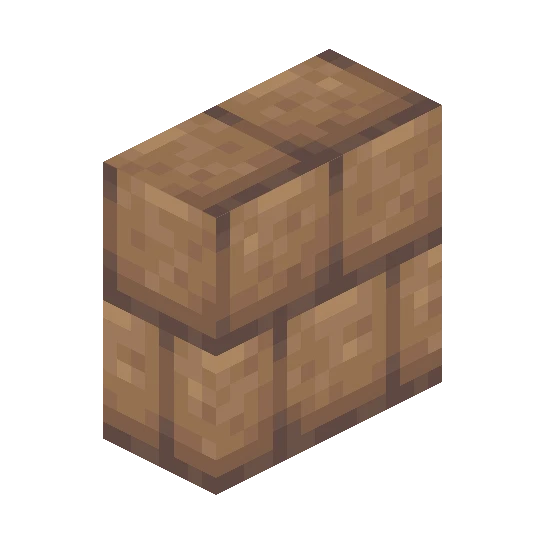
Nemo's Vertical Slabs
Add vertical slabs to Minecraft!