LDLib Needed by Big Tooltip Window bigtooltipwindow-26.1.x-1.0.1.jar
requiredMatching file found Matched file: mc26.1.x-26.1.2.41-neoforge
CurseForge · Minecraft mod
Allows you to open a seperate window to display to tooltips of hovered and held items.
Quick answer
Big Tooltip Window bigtooltipwindow-26.1.x-1.0.1.jar targets 26.1, 26.1.1, 26.1.2 with NeoForge. The project page does not say whether this file belongs on the client, dedicated server, or both. All 1 required mods have matching files.
Where it goes
The project page does not say whether this file belongs on the client, dedicated server, or both.
The source does not explicitly classify this release as client-only or server-only.
bigtooltipwindow-26.1.x-1.0.1.jar on 26.1.2 NeoForge. Every mod below is checked against that same setup.
Install LDLib first. We found matching files for this game-version and loader setup. 3 come through another mod in the chain.
3 extra mods were pulled in by other dependencies. Indented rows show who needs each one. We only count dependency files that match this setup. A file for another loader does not fill the gap.
Before you install it
Built for Big Tooltip Window bigtooltipwindow-26.1.x-1.0.1.jar on 26.1.2 NeoForge. Pick another file and the loader, install side or required mods may change.
Use bigtooltipwindow-26.1.x-1.0.1.jar. It targets 26.1, 26.1.1, 26.1.2 with NeoForge; another release may have different loader, side or dependency requirements.
Install LDLib first. We found matching files for this game-version and loader setup. 3 come through another mod in the chain.
The project page does not say whether this file belongs on the client, dedicated server, or both.
Use the “Get this file” button beside bigtooltipwindow-26.1.x-1.0.1.jar. It opens that exact file at the source.
About this project
Allows you to open a separate window that can display the tooltip of the item you are holding in your hand, hovering in an inventory, or holding with your cursor in your inventory. Open the window with /tooltip_window. Ideal for multi monitor gaming. Particularly on game modes like Hypixel's Skyblock, where item descriptions are taller than your screen, you can now show them in a second window!
Project description from CurseForge.
Pick your setup
Choose the version and loader you play, then open the matching release.
Showing the newest 12 of 16 game versions. Older files are in the list below.
Check the dependencies, then try the file in a copied instance before changing a world you care about.
Recent files
22 Sept 2026
19 Sept 2026
Looking for an older file? The official CurseForge project page is in Resources.
 mod
All-in-one mod that improves performance, reduces memory usage, and fixes many bugs. Compatible with all your favorite performance mods!
 mod
Fish N' Ships is a mod that adds new types of boats to Minecraft, including sailboats, canoes, rafts, and an all-new fishing ship
 mod
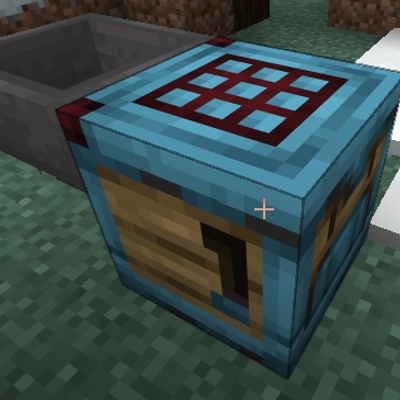
Smart Crafter is a lightweight, vanilla-friendly automation mod that upgrades the vanilla Crafter into a true set-and-forget auto-crafter—no redstone clocks required, and no more accidentally emptying your crafting template!