Artifacts Optional for Create: Relicworks create-relicworks-1.0.1-neoforge-1.21.1.jar
optionalMatching file found Matched file: artifacts-neoforge-13.2.5.jar
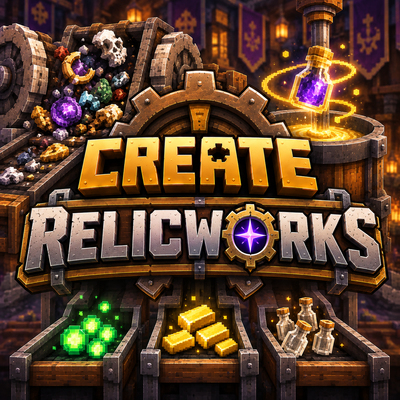
CurseForge · Minecraft mod
Create 6 crushing and mixing to recycle broken Relics into XP, gold, and Relic bottles. Optional Artifacts junk recycle. Recipes only. Intact relics are not destroyed.
Quick answer
Create: Relicworks create-relicworks-1.0.1-neoforge-1.21.1.jar targets 1.21.1 with NeoForge. The project page does not say whether this file belongs on the client, dedicated server, or both. All 4 required mods have matching files.
Where it goes
The project page does not say whether this file belongs on the client, dedicated server, or both.
The source does not explicitly classify this release as client-only or server-only.
create-relicworks-1.0.1-neoforge-1.21.1.jar. Change the file and its required mods may change too.
Install Relics, Create, ShatterLib | OctoLib, Architectury API first. We found matching files for this game-version and loader setup. 21 come through another mod in the chain.
21 extra mods were pulled in by other dependencies. Indented rows show who needs each one. We only count dependency files that match this setup. A file for another loader does not fill the gap.
Before you install it
Built for Create: Relicworks create-relicworks-1.0.1-neoforge-1.21.1.jar. Pick another file and the loader, install side or required mods may change.
Use create-relicworks-1.0.1-neoforge-1.21.1.jar. It targets 1.21.1 with NeoForge; another release may have different loader, side or dependency requirements.
Install Relics, Create, ShatterLib | OctoLib, Architectury API first. We found matching files for this game-version and loader setup. 21 come through another mod in the chain.
The project page does not say whether this file belongs on the client, dedicated server, or both.
Use the “Get this file” button beside create-relicworks-1.0.1-neoforge-1.21.1.jar. It opens that exact file at the source.
About this project
Create recycling for Relics.
Turn broken relics into useful materials with Create’s machinery — while keeping intact relics safely out of the crushing wheels.
Requires: Create 6 • Relics • Minecraft 1.21.1 • NeoForge
Artifacts is optional for additional junk recycling.
Crushing Wheels and the Millstone can recycle every broken Relic into:
Broken relics finally have a useful destination instead of sitting in storage.
A Heated Mixer bottles Relic XP using:
4 Experience Nuggets + Gold Nugget + Glass Bottle → Relic XP Bottle
A fully automatable way to turn Create experience into bottled relic progression.
If Artifacts is installed, selected hats and junk trinkets can also be crushed into XP and scraps.
Includes:
Drop the jar into your mods/ folder alongside Create and Relics.
Artifacts is optional for additional junk recycling.
Works in any modpack running the required dependencies.
Optional for Worlds Further.
Project description from CurseForge.
Pick your setup
Choose the version and loader you play, then open the matching release.
Check the dependencies, then try the file in a copied instance before changing a world you care about.
Recent files
28 Sept 2026
19 Sept 2026
Looking for an older file? The official CurseForge project page is in Resources.
 mod
modImmersive Weapons is more than just a weapons mod aiming to spice up your combat skills.
 mod
modThe Immersive Weapons Compatibility Bridge adds compatibility to several mods.
 mod
modMake custom datapack items and recipes instantly visible in JEI, REI and EMI, with automatic server-side syncing and no hardcoded item lists.