Player Animation Library Needed by Arcana: Magic & Mastery Arcana 0.1.72 - NeoForge 1.21.1
requiredMatching file found Matched file: 1.1.6+1.21.1-NeoForge

CurseForge · Minecraft mod
Learn spells, awaken skills and grow your magicule, with spell mastery, summonable familiars, ancient ruins, pocket dimensions and animated casting.
Quick answer
Arcana: Magic & Mastery Arcana 0.1.72 - NeoForge 1.21.1 targets 1.21.1 with NeoForge. The project page does not say whether this file belongs on the client, dedicated server, or both. All 5 required mods have matching files.
Where it goes
The project page does not say whether this file belongs on the client, dedicated server, or both.
The source does not explicitly classify this release as client-only or server-only.
Arcana 0.1.72 - NeoForge 1.21.1. Change the file and its required mods may change too.
Install Player Animation Library, GeckoLib, Photon, KilaGraph and 1 more first. We found matching files for this game-version and loader setup. 3 come through another mod in the chain.
3 extra mods were pulled in by other dependencies. Indented rows show who needs each one. We only count dependency files that match this setup. A file for another loader does not fill the gap.
Before you install it
Built for Arcana: Magic & Mastery Arcana 0.1.72 - NeoForge 1.21.1. Pick another file and the loader, install side or required mods may change.
Use Arcana 0.1.72 - NeoForge 1.21.1. It targets 1.21.1 with NeoForge; another release may have different loader, side or dependency requirements.
Install Player Animation Library, GeckoLib, Photon, KilaGraph and 1 more first. We found matching files for this game-version and loader setup. 3 come through another mod in the chain.
The project page does not say whether this file belongs on the client, dedicated server, or both.
Use the “Get this file” button beside Arcana 0.1.72 - NeoForge 1.21.1. It opens that exact file at the source.
About this project
A first spark. A growing grimoire. Magic that changes the world.
Arcana brings 200+ spells and 15 skills to Minecraft, with animated casting, magic circles, powerful summons and progression built around discovering and practicing magic. Grow your Magicule, earn Insight, and build a collection of spells that suits how you play.
Discover spell books in ancient ruins, structure loot and magical encounters. Practice your spells and use Master and Maximum Scrolls to unlock supported upgrades. Advance through seven character ranks, from Beginner to God, by reaching EP milestones and spending Insight.
Your magic can heal, protect, summon familiars, move terrain, call down meteors or help with farming and exploration. Learn Aura Sight to see soul-colored auras, train through Meditation, and complete trials to awaken permanent skills.
Discover ten Demon Eyes, each unique within a world, with abilities ranging from foresight and remote vision to absorption and tracking. Find a rare Demon Spirit and perform its altar ritual to summon an unclaimed eye.
Craft a Wizard armor set to improve Magicule Efficiency and Arcane spell damage. Face spellcasting piglins, pillagers, zombie leaders and trident-wielding drowned, whose animated spellbooks can become your rewards.
Spend Insight on Health, Defense, Spell Damage and Speed, or share it with nearby players. Rebirth resets purchased stats and can unlock unique spells such as Glintblood, Heart Unbound and The One I Was.
The Spellweaving Bench combines learned spells into a custom spell book. Choose their timing, unlocked forms, supported buff durations and shared cooldown. Release spells together or build a sequence, with the casting cost and resulting rank shown before creation.
Creating a combo costs Magicule, XP levels, Magicule Crystals, a Book and Arcane Ink. Shorter cooldowns make each cast more expensive. Custom spells keep their original targeting rules and restrictions.
The Spell Splitter turns a spell book into a random book one rank lower, with a chance of an extra book. Splitting costs Arcane Ink and XP levels.
Permanent Celestial and Spirit attunement reward time spent progressing in these realms. Shadow Flight, Rift Travel and Dimensional Recall expand your travel options. Pocket Dimension storage and its buildable personal sanctuary remain available too.
The Grimoire holds six quick slots, with an optional second blue bar for six more. Assign individual keybindings, write custom chat incantations, choose unlocked mastery forms and keep the spells you want ready.
Coordinate with friends through parties and teams, command familiars, and unlock selectable advancement titles for chat and the player list. Ordinary chat uses configurable proximity rules.
The separate Arcana - Lootr Compatibility add-on supports personal spell-book rolls in Lootr containers, personal ruin rewards and individual Stillness Vault completion. It is optional; Arcana runs without Lootr.
Minecraft 1.21.1 · NeoForge 21.1.232 or newer · Java 21
Install matching Arcana versions on both the server and clients, together with:
Clients additionally require Player Animation Library 1.1.6 or newer by ZigyTheBird, and GeckoLib 4.9.3 or a compatible later 4.x release. Select the Minecraft 1.21.1 / NeoForge file for each library. These are declared minimums; not every later library release has been tested.
MCreator is not required to play. Arcana is in beta and active development. New dimension terrain and structures appear in new chunks; updating preserves existing generated areas and player builds.
Project description from CurseForge.
Pick your setup
Choose the version and loader you play, then open the matching release.
Check the dependencies, then try the file in a copied instance before changing a world you care about.
Recent files
arcana-0.1.72-neoforge-1.21.1.jar
10 Oct 2026
arcana-0.1.71-neoforge-1.21.1.jar
9 Oct 2026
arcana-0.1.7-neoforge-1.21.1.jar
9 Oct 2026
arcana-0.1.61-neoforge-1.21.1.jar
8 Oct 2026
arcana-0.1.6-neoforge-1.21.1.jar
7 Oct 2026
arcana-0.1.5-neoforge-1.21.1.jar
4 Oct 2026
arcana-0.1.46-neoforge-1.21.1.jar
3 Oct 2026
arcana-0.1.45-neoforge-1.21.1.jar
2 Oct 2026
arcana-0.1.4-neoforge-1.21.1.jar
2 Oct 2026
arcana-0.1.3-neoforge-1.21.1.jar
28 Sept 2026
arcana-0.1.2-neoforge-1.21.1.jar
26 Sept 2026
arcana-0.1.1-neoforge-1.21.1.jar
23 Sept 2026
Looking for an older file? The official CurseForge project page is in Resources.
 mod
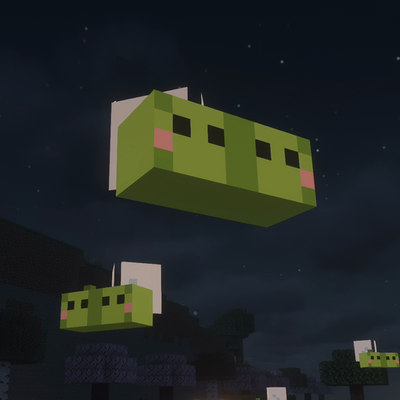
modA cozy vanilla+ farming mod: richer soils speed up your crops, shy edamame fairies grow your fields at night, and late game they build you a lantern-lit garden. Inspired by Stardew Valley's crop fairy.
 mod
modAdds Compatibility Between Starcatcher v3 and Hybrid Aquatic
 mod
modEarn titles by playing and wear them above your name. Keep a personal journey of your first times and race for server milestones. Purely cosmetic.