Fabric API Needed by Tidy Pockets 1.2.29 (Fabric/Quilt, 1.20.1)
requiredMatching file found Matched file: [1.20.1] Fabric API 0.92.12+1.20.1
CurseForge · Minecraft mod
Instant inventory sorting, slot locking, hotbar refill, tool-break protection and mouse shortcuts, all client-side, with quick cartoon animations.
Quick answer
Tidy Pockets 1.2.29 (Fabric/Quilt, 1.20.1) targets 1.20.1 with Fabric, Quilt. The project page does not say whether this file belongs on the client, dedicated server, or both. All 1 required mods have matching files.
Where it goes
The project page does not say whether this file belongs on the client, dedicated server, or both.
The source does not explicitly classify this release as client-only or server-only.
Tidy Pockets 1.2.29 (Fabric/Quilt, 1.20.1) on 1.20.1. Every mod below is checked against that same setup.
Install Fabric API first. We found matching files for this game-version and loader setup.
We only count dependency files that match this setup. A file for another loader does not fill the gap.
Before you install it
Built for Tidy Pockets 1.2.29 (Fabric/Quilt, 1.20.1) on 1.20.1. Pick another file and the loader, install side or required mods may change.
Use Tidy Pockets 1.2.29 (Fabric/Quilt, 1.20.1). It targets 1.20.1 with Fabric, Quilt; another release may have different loader, side or dependency requirements.
Install Fabric API first. We found matching files for this game-version and loader setup.
The project page does not say whether this file belongs on the client, dedicated server, or both.
Use the “Get this file” button beside Tidy Pockets 1.2.29 (Fabric/Quilt, 1.20.1). It opens that exact file at the source.
About this project
One click, all sorted. Instant inventory sorting, slot locking, hotbar refill, a random block palette, tool-break protection and mouse shortcuts in one client-side mod, with quick cartoon animations.


| Action | Default |
|---|---|
| Sort | Middle-click over an inventory |
| Lock or unlock a slot | Left Alt + click |
| Add or remove a block in the random palette | R over a hotbar block (or R with it selected) |
| Clear the random palette | Shift + R |
| Search | Ctrl+F in a container |
| Deposit everything / take everything | Shift + click Deposit or Restock |
| Move one item / a whole stack | Scroll wheel / Shift + scroll |
| Shift-click many slots | Hold Shift and drag |
Random palette: press R on each hotbar block you want to mix (a small die shows on it), then place blocks as usual. A block in two slots comes up twice as often. Select any other slot, like a torch, and placing is normal again.
Change the keys in Controls, and the settings in Mod Menu (Fabric) or the Mods list (NeoForge, Forge).
The settings open in the shared Profet Mods screen (also from the copper golem button in the Game Menu) with a live preview of every option and Quick setup presets. Its Report bug button sends a bug report from inside the game: what happened plus your Minecraft and loader versions, mod list, changed settings and recent errors. Privacy: reports go through Profet's report server (Cloudflare) and are posted as public issues on GitHub. Your player name, home folder and IP addresses are removed first, and a View report link shows exactly what will be sent. Nothing is sent unless you press Send.


Put the jar for your loader in your mods folder: Fabric or Quilt (needs Fabric API), NeoForge or Forge, for Minecraft 26.3, 26.2, 26.1.2, 1.21.11, 1.21.1 and 1.20.1. Minecraft 1.21.8 and 1.21.4 have Fabric and Quilt builds. On 1.20.1, NeoForge uses the Forge jar.

 |
 |
|---|---|
 |
 |

All rights reserved, with permissions: you can use it anywhere, include it in modpacks with credit, and show it in videos. Full terms: LICENSE.
Not an official Minecraft product. Not approved by or associated with Mojang or Microsoft.

Tidy Pockets is free. If it saves you some inventory shuffling, a coffee helps fund the next update.

Want your own server to play on with friends? My BisectHosting affiliate link gives you 25% off the first month, and I get a small commission.
More from Profet: GitHub (source and issues) · Ko-fi

Project description from CurseForge.
Pick your setup
Choose the version and loader you play, then open the matching release.
Check the dependencies, then try the file in a copied instance before changing a world you care about.
Recent files
tidypockets-1.2.29-1.20.1-fabric.jar
27 Nov 2026
tidypockets-1.2.29-1.20.1-forge.jar
27 Nov 2026
tidypockets-1.2.28-1.20.1-fabric.jar
27 Nov 2026
tidypockets-1.2.28-1.20.1-forge.jar
27 Nov 2026
tidypockets-1.2.27-1.20.1-fabric.jar
27 Nov 2026
tidypockets-1.2.27-1.20.1-forge.jar
27 Nov 2026
Looking for an older file? The official CurseForge project page is in Resources.
 mod
Ever wanted a way of moving your enchants onto a book? Time to get overpowered!
 mod
Item Shop and Economy System Mod
 mod
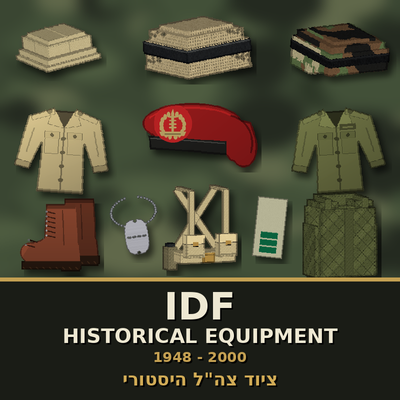
Historical Israel Defense Forces Uniforms and Field Gear from 1948 to 2000, sorted by era, with real 3D models