stones.core Needed by stones.editor stones-editor_1.20.1_1.1.3.jar
requiredMatching file found Matched file: stones-core_1.20.1_1.1.4.jar
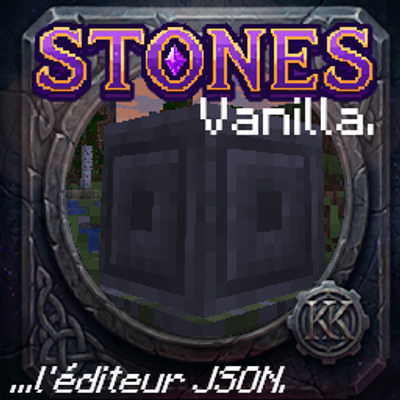
CurseForge · Minecraft mod
An in-game visual scripting GUI and blueprint node trigger editor for Stones. Create custom RPG skills, spells, and VFX with zero code. Generate JSON datapacks, build behavior trees, and live-reload KubeJS scripts directly on your server.
Quick answer
stones.editor stones-editor_1.20.1_1.1.3.jar targets 1.20.1 with Forge. The project page does not say whether this file belongs on the client, dedicated server, or both. All 6 required mods have matching files.
Where it goes
The project page does not say whether this file belongs on the client, dedicated server, or both.
The source does not explicitly classify this release as client-only or server-only.
stones-editor_1.20.1_1.1.3.jar. Change the file and its required mods may change too.
Install stones.core, Action Bar by Karl Karlmann, Reward Boxes by Karl Karlmann, KubeJS and 2 more first. We found matching files for this game-version and loader setup. 5 come through another mod in the chain.
5 extra mods were pulled in by other dependencies. Indented rows show who needs each one. We only count dependency files that match this setup. A file for another loader does not fill the gap.
Before you install it
Built for stones.editor stones-editor_1.20.1_1.1.3.jar. Pick another file and the loader, install side or required mods may change.
Use stones-editor_1.20.1_1.1.3.jar. It targets 1.20.1 with Forge; another release may have different loader, side or dependency requirements.
Install stones.core, Action Bar by Karl Karlmann, Reward Boxes by Karl Karlmann, KubeJS and 2 more first. We found matching files for this game-version and loader setup. 5 come through another mod in the chain.
The project page does not say whether this file belongs on the client, dedicated server, or both.
Use the “Get this file” button beside stones-editor_1.20.1_1.1.3.jar. It opens that exact file at the source.
About this project
The editor can be opened via command /stonesstudio or /stones studio
Stones.editor
Stones.editor is an addon for the Stones core mod. It provides an in-game development environment. Administrators use this tool to create or change runes, skills, and projectiles.
Installation and Permissions
Dependencies: You must install the Stones core mod. The core mod requires KubeJS and Actionbar. The editor does not have other dependencies.
Network: The mod uses displayTest="IGNORE_ALL_VERSION". You do not have to install this addon on all clients. It is sufficient if administrators install the mod to make changes on the server.
Access: You open the user interface in the game with the /stonesstudio command. This command requires administrator (OP) permissions on the server.
Features
Behavior Tree: You visually construct skills from events, conditions, and actions.
Raw JS Mode: You can change a visual behavior tree into raw JavaScript code. Note: This procedure operates in one direction only. You cannot change raw JS code back into a visual tree. The system warns you before you do this step.
In-Game Canvas: The editor includes a canvas for rune icons and projectile sprites. You can add external image files with the clipboard (Ctrl+V) or with drag-and-drop.
Memory: The editor keeps a history of a maximum of 50 steps for undo and redo actions.
Live Reload: You can apply changed scripts directly to the server. A server restart is not necessary.
Data Structure and Workspaces
The mod saves projects in the minecraft/datapacks/ directory. This makes it easy to share workspaces on CurseForge.
The system only loads one active workspace for the editor. The internal structure is datapack/data/stones_workspace/enchantments. The name stones_workspace makes sure that standard datapack loaders ignore these files. Because of this, the editor files do not overwrite the regular Stones data of the game.
Compatibility The architecture of the editor has an open-system design. For example, the editor reads damage tags dynamically from the registry to be compatible with other content mods. The Minecraft modding community is large. If you find that important connections to other mods are missing, please send a report.
Project description from CurseForge.
Pick your setup
Choose the version and loader you play, then open the matching release.
Check the dependencies, then try the file in a copied instance before changing a world you care about.
Recent files
7 Oct 2026
Looking for an older file? The official CurseForge project page is in Resources.
 mod
modMinecraft reimagined as a Real Time Strategy game
 mod
modLast Song of Elysian Music Add-on
 mod
moda mod that let you edit weapon and equipment stats via an in-game visual GUI