Minecraft version
Back to mods 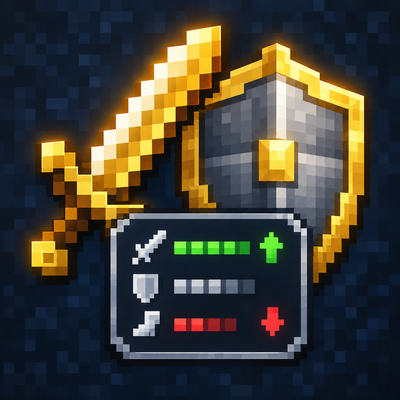
CurseForge · Minecraft mod
Attribute Display Style
Attribute Display Style replaces Minecraft's default item attribute lines with a compact, configurable layout.
Choose a version Pick your version below, then grab the matching file.
Quick answer
Which Attribute Display Style release should I use?
Latest stable file attribute_display_style-forge-1.20.1-1.4.2
Game version 1.20.1
Loader Forge
Attribute Display Style attribute_display_style-forge-1.20.1-1.4.2 targets 1.20.1 with Forge. The project page does not say whether this file belongs on the client, dedicated server, or both. No extra mods listed for this file.
Where it goes
Is Attribute Display Style required on the client, server, or both?
The project page does not say whether this file belongs on the client, dedicated server, or both.
Client Source doesn’t say
Dedicated server Source doesn’t say
Loader for this release Forge
Required install it here Optional supported, not mandatory Not supported do not install here Source doesn’t say do not assume
The source does not explicitly classify this release as client-only or server-only.
What else does Attribute Display Style attribute_display_style-forge-1.20.1-1.4.2 need?
attribute_display_style-forge-1.20.1-1.4.2. Change the file and its required mods may change too.
This file does not list any required mods. Do not add a library just because a different file uses it.
This file does not list any required or optional mods.
Before you install it
Add Attribute Display Style without breaking your instance.
Built for Attribute Display Style attribute_display_style-forge-1.20.1-1.4.2. Pick another file and the loader, install side or required mods may change.
- 01
Stick to this file
Use attribute_display_style-forge-1.20.1-1.4.2. It targets 1.20.1 with Forge; another release may have different loader, side or dependency requirements.
- 02
Bring the mods it needs
This file does not list any required mods. Do not add a library just because a different file uses it.
- 03
Put it on the correct side
The project page does not say whether this file belongs on the client, dedicated server, or both.
- 04
Pick the file you checked
Use the “Get this file” button beside attribute_display_style-forge-1.20.1-1.4.2. It opens that exact file at the source.
About this project
What does Attribute Display Style add?
Attribute Display Style
Make item attribute tooltips easier to scan—and style them your way.
Attribute Display Style replaces Minecraft's default item attribute lines with a compact, configurable layout. Modifiers for the same attribute and operation are combined into one line by default. Hold Shift to expand the line and see the contributing modifiers.
Features
- Clear grouped stats: Combine repeated modifiers while keeping their individual sources available with Shift.
- Style every line: Set separate prefixes, glyphs, and colors for positive or negative single, merged, and expanded lines.
- Use your own icons: Choose text or Unicode glyphs, or use private-use glyphs backed by bitmap icons from a resource-pack font.
- Show selected bonuses as percentages: Configure attribute IDs whose additive values should display as percentages (for example,
0.05as+5%). - Readable weapon totals: Attack damage and attack speed show the total with the player's base value. Hold Shift to inspect the item's contribution and enchantment damage bonus.
- Works with other attribute tooltips: Restyles and merges supported attribute lines from Curios slot lists and Confluence item prefixes. Neither mod is required, and unrelated tooltip lines are left alone.
Client-side configuration
The config file is config/attribute_display_style.json. Edit it while the game is running, then run /attribute_display_style reload to apply changes. You can also press F3+T to reload resources and the config.
This is a client-side mod. Install it on your client; no server installation or operator permission is needed. It works in single player and when joining a server.
Supported versions
| Loader | Minecraft |
|---|---|
| Forge | 1.20.1 |
| NeoForge | 1.20.4, 1.21.1, 26.1.2 |
Choose the download that matches your Minecraft version and loader.
Project description from CurseForge.
Pick your setup
Attribute Display Style by Minecraft version and loader
Choose the version and loader you play, then open the matching release.
Minecraft version
1.21.1
1 loader buildMinecraft version
1.20.4
1 loader buildMinecraft version
1.20.1
1 loader buildCheck the dependencies, then try the file in a copied instance before changing a world you care about.
Recent files
Attribute Display Style versions and loaders
attribute_display_style-forge-1.20.1-1.4.2
attribute_display_style-forge-1.20.1-1.4.2.jar
6 Nov 2026
Client Source doesn’t say Server Source doesn’t say Dependencies No extras listed Listed on Release listing
Check the 1.20.1 · Forge setup 1.20.1Forge release
attribute_display_style-forge-1.20.1-1.4.1
attribute_display_style-forge-1.20.1-1.4.1.jar
3 Nov 2026
Client Source doesn’t say Server Source doesn’t say Dependencies No extras listed Listed on Release listing
Check the 1.20.1 · Forge setup 1.20.1Forge release
attribute_display_style-forge-1.20.1-1.4.0
attribute_display_style-forge-1.20.1-1.4.0.jar
31 Oct 2026
Client Source doesn’t say Server Source doesn’t say Dependencies No extras listed Listed on Release listing
Check the 1.20.1 · Forge setup 1.20.1Forge release
attribute_display_style-forge-1.20.1-1.3.0
attribute_display_style-forge-1.20.1-1.3.0.jar
9 Oct 2026
Client Source doesn’t say Server Source doesn’t say Dependencies No extras listed Listed on Release listing
Check the 1.20.1 · Forge setup 1.20.1Forge release
attribute_display_style-forge-1.20.1-1.2.0
attribute_display_style-forge-1.20.1-1.2.0.jar
4 Oct 2026
Client Source doesn’t say Server Source doesn’t say Dependencies No extras listed Listed on Release listing
Check the 1.20.1 · Forge setup 1.20.1Forge release
attribute_display_style-neoforge-1.20.4-1.1.0
attribute_display_style-neoforge-1.20.4-1.1.0.jar
27 Sept 2026
Client Source doesn’t say Server Source doesn’t say Dependencies No extras listed Listed on Release listing
Check the 1.20.4 · NeoForge setup 1.20.4NeoForge release
attribute_display_style-neoforge-26.1.2-1.1.0
attribute_display_style-neoforge-26.1.2-1.1.0.jar
27 Sept 2026
Client Source doesn’t say Server Source doesn’t say Dependencies No extras listed Listed on Release listing
Check the 26.1.2 · NeoForge setup NeoForge26.1.2 release
attribute_display_style-neoforge-1.21.1-1.1.0
attribute_display_style-neoforge-1.21.1-1.1.0.jar
27 Sept 2026
Client Source doesn’t say Server Source doesn’t say Dependencies No extras listed Listed on Release listing
Check the 1.21.1 · NeoForge setup 1.21.1NeoForge release
attribute_display_style-forge-1.20.1-1.1.0
attribute_display_style-forge-1.20.1-1.1.0.jar
27 Sept 2026
Client Source doesn’t say Server Source doesn’t say Dependencies No extras listed Listed on Release listing
Check the 1.20.1 · Forge setup 1.20.1Forge release
attribute_display_style-forge-1.20.1-1.0.0
attribute_display_style-forge-1.20.1-1.0.0.jar
25 Sept 2026
Client Source doesn’t say Server Source doesn’t say Dependencies No extras listed Listed on Release listing
Check the 1.20.1 · Forge setup 1.20.1Forge release
Looking for an older file? The official CurseForge project page is in Resources.
 mod
CurseForge · Minecraft
Rick's Stuff:Akira and More
An expansion addon for Rick's Stuff that adds new cybernetic weapons, implants, machines, abilities and upgrades to existing Rick's Stuff technology.
 mod
CurseForge · Minecraft
CNPC-plus-Fix
CNPCPlus is a community-driven enhancement for CustomNPCs, featuring bug fixes, performance improvements, compatibility patches, new features, and long-term maintenance while preserving compatibility with existing worlds and projects.
 mod
CurseForge · Minecraft
Tool Leveling Table
(Tool Leveling Table)