Minecraft version
Back to mods 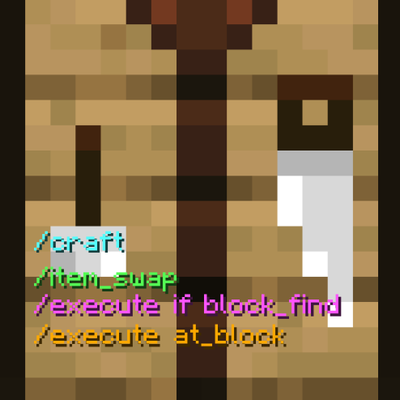
CurseForge · Minecraft mod
Player Craft Command
This mod adds useful commands to simulate crafting and search for and execute commands at blocks
Choose a version Pick your version below, then grab the matching file.
Quick answer
Which Player Craft Command release should I use?
Latest stable file player-craft-command-1.3.0.jar
Game version 1.21
Loader Fabric
Player Craft Command player-craft-command-1.3.0.jar targets 1.21 with Fabric. The project page does not say whether this file belongs on the client, dedicated server, or both. No extra mods listed for this file.
Where it goes
Is Player Craft Command required on the client, server, or both?
The project page does not say whether this file belongs on the client, dedicated server, or both.
Client Source doesn’t say
Dedicated server Source doesn’t say
Loader for this release Fabric
Required install it here Optional supported, not mandatory Not supported do not install here Source doesn’t say do not assume
The source does not explicitly classify this release as client-only or server-only.
What else does Player Craft Command player-craft-command-1.3.0.jar need?
player-craft-command-1.3.0.jar. Change the file and its required mods may change too.
This file does not list any required mods. Do not add a library just because a different file uses it.
This file does not list any required or optional mods.
Before you install it
Add Player Craft Command without breaking your instance.
Built for Player Craft Command player-craft-command-1.3.0.jar. Pick another file and the loader, install side or required mods may change.
- 01
Stick to this file
Use player-craft-command-1.3.0.jar. It targets 1.21 with Fabric; another release may have different loader, side or dependency requirements.
- 02
Bring the mods it needs
This file does not list any required mods. Do not add a library just because a different file uses it.
- 03
Put it on the correct side
The project page does not say whether this file belongs on the client, dedicated server, or both.
- 04
Pick the file you checked
Use the “Get this file” button beside player-craft-command-1.3.0.jar. It opens that exact file at the source.
About this project
What does Player Craft Command add?
This mod gives several extremely useful commands for use in datapacks or maps
This mod acts as a dependency for some of my maps and may be required for the map to work
Simulated Crafting
The /craft command allows you to simulate crafting for players without the need for a crafting table. It checks for the required items in the player's inventory and uses them to craft the specified item. The number of crafted items can be specified, and the "infinite" component will continue crafting until the player doesn't have enough items to craft more.
Usage:
/craft <item name> <quantity>
Example: /execute as Granthas1 run craft minecraft:wooden_axe infinite
Swap Items
The /item_swap command acts as a better version of the /item command where it allows you to swap items between players or block entities rather than overwriting the item. It also allows you to search and retrieve a specific item rather than manually sifting through an inventory with dozens of commands. This can greatly reduce the amount of commands needed in datapacks that make liberal use of the /item command or that need to manage a player's inventory
Usage:
/item_swap entity <entity name> <container> <item name>
/item_swap block <coordinates> from entity <entity name> <item name>
Example (entity): /item_swap entity Granthas1 hotbar.0 minecraft:iron_sword
Example (block entity): /item_swap block 40 75 -25 container.1 from entity @p minecraft:coal
Search for a block within a radius
The "block_find" command component used for "/execute if block_find" allows you to search for a certain block within a spherical radius from the execution location for usage with the /execute command
Usage:
/execute if block_find <block name> <radius>
Example: /execute if block_find minecraft:end_portal_frame 64 run tellraw @a "A stronghold is nearby"
Execute a command at a block
The "at_block" command component for used for "/execute at_block" allows you to run a command at a specific block similar to how vanilla allows command execution at entities. This is extremely useful for datapacks where you want to get a block's location or run a command executed at a certain block.
Usage:
/execute at_block <block name> <radius>
Example: /execute at_block minecraft:acacia_log 20 run summon minecraft:armor_stand ~ ~1 ~ {Tags:["pos1"]}
Project description from CurseForge.
Pick your setup
Player Craft Command by Minecraft version and loader
Choose the version and loader you play, then open the matching release.
Check the dependencies, then try the file in a copied instance before changing a world you care about.
Recent files
Player Craft Command versions and loaders
player-craft-command-1.3.0.jar
26 Sept 2026
Client Source doesn’t say Server Source doesn’t say Dependencies No extras listed Listed on Release listing
Check the 1.21 · Fabric setup 1.21Fabric release
Looking for an older file? The official CurseForge project page is in Resources.
 mod
CurseForge + Modrinth · Minecraft
Modulation
A growing collection of quality-of-life tweaks, bug fixes, and cross-mod integrations for modpack creators!
 mod
CurseForge · Minecraft
N² Photon Cataclysm (Shader Update)
N² Photon Cataclysm brings a massive, cinematic explosion to Minecraft, from the first blinding flash to the mushroom cloud hanging over the crater.