Back to mods
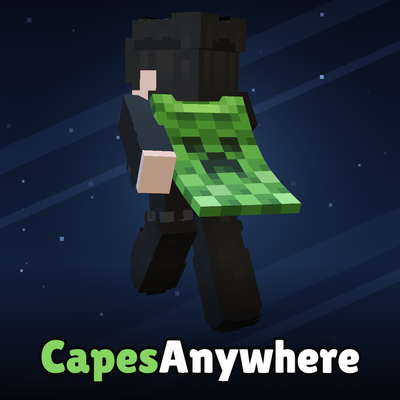
CapesAnywhere project artwork

CurseForge · Minecraft mod

CapesAnywhere

Wear any cape on any server - OptiFine, Mojang, or your own PNG - and everyone running the mod sees it.

Choose a version Pick your version below, then grab the matching file.

Quick answer

Which CapesAnywhere release should I use?

Updated 7 days ago
Latest stable file capes-anywhere-1.0.9+26.3.jar
Game version 26.3
Loader Fabric

CapesAnywhere capes-anywhere-1.0.9+26.3.jar targets 26.3 with Fabric. The project page does not say whether this file belongs on the client, dedicated server, or both. All 1 required mods have matching files.

Where it goes

Is CapesAnywhere required on the client, server, or both?

The project page does not say whether this file belongs on the client, dedicated server, or both.

Client Source doesn’t say
Dedicated server Source doesn’t say
Loader for this release Fabric
Required install it here Optional supported, not mandatory Not supported do not install here Source doesn’t say do not assume

The source does not explicitly classify this release as client-only or server-only.

What else does CapesAnywhere capes-anywhere-1.0.9+26.3.jar need?

capes-anywhere-1.0.9+26.3.jar. Change the file and its required mods may change too.

All 1 required mods have matching files

Install Fabric API first. We found matching files for this game-version and loader setup.

Wavey Capes Optional for CapesAnywhere capes-anywhere-1.0.9+26.3.jar
optional
Matching file found Matched file: 1.11.3-26.3 - Fabric
Fabric API Needed by CapesAnywhere capes-anywhere-1.0.9+26.3.jar
required
Matching file found Matched file: [26.3] Fabric API 0.163.0+26.3

We only count dependency files that match this setup. A file for another loader does not fill the gap.

Before you install it

Add CapesAnywhere without breaking your instance.

Built for CapesAnywhere capes-anywhere-1.0.9+26.3.jar. Pick another file and the loader, install side or required mods may change.

  1. 01

    Stick to this file

    Use capes-anywhere-1.0.9+26.3.jar. It targets 26.3 with Fabric; another release may have different loader, side or dependency requirements.

  2. 02

    Bring the mods it needs

    Install Fabric API first. We found matching files for this game-version and loader setup.

  3. 03

    Put it on the correct side

    The project page does not say whether this file belongs on the client, dedicated server, or both.

  4. 04

    Pick the file you checked

    Use the “Get this file” button beside capes-anywhere-1.0.9+26.3.jar. It opens that exact file at the source.

About this project

What does CapesAnywhere add?

Capes Anywhere

Website Support on Ko-fi Telegram

Divider

About

Wear any cape on any server, and everyone who has the mod sees it.

Capes Anywhere puts a cape on your back and shares it with every other player who runs the mod. It can be your OptiFine cape, any of Mojang's official capes, or a picture of your own. It works on every server, offline-mode servers included, and there is nothing to install on the server.

Divider

How it works

Pick a cape, it syncs in seconds, others with the mod see it on any server

Divider

Features

Every kind of cape

  • Your OptiFine cape: wear it, change it from inside the game without pasting your login anywhere, and browse OptiFine's banner designs in one click. Other players' OptiFine capes show on them, as with OptiFine.
  • Mojang's official capes: all of them, whether or not you own them.
  • Your own capes: import a PNG. Standard 64×32, OptiFine 46×22 and bare 22×17 templates all work, in HD up to 8K.
  • Animated capes, as vertical strips of frames in any of those layouts.
  • Elytra take their texture from the cape, as in OptiFine.
  • Works with WaveyCapes, in the world and in the preview.

Shared in seconds

  • Pick a cape and everybody with the mod sees it within seconds, wherever you are.
  • Each image is downloaded once and checked on arrival, so nobody can swap it for another.
  • One small download covers a whole server, so a crowded server costs as much as an empty one.

A community gallery

  • Offer your capes to everyone, with a name. A moderator looks at each one first.
  • Browse, search and wear the approved ones in the Community tab.
  • If a moderator says no, you get their reason in the in-game inbox and in chat.

Your cape, your rules

  • Private capes: choose who sees yours: everyone, a list of people, or nobody. The service enforces it, so other players' clients can't get around it. Private does not mean outside the rules: if a private cape is reported, the mod's owner (and no one else) can look at it and block it, and every such look is logged with the reason.
  • Block a player and you stop seeing whatever they wear. They are not told.
  • Report a cape to the moderators.

It follows your account

  • Sign in on another computer and your capes are already there.
  • Each account keeps its own capes, so an alt never inherits your main's.

It tells you when there's an update

  • When CurseForge has a newer version for your Minecraft, a line in chat says so, with a link to its download page.
  • The mod never downloads or installs anything by itself: you update from CurseForge, or let the CurseForge app do it.

For supporters ❤️

  • Generate a cape from any picture: PNG, JPG, BMP or GIF, up to 8K. A GIF becomes an animated cape.
  • A heart badge and a short coloured title next to your name, seen by everyone with the mod.
  • The heart button copies your name before it opens Ko-fi. Paste it in the donation message and the rank arrives by itself.

Languages: English and Italian.

Divider

The website

capesanywhere.com, a NameMC for Capes Anywhere:

  • Search any player to see their skin and skin history, their official capes, their OptiFine cape and what they wear through the mod.
  • Every public cape has its own page, with who's wearing it right now, a 3D try-on and a download.
  • Sign in straight from the game with the globe button, bottom right of the mod's screen. There's no password: the mod opens a link that works once.
  • Private and blocked capes never appear on the site.

Divider

Safety & moderation

  • Every custom cape is checked automatically for nudity, violence, hate symbols and personal information. The check runs when the cape is uploaded, when anyone puts it on, and when it's offered to the gallery. Anything suspicious goes straight to the moderators, and a person decides.
  • A blocked cape stays blocked. Its visual fingerprint is banned, so recoloured, resized or slightly edited copies are refused. Copies that were already uploaded are blocked along with it.
  • Blocking works for everyone. The cape comes off everybody wearing it, and every client refuses to draw it.

Divider

Privacy

What leaves your computer:

  • your player name and which cape you picked (and, for supporters, the badge and title you chose)
  • the image of a cape you imported, when you wear or share it
  • proof of your account, when the mod has to show it's really you: offering or reporting a cape, backing up your capes, signing in to the website
  • OptiFine cape lookups, for the players you can see

Your Minecraft access token goes to Mojang and nowhere else. There's no analytics and no telemetry.

Under the hood: how sharing and accounts work

When you pick a cape, the mod tells a small Cloudflare Worker this name is wearing this. Every other copy of the mod downloads one document with everybody's choice in it, one request for a whole server, cached at the edge. Reading is anonymous.

Custom images are stored under the SHA-256 of their own bytes, and every client checks what it receives against that name. A misbehaving service could refuse to serve an image, but it could not hand you a different one.

Everything is keyed by player name, not UUID. An offline-mode server invents UUIDs from names, so the name is the one thing every client sees the same. That's why the mod works there.

A name is claimed by whoever announces it first, with a secret the mod creates and keeps in your config (the service stores only its hash). A genuine account outranks that. The mod proves it with signatures Mojang already made: the signed profile and the chat certificate every premium client is issued. Accounts without a chat certificate are proved the way servers prove everybody, with a session handshake checked by a small notary. Your access token only ever goes to Mojang.

Divider

Compatibility

Minecraft File Java Status
26.3 +26.3 25 ✅ Supported
26.2 +26.2 25 ✅ Supported
26.1 – 26.1.2 +26.1.2 25 ✅ Supported
1.21.9 – 1.21.11 +1.21.9 21 ✅ Supported
1.21.8 +1.21.8 21 ✅ Supported
  • Needs: Fabric Loader 0.19+ and Fabric API.
  • Client-side only. There is nothing to install on the server.
  • ✅ WaveyCapes is supported. It only makes capes move, and every cape from this mod waves with it.
  • ❌ Don't combine it with other cape mods (BetterCapes, Capes, Cape Provider and similar). They hook the same layer as this mod, and only one of them ends up showing.
  • ❌ There is no Forge or NeoForge build.

Divider

Commands

Key / command What it does
K Opens the cape screen (you can rebind it)
/capesync Fetches everybody's capes right now
/capesmod info Shows what the mod is doing for you

Divider

FAQ

Can people without the mod see my cape?

No. Capes Anywhere is cosmetic: only players who run the mod see its capes, the same way OptiFine capes need OptiFine.

Does it work on cracked / offline-mode servers?

Yes. Everything goes by player name, which every client sees the same, so it works on any server.

Do I need OptiFine?

No. The mod shows OptiFine capes by itself.

Does it ask for my login?

Never. The mod never asks for your password, and your access token goes to Mojang only. Your account is proven with signatures Mojang already made.

Can I wear an official cape I don't own?

Yes, as a cosmetic that only players with the mod can see. It never touches your Mojang account.

My cape is huge, will it be shared?

Yes. Shared images are capped at 4 MB, and a bigger cape is scaled down automatically before it's shared. You always see your own original file.

Where do I get help or report a bug?

Open a ticket on the website's Support page: the owner or a moderator answers there, and you also get the answer in your notifications. The support button at the top of the mod's screen opens the same page.

Divider

Not affiliated with Mojang, Microsoft or OptiFine.

Project description from CurseForge.

Pick your setup

CapesAnywhere by Minecraft version and loader

Choose the version and loader you play, then open the matching release.

9 available setups

Check the dependencies, then try the file in a copied instance before changing a world you care about.

Recent files

CapesAnywhere versions and loaders

5 of 5 releases match

Looking for an older file? The official CurseForge project page is in Resources.