Fabric Language Kotlin Needed by Command Macros Wheel 1.0.0-26.3
requiredMatching file found Matched file: Fabric Language Kotlin 1.14.2+kotlin.2.4.21
CurseForge · Minecraft mod
Customizable radial macro wheel. Quick command execution, multi-layered wheel HUD, and built-in macro manager.
Quick answer
Command Macros Wheel 1.0.0-26.3 targets 26.3 with Fabric. The project page does not say whether this file belongs on the client, dedicated server, or both. All 2 required mods have matching files.
Where it goes
The project page does not say whether this file belongs on the client, dedicated server, or both.
The source does not explicitly classify this release as client-only or server-only.
1.0.0-26.3. Change the file and its required mods may change too.
Install Fabric Language Kotlin, Fabric API first. We found matching files for this game-version and loader setup.
We only count dependency files that match this setup. A file for another loader does not fill the gap.
Before you install it
Built for Command Macros Wheel 1.0.0-26.3. Pick another file and the loader, install side or required mods may change.
Use 1.0.0-26.3. It targets 26.3 with Fabric; another release may have different loader, side or dependency requirements.
Install Fabric Language Kotlin, Fabric API first. We found matching files for this game-version and loader setup.
The project page does not say whether this file belongs on the client, dedicated server, or both.
Use the “Get this file” button beside 1.0.0-26.3. It opens that exact file at the source.
About this project
Customizable radial macro wheel for Minecraft Fabric.
Quick command execution, multi-layered wheel HUD, and built-in macro manager.


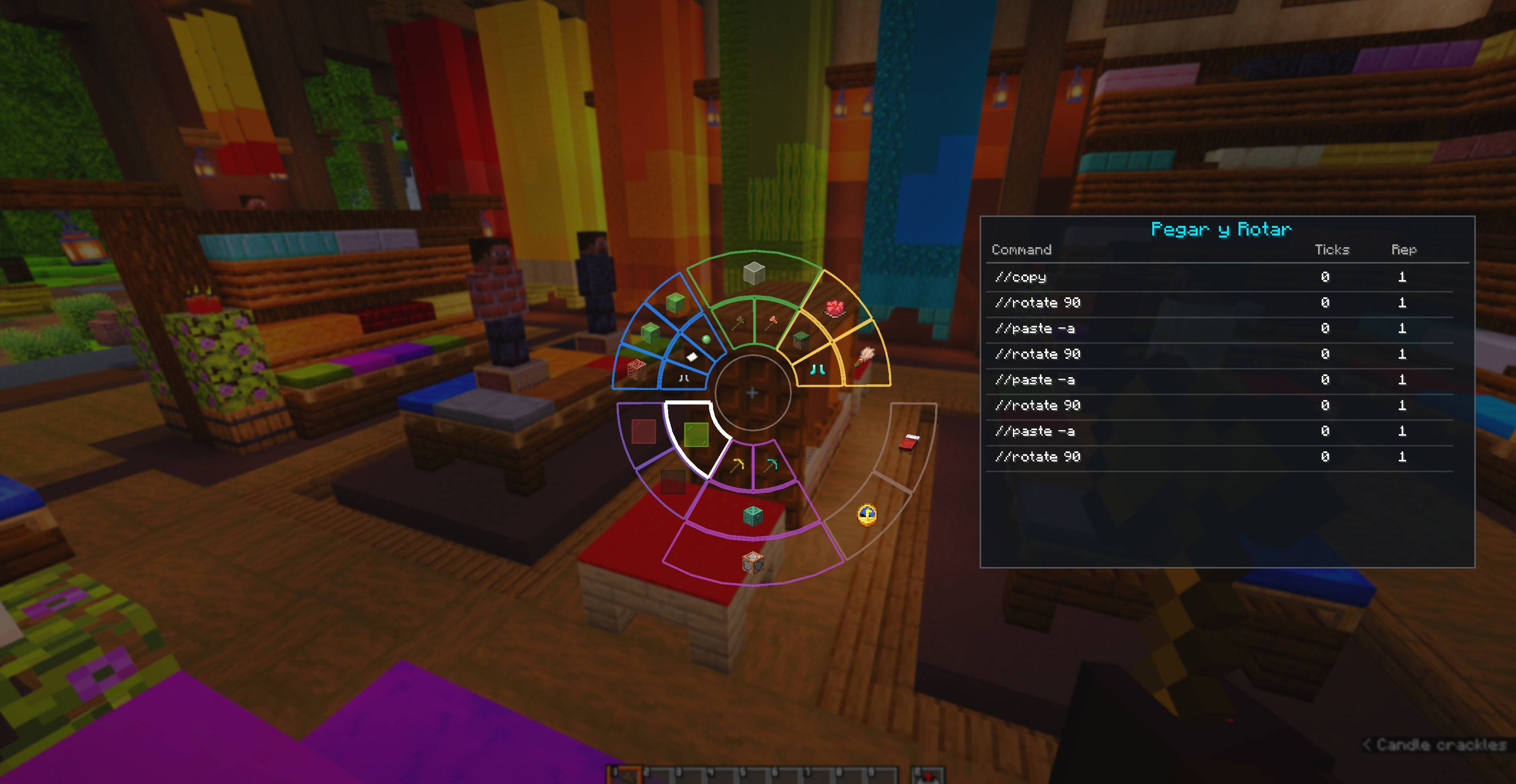
CommandMacrosWheel is a client-side Fabric mod that adds an interactive radial wheel interface to organize and trigger Minecraft commands, chat messages, and macro sequences with ease.
Works in both Creative and Survival modes, as well as on multiplayer servers.
Shift and scroll the mouse wheel over the macro sector to select a specific command step, executing only that command.Shift + Scroll.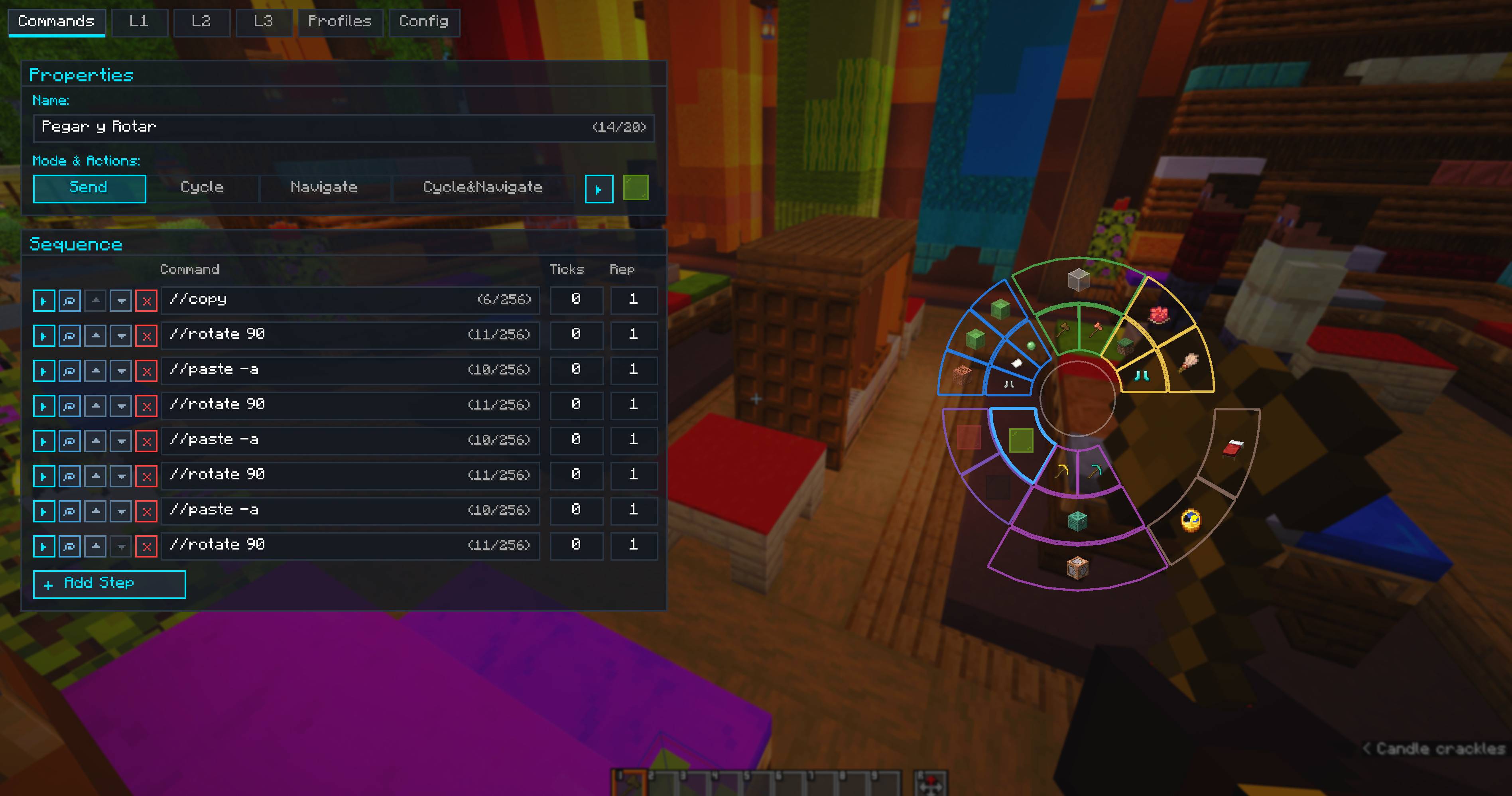
Ctrl + Z and Ctrl + Y support for adding, editing, reordering, and deleting macros and commands.| Shortcut / Action | Action |
|---|---|
Left Alt (Hold) |
Open Radial Wheel HUD (configurable) |
K |
Open Main Editor & Settings (configurable) |
Left Click |
Execute hovered macro on the wheel |
Right Click |
Open hovered macro directly in Editor |
X |
Quick-execute hovered macro |
Shift + Scroll |
Select command step in Navigate / Cycle & Navigate mode |
Ctrl + Z |
Undo last action in Editor |
Ctrl + Y / Ctrl + Shift + Z |
Redo action in Editor |
Esc |
Close HUD or Editor |
.minecraft/mods folder..jar into .minecraft/mods.Left Alt in-game to open the radial wheel, or K to open the macro editor.Client-side only — works on multiplayer servers without server installation.
Project description from CurseForge.
Pick your setup
Choose the version and loader you play, then open the matching release.
Check the dependencies, then try the file in a copied instance before changing a world you care about.
Recent files
command-macros-wheel-1.0.0+26.3-sources.jar
24 Oct 2026
command-macros-wheel-1.0.0+26.2-sources.jar
28 Sept 2026
Looking for an older file? The official CurseForge project page is in Resources.
 mod
modA fully controllable bulldozer designed for pushing, spreading and leveling granular terrain. Move large amounts of material using an adjustable front blade.
 mod
modExperimental Bedrock Edition support for ViaFabricPlus, with Friends, Realms, skins, and StackAnvil patches.
 mod
modKeybind overlay for modpacks that shows what every key does at a glance.
