Fabric API Needed by Simple Schematics 0.4.0 - Fabric 1.20.1
requiredMatching file found Matched file: [1.20.1] Fabric API 0.92.12+1.20.1
CurseForge · Minecraft mod
Preview schematics in the world, paste them in Creative with undo, and build them in Survival from your containers.
Quick answer
Simple Schematics 0.4.0 - Fabric 1.20.1 targets 1.20.1 with Fabric. The project page does not say whether this file belongs on the client, dedicated server, or both. All 1 required mods have matching files.
Where it goes
The project page does not say whether this file belongs on the client, dedicated server, or both.
The source does not explicitly classify this release as client-only or server-only.
Simple Schematics 0.4.0 - Fabric 1.20.1. Change the file and its required mods may change too.
Install Fabric API first. We found matching files for this game-version and loader setup.
We only count dependency files that match this setup. A file for another loader does not fill the gap.
Before you install it
Built for Simple Schematics 0.4.0 - Fabric 1.20.1. Pick another file and the loader, install side or required mods may change.
Use Simple Schematics 0.4.0 - Fabric 1.20.1. It targets 1.20.1 with Fabric; another release may have different loader, side or dependency requirements.
Install Fabric API first. We found matching files for this game-version and loader setup.
The project page does not say whether this file belongs on the client, dedicated server, or both.
Use the “Get this file” button beside Simple Schematics 0.4.0 - Fabric 1.20.1. It opens that exact file at the source.
About this project
Craft the printer with four iron ingots at the corners, four redstone dust at the edge centres and a crafting table in the centre. Place it yourself, choose a schematic and bind it. It builds from nearby containers under its owner's control, with Start, Pause, Resume and Stop buttons and redstone triggering. Choose one print, repeat at one target, or advance by X/Y/Z spacing. Batch 0 is unlimited; 1 to 9,999 sets a finite limit. A comparator reports ready, active, paused/blocked and complete states.
Preview schematics in the world, paste them in Creative, or build them in Survival from your chests.
NeoForge 1.21.1 · Fabric 1.21.1 · Forge 1.20.1 · Fabric 1.20.1
Fabric needs Fabric API, and that's it. Modded blocks work too.

Simple Schematics is a mod for loading schematics into your world. A schematic is a saved copy of a build, such as a house, a farm or a castle, that can be placed in any world.
Pick a schematic and it appears as a see-through preview, showing exactly where every block will go. Move it, turn it and flip it until it sits where it should. Then:
It reads the common schematic formats, including Litematica and WorldEdit files, and works with blocks from other mods.

Put your .litematic, .schem, .schematic or structure .nbt files in the schematics folder, hit V and pick one. It shows up in the world as see-through blocks, using the real models, so signs, banners, heads, item frames, water and so on all look like they should.
You move it around in the world rather than typing in coordinates. G cycles between position, move, height, rotate and mirror, and Ctrl + scroll (or the arrow keys) nudges it one step at a time. You can view it layer by layer and turn the opacity up or down.
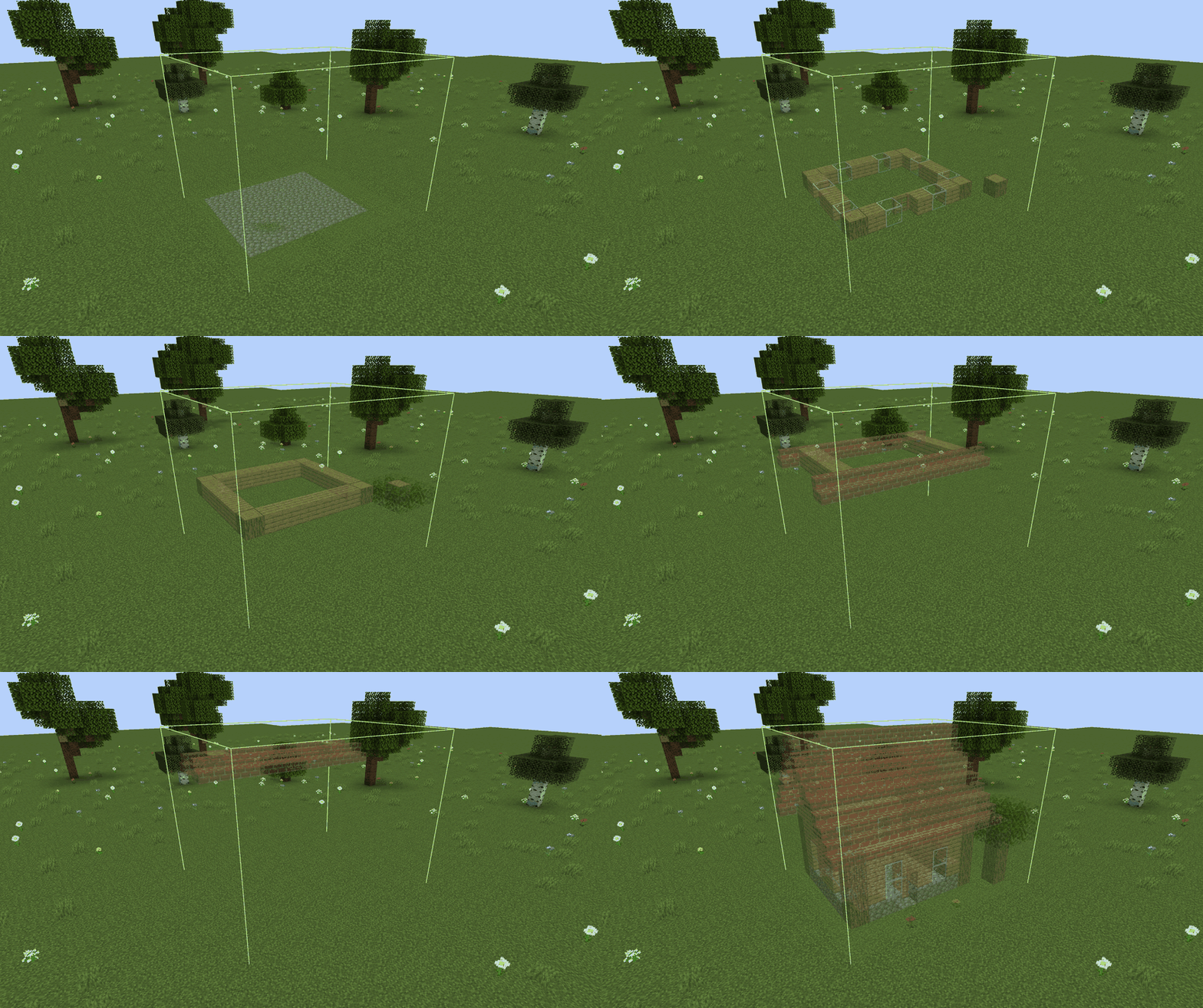
Million-block schematics have been tested; import and server work still have resource limits. It also remembers where you put each schematic in each world, so you don't have to line it up again.

In Creative it's one button. You choose whether to include air, entities, mobs and container contents.
Undo works on your last ten pastes. You can undo the whole thing, or only the blocks nobody has touched since you pasted.
Big pastes go in chunks with a progress bar, so the server doesn't freeze up.

The Materials screen shows what the build needs, what you've got, and what you're short on. There's a "missing only" filter, and a button to copy the missing list.
It pulls from containers within 10 blocks of the build, your inventory, or both. You can lock inventory slots and leave out any chest you don't want touched. Blocks that are already in the right place cost nothing, and if you don't have something you can swap in a substitute.
Then you watch it go up, anywhere from 1 to 200 groups a second, with sounds and particles if you want them. You can pause or cancel whenever you like. Cancelling gives back anything that wasn't used.
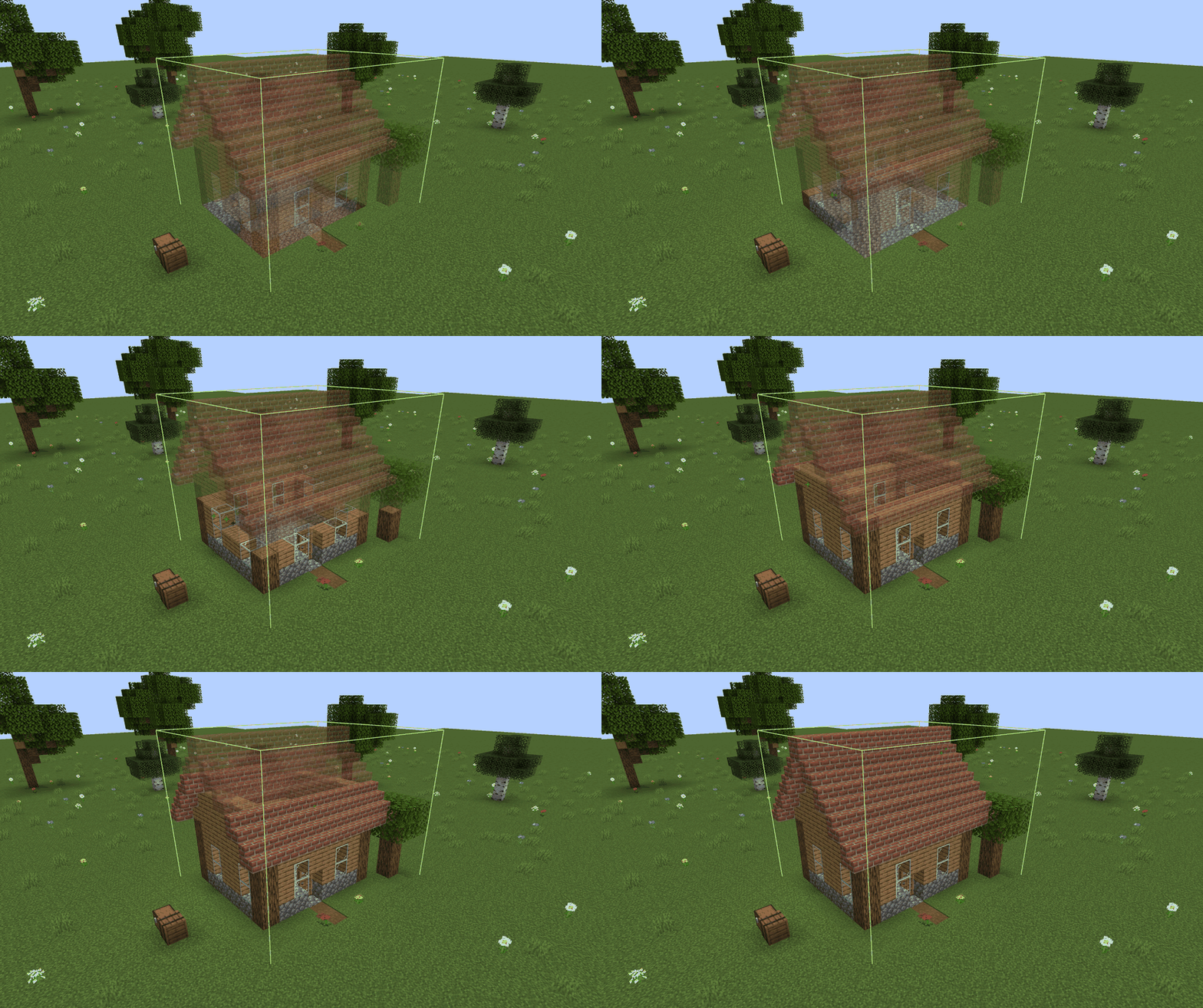
It builds item frames, paintings, armor stands, boats and minecarts too, items included. Living mobs end up on a "Manual work" list for you to sort out yourself.
Builds carry on across restarts. When you come back, it waits for you to hit Resume and checks its progress before carrying on, so nothing gets placed or paid for twice.

Some modded machines store data in ways the mod can't make sense of by itself. Rather than guess and break something, it marks the block as needing a rule, and an operator can write one in game.
Open Rules from Settings or the Library, or press Add rule next to the problem on the Materials screen to start from a rule filled in from your schematic. You mark which saved fields are settings (always copied) and which are contents like items, energy or fuel (only copied if you ask). You can also set exact material costs and decide what happens to links like pet owners.
Rules take effect right away. Server owners and modpacks can also ship them in a datapack.

It needs to be installed on the client and the server. Singleplayer just works.
Everyone's pastes, undo history and builds are their own, so nobody else can undo or control them. It goes through the normal break and place permission checks, so protection mods that use those still work.

| Format | Versions |
|---|---|
Litematica .litematic |
v1 to v7, including multiple regions |
Sponge .schem (WorldEdit) |
v1 to v3 |
Vanilla structure .nbt |
Structure block files |
MCEdit / Alpha .schematic |
Legacy files, with a choice for unknown old blocks |
Schematics from older Minecraft versions get converted. If there's something it can't read safely, it tells you what and where instead of quietly getting it wrong.

Blocks from any mod you have installed can be previewed, pasted and built. There's no allowlist. If a block's mod isn't installed, you can swap it for something else or leave it for manual work.
Tested on NeoForge 1.21.1:
It reads schematics from Litematica, Forgematica and WorldEdit, but you don't need any of them installed.

| Minecraft | Loader | Java | Also needs |
|---|---|---|---|
| 1.21.1 | NeoForge 21.1.248+ | 21 | Nothing |
| 1.21.1 | Fabric Loader 0.19.5+ | 21 | Fabric API 0.116.17+ |
| 1.20.1 | Forge 47.4.23+ | 17 | Nothing |
| 1.20.1 | Fabric Loader 0.19.5+ | 17 | Fabric API 0.92.12+ |
Grab the file for your Minecraft version and loader, and put it on both the client and the server.

| Key | Action |
|---|---|
| V | Open the schematic browser, or the settings once a schematic is placed |
| G | Switch tool: Position, Move, Height, Rotate, Mirror |
| Ctrl + scroll or Up / Down | Move, raise or rotate one step |
| Right-click | Place the preview against a block, or mirror |
| Shift + use | Use blocks normally while the preview is showing |
You can rebind all of these in Minecraft's Controls menu.

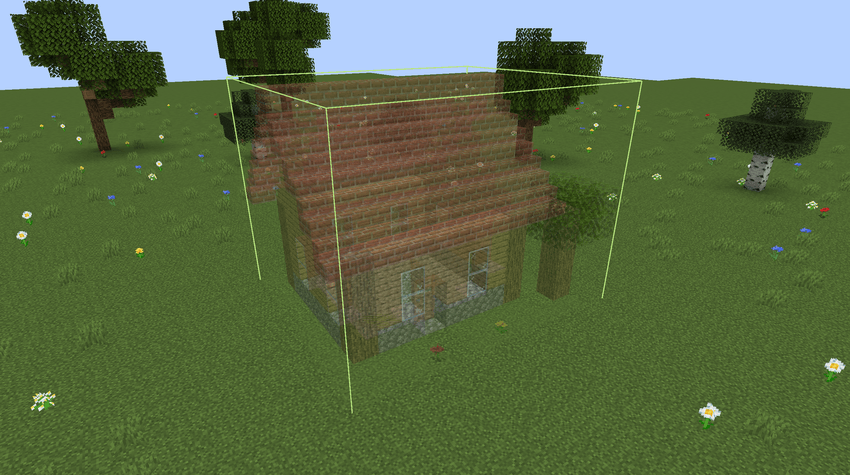
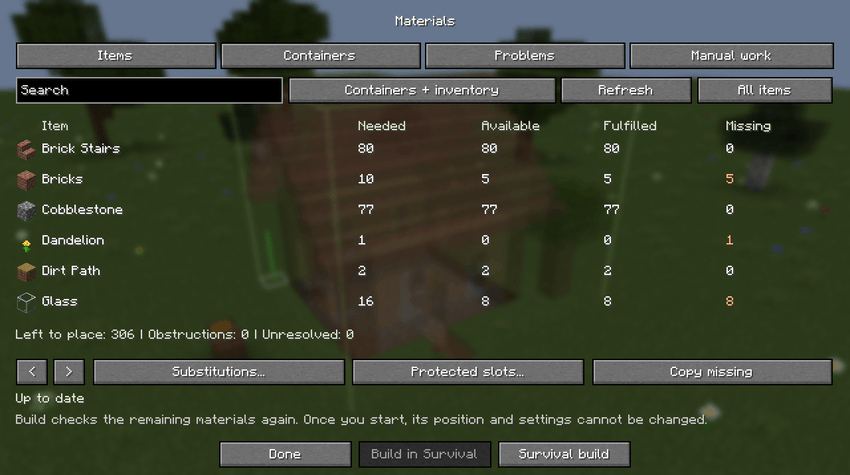
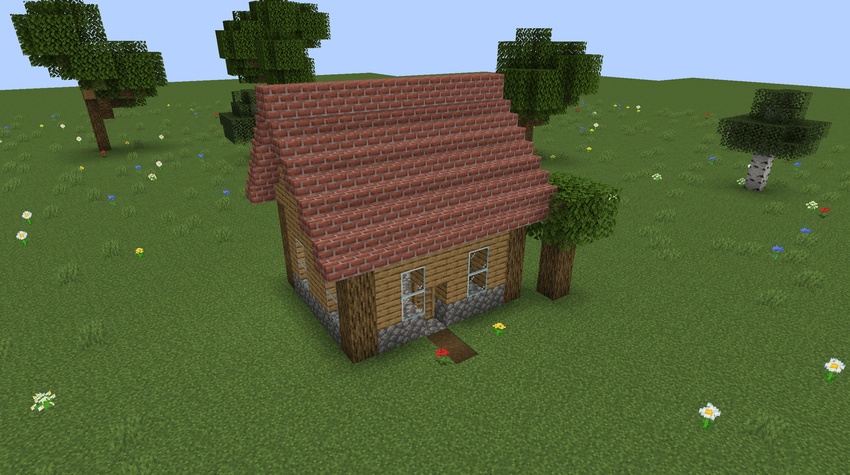
More screenshots are in the Gallery tab.

Is Litematica or WorldEdit needed? No, it reads their files itself.
Where do schematic files go? In the schematics folder in your game folder, next to mods and saves. There's an Open folder button in the browser if you can't find it.
Can it go in a modpack? Yes. It's licensed LGPL-3.0.
Does it need to be on the server? Yes. The server does the actual pasting and building, which is what stops anyone from duplicating items with it.
A block says it "needs a rule". What now? That block stores data the mod can't copy safely yet. You can place it with default settings, leave it for manual work, or get an operator to add a rule (see Rules above).

Simple Schematics is licensed under the GNU LGPL, version 3 only.
Project description from CurseForge.
Pick your setup
Choose the version and loader you play, then open the matching release.
Check the dependencies, then try the file in a copied instance before changing a world you care about.
Recent files
simpleschematics-fabric-1.20.1-0.4.0.jar
13 Oct 2026
simpleschematics-forge-1.20.1-0.4.0.jar
13 Oct 2026
simpleschematics-fabric-1.21.1-0.4.0.jar
13 Oct 2026
simpleschematics-neoforge-1.21.1-0.4.0.jar
13 Oct 2026
simpleschematics-fabric-1.20.1-0.3.1.jar
9 Oct 2026
simpleschematics-forge-1.20.1-0.3.1.jar
9 Oct 2026
simpleschematics-fabric-1.21.1-0.3.1.jar
9 Oct 2026
simpleschematics-neoforge-1.21.1-0.3.1.jar
9 Oct 2026
simpleschematics-fabric-1.20.1-0.3.0.jar
7 Oct 2026
simpleschematics-forge-1.20.1-0.3.0.jar
7 Oct 2026
simpleschematics-fabric-1.21.1-0.3.0.jar
7 Oct 2026
simpleschematics-neoforge-1.21.1-0.3.0.jar
7 Oct 2026
Looking for an older file? The official CurseForge project page is in Resources.
 mod
modAimable spotlights, floodlights, searchlights and soft panels with colored light and visible beams.
 mod
modMakes durability matter with gradual item degradation, reworked breakage, and improved repairs!
 mod
modA fork of ModernFix that adds minor version update support.