Back to mods
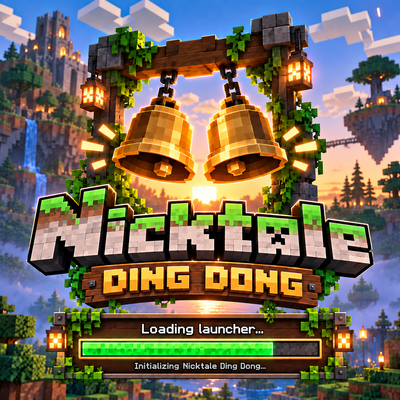
Ding Dong Nicktale project artwork

CurseForge · Minecraft mod

Ding Dong Nicktale

Ding Dong Nicktale is a standalone, client-side Minecraft mod and companion desktop application designed to fully customize the game startup sound and the loading screen splash. It requires zero third-party library dependencies

Choose a version Pick your version below, then grab the matching file.

Quick answer

Which Ding Dong Nicktale release should I use?

Updated last month
Latest stable file customding-neoforge-26.2-26.3-1.0.5.jar
Game version 26.2, 26.3
Loader NeoForge

Ding Dong Nicktale customding-neoforge-26.2-26.3-1.0.5.jar targets 26.2, 26.3 with NeoForge. The project page does not say whether this file belongs on the client, dedicated server, or both. All 3 required mods have matching files.

Where it goes

Is Ding Dong Nicktale required on the client, server, or both?

The project page does not say whether this file belongs on the client, dedicated server, or both.

Client Source doesn’t say
Dedicated server Source doesn’t say
Loader for this release NeoForge
Required install it here Optional supported, not mandatory Not supported do not install here Source doesn’t say do not assume

The source does not explicitly classify this release as client-only or server-only.

What else does Ding Dong Nicktale customding-neoforge-26.2-26.3-1.0.5.jar need?

customding-neoforge-26.2-26.3-1.0.5.jar. Change the file and its required mods may change too.

All 3 required mods have matching files

Install Nicktale API, Ice and Fire Port Nicktale, Dragon King's Wrath — Nicktale first. We found matching files for this game-version and loader setup. 1 comes through another mod in the chain.

2 listed on this file 1 pulled in by one of those mods
Nicktale API Needed by Ding Dong Nicktale customding-neoforge-26.2-26.3-1.0.5.jar
required
Matching file found Matched file: nicktaleapi-0.3.3-neoforge-26.3.jar
Ice and Fire Port Nicktale Needed by Ding Dong Nicktale customding-neoforge-26.2-26.3-1.0.5.jar
required
Matching file found Matched file: iceandfire-nicktale-0.1.8-neoforge-26.3.jar
Dragon King's Wrath — Nicktale Needed by Ice and Fire Port Nicktale
pulled in
Matching file found Matched file: iceandfire-finalboss-nicktale-0.1.13-neoforge-26.3.jar

1 extra mod was pulled in by another dependency. Indented rows show who needs each one. We only count dependency files that match this setup. A file for another loader does not fill the gap.

Before you install it

Add Ding Dong Nicktale without breaking your instance.

Built for Ding Dong Nicktale customding-neoforge-26.2-26.3-1.0.5.jar. Pick another file and the loader, install side or required mods may change.

  1. 01

    Stick to this file

    Use customding-neoforge-26.2-26.3-1.0.5.jar. It targets 26.2, 26.3 with NeoForge; another release may have different loader, side or dependency requirements.

  2. 02

    Bring the mods it needs

    Install Nicktale API, Ice and Fire Port Nicktale, Dragon King's Wrath — Nicktale first. We found matching files for this game-version and loader setup. 1 comes through another mod in the chain.

  3. 03

    Put it on the correct side

    The project page does not say whether this file belongs on the client, dedicated server, or both.

  4. 04

    Pick the file you checked

    Use the “Get this file” button beside customding-neoforge-26.2-26.3-1.0.5.jar. It opens that exact file at the source.

About this project

What does Ding Dong Nicktale add?

🚀 Key Features

1. In-Game Startup Sound Customizer

  • Instant Audio on Launch & Reload: Plays a clean .ogg sound whenever Minecraft finishes loading its splash screen or whenever resources are reloaded (e.g., via F3 + T).
  • Direct Dropdown Menu: Instead of cycling through sounds with repeated clicks, players can open an interactive in-game dropdown list to view, select, and preview any sound in real time.
  • Embedded Sound Library: Comes pre-packaged with 10 high-quality sounds directly inside the .jar:
    1. Doorbell (Ding-Dong) [Default]
    2. Soft Chimes
    3. Fast Ding
    4. Doorbell Melody
    5. Chord Chime
    6. Welcome Voice
    7. Resonant Bell
    8. Bright Chime
    9. Welcome Back Voice (Female voice)
    10. Welcome Stranger Voice (Merchant style)
    11. Custom sound file (ding.ogg)
  • Custom User Sounds: Any .ogg audio placed into .minecraft/config/customding/sounds/ is automatically discovered and listed in the in-game dropdown menu.
  • Volume & Pitch Controls: Dedicated sliders allow real-time adjustment of volume (0%–100%) and pitch (0.50x–2.00x).
  • Dedicated OpenAL Engine: Direct in-memory decoding via STBVorbis and OpenAL, ensuring that previous audio previews are immediately stopped when a new sound is chosen, preventing overlap or phantom playback.

2. Interactive Title Screen Bell Button

  • Vanilla-Integrated Button: Adds a golden bell icon button (16x16 pixel-art) with standard Minecraft button frames and hover states to the top-right corner of the TitleScreen.
  • Zero Binding Dependencies: Renders safely without crashing early item component binds or relying on missing font glyphs.
  • Quick Access: Clicking the bell opens the in-game configuration screen directly without entering worlds or menus.

3. Custom Loading Screen (Splash Wallpaper)

  • Full Wallpaper Replacement: Replaces the default red/black Mojang Studios loading splash screen with a custom background image (such as the official "Nicktale: A Minecraft Adventure" graphic).
  • Triple-Layer Guarantee:
    1. Embedded In-JAR Asset: Pre-packaged mojangstudios.png ensures instant branding from millisecond zero.
    2. Automatic Resource Pack: On first launch (or via the desktop app), the mod configures a native resource pack under .minecraft/resourcepacks/NicktaleLoadingScreen and enables it in options.txt for 100% automated display on the second launch and beyond.
    3. Dynamic Texture Hook: Mixins bind custom wallpapers into TextureManager and LoadingOverlay with precise UV mapping.

4. Companion Desktop Application (Manager GUI)

  • Built-in Audio Converter: Users can upload any external audio format (MP3, WAV, OGG) and the app automatically converts it into compliant OGG Vorbis format.
  • Audio Player: Live preview button to listen to any sound before saving.
  • Wallpaper Customizer: Allows picking any image (PNG, JPG, WEBP) with a live scaled thumbnail preview.
  • One-Click Apply: The "Save & Apply Changes to Minecraft" button copies all configured files, updates the JSON configuration, and installs the required resource packs directly into the active .minecraft directory.

5. Automatic Multi-Language Support (i18n)

  • Minecraft Locale Integration: Uses Component.translatable keys to automatically match Minecraft's active language setting.
  • Supported Languages:
    • English (US) (en_us.json)
    • Spanish (Spain) (es_es.json)
    • Spanish (Latin America) (es_ar, es_cl, es_co, es_ec, es_mx, es_uy, es_ve)
  • Dynamically translates titles, button labels, dropdown sound names, sliders, and tooltips based on the language chosen in Minecraft's Language

Project description from CurseForge.

Pick your setup

Ding Dong Nicktale by Minecraft version and loader

Choose the version and loader you play, then open the matching release.

2 available setups

Check the dependencies, then try the file in a copied instance before changing a world you care about.

Recent files

Ding Dong Nicktale versions and loaders

1 of 1 releases match

Looking for an older file? The official CurseForge project page is in Resources.