Back to mods
Occult AE project artwork

CurseForge · Minecraft mod

Occult AE

Automate Occultism rituals with Applied Energistics 2: rituals become autocrafting patterns, souls flow through your ME network, and Goetic demons grant it forbidden powers.

Choose a version Pick your version below, then grab the matching file.

Quick answer

Which Occult AE release should I use?

Updated 19 days ago
Latest stable file occultae-0.4.1.jar
Game version 1.21.1
Loader NeoForge

Occult AE occultae-0.4.1.jar targets 1.21.1 with NeoForge. The project page does not say whether this file belongs on the client, dedicated server, or both. All 7 required mods have matching files.

Where it goes

Is Occult AE required on the client, server, or both?

The project page does not say whether this file belongs on the client, dedicated server, or both.

Client Source doesn’t say
Dedicated server Source doesn’t say
Loader for this release NeoForge
Required install it here Optional supported, not mandatory Not supported do not install here Source doesn’t say do not assume

The source does not explicitly classify this release as client-only or server-only.

What else does Occult AE occultae-0.4.1.jar need?

occultae-0.4.1.jar. Change the file and its required mods may change too.

All 7 required mods have matching files

Install Applied Energistics 2, Occultism, GuideME, SmartBrainLib (Forge/Fabric/Quilt) and 3 more first. We found matching files for this game-version and loader setup. 16 come through another mod in the chain.

4 listed on this file 16 pulled in by those mods
Applied Energistics 2 Needed by Occult AE occultae-0.4.1.jar
required
Matching file found Matched file: AE2 19.2.20 [NEOFORGE]

Just Enough Items (JEI) Optional for Occult AE occultae-0.4.1.jar
optional
Matching file found Matched file: 19.76.1.481 for NeoForge 1.21.1
Occultism Needed by Occult AE occultae-0.4.1.jar
required
Matching file found Matched file: occultism-1.21.1-neoforge-1.227.0.jar
Jade 🔍 Optional for Occult AE occultae-0.4.1.jar
optional
Matching file found Matched file: [NeoForge 1.21.1] 15.10.6
EMI Needed by Applied Energistics 2
pulled in
Matching file found Matched file: emi-1.1.24+1.21.1+neoforge
The One Probe Needed by Applied Energistics 2
pulled in
Matching file found Matched file: TheOneProbe - 1.21_neo-12.0.9
WTHIT Needed by Applied Energistics 2
pulled in
No matching file
GuideME Needed by Applied Energistics 2
pulled in
Matching file found Matched file: GuideME 21.1.22
MezzConfigGUI Needed by Just Enough Items (JEI)
pulled in
Matching file found Matched file: MezzConfig GUI mc1.21.1-0.7.1 for NeoForge
MezzConfig Needed by Just Enough Items (JEI)
pulled in
Matching file found Matched file: MezzConfig 0.7.1 for NeoForge 1.21.1
Curios API Needed by Occultism
pulled in
Matching file found Matched file: curios-neoforge-9.6.0+1.21.1.jar
Theurgy Needed by Occultism
pulled in
Matching file found Matched file: theurgy-1.21.1-neoforge-1.80.0.jar
Modonomicon Needed by Occultism
pulled in
Matching file found Matched file: modonomicon-1.21.1-neoforge-1.123.1.jar
GeckoLib Needed by Occultism
pulled in
Matching file found Matched file: NeoForge 1.21.1 4.9.4
Architectury API Needed by Roughly Enough Items Fabric/Forge/NeoForge (REI)
pulled in
Matching file found Matched file: [NeoForge 1.21] v13.0.12

16 extra mods were pulled in by other dependencies. Indented rows show who needs each one. We only count dependency files that match this setup. A file for another loader does not fill the gap.

Before you install it

Add Occult AE without breaking your instance.

Built for Occult AE occultae-0.4.1.jar. Pick another file and the loader, install side or required mods may change.

  1. 01

    Stick to this file

    Use occultae-0.4.1.jar. It targets 1.21.1 with NeoForge; another release may have different loader, side or dependency requirements.

  2. 02

    Bring the mods it needs

    Install Applied Energistics 2, Occultism, GuideME, SmartBrainLib (Forge/Fabric/Quilt) and 3 more first. We found matching files for this game-version and loader setup. 16 come through another mod in the chain.

  3. 03

    Put it on the correct side

    The project page does not say whether this file belongs on the client, dedicated server, or both.

  4. 04

    Pick the file you checked

    Use the “Get this file” button beside occultae-0.4.1.jar. It opens that exact file at the source.

About this project
What does Occult AE add?

image

Automate Occultism through Applied Energistics 2.

Magicians are widely known as powerful wielders of magic. In truth, they rely on spirit slaves who do the work for them. Occult AE gives your ME network its own: rituals become autocrafting patterns, souls become a resource you store, and in the endgame the demons of the Goetia serve your network in exchange for sacrifice and tribute.

An addon for Occultism and Applied Energistics 2.


Feedback, Bug reports or Questions?

Use the Comments and Issues tabs on this page. Please include your Occult AE, Occultism and AE2 versions, and the log if something crashed.


Contents A ritual automation system that connects the Other Side to your ME network:

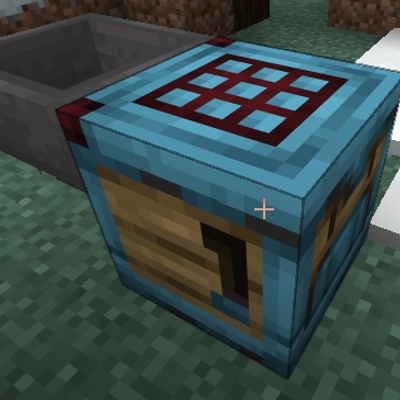
  • Ritual Chamber: a compact pentacle in one block that runs Occultism rituals as AE2 patterns. It evolves Foliot, Djinni, Afrit and Marid, and also automates Spirit Fire recipes. * Souls as an AE2 resource: tracked per mob and stored in ME Soul Storage Cells. The Soul Altar harvests every mob that dies near it, without killing anything itself. The Summoner summons mobs from stored souls, the Soul Distiller turns excess souls into Bottles o' Enchanting, and the Lamp Warden keeps your Dimensional Mineshafts running.
    • Anima Circles and Anima Chalk: the mod's own pentacles, one per tier, for all of its crafting rituals.
    • Ritual infusions: brand a property onto gear you already own, from any mod (Third Eye Helm, Bound Tool, Reaping Blade, Soul Aegis and more). Two per tier.
    • Ascension Seals: raise any machine to the next tier in place.* The Conclave: build an altar of Conclave Stone and Pillars, offer a sigil, a sacrifice and a tribute of souls, and a demon of the Goetia serves your network: | Demon | Boon || --- | --- | | Paimon | Every crafting recipe becomes an AE2 pattern, crafted instantly || Belial | Infinite channels | | Zagan | Raw ore entering the network becomes twice the ingots || Bune | Vault of Bune: unlimited ME storage | | Glasya-Labolas | Every Altar harvests without energy, for double souls and a wider reach || Marbas | Machines linked to a Pattern Provider work at double speed |

First Steps

  1. Install Occultism and Applied Energistics 2, and get Occultism's Dictionary of Spirits going. You will need its rituals.
  2. Open the dictionary and look for the new Occult AE tab. It covers the whole progression from Foliot to Marid, and unlocks like the rest of the book.
  3. Press the guide key over any item to open the AE2 guide, which has a full Occult AE category with every recipe.
  4. Click any machine to see its status. Nothing is ever spammed in chat.

Balance

Automation should save work, not create resources. Everything costs AE energy, there is no way to multiply souls, the Altar only harvests deaths you cause, and summoned mobs drop nothing. Every number is configurable in occultae-common.toml.


Integrations

  • Occultism's Dictionary of Spirits and the AE2 guide
  • JEI and Jade
  • ExtendedAE accelerators count as co-processors; EnderIO Soul Vials work with the Altar
  • English, Brazilian Portuguese, German, Spanish, French and Simplified Chinese

Requirements

  • NeoForge 1.21.1
  • Occultism 1.224+
  • Applied Energistics 2 19.2+
  • Optional: JEI, Jade

Use in Modpacks

Use in modpacks is allowed without restrictions. If you create the modpack on CurseForge, a link will be created automatically in the files section.


Configuration, Recipes, Balancing

Everything is in occultae-common.toml. If you need help configuring the mod for your modpack, or a specific feature for compatibility, leave a comment or open an issue.


License

The source code is released under the MIT license. Contributions and derivative works are welcome

Project description from CurseForge.

Pick your setup

Occult AE by Minecraft version and loader

Choose the version and loader you play, then open the matching release.

2 available setups

Check the dependencies, then try the file in a copied instance before changing a world you care about.

Recent files

Occult AE versions and loaders

10 of 10 releases match

Looking for an older file? The official CurseForge project page is in Resources.