CurseForge · Minecraft mod
Skin Creator
Build and edit your Minecraft skin from inside the game: layers, a live player preview, and one button to put it on your account.
Quick answer
Which Skin Creator release should I use?
Skin Creator MC Skin Creator 0.5.1 (Forge 26.3) targets 26.3 with Forge. The project page does not say whether this file belongs on the client, dedicated server, or both. No extra mods listed for this file.
Where it goes
Is Skin Creator required on the client, server, or both?
The project page does not say whether this file belongs on the client, dedicated server, or both.
The source does not explicitly classify this release as client-only or server-only.
What else does Skin Creator MC Skin Creator 0.5.1 (Forge 26.3) need?
MC Skin Creator 0.5.1 (Forge 26.3). Change the file and its required mods may change too.
This file does not list any required mods. Do not add a library just because a different file uses it.
This file does not list any required or optional mods.
Before you install it
Add Skin Creator without breaking your instance.
Built for Skin Creator MC Skin Creator 0.5.1 (Forge 26.3). Pick another file and the loader, install side or required mods may change.
- 01
Stick to this file
Use MC Skin Creator 0.5.1 (Forge 26.3). It targets 26.3 with Forge; another release may have different loader, side or dependency requirements.
- 02
Bring the mods it needs
This file does not list any required mods. Do not add a library just because a different file uses it.
- 03
Put it on the correct side
The project page does not say whether this file belongs on the client, dedicated server, or both.
- 04
Pick the file you checked
Use the “Get this file” button beside MC Skin Creator 0.5.1 (Forge 26.3). It opens that exact file at the source.
About this project
What does Skin Creator add?
Design your Minecraft skin without ever leaving the game.
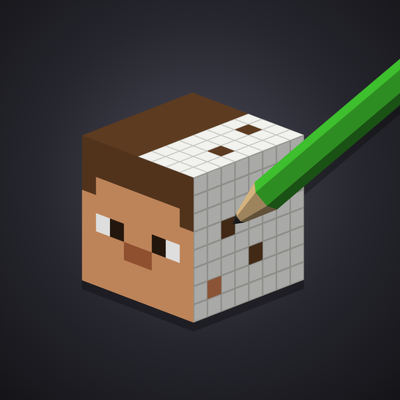
Skin Creator adds a skin editor to Minecraft. Mix and match pieces, see the result on your character in real time, and put the skin on your account with a single button. No website, no file to download, no launcher restart.
What you can do
- Build a skin from pieces. Browse a library of hair, clothes, faces and more, and click anything to try it on your character before you keep it.
- Layer and tweak. Stack pieces, reorder them, hide them, and adjust their opacity and colours until it looks right.
- Start from something ready-made. Pick a full character or an outfit and make it yours.
- Undo anything. Changed your mind? Go back as many steps as you like.
- Save your skins. Keep them online and open them again later, including from the MC Skin Creator website.
- Wear it instantly. Press Apply and your character changes right away, without restarting Minecraft. Other players will see it once Minecraft's own servers catch up.
- Know where pieces come from. Every piece shows who made it and under which licence.
To open it, click the Skin Creator panel on the title screen or the pause menu. The mod is available in English, French and Spanish.
Good to know before you download
Your Minecraft account. Applying a skin is the only thing that needs your Minecraft login, and it happens only when you press Apply, after a confirmation. It is sent only to Mojang, exactly like the official launcher does, and never to us. The mod never applies a skin on its own. The full source code is public, so anyone can check this.
Internet connection. The mod downloads the piece library and saves your skins on the MC Skin Creator servers. Nothing else is sent.
Client-side only. Nothing to install on a server. It works in singleplayer and on any server.
Still to come. Drawing pixel by pixel and importing your own texture.
Links
The code is readable and auditable by anyone, but it is not open source: redistribution and forks are not allowed. See the license.
Minecraft is a trademark of Mojang Studios. This project is not affiliated with or endorsed by Mojang Studios or Microsoft.
Project description from CurseForge.
Pick your setup
Skin Creator by Minecraft version and loader
Choose the version and loader you play, then open the matching release.
26.2
4 loader builds26.1.2
4 loader builds26.1.1
3 loader builds26.1
3 loader builds1.21.11
4 loader builds1.21.10
4 loader builds1.21.9
2 loader builds1.21.8
4 loader builds1.21.7
2 loader builds1.21.6
2 loader builds1.21.5
4 loader buildsShowing the newest 12 of 24 game versions. Older files are in the list below.
Check the dependencies, then try the file in a copied instance before changing a world you care about.
Recent files
Skin Creator versions and loaders
MC Skin Creator 0.5.1 (Forge 26.3)
mcskincreator-0.5.1+mc26.3-forge.jar
3 Oct 2026
MC Skin Creator 0.5.1 (Forge 26.2)
mcskincreator-0.5.1+mc26.2-forge.jar
3 Oct 2026
MC Skin Creator 0.5.1 (Forge 26.1.2)
mcskincreator-0.5.1+mc26.1.2-forge.jar
3 Oct 2026
MC Skin Creator 0.5.1 (Forge 1.21.10)
mcskincreator-0.5.1+mc1.21.10-forge.jar
3 Oct 2026
MC Skin Creator 0.5.1 (Forge 1.21.8)
mcskincreator-0.5.1+mc1.21.8-forge.jar
3 Oct 2026
MC Skin Creator 0.5.1 (Forge 1.21.11)
mcskincreator-0.5.1+mc1.21.11-forge.jar
3 Oct 2026
MC Skin Creator 0.5.1 (Forge 1.21.4)
mcskincreator-0.5.1+mc1.21.4-forge.jar
3 Oct 2026
MC Skin Creator 0.5.1 (Forge 1.21.5)
mcskincreator-0.5.1+mc1.21.5-forge.jar
3 Oct 2026
MC Skin Creator 0.5.1 (Forge 1.21.3)
mcskincreator-0.5.1+mc1.21.3-forge.jar
3 Oct 2026
MC Skin Creator 0.5.1 (Forge 1.21.1)
mcskincreator-0.5.1+mc1.21.1-forge.jar
3 Oct 2026
MC Skin Creator 0.5.1 (Forge 1.20.4)
mcskincreator-0.5.1+mc1.20.4-forge.jar
3 Oct 2026
MC Skin Creator 0.5.1 (Forge 1.20.6)
mcskincreator-0.5.1+mc1.20.6-forge.jar
3 Oct 2026
Looking for an older file? The official CurseForge project page is in Resources.