Minecraft version
Back to mods 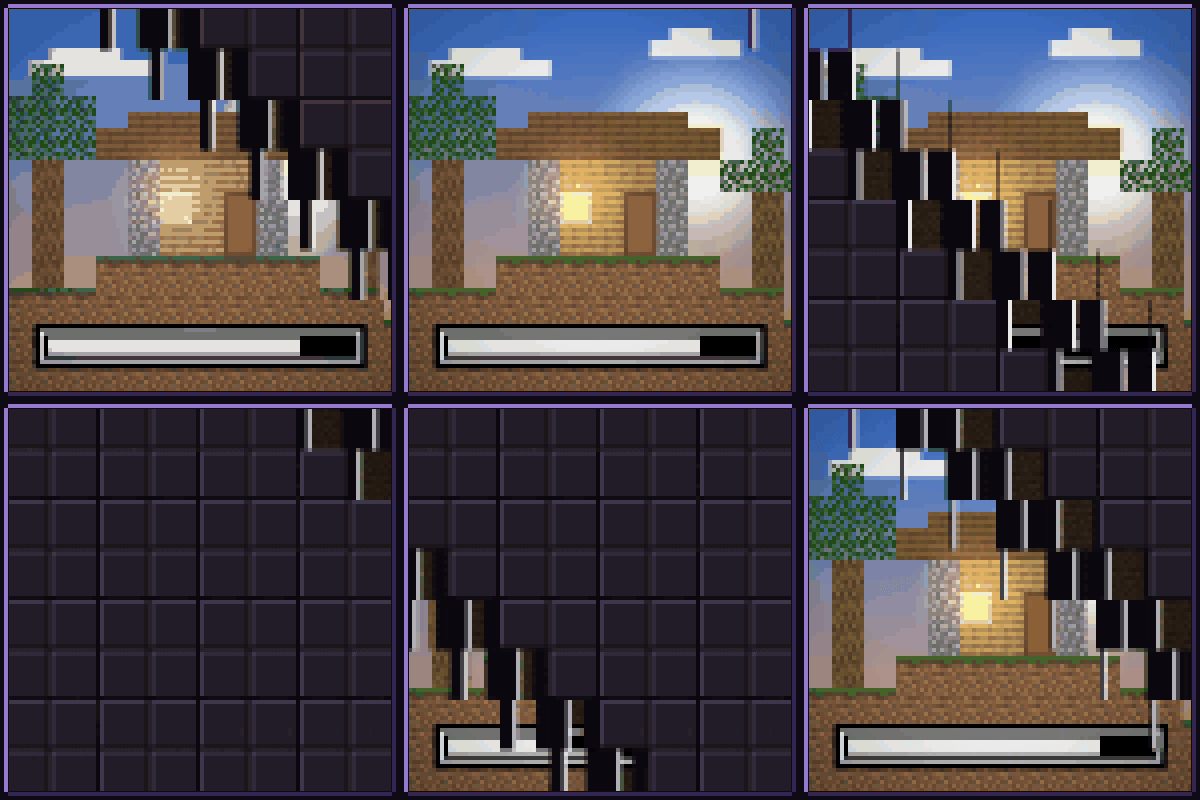
CurseForge · Minecraft mod
Smooth World Loading Screen
The loading screen shows the last view of your world or server instead of plain dirt. Client-side, works on any server.
Choose a version Pick your version below, then grab the matching file.
Quick answer
Which Smooth World Loading Screen release matches 26.2 NeoForge?
Best match for your filters Smooth World Loading Screen 0.3.0 for Minecraft 26.2 (NeoForge)
Game version 26.2
Loader NeoForge
Smooth World Loading Screen 0.3.0 for Minecraft 26.2 (NeoForge) targets 26.2 with NeoForge. The project page does not say whether this file belongs on the client, dedicated server, or both. No extra mods listed for this file.
Where it goes
Is Smooth World Loading Screen required on the client, server, or both?
The project page does not say whether this file belongs on the client, dedicated server, or both.
Client Source doesn’t say
Dedicated server Source doesn’t say
Loader for this release NeoForge
Required install it here Optional supported, not mandatory Not supported do not install here Source doesn’t say do not assume
The source does not explicitly classify this release as client-only or server-only.
What else does Smooth World Loading Screen 0.3.0 for Minecraft 26.2 (NeoForge) need?
Smooth World Loading Screen 0.3.0 for Minecraft 26.2 (NeoForge) on 26.2 NeoForge. Every mod below is checked against that same setup.
This file does not list any required mods. Do not add a library just because a different file uses it.
This file does not list any required or optional mods.
Before you install it
Add Smooth World Loading Screen without breaking your instance.
Built for Smooth World Loading Screen 0.3.0 for Minecraft 26.2 (NeoForge) on 26.2 NeoForge. Pick another file and the loader, install side or required mods may change.
- 01
Stick to this file
Use Smooth World Loading Screen 0.3.0 for Minecraft 26.2 (NeoForge). It targets 26.2 with NeoForge; another release may have different loader, side or dependency requirements.
- 02
Bring the mods it needs
This file does not list any required mods. Do not add a library just because a different file uses it.
- 03
Put it on the correct side
The project page does not say whether this file belongs on the client, dedicated server, or both.
- 04
Pick the file you checked
Use the “Get this file” button beside Smooth World Loading Screen 0.3.0 for Minecraft 26.2 (NeoForge). It opens that exact file at the source.
About this project
What does Smooth World Loading Screen add?
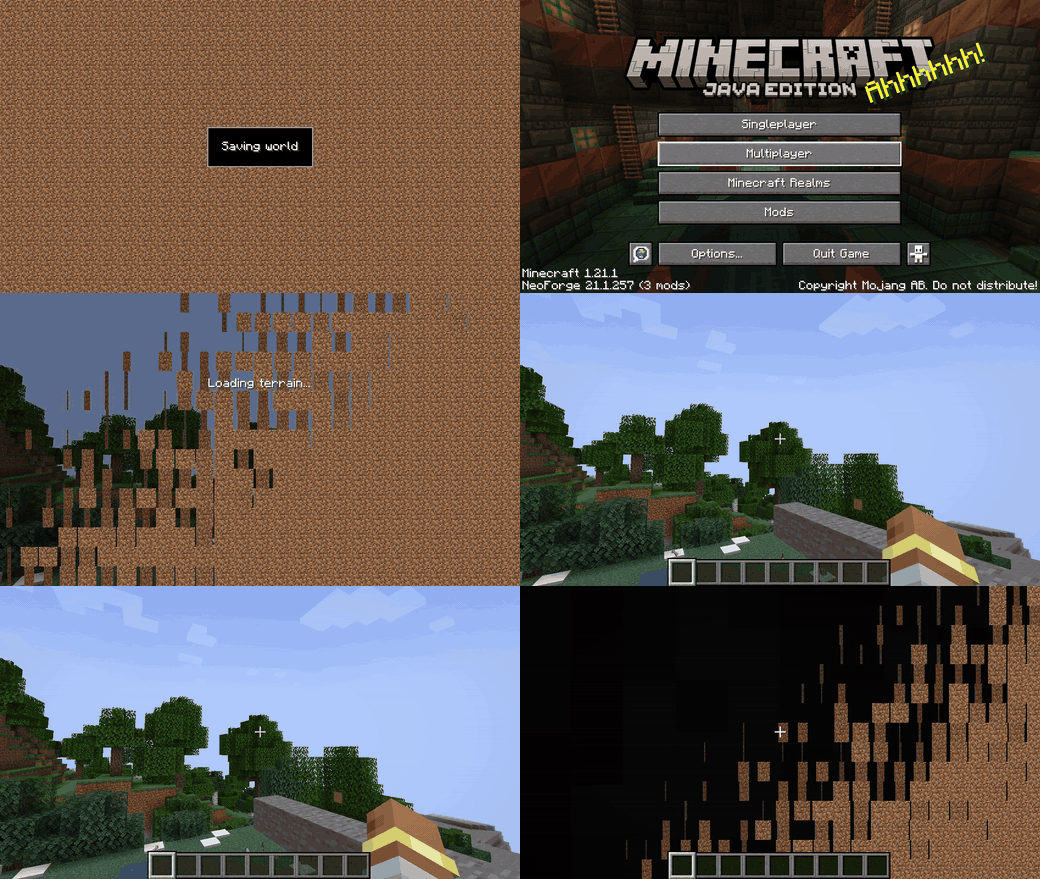
Your world, not a dirt wall, while it loads.
The loading screen shows the last thing you saw in that world or server. Leave at your base, come back to your base. The view is taken quietly while you play - no hotbar, no hand - and whenever you pause.
- One picture per world and per server.
- The progress bar stays on top.
A reveal as you step back in (new in 0.2.0)
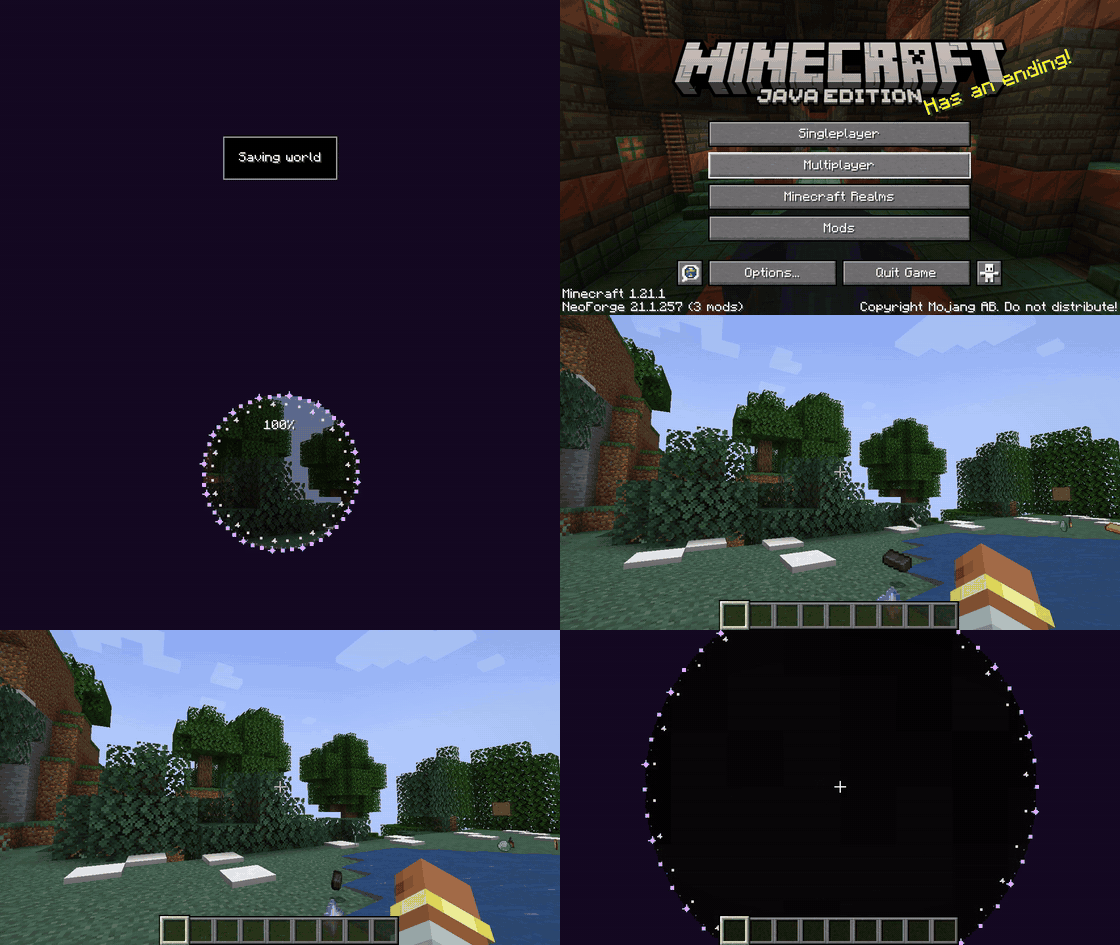
When the world is ready, the picture doesn't just vanish: it reveals the live world behind it.
- Tiles (default): the picture breaks into blocks that flip away one by one, like the mod's icon.
- Arcane: a magic circle with runes opens from the centre.
- Fade or Instant, if you prefer it quiet.
Options
In config/vitral_seamless.properties:
reveal: tiles, arcane, fade or instantreveal_time: how many seconds the reveal takestile_size: size of each tiletile_block: the block the tiles are made of (any block id, e.g. minecraft:deepslate)darken: how much darker the picture is drawn, so the progress text stays readable (0 to 90 %)
Versions
Forge 1.20.1, NeoForge 1.21.1, and Fabric/NeoForge 26.x. Tested in game on 1.20.1 Forge, 1.21.1 NeoForge, 26.3 and 26.2 Fabric.
Client-side
Nothing to install on the server. Works on any server, in single player and on Realms.
Made by an indie dev with help from AI tools; every version is tested in game.
Modpacks
Feel free to include it in any modpack, no need to ask!
Like the mod? You can support future updates and new mods on Ko-fi. Totally optional, everything stays free.
Project description from CurseForge.
Pick your setup
Smooth World Loading Screen by Minecraft version and loader
Choose the version and loader you play, then open the matching release.
Minecraft version
26.2
2 loader buildsMinecraft version
1.21.1
1 loader buildMinecraft version
1.20.1
1 loader buildCheck the dependencies, then try the file in a copied instance before changing a world you care about.
Recent files
Smooth World Loading Screen versions and loaders
Smooth World Loading Screen 0.3.0 for Minecraft 26.2 (NeoForge)
seamlessloading-neoforge-mc26.2-0.3.0.jar
14 Nov 2026
Client Source doesn’t say Server Source doesn’t say Dependencies No extras listed Listed on Release listing
Check the 26.2 · NeoForge setup NeoForge26.2 release
Smooth World Loading Screen 0.2.0 for Minecraft 26.2 (NeoForge)
seamlessloading-neoforge-mc26.2-0.2.0.jar
13 Nov 2026
Client Source doesn’t say Server Source doesn’t say Dependencies No extras listed Listed on Release listing
Check the 26.2 · NeoForge setup NeoForge26.2 release
Smooth World Loading Screen 0.1.1 for Minecraft 26.2 (NeoForge)
seamlessloading-neoforge-mc26.2-0.1.1.jar
6 Nov 2026
Client Source doesn’t say Server Source doesn’t say Dependencies No extras listed Listed on Release listing
Check the 26.2 · NeoForge setup NeoForge26.2 release
Smooth World Loading Screen 0.1.0 for Minecraft 26.2 (NeoForge)
seamlessloading-neoforge-mc26.2-0.1.0.jar
30 Sept 2026
Client Source doesn’t say Server Source doesn’t say Dependencies No extras listed Listed on Release listing
Check the 26.2 · NeoForge setup NeoForge26.2 release
Looking for an older file? The official CurseForge project page is in Resources.
 mod
CurseForge · Minecraft
XP RPG: Average DPS
Real-time global damage meter
 mod
CurseForge · Minecraft
XP: RPG Damage Indicator
Real-time damage numbers with 5+ animated styles, fully customizable via resource packs
 mod
CurseForge · Minecraft
Villager Trading Overhaul
A fully client-side mod that enhances vanilla villager trading screen with mod supports