Minecraft version
Back to mods 
CurseForge · Minecraft mod
Keystone
An all-in-one client-side toolkit for building, redstone, and survival, with a fully customizable menu and keybinds.
Choose a version Pick your version below, then grab the matching file.
Quick answer
Which Keystone release should I use?
Latest stable file Keystone v1.2.4
Game version 26.3
Loader Fabric
Keystone v1.2.4 targets 26.3 with Fabric. The project page does not say whether this file belongs on the client, dedicated server, or both. No extra mods listed for this file.
Where it goes
Is Keystone required on the client, server, or both?
The project page does not say whether this file belongs on the client, dedicated server, or both.
Client Source doesn’t say
Dedicated server Source doesn’t say
Loader for this release Fabric
Required install it here Optional supported, not mandatory Not supported do not install here Source doesn’t say do not assume
The source does not explicitly classify this release as client-only or server-only.
What else does Keystone v1.2.4 need?
Keystone v1.2.4. Change the file and its required mods may change too.
This file does not list any required mods. Do not add a library just because a different file uses it.
This file does not list any required or optional mods.
Before you install it
Add Keystone without breaking your instance.
Built for Keystone v1.2.4. Pick another file and the loader, install side or required mods may change.
- 01
Stick to this file
Use Keystone v1.2.4. It targets 26.3 with Fabric; another release may have different loader, side or dependency requirements.
- 02
Bring the mods it needs
This file does not list any required mods. Do not add a library just because a different file uses it.
- 03
Put it on the correct side
The project page does not say whether this file belongs on the client, dedicated server, or both.
- 04
Pick the file you checked
Use the “Get this file” button beside Keystone v1.2.4. It opens that exact file at the source.
About this project
What does Keystone add?
Keystone
Keystone is a client-side mod that puts a bunch of building, redstone, and survival tweaks in one place. Everything can be turned on or off and bound to whatever keys you want.
What's in it
Building
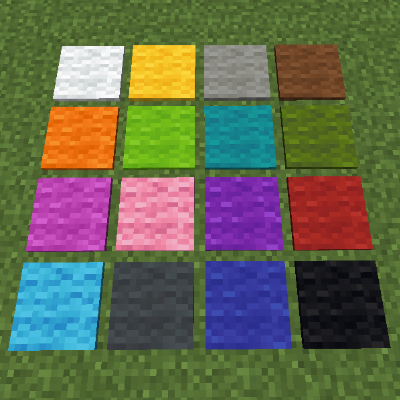
- Hold R to swap between block variants (logs, wool, stairs, slabs, etc.)
- Fast place and fast break
- Placement lock for straight walls and floors
- Auto restock and auto tool
Redstone
- Freeze the game and step through it one tick at a time
- Power level numbers on redstone dust
- Repeater delays and direction arrows
- Doesn't change how vanilla redstone works
Survival
- Light level overlay
- Low health and fall damage warnings
- Stops your tools from breaking
- Death marker
Other
- Shulker box and map previews
- Zoom, fullbright, custom block outline
- Movable HUD for coords, biome, FPS, and more
Settings
Press K to open the menu. You can change keybinds, use key combos, and save presets for different playstyles.
Notes
- Client-side only, so it works on any server
- Features that could get flagged by anti-cheat turn off on multiplayer
- Needs NeoForge for Minecraft 26.3
Still in development, more coming soon.
Project description from CurseForge.
Pick your setup
Keystone by Minecraft version and loader
Choose the version and loader you play, then open the matching release.
Check the dependencies, then try the file in a copied instance before changing a world you care about.
Recent files
Keystone versions and loaders
Keystone v1.2.4
keystone-1.2.4.jar
2 Oct 2026
Client Source doesn’t say Server Source doesn’t say Dependencies No extras listed Listed on Release listing
Check the 26.3 · Fabric setup Fabric26.3 release
Keystone v1.2.1
keystone-1.2.1.jar
2 Oct 2026
Client Source doesn’t say Server Source doesn’t say Dependencies No extras listed Listed on Release listing
Check the 26.3 · Fabric setup Fabric26.3 release
Keystone 1.2.0
keystone-1.2.jar
2 Oct 2026
Client Source doesn’t say Server Source doesn’t say Dependencies No extras listed Listed on Release listing
Check the 26.3 · Fabric setup Fabric26.3 release
Keystone v1.1.2
keystone-1.1.2.jar
1 Oct 2026
Client Source doesn’t say Server Source doesn’t say Dependencies No extras listed Listed on Release listing
Check the 26.3 · Fabric setup Fabric26.3 release
Keystone v1.1.1
keystone-1.1.1.jar
1 Oct 2026
Client Source doesn’t say Server Source doesn’t say Dependencies No extras listed Listed on Release listing
Check the 26.3 · Fabric setup Fabric26.3 release
Keystone v1.1.0
keystone-1.1.jar
1 Oct 2026
Client Source doesn’t say Server Source doesn’t say Dependencies No extras listed Listed on Release listing
Check the 26.3 · Fabric setup Fabric26.3 release
Keystone v1.0.0
keystone-1.0.jar
1 Oct 2026
Client Source doesn’t say Server Source doesn’t say Dependencies No extras listed Listed on Release listing
Check the 26.3 · Fabric setup Fabric26.3 release
Looking for an older file? The official CurseForge project page is in Resources.