Minecraft version
Back to mods 
CurseForge · Minecraft mod
JustExcavators
Specialized area-mining shovels with configurable excavation profiles, vanilla-friendly block breaking, and powerful Enhancement Cores.
Choose a version Pick your version below, then grab the matching file.
Quick answer
Which JustExcavators release should I use?
Latest stable file just-excavators-mc26.1-26.1.2-1.0.1.jar
Game version 26.1, 26.1.1, 26.1.2
Loader Fabric
JustExcavators just-excavators-mc26.1-26.1.2-1.0.1.jar targets 26.1, 26.1.1, 26.1.2 with Fabric. The project page does not say whether this file belongs on the client, dedicated server, or both. No extra mods listed for this file.
Where it goes
Is JustExcavators required on the client, server, or both?
The project page does not say whether this file belongs on the client, dedicated server, or both.
Client Source doesn’t say
Dedicated server Source doesn’t say
Loader for this release Fabric
Required install it here Optional supported, not mandatory Not supported do not install here Source doesn’t say do not assume
The source does not explicitly classify this release as client-only or server-only.
What else does JustExcavators just-excavators-mc26.1-26.1.2-1.0.1.jar need?
just-excavators-mc26.1-26.1.2-1.0.1.jar. Change the file and its required mods may change too.
This file does not list any required mods. Do not add a library just because a different file uses it.
This file does not list any required or optional mods.
Before you install it
Add JustExcavators without breaking your instance.
Built for JustExcavators just-excavators-mc26.1-26.1.2-1.0.1.jar. Pick another file and the loader, install side or required mods may change.
- 01
Stick to this file
Use just-excavators-mc26.1-26.1.2-1.0.1.jar. It targets 26.1, 26.1.1, 26.1.2 with Fabric; another release may have different loader, side or dependency requirements.
- 02
Bring the mods it needs
This file does not list any required mods. Do not add a library just because a different file uses it.
- 03
Put it on the correct side
The project page does not say whether this file belongs on the client, dedicated server, or both.
- 04
Pick the file you checked
Use the “Get this file” button beside just-excavators-mc26.1-26.1.2-1.0.1.jar. It opens that exact file at the source.
About this project
What does JustExcavators add?
Just Excavators
CurseForge | GitHub | Issues
📖 About
Move more terrain without turning Minecraft into a one-click quarry.
Just Excavators adds specialized area-mining shovels designed for predictable, vanilla-style terrain work. Choose a profile for the shape you need, aim at the surface you want to excavate, and let the server process every valid block through Minecraft's normal breaking flow.
The mod preserves vanilla loot, XP, durability, enchantments, permissions, and game-mode restrictions. Hold sneak at any time to disable area mining and break only the block you selected.
📚 Features
⛏️ Four Excavation Profiles
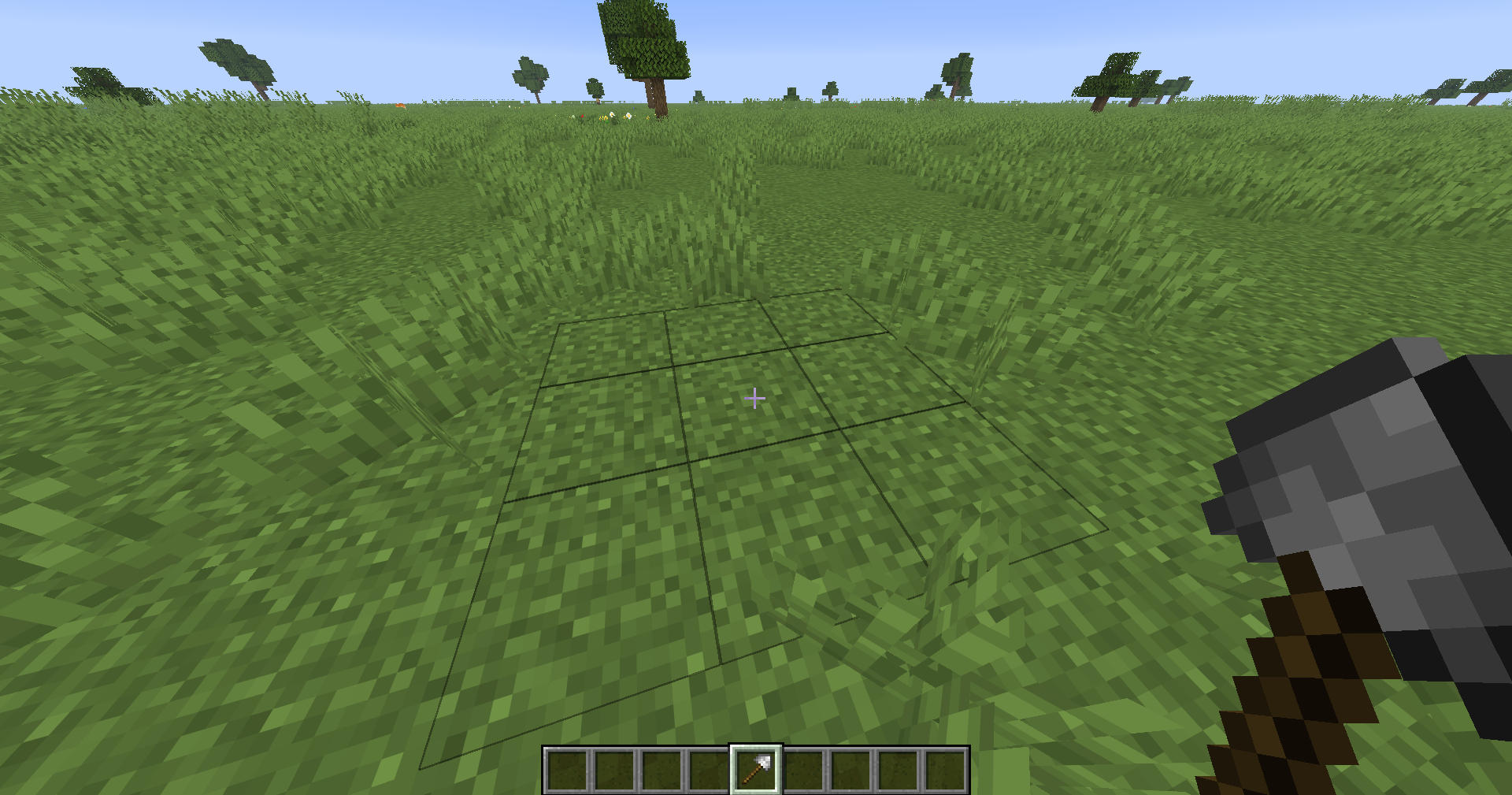
Each Excavator carries one of four specialized profiles:
| Profile | Maximum area | Best for |
|---|---|---|
| Basic | 3x3x1 |
Everyday terrain work |
| Deep | 3x3x3 |
Digging into large volumes |
| Wide | 5x5x1 |
Clearing and leveling surfaces |
| Advanced | 5x5x3 |
High-volume excavation |
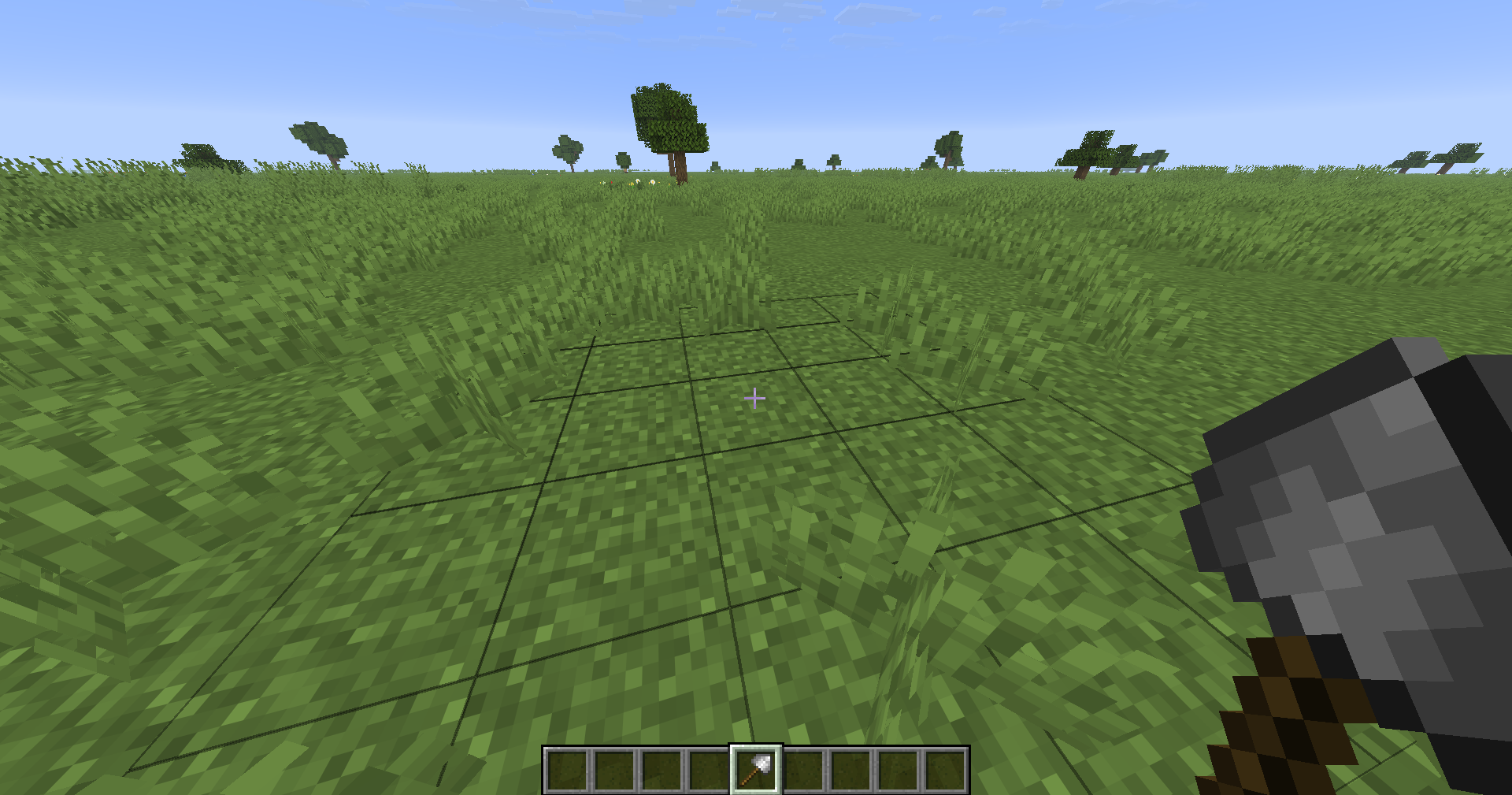
The face you hit determines the area's orientation. Deep profiles extend inward from that face, so floors, ceilings, and walls behave consistently.
🧱 Six Tool Materials
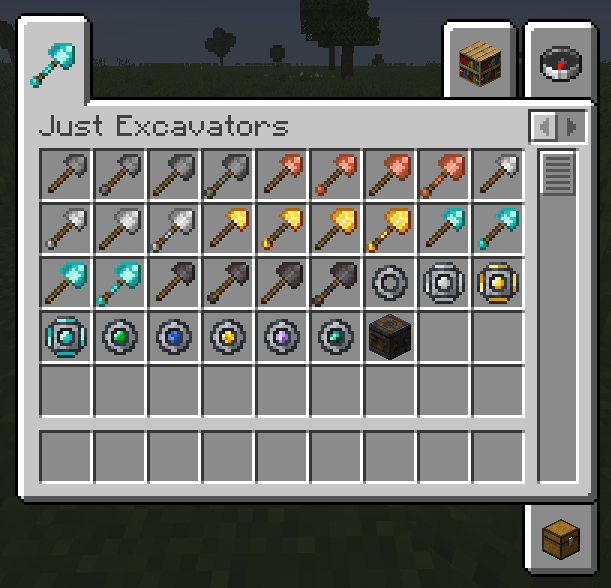
Build Excavators from Stone, Copper, Iron, Gold, Diamond, and Netherite.
Basic, Deep, Wide, and Advanced profiles are stored directly on the tool. Upgrading a Diamond Excavator to Netherite preserves its profile, durability state, custom name, enchantments, and installed Enhancement Cores.
🔧 Enhancement Workbench
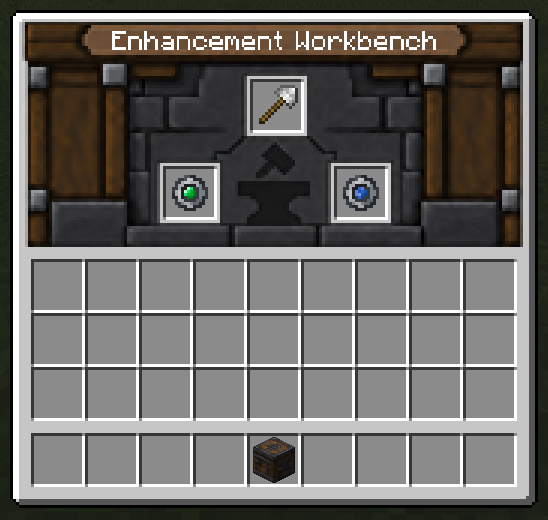
Every Excavator has two fixed Enhancement Core slots managed through the Enhancement Workbench.
- Install, remove, or replace Cores without recreating the tool.
- Invalid pairs and duplicate Cores are rejected.
- A built-in compatibility panel shows which combinations are allowed.
- All changes are server-authoritative.
- An optional built-in resource pack restores the vanilla-style Workbench interface.
✨ Enhancement Cores
Customize how blocks and drops are processed:
- Silk Core: uses vanilla Silk Touch loot behavior without permanently enchanting the tool.
- Collector Core: sends drops to your inventory and leaves overflow in the world.
- Smelting Core: processes drops through current furnace recipes.
- Filter Core: limits additional targets to the same block type as the center block.
- Void Core: destroys drops and block XP.
Compatible pairs include Silk with Collector, Smelting, or Filter; Collector with Smelting or Filter; Smelting with Filter; and Void with Filter. Fortune remains incompatible with the Silk Core.
🛡️ Vanilla-Friendly Area Mining
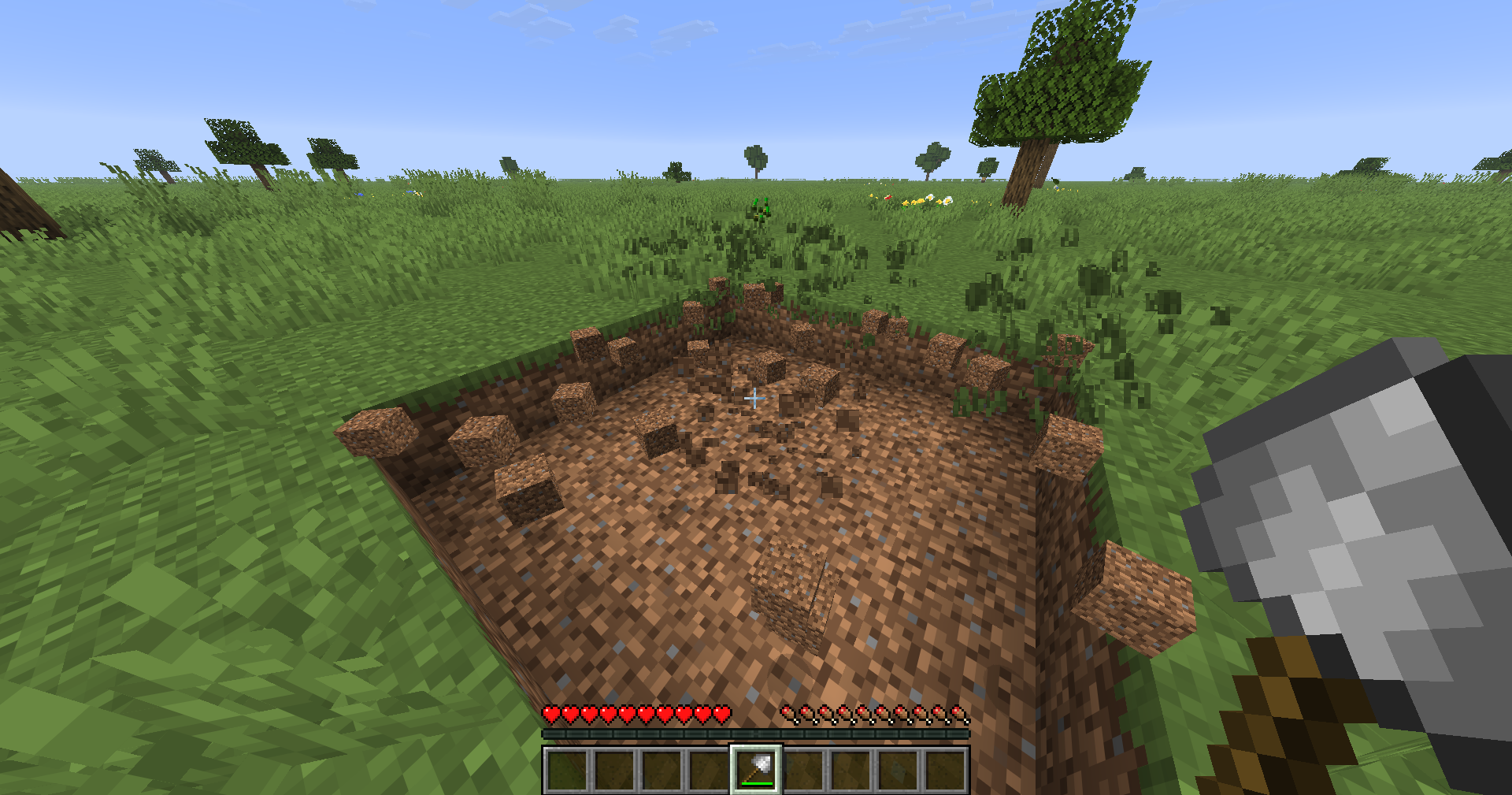
Just Excavators does not replace the normal block-breaking lifecycle.
- Only shovel-mineable blocks are included in the additional area.
- Protected, unbreakable, fluid-containing, excluded, and block-entity targets are skipped.
- Each successfully broken block consumes durability normally.
- Unbreaking, Mending, Efficiency, Fortune, loot tables, XP, and statistics continue to work through vanilla systems.
- Area mining starts only after the center block is successfully broken.
- Holding sneak always limits the action to a single block.
🏆 Progression and Advancements
Craft each profile directly, progress through Deep, Wide, and Advanced Excavation Cores, and upgrade Diamond tools to Netherite at the Smithing Table. A separate advancement branch introduces the Enhancement Workbench and challenges you to install compatible Core pairs and collect all five Enhancement Cores.
📦 Installation
➡️ Required on client and server
➡️ Requires Minecraft 26.3
➡️ Requires Fabric Loader 0.19.5+
➡️ Requires Fabric API
➡️ Requires Java 25+
JustHammers is supported as an optional compatibility scenario but is not required.
🧩 Notes
- Area mining is authoritative on the server.
- Datapacks can exclude blocks through the
justexcavators:excavator_no_aoeblock tag. - Smelting uses the currently loaded furnace recipes, including compatible datapack and modded recipes.
- Collector overflow is dropped at the original block position instead of being deleted.
- Administratively created invalid Core combinations safely disable enhancement effects for that break.
🏆 Credits
Created by Hyan Ferreira.
Inspired by the area-tool gameplay of JustHammers, while remaining a standalone and independently implemented mod.
Project description from CurseForge.
Pick your setup
JustExcavators by Minecraft version and loader
Choose the version and loader you play, then open the matching release.
Minecraft version
26.1.2
1 loader buildMinecraft version
26.1.1
1 loader buildMinecraft version
26.1
1 loader buildMinecraft version
1.21.11
1 loader buildMinecraft version
1.21.1
1 loader buildMinecraft version
1.20.1
1 loader buildCheck the dependencies, then try the file in a copied instance before changing a world you care about.
Recent files
JustExcavators versions and loaders
just-excavators-mc26.1-26.1.2-1.0.1.jar
4 Oct 2026
Client Source doesn’t say Server Source doesn’t say Dependencies No extras listed Listed on Release listing
Check the 26.1.2 · Fabric setup Fabric26.126.1.126.1.2 release
just-excavators-mc1.21.1-1.0.0.jar
4 Oct 2026
Client Source doesn’t say Server Source doesn’t say Dependencies No extras listed Listed on Release listing
Check the 1.21.1 · Fabric setup Fabric1.21.1 release
just-excavators-mc1.20.1-1.0.0.jar
4 Oct 2026
Client Source doesn’t say Server Source doesn’t say Dependencies No extras listed Listed on Release listing
Check the 1.20.1 · Fabric setup Fabric1.20.1 release
just-excavators-mc1.21.11-1.0.0.jar
4 Oct 2026
Client Source doesn’t say Server Source doesn’t say Dependencies No extras listed Listed on Release listing
Check the 1.21.11 · Fabric setup Fabric1.21.11 release
just-excavators-mc26.1-26.1.2-1.0.0.jar
4 Oct 2026
Client Source doesn’t say Server Source doesn’t say Dependencies No extras listed Listed on Release listing
Check the 26.1.2 · Fabric setup Fabric26.126.1.126.1.2 release
justexcavators-1.0.0.jar
1 Oct 2026
Client Source doesn’t say Server Source doesn’t say Dependencies No extras listed Listed on Release listing
Check the 26.3 · Fabric setup Fabric26.3 release
Looking for an older file? The official CurseForge project page is in Resources.
 mod
mod CurseForge · Minecraft
The Legend Of The Ten Rings
Wield the power of the Ten Rings! Unleash lightning whips, devastating slams, and powerful shields. Summon your rings through dimensional rifts, customize your energy, and command the battlefield.
 mod
mod CurseForge · Minecraft
Torch & Timber
Adds lots of new vannila plus features into one mod if you hate installing multiple mods. all settings can be toggled and adjusted.
 mod
mod CurseForge + Modrinth · Minecraft
Easy Model Entities
Turn Blockbench models into simple Minecraft entities without writing Java code.