Minecraft version
Back to mods 
CurseForge · Minecraft mod
Story Text [ANIMATED]
With this mod, you’ll be able to add fancy text above the inventory for your projects.
Choose a version Pick your version below, then grab the matching file.
Quick answer
Which Story Text [ANIMATED] release should I use?
Latest stable file storytextapi-1.0.0.jar
Game version 1.20.1
Loader Forge
Story Text [ANIMATED] storytextapi-1.0.0.jar targets 1.20.1 with Forge. The project page does not say whether this file belongs on the client, dedicated server, or both. No extra mods listed for this file.
Where it goes
Is Story Text [ANIMATED] required on the client, server, or both?
The project page does not say whether this file belongs on the client, dedicated server, or both.
Client Source doesn’t say
Dedicated server Source doesn’t say
Loader for this release Forge
Required install it here Optional supported, not mandatory Not supported do not install here Source doesn’t say do not assume
The source does not explicitly classify this release as client-only or server-only.
What else does Story Text [ANIMATED] storytextapi-1.0.0.jar need?
storytextapi-1.0.0.jar. Change the file and its required mods may change too.
This file does not list any required mods. Do not add a library just because a different file uses it.
This file does not list any required or optional mods.
Before you install it
Add Story Text [ANIMATED] without breaking your instance.
Built for Story Text [ANIMATED] storytextapi-1.0.0.jar. Pick another file and the loader, install side or required mods may change.
- 01
Stick to this file
Use storytextapi-1.0.0.jar. It targets 1.20.1 with Forge; another release may have different loader, side or dependency requirements.
- 02
Bring the mods it needs
This file does not list any required mods. Do not add a library just because a different file uses it.
- 03
Put it on the correct side
The project page does not say whether this file belongs on the client, dedicated server, or both.
- 04
Pick the file you checked
Use the “Get this file” button beside storytextapi-1.0.0.jar. It opens that exact file at the source.
About this project
What does Story Text [ANIMATED] add?
StoryText — a narrative chat tool for map makers, server owners, and modpack creators.
StoryText doesn't replace vanilla chat. It adds a separate, immersive chat window for scripted messages — perfect for story-driven maps, RPG servers, and custom modpacks.
Commands:
/st_npc <player> "<NPC name>" <text> — sends a message from an NPC.
/st_player <player> <text> — sends a message from the player themselves.
/st_system <player> <text> — sends a system notification, prefixed with [!].
Features:
- Animated text — characters appear one by one, like in classic RPGs, until the message is fully revealed.
- Auto-fade — the window disappears automatically after the text finishes, keeping the screen clean.
- Fixed timing — no configuration needed, the animation and fade are consistent every time.
- Works perfectly on servers (fully server-side compatible).
- Doesn't interfere with vanilla chat — both can be used together.
- Clean, fixed design — just works.
- Ideal for quests, cutscenes, dialogue systems, and scripted events.
- Lightweight and compatible with most mods.
- Whether you're building a story-driven map or running an RPG server, StoryText makes your narrative feel like part of the game.
Project description from CurseForge.
Pick your setup
Story Text [ANIMATED] by Minecraft version and loader
Choose the version and loader you play, then open the matching release.
Check the dependencies, then try the file in a copied instance before changing a world you care about.
Recent files
Story Text [ANIMATED] versions and loaders
storytextapi-1.0.0.jar
2 Oct 2026
Client Source doesn’t say Server Source doesn’t say Dependencies No extras listed Listed on Release listing
Check the 1.20.1 · Forge setup 1.20.1Forge release
Looking for an older file? The official CurseForge project page is in Resources.
 mod
CurseForge + Modrinth · Minecraft
Shared Lootr
Share Lootr container inventories globally or per team (FTB Teams / vanilla teams) while keeping Lootr protections, visuals, advancements, and refresh.
 mod
CurseForge · Minecraft
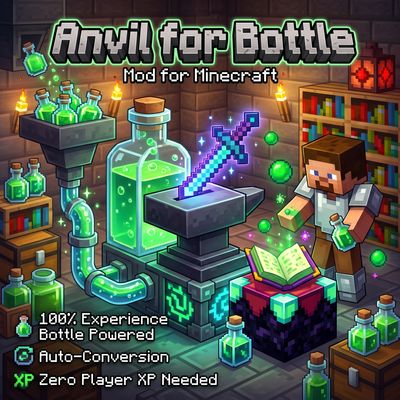
Anvil Enchanting Table for Bottle
Anvil for Bottle removes the need for player XP levels when repairing, combining, renaming, or enchanting items! Instead, power your workstation directly with Bottles o' Enchanting —manually or fully automated with hoppers.
 mod
CurseForge · Minecraft
GregSingularity Core
Custom GregTech progression for GregSingularity, including a field bloomery, planetary ore processing, piloted rockets and JEI integration on Minecraft 1.20.1 Forge.