Minecraft version
Back to mods 
CurseForge · Minecraft mod
HACraft
Control your real Home Assistant devices from inside Minecraft: lights, thermostats, blinds, speakers, vacuums, sensors with live graphs and camera pictures on an in-game TV.
Choose a version Pick your version below, then grab the matching file.
Quick answer
Which HACraft release should I use?
Latest stable file hacraft-0.3.2.jar
Game version 1.21.1
Loader NeoForge
hacraft-0.3.2.jar targets 1.21.1 with NeoForge. The project page does not say whether this file belongs on the client, dedicated server, or both. No extra mods listed for this file.
Where it goes
Is HACraft required on the client, server, or both?
The project page does not say whether this file belongs on the client, dedicated server, or both.
Client Source doesn’t say
Dedicated server Source doesn’t say
Loader for this release NeoForge
Required install it here Optional supported, not mandatory Not supported do not install here Source doesn’t say do not assume
The source does not explicitly classify this release as client-only or server-only.
What else does hacraft-0.3.2.jar need?
hacraft-0.3.2.jar. Change the file and its required mods may change too.
This file does not list any required mods. Do not add a library just because a different file uses it.
This file does not list any required or optional mods.
Before you install it
Add HACraft without breaking your instance.
Built for hacraft-0.3.2.jar. Pick another file and the loader, install side or required mods may change.
- 01
Stick to this file
Use hacraft-0.3.2.jar. It targets 1.21.1 with NeoForge; another release may have different loader, side or dependency requirements.
- 02
Bring the mods it needs
This file does not list any required mods. Do not add a library just because a different file uses it.
- 03
Put it on the correct side
The project page does not say whether this file belongs on the client, dedicated server, or both.
- 04
Pick the file you checked
Use the “Get this file” button beside hacraft-0.3.2.jar. It opens that exact file at the source.
About this project
What does HACraft add?
HACraft - your real home, inside Minecraft
HACraft connects your own Home Assistant to Minecraft. Place a block, pick a real device, and what you do in the game happens in your home - and what happens in your home shows up in the game.
You need a Home Assistant installation and the free HACraft integration (installed through HACS). The mod does nothing on its own.
The blocks
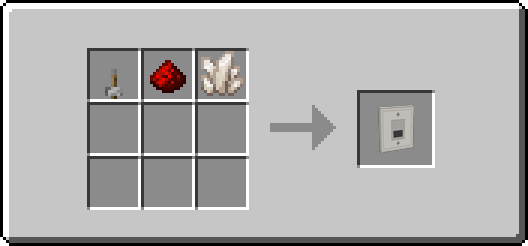
- Light Switch - toggle a real lamp with a right-click; brightness and colour screen.
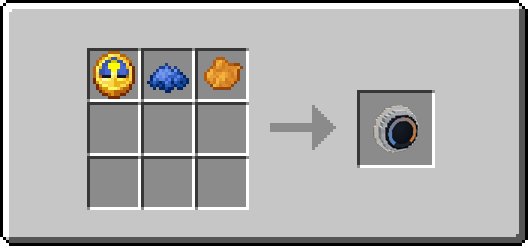
- Thermostat - a dial that shows the live temperature and lets you set the target.
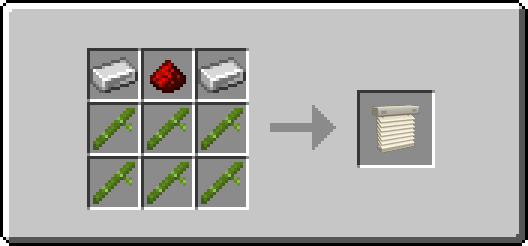
- Cover - a venetian blind that opens and closes with your real blinds, garage door or shutters.
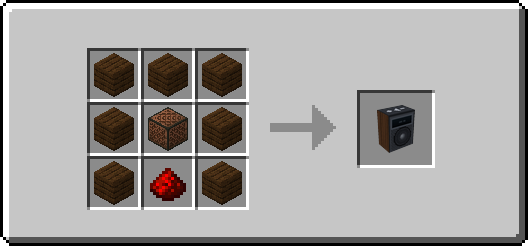
- Media Player - a speaker with a display strip showing what is playing, plus play/pause/skip/volume.
- Vacuum Dock - a little robot that drives around furniture while your real vacuum cleans.
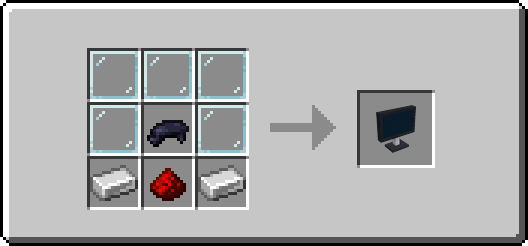
- Sensor Screen - a TV or monitor with a live value, a history graph, several devices at once, or a camera picture. Screens that touch become one big display.
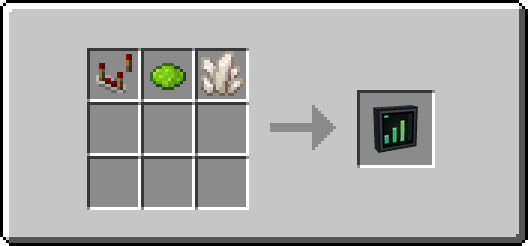
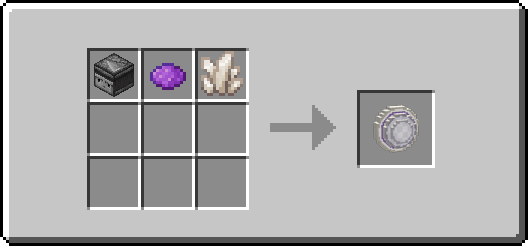
- Sensor / Motion Sensor - turn any device (or players in line of sight) into a redstone signal.
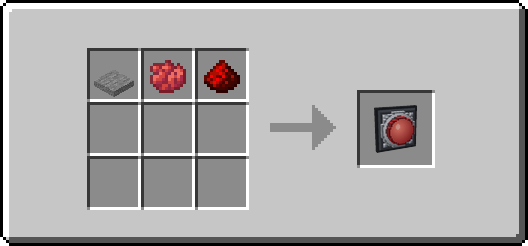
- Action - a big red button that runs a script, scene or button.
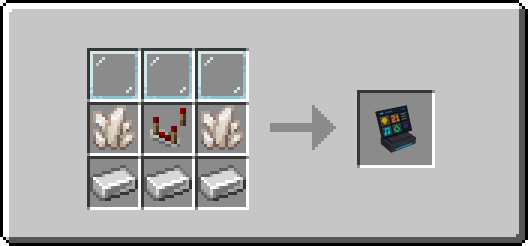
- Controller - a little dashboard for many devices.
- Camera - sends pictures from inside Minecraft to Home Assistant. Aim it with simple sliders; its head turns on the block.
- Link Tool - copy the device from one block and paste it onto others.
Every block is craftable in survival with vanilla items, and the mod is translated to English, Norwegian, German, Swedish, Danish, Spanish and French.
Getting started (about five minutes)
- Install the HACraft integration in Home Assistant (HACS: add
PolsaFH/hacraft-haas a custom repository), restart, then Settings -> Devices & Services -> Add integration -> HACraft. - On the HACraft card press Configure and tick what Minecraft may see. Anything not ticked stays invisible.
- Create a long-lived access token in your Home Assistant profile (Security tab).
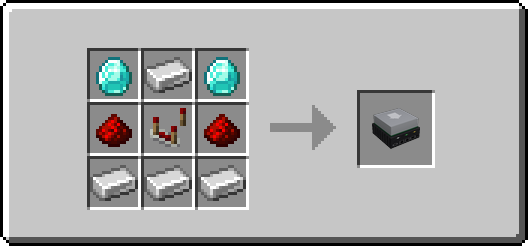
- In Minecraft, craft a Home Server, place it, right-click it and enter your address and the token.
- Craft any other block, place it, right-click it and pick a device.
/ha helpexplains the rest.
Made for multiplayer
Every player links their own Home Assistant, so on a shared server everyone keeps their own devices separate. Tokens are entered in a screen (never a chat command) and stored encrypted; packets are range checked and rate limited. Server owners can restrict which Home Assistant hosts players may connect to. More details: https://github.com/PolsaFH/hacraft-ha/blob/master/docs/SECURITY.md
Requirements
- Minecraft 1.21.1 with NeoForge 21.1.x. Everyone who plays needs the mod.
- Home Assistant 2024.1 or newer with the HACraft integration 0.5.0 or newer.
Crafting
Every block is craftable in survival with vanilla items. Shapeless recipes work in any arrangement; the pictures show one.
Home Server
Light Switch
Controller
Sensor Screen
Sensor
Motion Sensor
Thermostat
Cover
Media Player
Action
Vacuum Dock
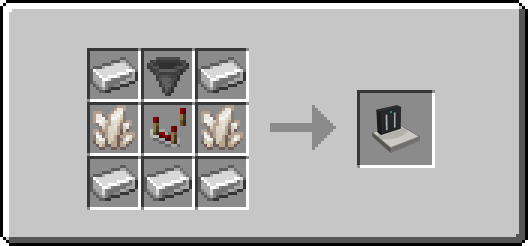
Camera
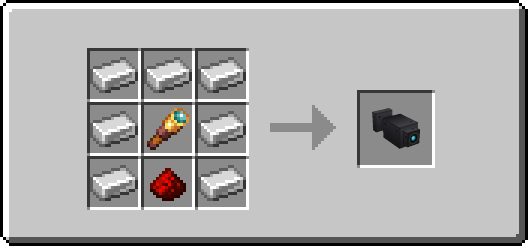
Link Tool
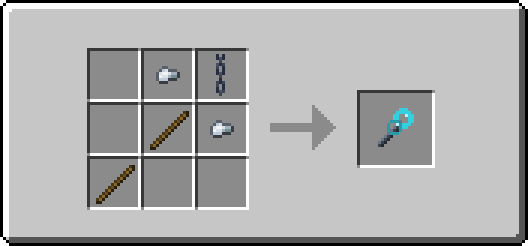
Support
Found a bug? Open an issue: https://github.com/PolsaFH/hacraft-ha/issues - include the output of /ha status, your versions and, for Home Assistant problems, the diagnostics file from the HACraft card.
Project description from CurseForge.
Pick your setup
HACraft by Minecraft version and loader
Choose the version and loader you play, then open the matching release.
Check the dependencies, then try the file in a copied instance before changing a world you care about.
Recent files
HACraft versions and loaders
hacraft-0.3.2.jar
3 Oct 2026
Client Source doesn’t say Server Source doesn’t say Dependencies No extras listed Listed on Release listing
Check the 1.21.1 · NeoForge setup 1.21.1NeoForge release
Looking for an older file? The official CurseForge project page is in Resources.
 mod
mod CurseForge · Minecraft
Create: Warnautics CE
A Create Big Cannons add-on, featuring bombs, bombs, and more bombs. Ranging from small bombs to large bombs, from c4s to (soon) nukes, we got you covered.
 mod
mod CurseForge · Minecraft
Create: Silicon Works
Semiconductor, SMD, miscellaneous and QoL addon for Create: Power Grid
 mod
mod CurseForge · Minecraft
Power of Energy
Energy-powered resource generators with 5 tiers, upgrade cards and an endgame Plasma Reactor. Turn energy into resources: tiered generators, new ores and a Plasma Reactor.