BetaAE-rver1.jar
5 Oct 2026
Client Source doesn’t say Server Source doesn’t say Dependencies No extras listed Listed on Release listing
Check the setup 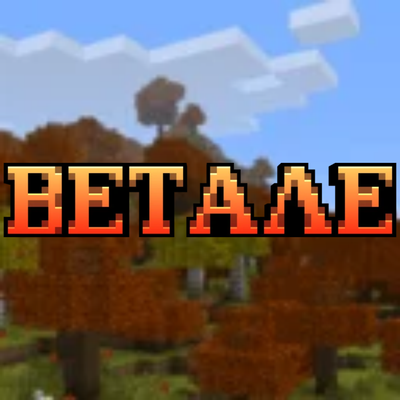
CurseForge · Minecraft mod
Beta, with a touch of Autumn charm!
Quick answer
Autumn Edition (BetaAE) BetaAE-rver1.jar targets Minecraft. The project page does not say whether this file belongs on the client, dedicated server, or both. No extra mods listed for this file.
Where it goes
The project page does not say whether this file belongs on the client, dedicated server, or both.
The source does not explicitly classify this release as client-only or server-only.
BetaAE-rver1.jar. Change the file and its required mods may change too.
This file does not list any required mods. Do not add a library just because a different file uses it.
This file does not list any required or optional mods.
Before you install it
Built for Autumn Edition (BetaAE) BetaAE-rver1.jar. Pick another file and the loader, install side or required mods may change.
Use BetaAE-rver1.jar. It targets Minecraft; another release may have different loader, side or dependency requirements.
This file does not list any required mods. Do not add a library just because a different file uses it.
The project page does not say whether this file belongs on the client, dedicated server, or both.
Use the “Get this file” button beside BetaAE-rver1.jar. It opens that exact file at the source.
About this project
This mod is a Jar mod so it may be incompatible with other mods (and some Texturepacks)
Right-click your Beta 1.7.3 instance and select Edit Instance Go to the Loader Mods or jar mods tab Click Add to Minecraft.jar and select the downloaded .zip Launch the game
Locate your minecraft.jar (.minecraft/bin/minecraft.jar) Open it with any archive tool (e.g. 7-Zip or WinRAR) Delete the META-INF folder inside the jar Drag and drop the mod files into the jar Save and launch the game.
Hope you enjoy :)
Project description from CurseForge.
Recent files
5 Oct 2026
Looking for an older file? The official CurseForge project page is in Resources.
 mod
Adventure genre pack for Aki's Radio - Orchestral, Medieval and Horror
 mod
Electronic & Party genre pack for Aki's Radio - Syntwave, Drum & Bass, Dubstep, Electro swing, House, Funk and disco
 mod
A Brand-new Weapon with Cthulhu Mythos' power,based on Monster Hunter:Wild