Fabric API Needed by Assorted Pokeball 2.0.0 (Fabric)
requiredMatching file found Matched file: [26.3] Fabric API 0.166.0+26.3
CurseForge · Minecraft mod
Adds the pokeball, which catches a mob so you can let it out somewhere else.
Quick answer
Assorted Pokeball 2.0.0 (Fabric) targets 26.3 with Fabric. The project page does not say whether this file belongs on the client, dedicated server, or both. All 2 required mods have matching files.
Where it goes
The project page does not say whether this file belongs on the client, dedicated server, or both.
The source does not explicitly classify this release as client-only or server-only.
Assorted Pokeball 2.0.0 (Fabric). Change the file and its required mods may change too.
Install Fabric API, Assorted Lib first. We found matching files for this game-version and loader setup.
We only count dependency files that match this setup. A file for another loader does not fill the gap.
Before you install it
Built for Assorted Pokeball 2.0.0 (Fabric). Pick another file and the loader, install side or required mods may change.
Use Assorted Pokeball 2.0.0 (Fabric). It targets 26.3 with Fabric; another release may have different loader, side or dependency requirements.
Install Fabric API, Assorted Lib first. We found matching files for this game-version and loader setup.
The project page does not say whether this file belongs on the client, dedicated server, or both.
Use the “Get this file” button beside Assorted Pokeball 2.0.0 (Fabric). It opens that exact file at the source.
About this project
Throw a pokeball at a mob and it goes inside. Throw it again and the mob comes back out wherever the ball lands. It's the easy way to move your animals, bring a pet along on a trip or get a mob somewhere it would never walk to on its own.
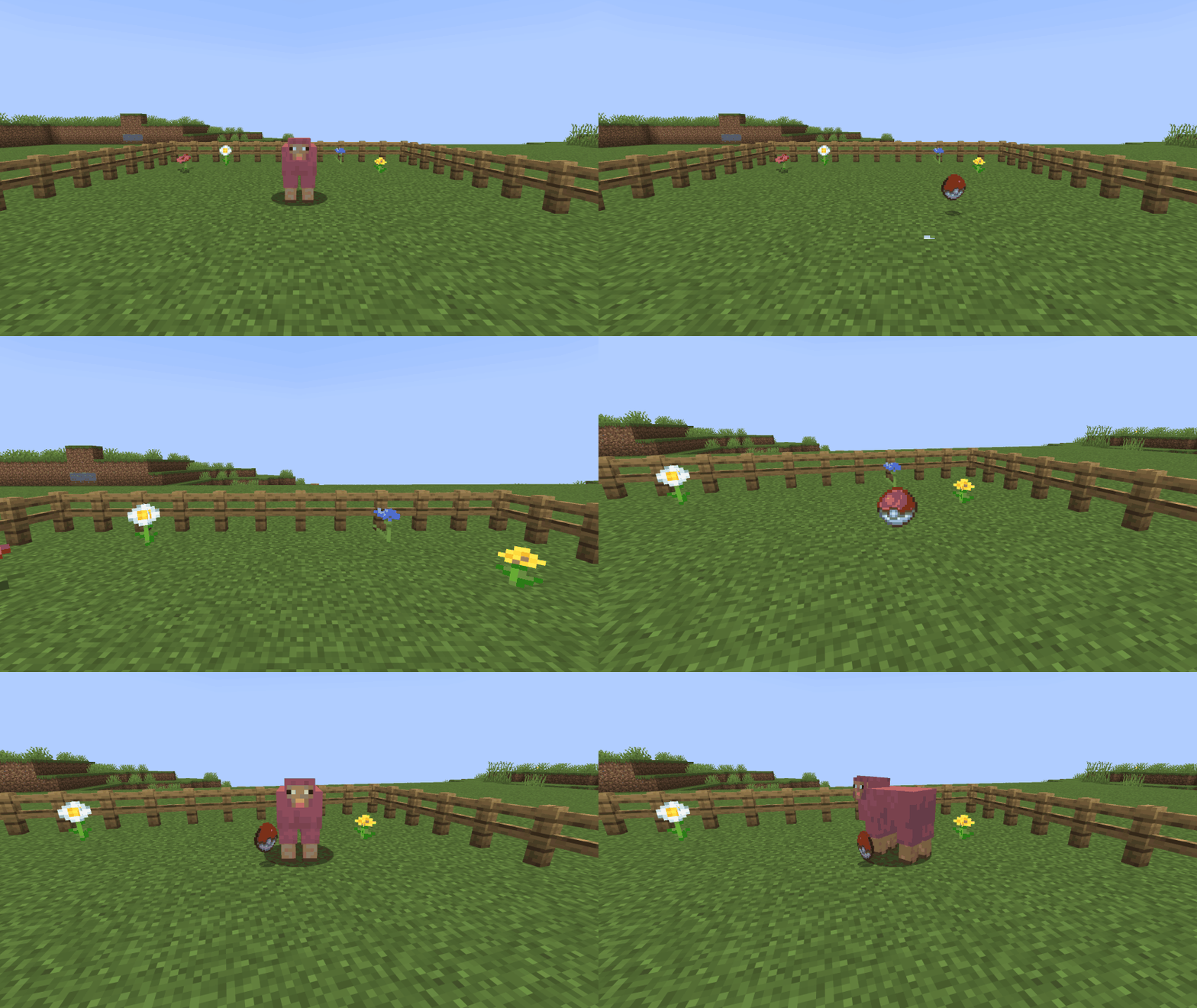
Craft one from redstone, coal, a stone button and iron ingots.
Worlds made with Assorted Tools 11.x keep everything when you switch to this mod. Don't install it beside Assorted Tools 11.x.
> Pokeball also comes in Assorted Tools with the other Tools mods, if you'd rather have them all in one download.
The full guide with recipes is at assortedmods.com. It's also in the game, in the Instruction Manual from Assorted Lib.
Found a bug? Report it on GitHub.
Project description from CurseForge.
Pick your setup
Choose the version and loader you play, then open the matching release.
Check the dependencies, then try the file in a copied instance before changing a world you care about.
Recent files
assortedpokeball-fabric-26.3-2.0.0.jar
24 Oct 2026
assortedpokeball-neoforge-26.3-2.0.0.jar
24 Oct 2026
assortedpokeball-neoforge-26.2-1.0.0.jar
5 Oct 2026
assortedpokeball-fabric-26.2-1.0.0.jar
5 Oct 2026
Looking for an older file? The official CurseForge project page is in Resources.
 mod
Adds a toggleable HUD overlay showing current weather and time until the next weather change.
 mod
Nine crystal families. A tiered exchange. Geodes, stone cutting, gambling, blind boxes and photo bounties, all feeding the same gear progression. Forge your equipment, charge it at the Summoning Beacon, and take on the Realm Crystal's trial.
 mod
Ariente - a high-tech exploration and tech mod