Assorted Lib Needed by Assorted Tools 13.0.0 (Fabric)
requiredMatching file found Matched file: Assorted Lib 5.0.2 (Fabric)
CurseForge · Minecraft mod
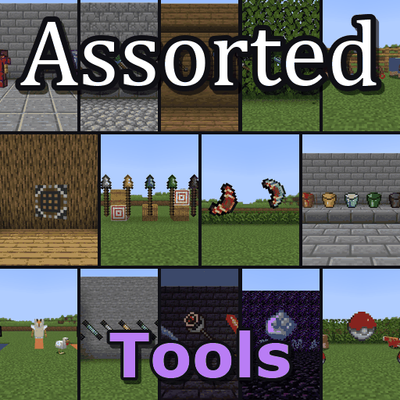
Adds an assortment of tools, weapons and armor.
Quick answer
Assorted Tools 13.0.0 (Fabric) targets 26.3 with Fabric. The project page does not say whether this file belongs on the client, dedicated server, or both. All 2 required mods have matching files.
Where it goes
The project page does not say whether this file belongs on the client, dedicated server, or both.
The source does not explicitly classify this release as client-only or server-only.
Assorted Tools 13.0.0 (Fabric). Change the file and its required mods may change too.
Install Assorted Lib, Fabric API first. We found matching files for this game-version and loader setup.
We only count dependency files that match this setup. A file for another loader does not fill the gap.
Before you install it
Built for Assorted Tools 13.0.0 (Fabric). Pick another file and the loader, install side or required mods may change.
Use Assorted Tools 13.0.0 (Fabric). It targets 26.3 with Fabric; another release may have different loader, side or dependency requirements.
Install Assorted Lib, Fabric API first. We found matching files for this game-version and loader setup.
The project page does not say whether this file belongs on the client, dedicated server, or both.
Use the “Get this file” button beside Assorted Tools 13.0.0 (Fabric). It opens that exact file at the source.
About this project
Starting with 12.0.0 every mod in Assorted Tools can be downloaded on its own or all together here in the bundle. The pages for the separate mods are still being reviewed, so some of their links may not work yet.
Fourteen mods full of new tools, weapons and armor. Hammers, machetes and multitools for getting work done, wands that build whole rooms, staffs that freeze mobs, spears and boomerangs to throw, suits for diving and swimming through lava, and plenty more.
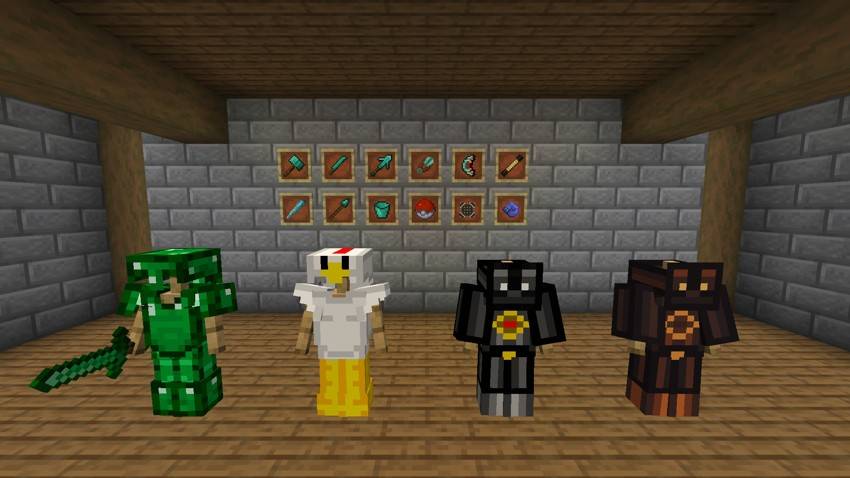
Each of these is also its own mod, if you only want some of them.
You can turn any of them off in config/assortedtools-parts.toml (.json on Fabric).
Worlds from 11.x keep all your items, recipes and enchantments. Tool material settings moved to the assortedlib-tool-tiers config file, which the other Assorted mods share, so anything you changed there needs setting again. The switch mode key now comes from Assorted Lib and sits under Assorted Mods in Controls, so if you rebound it, bind it again.
The full guide with recipes is at assortedmods.com. It's also in the game, in the Instruction Manual from Assorted Lib.
Found a bug? Report it on GitHub.
Project description from CurseForge.
Pick your setup
Choose the version and loader you play, then open the matching release.
Check the dependencies, then try the file in a copied instance before changing a world you care about.
Recent files
assortedtools-fabric-26.3-13.0.0.jar
24 Oct 2026
assortedtools-neoforge-26.3-13.0.0.jar
24 Oct 2026
assortedtools-neoforge-26.2-12.0.0.jar
6 Oct 2026
assortedtools-fabric-26.2-12.0.0.jar
6 Oct 2026
assortedtools-fabric-26.2-11.1.3.jar
24 Sept 2026
assortedtools-neoforge-26.2-11.1.3.jar
24 Sept 2026
assortedtools-neoforge-26.2-11.1.2.jar
19 Sept 2026
assortedtools-fabric-26.2-11.1.2.jar
19 Sept 2026
assortedtools-fabric-26.2-11.1.1.jar
18 Sept 2026
assortedtools-neoforge-26.2-11.1.1.jar
18 Sept 2026
assortedtools-fabric-26.2-11.0.1.jar
14 Sept 2026
assortedtools-neoforge-26.2-11.0.1.jar
14 Sept 2026
Looking for an older file? The official CurseForge project page is in Resources.
 mod
A Minecraft Palladium addon Mod that adapts the infamous Webtoon, "UnOrdinary", into Minecraft.
 mod
An Expansion Of The Xiaoxiang Cultivation Mod. Tired Of One Long Silent Bar Between Breakthroughs? Ten Layers To Every Realm, Mortal Included — 99+ Breakthroughs Across. Every Requirement Is Yours To Set, And A Peak Route Past The Materials.
 mod
Makes death configurable per server, player, team, permission, etc. Allows for more granular control over items, experience, and more!