Text Placeholder API Optional for tradery-forge-1.20.1-1.0.0.jar
optionalNo matching file

CurseForge · Minecraft mod
Player shops in a block, a currency you can see on screen, and coin ore as the source of money.The spiritual successor to Vending Block - for Fabric and NeoForge, with a public Economy API.
Quick answer
tradery-forge-1.20.1-1.0.0.jar targets 1.20.1 with Forge. The project page does not say whether this file belongs on the client, dedicated server, or both. No extra mods listed for this file.
Where it goes
The project page does not say whether this file belongs on the client, dedicated server, or both.
The source does not explicitly classify this release as client-only or server-only.
tradery-forge-1.20.1-1.0.0.jar. Change the file and its required mods may change too.
This file does not list any required mods. Do not add a library just because a different file uses it.
5 extra mods were pulled in by other dependencies. Indented rows show who needs each one. We only count dependency files that match this setup. A file for another loader does not fill the gap.
Before you install it
Built for tradery-forge-1.20.1-1.0.0.jar. Pick another file and the loader, install side or required mods may change.
Use tradery-forge-1.20.1-1.0.0.jar. It targets 1.20.1 with Forge; another release may have different loader, side or dependency requirements.
This file does not list any required mods. Do not add a library just because a different file uses it.
The project page does not say whether this file belongs on the client, dedicated server, or both.
Use the “Get this file” button beside tradery-forge-1.20.1-1.0.0.jar. It opens that exact file at the source.
About this project






Player shops in a block, a currency you can see on screen, and coin ore as the source of money.
The spiritual successor to Vending Block - for Fabric and NeoForge, with a public Economy API.
Vending Blocks | Quick Trade | Balance HUD | Money | Commands | Servers | Developers | Compatibility | Installation
Remember Vending Block? Put a block down, stock it, set a price - and people buy from you while you're off mining. Tradery brings that back for modern Minecraft and builds a whole small economy around it:
Languages: English, Русский, Українська, Беларуская, Polski, Deutsch, Nederlands, Svenska, Français, Español, Português (Brasil), 日本語, 简体中文, 繁體中文 (台灣), 繁體中文 (香港)
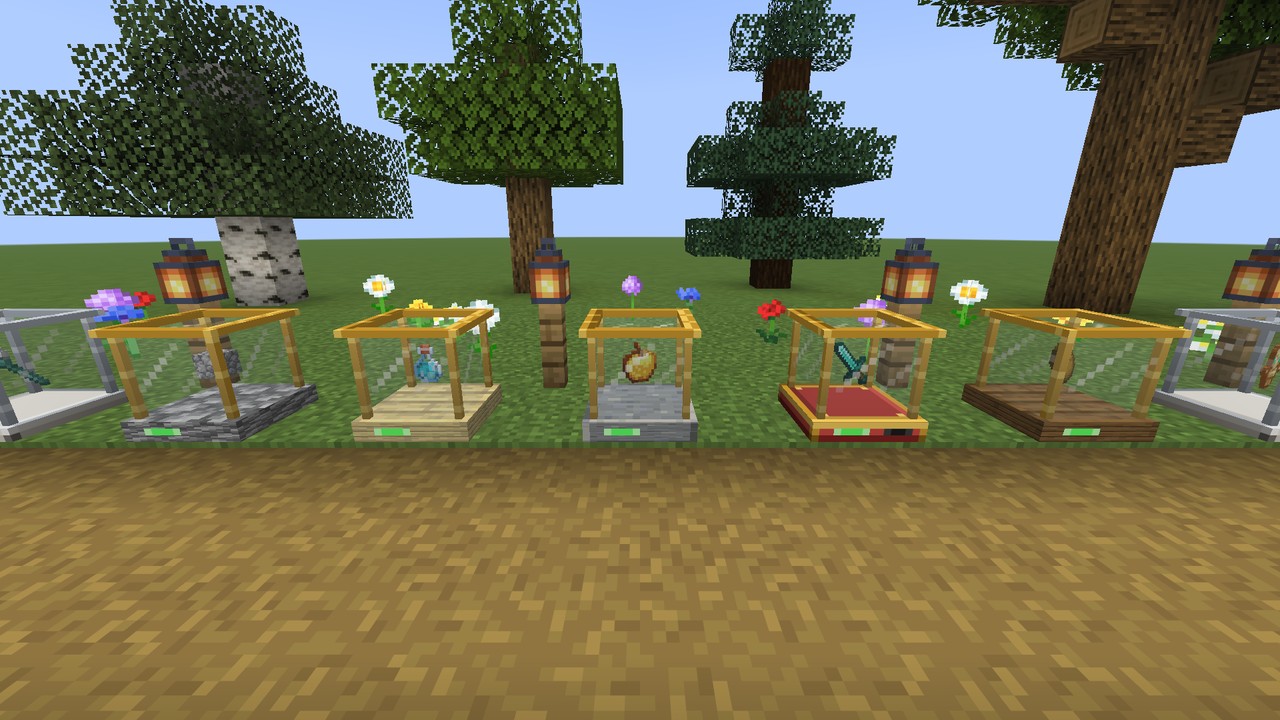

A red-and-brass machine with a glass case on top - the goods float inside so everyone can see what's for sale.
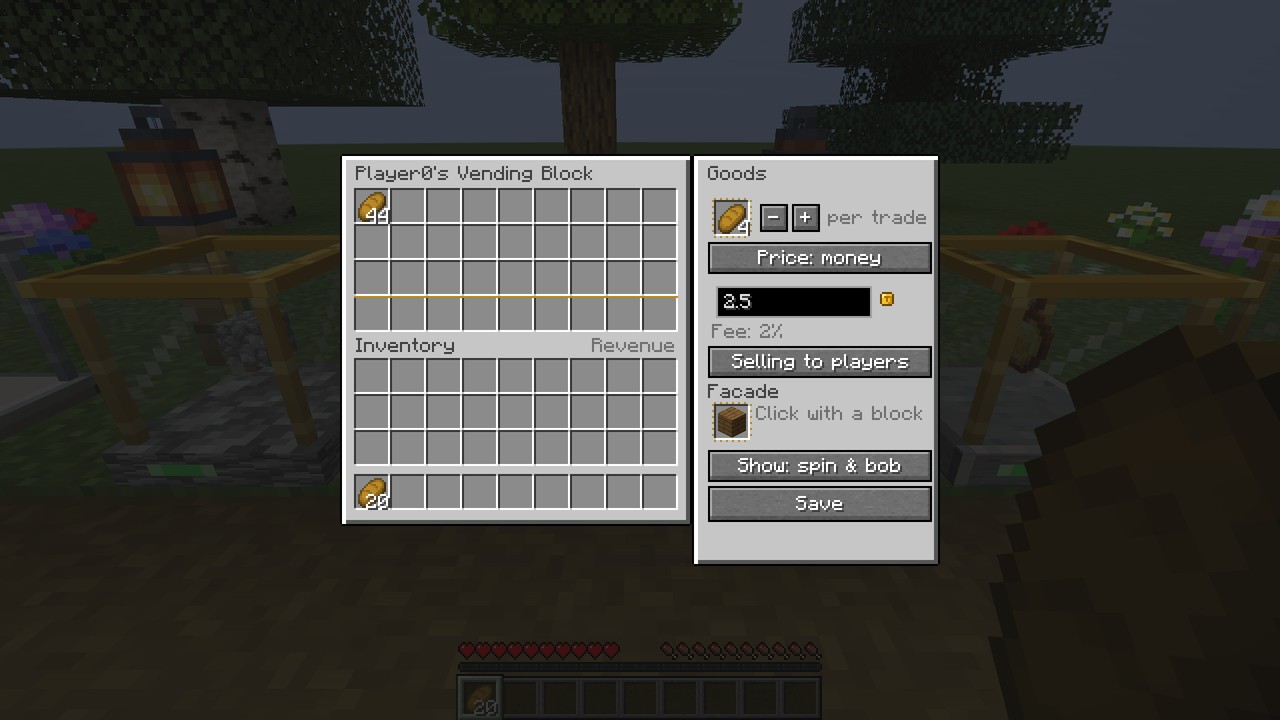
| Buyer | Owner |
|---|---|
 |
 |

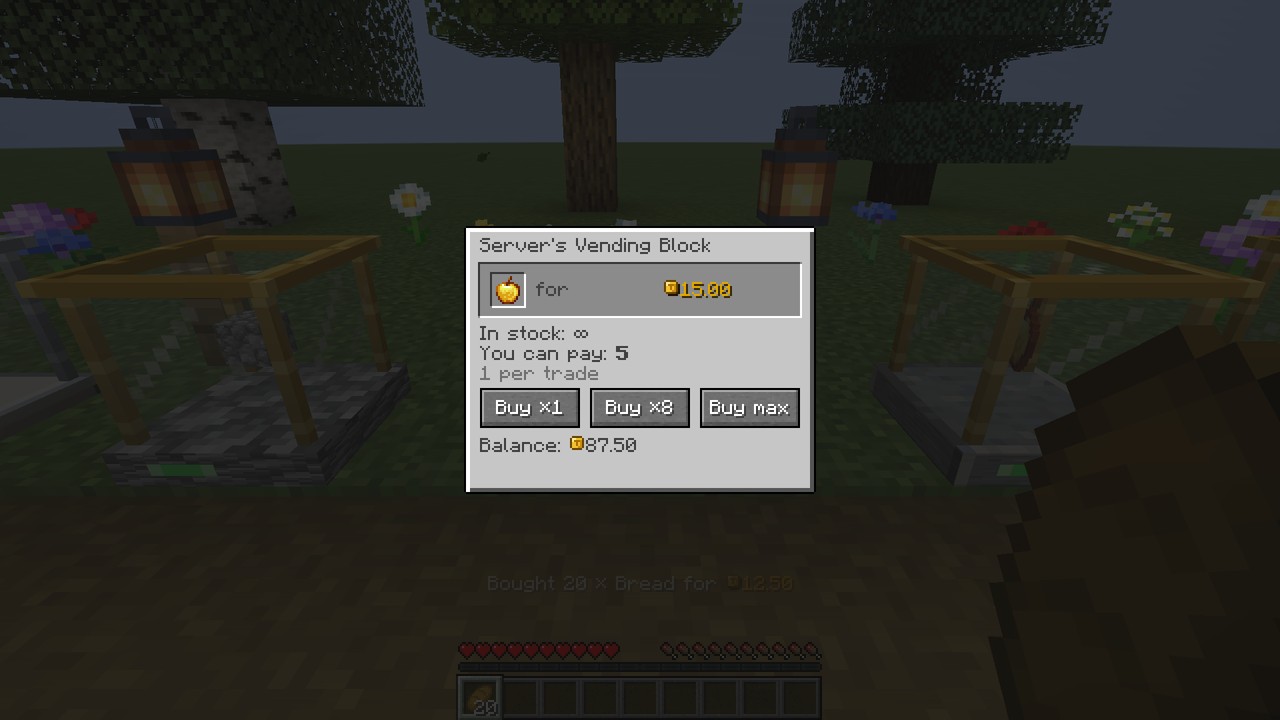
Look at a vending block and a small card shows who sells what and for how much - no window, no guessing.
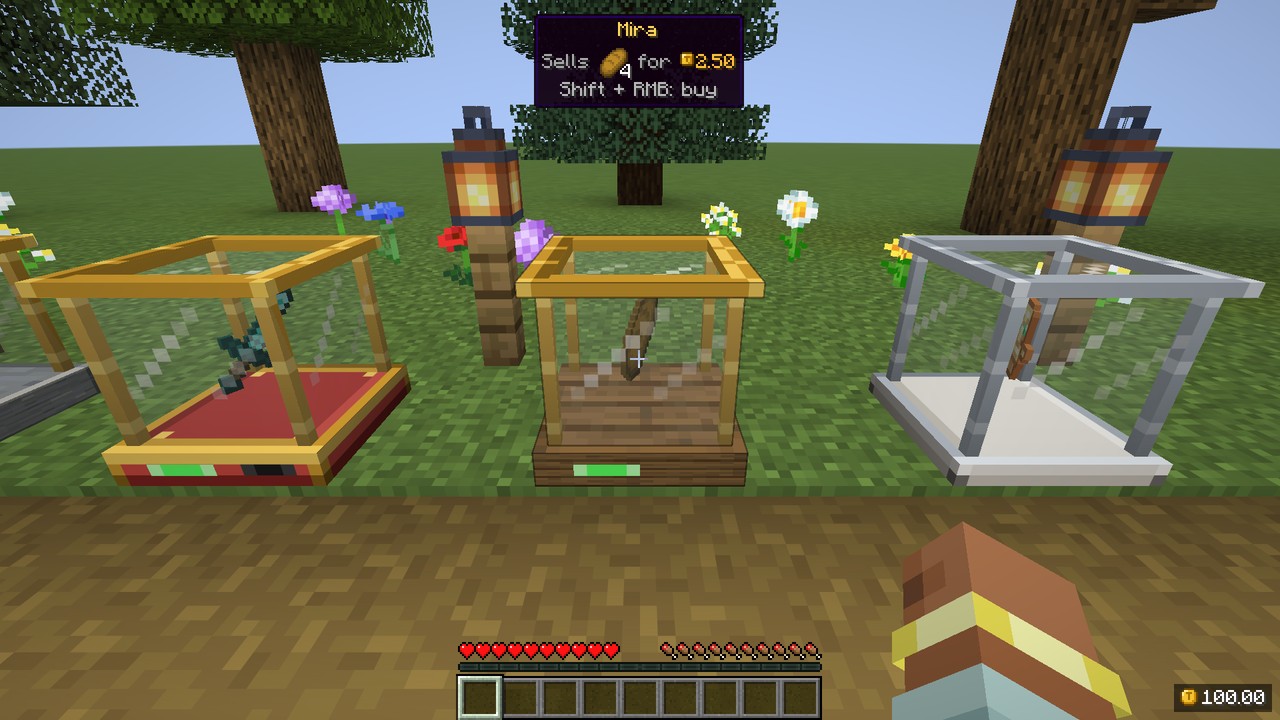
| Shift + Right-click | buy one lot from a selling block - hold to keep buying, about 5 lots a second |
| Shift + Left-click | sell one lot to a buying block - hold to keep selling |
| Right-click | the window: ×1, ×8, max, exact stock |
| Sneak while looking | the items' full tooltips: enchantments, potion effects, durability |
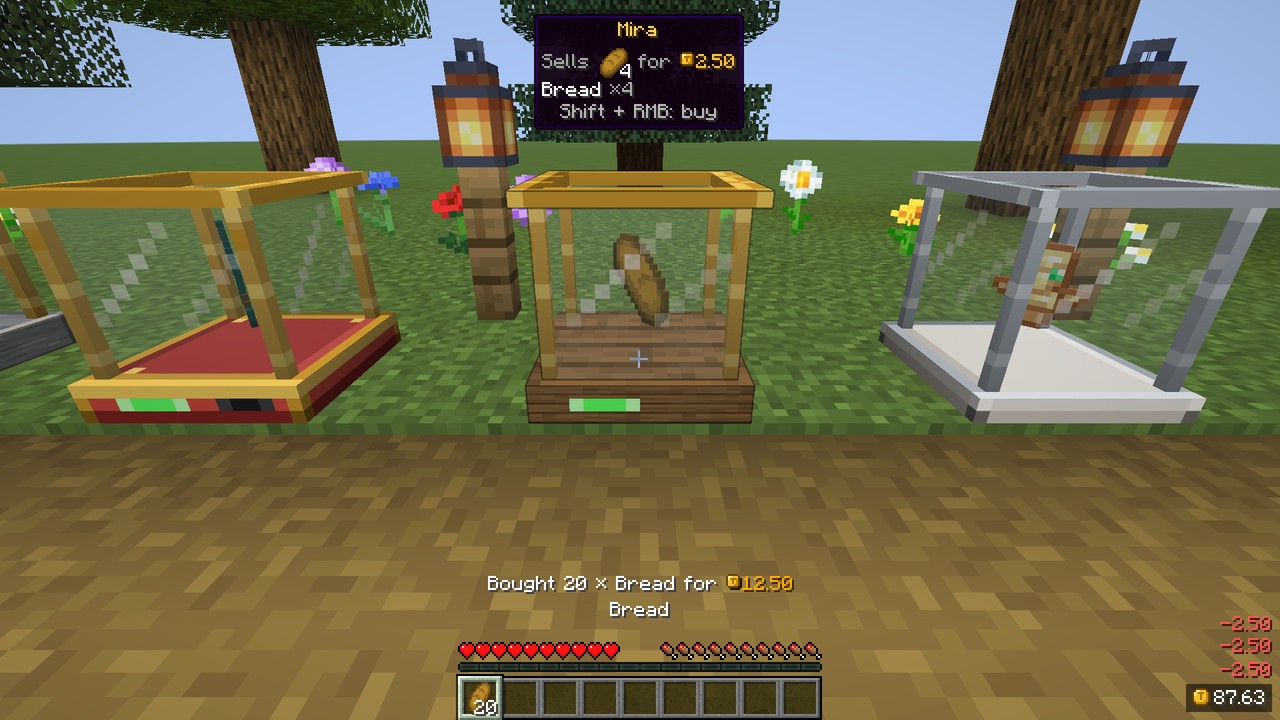

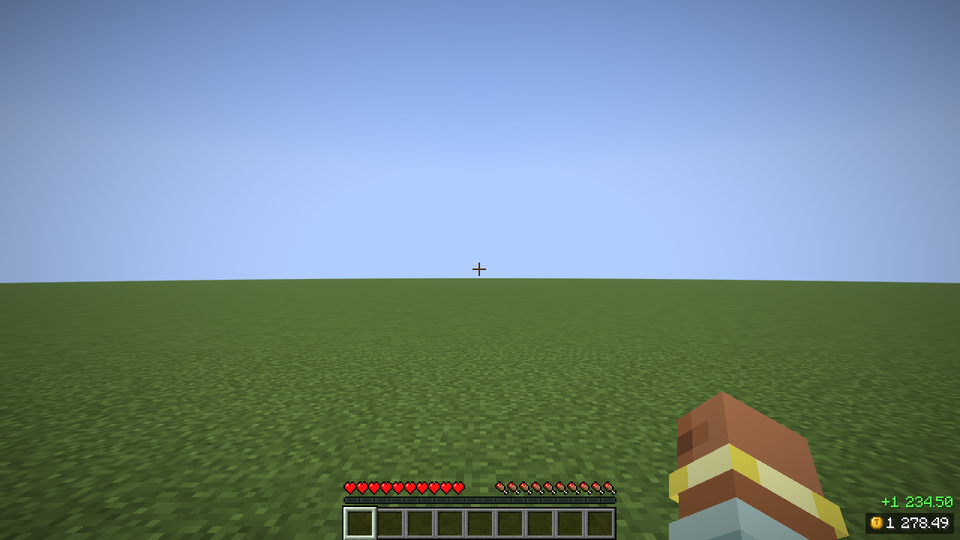
Your balance in any corner, with a coin icon, a rolling counter and +120 / -40 popups.
1 250.00) or short (1.2K) format./tradery hud.
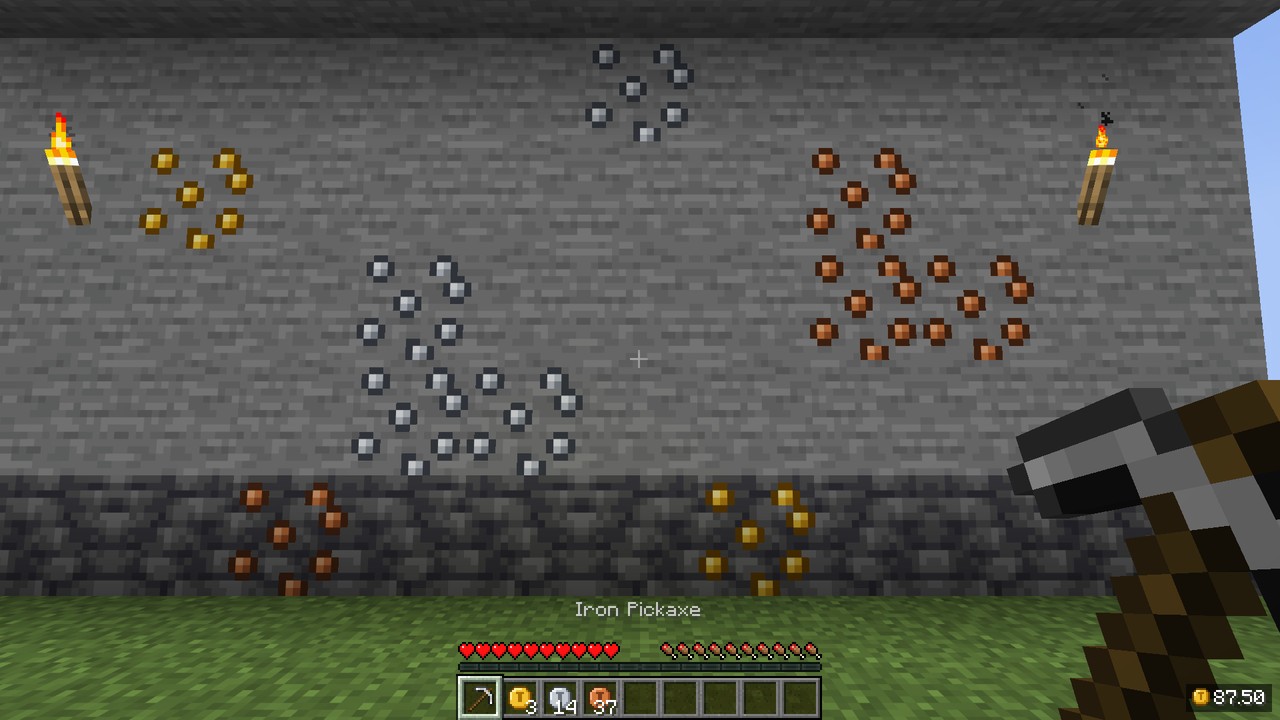
c:ores ore and has no furnace recipe, so crushers and ore processors can't double it./tradery withdraw to pay out, trade them in item-priced vending blocks./pay tax, burning admin vendors. /eco stats shows money created and destroyed per day.
| Command | What it does | Permission | Default |
|---|---|---|---|
/bal [player] (/balance) |
Your or someone's balance | tradery.balance, tradery.balance.others |
everyone / op 2 |
/pay <player> <amount> |
Pay a player (online or offline) | tradery.pay |
everyone |
/baltop [page] |
Richest players | tradery.baltop |
everyone |
/tradery history [page] |
Your last transactions | tradery.history |
everyone |
/tradery withdraw <amount> |
Balance → coins | tradery.withdraw |
everyone |
/tradery hud |
Show/hide the balance HUD | - | everyone |
/eco give|take|set <player> <amount> |
Change a balance | tradery.admin.eco |
op 2 |
/eco lock|unlock <player> |
Freeze an account | tradery.admin.eco |
op 2 |
/eco stats |
Money supply, created/destroyed today and this week | tradery.admin.stats |
op 2 |
/tradery vendors [player] |
Vending blocks with clickable coordinates | tradery.admin.vendors |
op 2 |
/tradery reload |
Reload the configs | tradery.admin.reload |
op 3 |
Amounts are typed in normal units (/pay Steve 12.50). Permissions work with LuckPerms or any permission mod.

config/tradery/server.json5 - currency (name, symbol, decimals, separator), starting balance, balance ceiling, /pay tax, vending fee and per-player limit, item and facade blacklists, coin ore on/off, direct-to-balance, coin values, daily cap, inflation damping, log retention.rewards.json5 - rewards per mob / block / item / advancement (ids, #tags or *), spawner and fake-player rules, daily cap, diminishing returns.client.json5 - each player's HUD, hint and notification settings./tradery reload applies changes.<world>/tradery/logs/YYYY-MM-DD.log (JSON lines).kill -9.
dev.eliasnvx:tradery-api:1.0.0+26.3 - accounts, atomic transactions and events, one API for Fabric and NeoForge.
TraderyEconomy eco = TraderyEconomy.get();               // server thread only
Account account = eco.account(player.getUUID());
TransactionResult result = eco.withdraw(account, 500,    // 5.00 with 2 decimals
    Reason.of(Identifier.fromNamespaceAndPath("mymod", "teleport_fee")));

// 5% tax on every vending sale inside a region
VendingPurchaseEvent.Pre.EVENT.register(e -> {
    if (Regions.at(e.pos()).is("market")) e.setPrice(e.price() * 105 / 100);
});
Guide: docs/api/README.md. On Fabric, Tradery is also a Common Economy API provider, so mods that use it work with Tradery balances out of the box.

| Mod | What you get |
|---|---|
| Jade | Owner, offer, stock and the trade keys in Jade's tooltip (the built-in hint steps aside) |
| JEI / REI | Drag items into the goods, price and facade slots; info pages for the blocks, coin ore and coins |
| Common Economy API (Fabric, included) | Other economy mods read and change Tradery balances |
| Text Placeholder API (Fabric) | %tradery:balance%, %tradery:balance_short%, %tradery:top_name 1%, %tradery:top_balance 1%, %tradery:currency% |
| LuckPerms | All tradery.* permission nodes |
All optional. EMI and WTHIT support will follow when they update to 26.3.

| Fabric | NeoForge | |
|---|---|---|
| Minecraft | 26.3 | 26.3 |
| Loader | Fabric Loader 0.19.5+ and Fabric API | NeoForge 26.3+ |
| Java | 25 | 25 |
| Jade, JEI, REI, Text Placeholder API | optional | optional (Jade, JEI, REI) |
.jar into mods - on both the client and the server.Does it work on a server without the mod on clients? No - the blocks, the HUD and the screens need Tradery on both sides.
Can hoppers fill or empty a vending block? No, on purpose: automation is the classic way to dupe shops.
Can I use another currency name or symbol? Yes - name, symbol, decimals and the thousands separator are in server.json5. The HUD and screens show a coin icon instead of the symbol.
Will it come to 1.21.1 / 1.20.1? A 1.21.1 backport is planned for 1.1.
MIT © eliasnvx
**Built for every server that wants a market square**
Project description from CurseForge.
Pick your setup
Choose the version and loader you play, then open the matching release.
Check the dependencies, then try the file in a copied instance before changing a world you care about.
Recent files
10 Oct 2026
10 Oct 2026
10 Oct 2026
10 Oct 2026
6 Oct 2026
6 Oct 2026
Looking for an older file? The official CurseForge project page is in Resources.
 mod
modJEED/Emiffect addon with support for over 100 mods and 600 status effects!
 mod
modAdd-on for Forgeworks: Crying Gemstones and eight toggleable charm stones — night vision, water breathing, speed, slow falling, resistance, regeneration, hostile-mob outlines, and a Soul Stone that keeps your inventory on death.
 mod
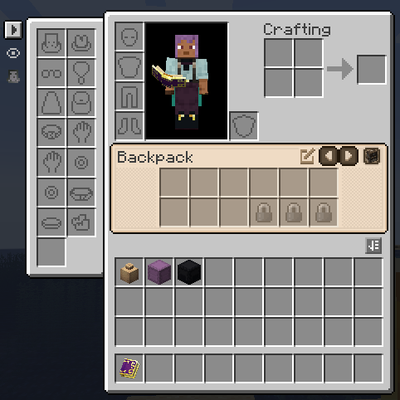
modUI Integration mod that adds a container bar to your inventory displaying backpacks and shulker boxes while integrating the ui elements of all of your favorite mods into a cohesive and userfriendly window.