Minecraft version
Back to mods 
CurseForge · Minecraft mod
Mining Farms
Industrial mining farms with craftable iconic computer hardware, biome-derived resources and mob loot production.
Choose a version Pick your version below, then grab the matching file.
Quick answer
Which Mining Farms release should I use?
Latest stable file mining-farms-1.0.1
Game version 1.20.1
Loader Forge
Mining Farms mining-farms-1.0.1 targets 1.20.1 with Forge. The project page does not say whether this file belongs on the client, dedicated server, or both. No extra mods listed for this file.
Where it goes
Is Mining Farms required on the client, server, or both?
The project page does not say whether this file belongs on the client, dedicated server, or both.
Client Source doesn’t say
Dedicated server Source doesn’t say
Loader for this release Forge
Required install it here Optional supported, not mandatory Not supported do not install here Source doesn’t say do not assume
The source does not explicitly classify this release as client-only or server-only.
What else does Mining Farms mining-farms-1.0.1 need?
mining-farms-1.0.1. Change the file and its required mods may change too.
This file does not list any required mods. Do not add a library just because a different file uses it.
This file does not list any required or optional mods.
Before you install it
Add Mining Farms without breaking your instance.
Built for Mining Farms mining-farms-1.0.1. Pick another file and the loader, install side or required mods may change.
- 01
Stick to this file
Use mining-farms-1.0.1. It targets 1.20.1 with Forge; another release may have different loader, side or dependency requirements.
- 02
Bring the mods it needs
This file does not list any required mods. Do not add a library just because a different file uses it.
- 03
Put it on the correct side
The project page does not say whether this file belongs on the client, dedicated server, or both.
- 04
Pick the file you checked
Use the “Get this file” button beside mining-farms-1.0.1. It opens that exact file at the source.
About this project
What does Mining Farms add?
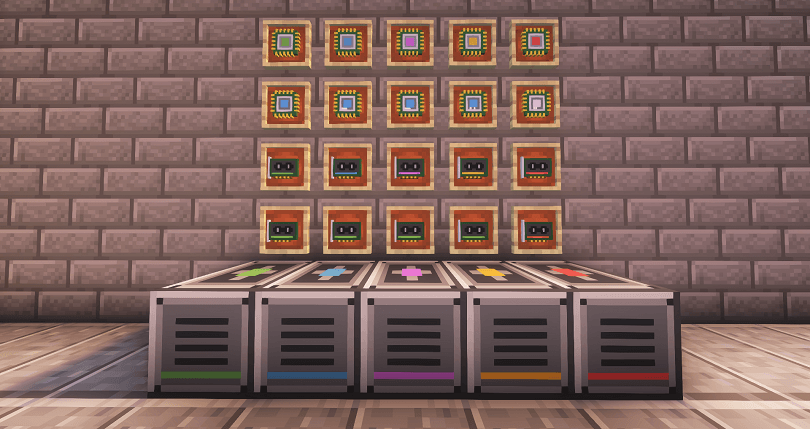 **A tech-themed mod that adds mining farms (inspired by cryptocurrency miners) to produce resources using a lot of energy and luck.**⚠️ This mod is supposed to be used in combination other tech mods, which implement fluid pumping and FE (forge energy) generation. Recommended to be used with: [Create](https://www.curseforge.com/minecraft/mc-mods/create), [Create Crafts & Additions](https://www.curseforge.com/minecraft/mc-mods/createaddition), [Mekanism.](https://www.curseforge.com/minecraft/mc-mods/mekanism)
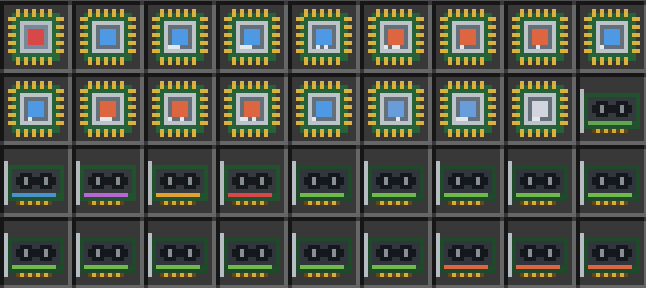
 Adds 5 mining farms and over 20+ iconic GPUs and CPUs with a proper progression flow for early, mid and late game.
Overview & guide
There are 5 tiers of farms, with each upgrade having more GPU & CPU slots, energy and water capacity
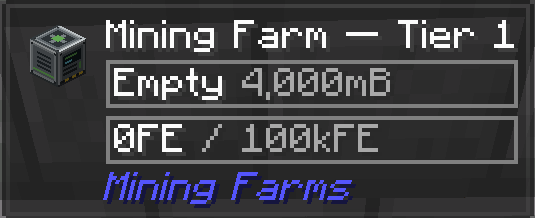
Tier 1 - 4000 mB water capacity, 100 kFE energy capacity, 1 CPU and 1 GPU slot
Tier 2 - 16000mB water capacity, 400kFE energy capacity, 1 CPU and 2 GPU slots
Tier 3 - 64000mB water capacity, 1.6MFE energy capacity, 2 CPU and 3 GPU slots
Tier 4 - 256B water capacity, 6.4 MFE energy capacity, 2 CPU and 4 GPU slots
Tier 5 - 1024B water capacity, 25.6MFE energy capacity, 3 CPU and 5 GPU slots
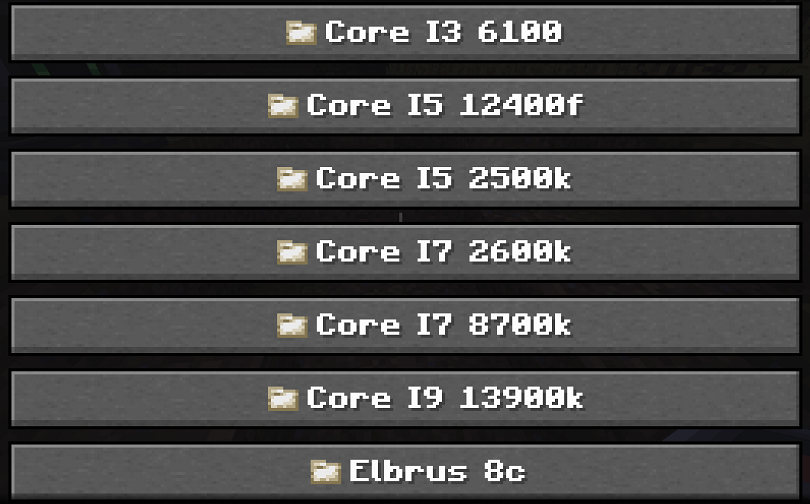
You can craft and install processors and graphics cards with different performance, cooling requirement and water consumption in a farm of any tier to passively produce resources.
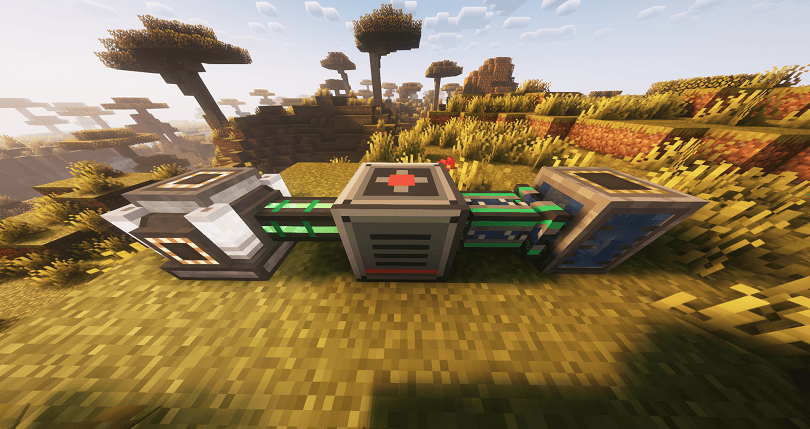
To power a farm you need to pump water and energy into it. If the farm runs out of water, but still has energy it will make a warning sound, overheat and explode after a few seconds. If it runs out of power while still having water, it will shutdown safely.
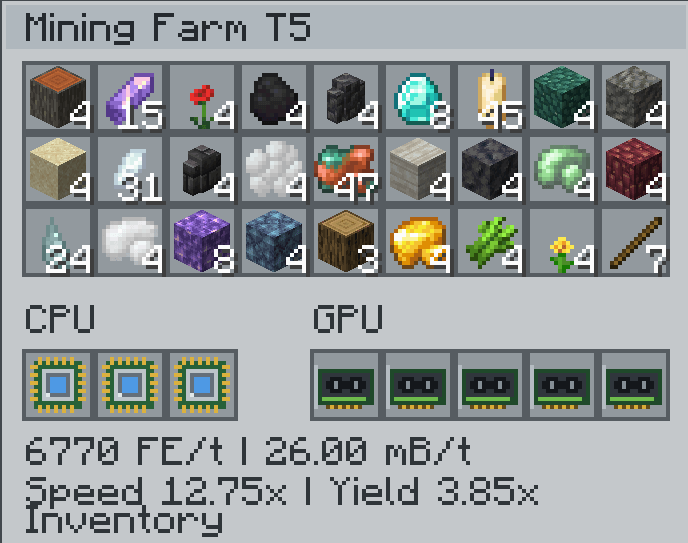
The mining process emulates generating a random block from the biome the farm is currently located in, and breaking it, getting you a it's drop each iteration. For example in plains biome you can get stone, dirt, wood, any ore (including modded) or pratically any block that is naturally generated. The chance depends on how rare this block is, compared to all other blocks in the worldgen. Here are some examples.
Overworld, savanna, block mode:
Nether, basalt deltas, block mode:
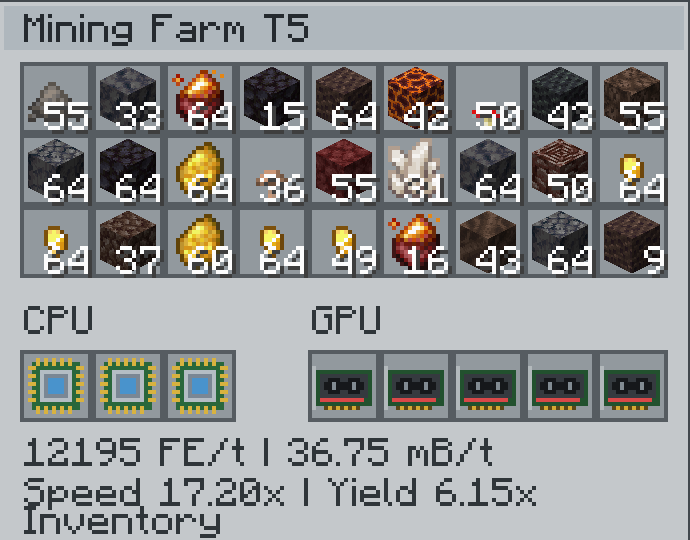
Every farm has a block mode and mob mode. The mob mode works the exact same way, but instead emulates mob drops from mobs that can spawn in the current biome. To toggle the mode sneak + right click the farm.
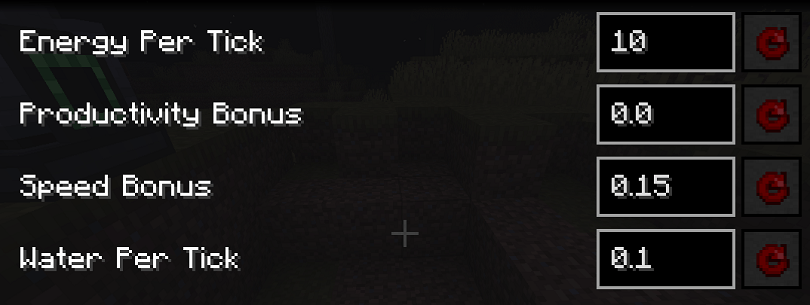
You can configure every GPU and CPU production speeds, cooling requirement and power usage in the mod config.
Project description from CurseForge.
Pick your setup
Mining Farms by Minecraft version and loader
Choose the version and loader you play, then open the matching release.
Check the dependencies, then try the file in a copied instance before changing a world you care about.
Recent files
Mining Farms versions and loaders
mining-farms-1.0.1
mining-farms-1.0.1.jar
8 Oct 2026
Client Source doesn’t say Server Source doesn’t say Dependencies No extras listed Listed on Release listing
Check the 1.20.1 · Forge setup 1.20.1Forge release
mining-farms-1.0.0
mining-farms-1.0.0.jar
7 Oct 2026
Client Source doesn’t say Server Source doesn’t say Dependencies No extras listed Listed on Release listing
Check the 1.20.1 · Forge setup 1.20.1Forge release
Looking for an older file? The official CurseForge project page is in Resources.
 mod
mod CurseForge · Minecraft
Chaos Mod: Chaotic Technology
A high-progression tech mod inspired by Avaritia and Mekanism, featuring advanced machinery, dimensional exploration, reality manipulation, and increasingly powerful technology.
 mod
mod CurseForge + Modrinth · Minecraft
Reliable Recipes
A lightweight utility for recipe and tag manipulation via simple JSON configuration!
 mod
mod CurseForge + Modrinth · Minecraft
Discord Integration (DI)
Adds chat linking between Discord and Minecraft and Discord commands to request server data.