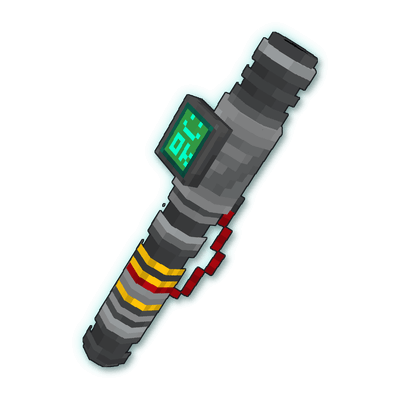
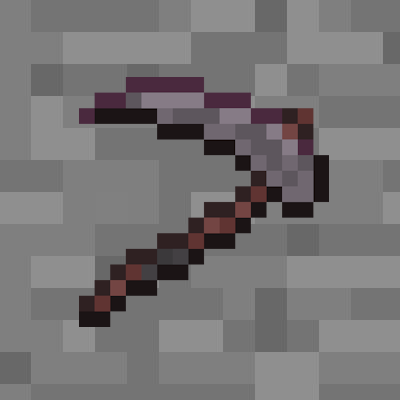
Scrap Tech: Modular Multitool
⚠️ Beta: Balancing can still change between versions. Please keep backups of your worlds.
Scrap Tech: Modular Multitool is the standalone version of the Scrap Multitool from Scrap Tech Workshop. You start with a makeshift tool made of copper, iron and amethyst and upgrade it in the Nether and the End. It runs on replaceable energy cells and uses modules instead of enchantments. No machines are needed.
Features
- Works as pickaxe, axe, shovel or hoe, depending on the block you look at. Modded blocks are supported through the vanilla tool tags.
- Uses energy instead of durability. Recharge the cell with redstone in the crafting grid or swap it. Without energy the tool mines like your bare hand.
- Modules are items you put into the tool. The number of slots depends on the tier.
- Salvage Scanner and Field Meter show information about blocks, ores, redstone and energy.
- Right-click to strip logs, make paths and farmland, scrape copper or remove wax.
- Works as shears: shear sheep, mooshrooms and snow golems, carve pumpkins, harvest honeycomb and cut wool and cobwebs fast.
- Small HUD while the tool is in your hand. You can hide it and move it with the mouse.
Getting Started
- Craft an Improvised Energy Cell from copper and redstone.
- Craft the Makeshift Multitool from amethyst, iron, copper, redstone and the cell.
- Sneak + Right-click to open the multitool menu and install modules.
- Recharge by crafting the cell or the tool together with redstone.
- Upgrade to the Scrap Multitool in the Nether and to the Void Multitool in the End.
The energy cell, modules, settings and the name of the tool are kept on every upgrade. Recipes show up in the recipe book once you have the ingredients. The advancement tab shows the next steps.
Tiers
| Tier |
Upgrade with |
Harvest |
Modules |
Notes |
| Makeshift |
– |
Iron |
2 |
Wears out, repair with amethyst |
| Scrap |
Nether quartz + diamond |
Diamond |
4 |
No wear |
| Void |
Shulker shells, dragon's breath, netherite |
Diamond |
4 |
Faster, fireproof, drops into inventory |
A worn out Makeshift Multitool stops working, but it is never destroyed.
Modules
| Module |
Effect |
| Excavation |
Mines 3x3, sneak to mine a single block |
| Precision |
Silk Touch and shears drops (grass, vines), disables Excavation |
| Salvage Scanner |
Right-click into the air to find the nearest ore |
| Field Meter |
Right-click a block for hardness, redstone, light and energy values |
| Magnetic Recovery |
Pulls drops and XP of mined blocks to you |
Energy
- Improvised Energy Cell (2500 mAh) and Energy Cell (5000 mAh). The charge stays in the cell.
- One redstone dust charges 500 mAh. Redstone that is not needed stays in the crafting grid.
- Forge: cells and the multitool support Forge Energy and can be charged with any FE charger. Batteries from other mods with Forge Energy (e.g. the Mekanism Energy Tablet) fit into the battery slot.
- Fabric: the same works with Team Reborn Energy (Tech Reborn, Energized Power, ...).
Modpacks & Data Packs
Most behavior is tag based, for example #scrap_tech_multitool:energy_cells, salvage/<class>, scanner/ores, excavation_blacklist, mineable/shears and shears_interactions. Energy costs, speeds and radii can be changed in config/scrap_tech_multitool/multitool.cfg. Other mods can add Field Meter readings with de.markusbordihn.scraptechmultitool.api.ScrapTechMultitoolApi.
Recipes use #scrap_tech_multitool:ingredients/* tags, which include the forge: and c: tags, so copper, redstone, diamonds etc. from other mods work as well.
Items with Forge Energy or Team Reborn Energy are detected as batteries automatically. Add an item to #scrap_tech_multitool:energy_cell_blacklist to block it, or add a damageable item without an energy API to #scrap_tech_multitool:energy_cells to use its durability as energy.
Scrap Tech Workshop is not required. If it is installed, its energy cells fit into the battery slot and its blocks are recognized by the scanner.
Project description from CurseForge.