Quick answer
Which Lanterns Enhanced release should I use?
Latest stable file Lanterns-Enhanced-2.4.1+mc26.2.jar
Game version 26.2
Loader Fabric
Lanterns Enhanced Lanterns-Enhanced-2.4.1+mc26.2.jar targets 26.2 with Fabric. The project page does not say whether this file belongs on the client, dedicated server, or both. All 1 required mods have matching files.
Where it goes
Is Lanterns Enhanced required on the client, server, or both?
The project page does not say whether this file belongs on the client, dedicated server, or both.
Client Source doesn’t say
Dedicated server Source doesn’t say
Loader for this release Fabric
Required install it here Optional supported, not mandatory Not supported do not install here Source doesn’t say do not assume
The source does not explicitly classify this release as client-only or server-only.
What else does Lanterns Enhanced Lanterns-Enhanced-2.4.1+mc26.2.jar need?
Lanterns-Enhanced-2.4.1+mc26.2.jar. Change the file and its required mods may change too.
Install Fabric API first. We found matching files for this game-version and loader setup. 1 comes through another mod in the chain.
2 listed on this file 1 pulled in by one of those mods
Fabric API Needed by Lanterns Enhanced Lanterns-Enhanced-2.4.1+mc26.2.jar requiredMatching file found Matched file: [26.2] Fabric API 0.161.0+26.2
Mod Menu Optional for Lanterns Enhanced Lanterns-Enhanced-2.4.1+mc26.2.jar optionalMatching file found Matched file: v20.0.3 for 26.2
Matching file found Matched file: placeholder-api-3.1.0-beta.1+26.2.jar
1
extra mod was pulled in by another dependency.
Indented rows show who needs each one. We only count dependency files that match this setup. A file for another loader does not fill the gap.
Before you install it
Add Lanterns Enhanced without breaking your instance.
Built for Lanterns Enhanced Lanterns-Enhanced-2.4.1+mc26.2.jar. Pick another file and the loader, install side or required mods may change.
- 01
Stick to this file
Use Lanterns-Enhanced-2.4.1+mc26.2.jar. It targets 26.2 with Fabric; another release may have different loader, side or dependency requirements.
- 02
Bring the mods it needs
Install Fabric API first. We found matching files for this game-version and loader setup. 1 comes through another mod in the chain.
- 03
Put it on the correct side
The project page does not say whether this file belongs on the client, dedicated server, or both.
- 04
Pick the file you checked
Use the “Get this file” button beside Lanterns-Enhanced-2.4.1+mc26.2.jar. It opens that exact file at the source.
About this project
What does Lanterns Enhanced add?
Lanterns Enhanced
Made by Canttuchdiz. The Green Lantern mod for Minecraft. Fly, build anything you can imagine out of light, and play a survival mode where your ring's power actually matters.
Now its own mod! The original Super Hero Mod by LightFreecs is built in. No extra downloads besides Fabric API.
Flight
- Your body flies with you: lean into turns, tuck into dives, hover steady, land upright
- Level hover: W/A/S/D stays level wherever you look. Jump up, Sneak down
- Third person while flying: the camera glides out on takeoff and back in on landing
- Break the sound barrier: thunderclap and shockwave ring
- Air rushes off you: vapor streams and trails that hang in the sky behind you
- You cut through the air: the world bends behind you, the camera buffets, your arms shiver
- Safe landings: the ring catches dangerous falls and dives
- Water takeoff: double-tap Jump to rise out through the surface
Constructs
- Imagine it: describe a construct in your own words and the ring builds it (a zombie cage, a bridge, a treehouse, a watchtower, a wall with a gate)
- Flowing light: light pours from your ring over every construct and drains back when you dismiss it
- Real blocks made of light: working doors, gates, ladders, stairs, slabs, fences, glass and iron bars
- Built to work: the ring tests every door, ladder and staircase before you ever see the design
- Change it: ask for a change in plain words, like "move the fence to the edge"
- Build by hand: full block picker in the editor, blocks face the right way automatically
Your Ring
- Recall Ring (B): call back a lost or stored ring with its charge
- Low power warning: the ring tells you at 5%
Survival: Sandbox or Balanced
- Sandbox: the ring as the creator made it
- Strain (Balanced): heavy use raises costs, drains flight faster and makes constructs fade
- Lanterns (Balanced): set on a lodestone, kindle, attune with the oath. Only charges you, and nothing can steal it
- No free stuff (Balanced): no conjured food, emeralds, diamonds, ores or ingots
- Power bars: charge and strain on screen, with a countdown before your ring goes dark
- Lantern recipe: craft your own
Green Lantern Only
- Spider-Man is switched off: every power, menu and key is about the ring
Every Corps Welcome
- More Lantern Colours by CJZombieCat: fully compatible. Red, Yellow and Blue Lanterns get their own coloured light, and its Summon Ring replaces Recall Ring
- Any colour: add-ons can give their rings their own light colour
For Modders
- Modding API: build add-ons without digging through mixins
- Read: ring, charge, strain, flight, power mode and placed constructs
- React: constructs summoned, formed or dismissed, power mode changes
- Change the rules: block summons, replace Recall Ring, add strain, add items the ring won't make in Balanced (even from a data pack)
- Add it to your build with CurseMaven:
curse.maven:lanterns-enhanced-1734111:9152988. Depend on lanterns_enhanced. The Super Hero Mod comes along inside it
- Docs and an example add-on are available: just ask
Performance
- Runs well with Sodium, Iris and Lithium
Installing
- Install Fabric Loader for Minecraft 26.2.
- Put Lanterns Enhanced and Fabric API in your
mods folder.
- Recommended: add Mod Menu. It's how you open the settings and paste your Imagine key.
- Updating from 1.x? Delete the old
Light-super-hero-mod-2.0.2.jar. It's built in now. Your worlds, rings, lanterns and constructs carry over.
Imagine Setup (optional)
You don't need this to play. Flight, constructs, the editor, survival mode and everything else work without it. It only unlocks Imagine and Change (the ring building from your words).
- Make an account at openrouter.ai and add a little credit. Each construct costs about one cent.
- Create an API key. Setting a credit limit on it is a good idea.
- In game, open Mods → Lanterns Enhanced → Imagine key… (needs Mod Menu).
- Paste the key and press Save. Test checks it works and shows your remaining credit without spending anything. Remove deletes it.
- Open the Constructs screen, go to the Custom tab and press Imagine.
Your key stays on your computer and is only used to talk to OpenRouter.
Settings (Mods → Lanterns Enhanced)
- Boost effects, show hands while flying, tap Sprint for fast flight, third person while flying, construct animations, Imagine key
Credits
- Lanterns Enhanced: Canttuchdiz
- Super Hero Mod: LightFreecs, included with his permission
- Thunder sound: DaniloSFX (CC0)
Project description from CurseForge.
Pick your setup
Lanterns Enhanced by Minecraft version and loader
Choose the version and loader you play, then open the matching release.
Minecraft version
26.2
1
loader build Check the dependencies, then try the file in a copied instance before changing a world you care about.
Recent files
Lanterns Enhanced versions and loaders
15 Oct 2026
Client Source doesn’t say Server Source doesn’t say Dependencies 1 required · matched Listed on Release listing
Check the 26.2 · Fabric setup → 15 Oct 2026
Client Source doesn’t say Server Source doesn’t say Dependencies 1 required · 1 unchecked Listed on Release listing
Check the 26.2 · Fabric setup → 14 Oct 2026
Client Source doesn’t say Server Source doesn’t say Dependencies 1 required · 1 unchecked Listed on Release listing
Check the 26.2 · Fabric setup → 14 Oct 2026
Client Source doesn’t say Server Source doesn’t say Dependencies 1 required · 1 unchecked Listed on Release listing
Check the 26.2 · Fabric setup → 14 Oct 2026
Client Source doesn’t say Server Source doesn’t say Dependencies 1 required · 1 unchecked Listed on Release listing
Check the 26.2 · Fabric setup → 14 Oct 2026
Client Source doesn’t say Server Source doesn’t say Dependencies 1 required · 1 unchecked Listed on Release listing
Check the 26.2 · Fabric setup → 13 Oct 2026
Client Source doesn’t say Server Source doesn’t say Dependencies 1 required · 1 unchecked Listed on Release listing
Check the 26.2 · Fabric setup → 13 Oct 2026
Client Source doesn’t say Server Source doesn’t say Dependencies 1 required · 1 unchecked Listed on Release listing
Check the 26.2 · Fabric setup → 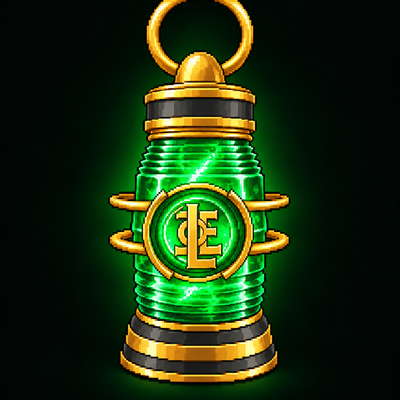
 mod
mod mod
mod mod
mod