Minecraft version
Back to mods 
CurseForge · Minecraft mod
Lore O' Libs
The heart of the O' series. Powers every book's navigation, search and interactive previews, with a built-in mod directory and customizable adventure journal.
Choose a version Pick your version below, then grab the matching file.
Quick answer
Which Lore O' Libs release should I use?
Latest stable file lore_o_libs-1.87.0.jar
Game version 1.20.1
Loader Forge
Lore O' Libs lore_o_libs-1.87.0.jar targets 1.20.1 with Forge. The project page does not say whether this file belongs on the client, dedicated server, or both. No extra mods listed for this file.
Where it goes
Is Lore O' Libs required on the client, server, or both?
The project page does not say whether this file belongs on the client, dedicated server, or both.
Client Source doesn’t say
Dedicated server Source doesn’t say
Loader for this release Forge
Required install it here Optional supported, not mandatory Not supported do not install here Source doesn’t say do not assume
The source does not explicitly classify this release as client-only or server-only.
What else does Lore O' Libs lore_o_libs-1.87.0.jar need?
lore_o_libs-1.87.0.jar. Change the file and its required mods may change too.
This file does not list any required mods. Do not add a library just because a different file uses it.
This file does not list any required or optional mods.
Before you install it
Add Lore O' Libs without breaking your instance.
Built for Lore O' Libs lore_o_libs-1.87.0.jar. Pick another file and the loader, install side or required mods may change.
- 01
Stick to this file
Use lore_o_libs-1.87.0.jar. It targets 1.20.1 with Forge; another release may have different loader, side or dependency requirements.
- 02
Bring the mods it needs
This file does not list any required mods. Do not add a library just because a different file uses it.
- 03
Put it on the correct side
The project page does not say whether this file belongs on the client, dedicated server, or both.
- 04
Pick the file you checked
Use the “Get this file” button beside lore_o_libs-1.87.0.jar. It opens that exact file at the source.
About this project
What does Lore O' Libs add?
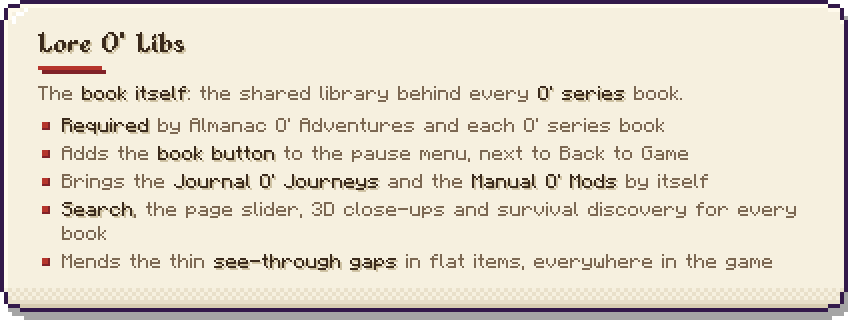
The book itself. The shared library behind every O’ series book.
Lore O’ Libs is the in-game book that the whole O’ series is built on. Each O’ series mod supplies its own pages (structures, biomes, creatures, items, guidebooks); this library supplies the book those pages appear in, and everything the books share. Install it once, next to whichever of them you use.
It adds no blocks, items or creatures and changes nothing about how your world generates. What it changes is what you can look up without leaving the game.

Nameplate font: Minecraft Pixel Font 5x5 by Withered Emperor 2006
What it adds by itself
- A book button on the pause menu, next to Back to Game. It opens the book. You can also type
/catalogor bind a key under Controls. - Journal O’ Journeys: your screenshots become polaroids you can move, turn, crop, caption and pin on pages. There are favourites, a calendar, a scrapbook, and stickers you win by playing (felling trees, catching fish, slaying creatures, making advancements), with a notice each time you win one and a line of advancements for collecting them.
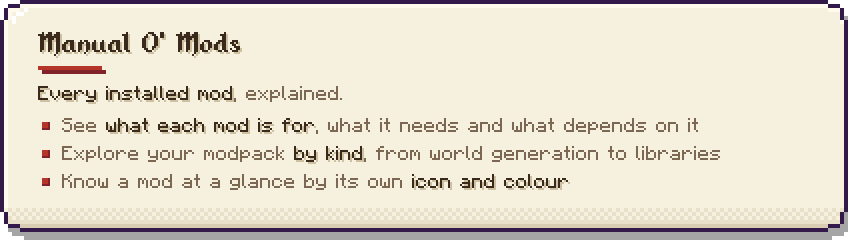
- Manual O’ Mods: a page for every mod you have installed: what it is for, which mods it needs and which mods depend on it, grouped by kind.
- A fix for flat items: the thin see-through gaps in flat items seen from the side (in the hand, on the ground, in item frames) are closed, for every item of every mod.
What it gives every O’ series book
- Search by what a thing is, not only its name: “water”, “tiny”, “weapon”, “pet”, with filters such as
mod:andbiome:. - A page slider that sweeps across hundreds of pages, with each mod’s chapter marked by its icon.
- 3D close-ups: left drag orbits, middle drag pans, the wheel zooms, F frames the thing again. Creatures stand, walk and run, and their heads follow your cursor.
- Sketch notes pinned beside each close-up, which link one book to another: a creature to its biome, a biome to its structures.
- Survival mode: a page stays hidden until you have found the thing in your own world.
- Enabled / Disabled stamps on pages, so a pack author can switch things off from the book (each book says which mod does the switching), and profiles to carry those choices to another pack as one code.
- Export any book as a web page, and a report button that saves what the book knows about a page, with a screenshot.
Good to know
- Currently for Minecraft 1.20.1 on Forge.
Required by
Almanac O’ Adventures (all five books in one file), and each book on its own:
Found a problem? Report it from the book
Open the close-up of anything that looks wrong and press the ! button. Pick what the problem is, and the book takes a screenshot of the page and opens our GitHub page with the report already written for you. The screenshot is waiting on your clipboard: click the box, press Ctrl+V, then Submit. You need a free GitHub account, and nothing is sent until you press Submit yourself.
Reports turn into fixes for everyone. When you join a world the book reads one small public list of fixes, so a creature, structure or item that was reported gets put right without waiting for a new download. Nothing about you is sent, and it can be switched off in the config.
⭐ Add to favorites to remember the mod ⭐


The other books on their own:
with love and intention.
-Shrine.
Project description from CurseForge.
Pick your setup
Lore O' Libs by Minecraft version and loader
Choose the version and loader you play, then open the matching release.
Check the dependencies, then try the file in a copied instance before changing a world you care about.
Recent files
Lore O' Libs versions and loaders
lore_o_libs-1.87.0.jar
11 Oct 2026
Client Source doesn’t say Server Source doesn’t say Dependencies No extras listed Listed on Release listing
Check the 1.20.1 · Forge setup 1.20.1Forge release
lore_o_libs-1.86.0.jar
11 Oct 2026
Client Source doesn’t say Server Source doesn’t say Dependencies No extras listed Listed on Release listing
Check the 1.20.1 · Forge setup 1.20.1Forge release
lore_o_libs-1.85.0.jar
11 Oct 2026
Client Source doesn’t say Server Source doesn’t say Dependencies No extras listed Listed on Release listing
Check the 1.20.1 · Forge setup 1.20.1Forge beta
Looking for an older file? The official CurseForge project page is in Resources.
 mod
CurseForge · Minecraft
Target Highlight
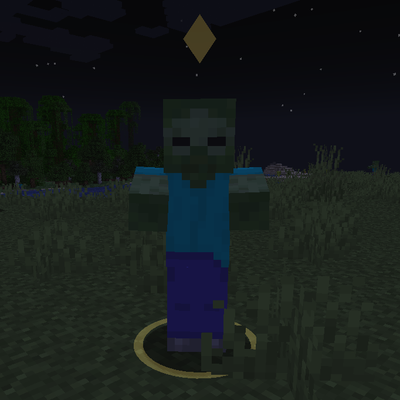
Marks the enemy nearest your crosshair with a soft ground ring and a small marker above its head. Client-side only and fully configurable.
 mod
CurseForge + Modrinth · Minecraft
Runeborn | Soulslike RPG progression
A soulslike RPG overhaul: earn runes, level eight attributes at Ember Shrines, wield 74 scaling armaments and hunt seven Sovereigns.
 mod
CurseForge · Minecraft
Vive Interactive (Vivecraft Addon)
Grab, throw, and catch items in VR, bat blocks midair, climb walls with craftable gloves, and recall enchanted weapons with a flick of your wrist. Built for Vivecraft on Fabric 1.21.1, with seated play and multiplayer support.