Fabric API Needed by GOD AUTHORITY · ENTITY LOCK 🌟GodAuthority-EntityLock-1.2.2+26.3
requiredMatching file found Matched file: [1.21.11] Fabric API 0.141.6+1.21.11
CurseForge · Minecraft mod
Search and block registered entity types with reversible hostile restrictions and an F7 control panel.
Quick answer
GOD AUTHORITY · ENTITY LOCK 🌟GodAuthority-EntityLock-1.2.2+26.3 targets 1.21.11 with Fabric. The project page does not say whether this file belongs on the client, dedicated server, or both. All 1 required mods have matching files.
Where it goes
The project page does not say whether this file belongs on the client, dedicated server, or both.
The source does not explicitly classify this release as client-only or server-only.
🌟GodAuthority-EntityLock-1.2.2+26.3 . Change the file and its required mods may change too.
Install Fabric API first. We found matching files for this game-version and loader setup.
We only count dependency files that match this setup. A file for another loader does not fill the gap.
Before you install it
Built for GOD AUTHORITY · ENTITY LOCK 🌟GodAuthority-EntityLock-1.2.2+26.3. Pick another file and the loader, install side or required mods may change.
Use 🌟GodAuthority-EntityLock-1.2.2+26.3 . It targets 1.21.11 with Fabric; another release may have different loader, side or dependency requirements.
Install Fabric API first. We found matching files for this game-version and loader setup.
The project page does not say whether this file belongs on the client, dedicated server, or both.
Use the “Get this file” button beside 🌟GodAuthority-EntityLock-1.2.2+26.3 . It opens that exact file at the source.
About this project
God Authority · Entity Lock provides an English-language control panel for
restricting registered entity types. Rules can be set individually, or a bulk
hostile filter can be enabled and reversed without rebuilding the mod setup.
KEY FEATURES
HOW TO USE
The complete original v1.2.2 guide follows, including the explicit list of
36 entity IDs, additional registry rules, upgrade instructions, verification
notes, and the full Chinese translation. Its original text is preserved.
GOD AUTHORITY · ENTITY LOCK
BLOCK / RESTORE HOSTILES — OPERATING GUIDE & CURSEFORGE DESCRIPTION
Version: 1.2.2
Platform: Fabric 1.21.11
==========================================================
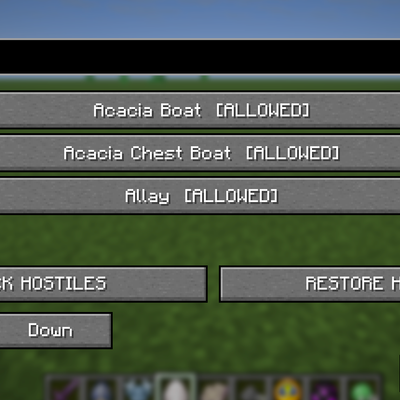
Use the Search field to find an individual registered entity type.
Click its [ALLOWED] / [BLOCKED] button to change the individual rule.
Use the mouse wheel or the Up / Down buttons to navigate the list.
Select Done to close the control panel.
==========================================================
2. BULK BUTTONS (REVERSIBLE)
==========================================================
BLOCK HOSTILES
RESTORE HOSTILES
IMPORTANT FOR UPGRADING FROM v1.2.1:
==========================================================
3. EXPLICIT HOSTILE/DANGEROUS TARGET LIST
==========================================================
The following 36 registered entity IDs are included explicitly.
These IDs are selected regardless of their ordinary spawn-group classification.
01 minecraft:blaze Blaze
02 minecraft:bogged Bogged
03 minecraft:breeze Breeze
04 minecraft:cave_spider Cave Spider
05 minecraft:creeper Creeper
06 minecraft:drowned Drowned
07 minecraft:elder_guardian Elder Guardian
08 minecraft:ender_dragon Ender Dragon
09 minecraft:enderman Enderman
10 minecraft:endermite Endermite
11 minecraft:evoker Evoker
12 minecraft:ghast Ghast
13 minecraft:giant Giant
14 minecraft:guardian Guardian
15 minecraft:hoglin Hoglin
16 minecraft:husk Husk
17 minecraft:illusioner Illusioner
18 minecraft:magma_cube Magma Cube
19 minecraft:phantom Phantom
20 minecraft:piglin_brute Piglin Brute
21 minecraft:pillager Pillager
22 minecraft:ravager Ravager
23 minecraft:shulker Shulker
24 minecraft:silverfish Silverfish
25 minecraft:skeleton Skeleton
26 minecraft:slime Slime
27 minecraft:spider Spider
28 minecraft:stray Stray
29 minecraft:vindicator Vindicator
30 minecraft:warden Warden
31 minecraft:witch Witch
32 minecraft:wither Wither
33 minecraft:wither_skeleton Wither Skeleton
34 minecraft:zoglin Zoglin
35 minecraft:zombie Zombie
36 minecraft:zombie_villager Zombie Villager
==========================================================
4. ADDITIONAL AUTOMATIC TARGETS
==========================================================
Besides the explicit list, Block Hostiles attempts to include every registered
entity type classified under the MONSTER spawn group, including types supplied
by installed third-party mods. The additional names are discovered at runtime,
so the exact extended list depends on the installed content.
Neutral animals, villagers, boats, dropped items, and other non-MONSTER types
are not automatically included unless they appear in the explicit list.
They can still be blocked individually through the entity list.
The bulk rule checks registered entity IDs, not the display language or name.
The Restore button removes the matching bulk rules. It does not restore targets
that were already removed before the restriction was disabled.
==========================================================
5. INSTALLATION / UPDATE
==========================================================
Project description from CurseForge.
Pick your setup
Choose the version and loader you play, then open the matching release.
Check the dependencies, then try the file in a copied instance before changing a world you care about.
Recent files
GodAuthority-EntityLock-1.2.2-26.3.jar
26 Nov 2026
🌟GodAuthority-EntityLock-1.2.2+1.21.11.jar
10 Oct 2026
Looking for an older file? The official CurseForge project page is in Resources.
 mod
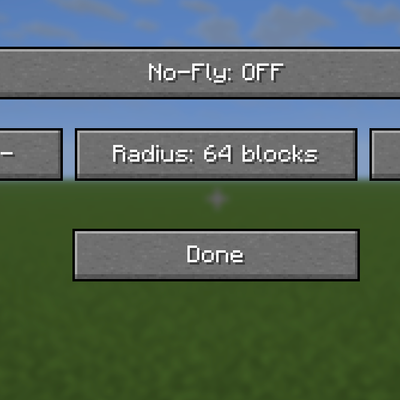
Control a no-flight area with an F9 panel and adjustable radius.
 mod
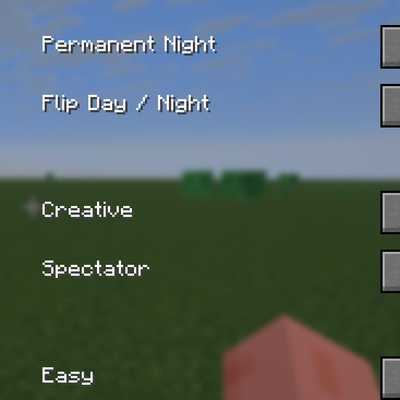
A command-free Fabric 1.21.11 world-control panel for instantly managing time, game mode, difficulty, weather, and special testing utilities from an in-game GUI.
 mod
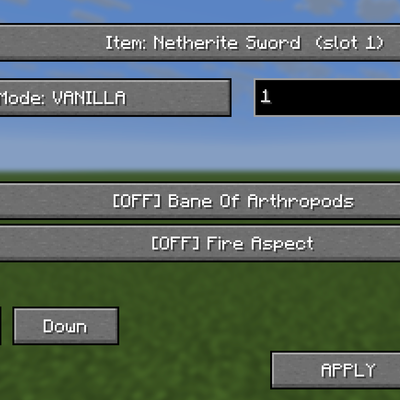
Edit item enchantments from a compact F1 + F2 panel with Vanilla and Merged modes and levels 1–255.