Minecraft version
Back to mods 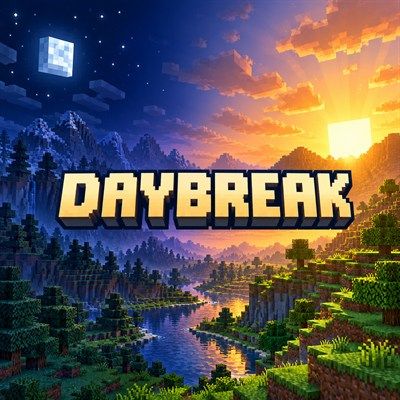
CurseForge · Minecraft mod
Daybreak
Regional day and night: the time of day follows how far east or west you are, with the sky, monsters, sunlight and beds following the local time. Server-side only.
Choose a version Pick your version below, then grab the matching file.
Quick answer
Which Daybreak release should I use?
Latest stable file daybreak-forge-1.1.0+1.20.1.jar
Game version 1.20.1
Loader Forge
daybreak-forge-1.1.0+1.20.1.jar targets 1.20.1 with Forge. The project page does not say whether this file belongs on the client, dedicated server, or both. No extra mods listed for this file.
Where it goes
Is Daybreak required on the client, server, or both?
The project page does not say whether this file belongs on the client, dedicated server, or both.
Client Source doesn’t say
Dedicated server Source doesn’t say
Loader for this release Forge
Required install it here Optional supported, not mandatory Not supported do not install here Source doesn’t say do not assume
The source does not explicitly classify this release as client-only or server-only.
What else does daybreak-forge-1.1.0+1.20.1.jar need?
daybreak-forge-1.1.0+1.20.1.jar. Change the file and its required mods may change too.
This file does not list any required mods. Do not add a library just because a different file uses it.
This file does not list any required or optional mods.
Before you install it
Add Daybreak without breaking your instance.
Built for daybreak-forge-1.1.0+1.20.1.jar. Pick another file and the loader, install side or required mods may change.
- 01
Stick to this file
Use daybreak-forge-1.1.0+1.20.1.jar. It targets 1.20.1 with Forge; another release may have different loader, side or dependency requirements.
- 02
Bring the mods it needs
This file does not list any required mods. Do not add a library just because a different file uses it.
- 03
Put it on the correct side
The project page does not say whether this file belongs on the client, dedicated server, or both.
- 04
Pick the file you checked
Use the “Get this file” button beside daybreak-forge-1.1.0+1.20.1.jar. It opens that exact file at the source.
About this project
What does Daybreak add?
Regional day and night for Minecraft servers. Walk far enough east and the sun sets; walk west and it rises again.
Daybreak makes the time of day depend on where you are. It can be noon at spawn, sunset a few thousand blocks east and midnight further on, all in the same world at the same moment. The change is smooth (no time zones), and every place keeps going through its own normal day and night.
Server-side only. Players join with a completely unmodified game: each player is simply told their own local time, through the same packet vanilla uses. In single-player, install it like any other mod.
Fabric and NeoForge, Minecraft 26.3.
What follows the local time
- The sky: sun, moon, stars and sky colour, right where each player stands.
- Monsters: they spawn on the surface at local night, not by local day. Caves, mob caps and spawn rules are vanilla.
- Burning undead: zombies and skeletons burn in local daylight; helmets, shade and rain still protect them.
- Beds: you can sleep when it is night (or storming) where you are.
- Daylight detectors, villager schedules, bees, foxes, phantoms, pillager patrols, zombie sieges and every other day/night behaviour, for modded mobs too.
Redstone, crops, tick speed and world age are not changed. The Nether and End keep their normal time.
Sleeping
There is still one world clock, so skipping a night moves it for everyone:
- The night is skipped only when every player in the Overworld is in local night and enough of them sleep (the playersSleepingPercentage game rule). Otherwise beds still work (spawn point, phantoms) and sleepers are told why the night can't be skipped.
- The clock moves until the sleeper furthest from morning reaches 6 AM.
- Sleeping through a daytime thunderstorm clears the storm without moving the clock.
- After a skip, the next one has to wait 10 minutes, so nobody can skip, travel west and skip again to race the clock (and seasons) ahead.
- Night skipping can be switched off.
Settings
config/daybreak.json, with a comment on every option: how many blocks make one day of difference (24000 by default), which way is later, which dimensions, night skipping and its cooldown. Reload it with /daybreak reload.
Commands (operators): /daybreak time [x] (local time at a position), /daybreak info, /daybreak debug <player> (what that player's game is showing) and /daybreak reload.
Works with
- Seasonfall: every place gets its own seasonally longer or shorter day.
- Stormcell: storms over a player count as night for sleeping.
- Enhanced Celestials 2: one lunar event per night for the whole world, arriving with each place's own night, so a blood moon sweeps from east to west. (Enhanced Celestials currently needs a Data Anchor fix to run on NeoForge 26.3.)
No new items, blocks or screens.
Project description from CurseForge.
Pick your setup
Daybreak by Minecraft version and loader
Choose the version and loader you play, then open the matching release.
Minecraft version
26.2
3 loader buildsMinecraft version
1.21.1
3 loader buildsMinecraft version
1.20.1
3 loader buildsCheck the dependencies, then try the file in a copied instance before changing a world you care about.
Recent files
Daybreak versions and loaders
daybreak-forge-1.1.0+1.20.1.jar
14 Oct 2026
Client Source doesn’t say Server Source doesn’t say Dependencies No extras listed Listed on Release listing
Check the 1.20.1 · Forge setup 1.20.1Forge release
daybreak-forge-1.1.0+1.21.1.jar
14 Oct 2026
Client Source doesn’t say Server Source doesn’t say Dependencies No extras listed Listed on Release listing
Check the 1.21.1 · Forge setup Forge1.21.1 release
daybreak-forge-1.1.0+26.2.jar
14 Oct 2026
Client Source doesn’t say Server Source doesn’t say Dependencies No extras listed Listed on Release listing
Check the 26.2 · Forge setup Forge26.2 release
daybreak-forge-1.1.0+26.3.jar
14 Oct 2026
Client Source doesn’t say Server Source doesn’t say Dependencies No extras listed Listed on Release listing
Check the 26.3 · Forge setup Forge26.3 release
daybreak-neoforge-1.1.0+1.20.1.jar
14 Oct 2026
Client Source doesn’t say Server Source doesn’t say Dependencies No extras listed Listed on Release listing
Check the 1.20.1 · NeoForge setup 1.20.1NeoForge release
daybreak-neoforge-1.1.0+1.21.1.jar
14 Oct 2026
Client Source doesn’t say Server Source doesn’t say Dependencies No extras listed Listed on Release listing
Check the 1.21.1 · NeoForge setup 1.21.1NeoForge release
daybreak-neoforge-1.1.0+26.2.jar
14 Oct 2026
Client Source doesn’t say Server Source doesn’t say Dependencies No extras listed Listed on Release listing
Check the 26.2 · NeoForge setup NeoForge26.2 release
daybreak-neoforge-1.1.0+26.3.jar
14 Oct 2026
Client Source doesn’t say Server Source doesn’t say Dependencies No extras listed Listed on Release listing
Check the 26.3 · NeoForge setup NeoForge26.3 release
daybreak-fabric-1.1.0+1.20.1.jar
14 Oct 2026
Client Source doesn’t say Server Source doesn’t say Dependencies 1 required · 1 unchecked Listed on Release listing
Check the 1.20.1 · Fabric setup Fabric1.20.1 release
daybreak-fabric-1.1.0+1.21.1.jar
14 Oct 2026
Client Source doesn’t say Server Source doesn’t say Dependencies 1 required · 1 unchecked Listed on Release listing
Check the 1.21.1 · Fabric setup Fabric1.21.1 release
daybreak-fabric-1.1.0+26.2.jar
14 Oct 2026
Client Source doesn’t say Server Source doesn’t say Dependencies 1 required · 1 unchecked Listed on Release listing
Check the 26.2 · Fabric setup Fabric26.2 release
daybreak-fabric-1.1.0+26.3.jar
14 Oct 2026
Client Source doesn’t say Server Source doesn’t say Dependencies 1 required · 1 unchecked Listed on Release listing
Check the 26.3 · Fabric setup Fabric26.3 release
Looking for an older file? The official CurseForge project page is in Resources.
 mod
mod CurseForge · Minecraft
Chaos Tablist
Fully customize your tab list with animated headers, gradients, pixel-art icons, Chaos Ranks badges, and live server stats, all edited in-game with a live preview.
 mod
mod CurseForge + Modrinth · Minecraft
Energy Meter
Easily measure your energy rates.
 mod
mod GitHub · Minecraft
modpacks-ch-github-test
Disposable public fixture for testing the Modpacks.ch GitHub catalogue flow