Fabric API Needed by Forerunner Tech: Bridges and Barriers Forerunner Bridges and Barriers 2.0.0 (Fabric 26.2)
requiredMatching file found Matched file: [26.2] Fabric API 0.161.0+26.2

CurseForge · Minecraft mod
Halo-inspired hard light bridges, fluid-blocking barriers and long-distance redstone beams.
Quick answer
Forerunner Tech: Bridges and Barriers Forerunner Bridges and Barriers 2.0.0 (Fabric 26.2) targets 26.2 with Fabric. The project page does not say whether this file belongs on the client, dedicated server, or both. All 1 required mods have matching files.
Where it goes
The project page does not say whether this file belongs on the client, dedicated server, or both.
The source does not explicitly classify this release as client-only or server-only.
Forerunner Bridges and Barriers 2.0.0 (Fabric 26.2). Change the file and its required mods may change too.
Install Fabric API first. We found matching files for this game-version and loader setup.
We only count dependency files that match this setup. A file for another loader does not fill the gap.
Before you install it
Built for Forerunner Tech: Bridges and Barriers Forerunner Bridges and Barriers 2.0.0 (Fabric 26.2). Pick another file and the loader, install side or required mods may change.
Use Forerunner Bridges and Barriers 2.0.0 (Fabric 26.2). It targets 26.2 with Fabric; another release may have different loader, side or dependency requirements.
Install Fabric API first. We found matching files for this game-version and loader setup.
The project page does not say whether this file belongs on the client, dedicated server, or both.
Use the “Get this file” button beside Forerunner Bridges and Barriers 2.0.0 (Fabric 26.2). It opens that exact file at the source.
About this project
Halo-inspired hard light technology for Minecraft: redstone-controlled light bridges, barriers that stop water but not you, and beams of light that carry redstone signals, even underwater.
Forerunner Bridges and Barriers takes the ideas of the classic Light Bridges and Doors mod and goes further, with devices inspired by the Forerunner technology of the Halo series. Every device is an emitter: power it with redstone and it projects light up to 40 blocks in the direction it faces. Cut the signal and the light retracts.
The Soft light barrier emitter projects an intelligent phase barrier: players and mobs walk right through it, but water, lava and any other fluid can't. Use it for underwater tunnels, to hold back lava, or to seal a pool you can still walk in and out of.
Power a Light power emitter with redstone and it projects a beam of light power. While the beam touches a Light power receiver, the receiver outputs a full-strength redstone signal (15). It works underwater, with no redstone dust in between.
Use JEI or a similar mod for the exact recipe shapes. Ingredients:
| Item | Yield | Ingredients |
|---|---|---|
| Hard light bridge emitter | 4 | Diamond, amethyst shard, glowstone, iron ingot, redstone, redstone repeater |
| Hard light barrier emitter | 1 | Hard light bridge emitter (the two emitters convert into each other) |
| Soft light barrier emitter | 3 | Prismarine, glass, amethyst shard, iron ingot, redstone, redstone repeater |
| Light power emitter | 2 | Glass, amethyst shard, gold ingot, iron ingot, redstone repeater |
| Light power receiver | 2 | Daylight detector, redstone comparator, gold ingot, iron ingot, redstone repeater |
All emitters and the receiver are in the Forerunner Tech creative tab.
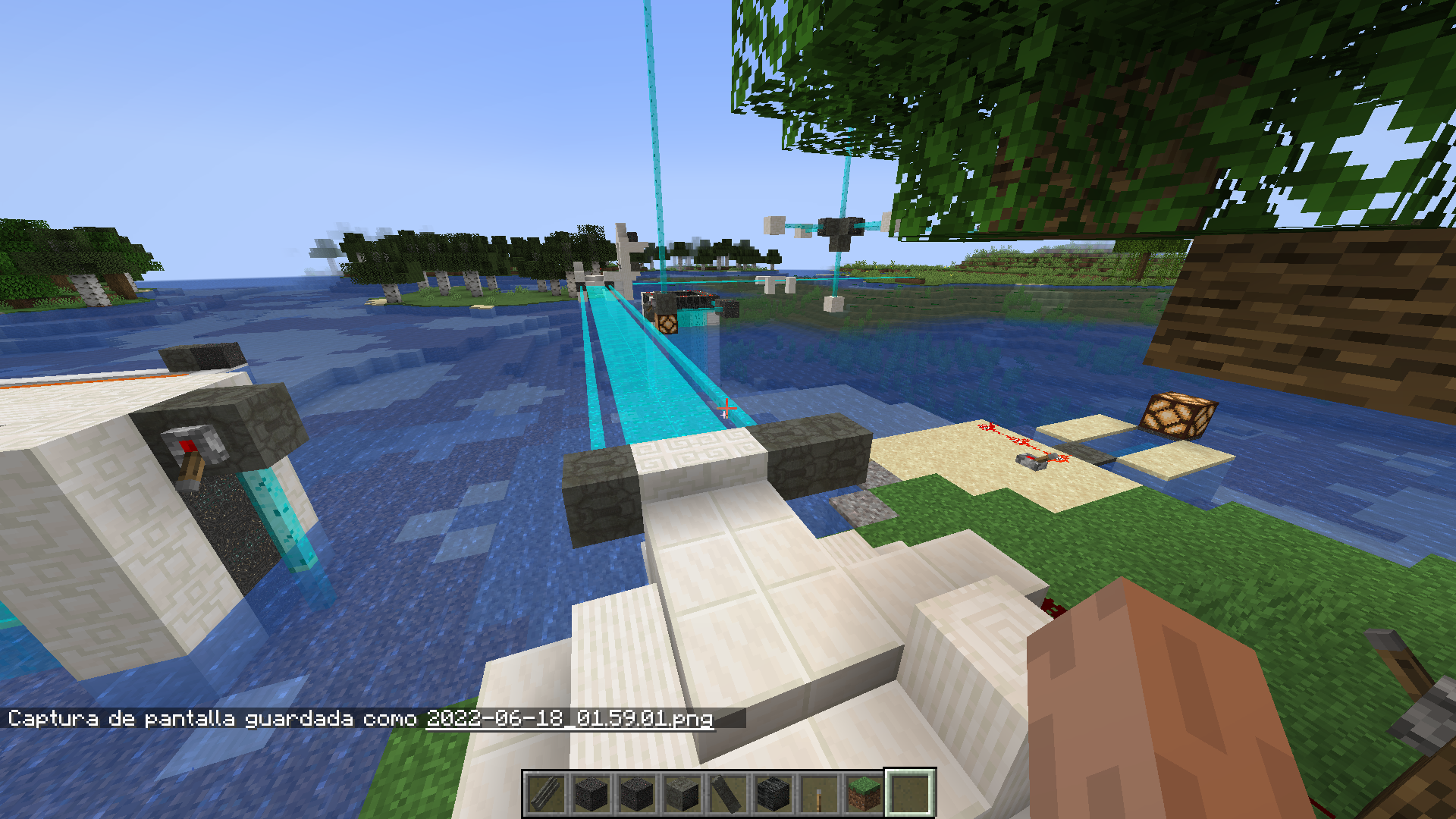 A hard light bridge spanning a river.
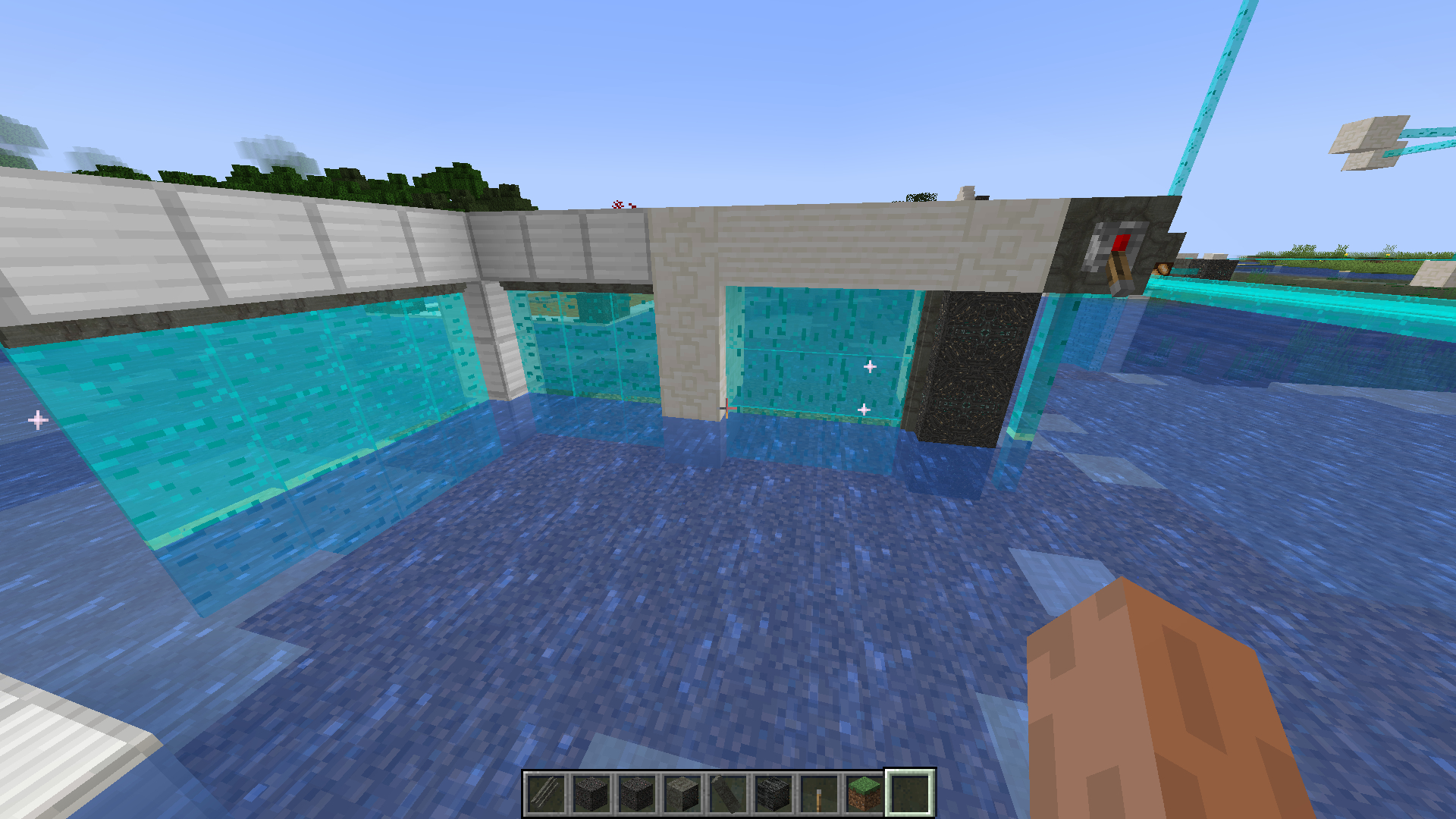 Hard light barriers forming walls.
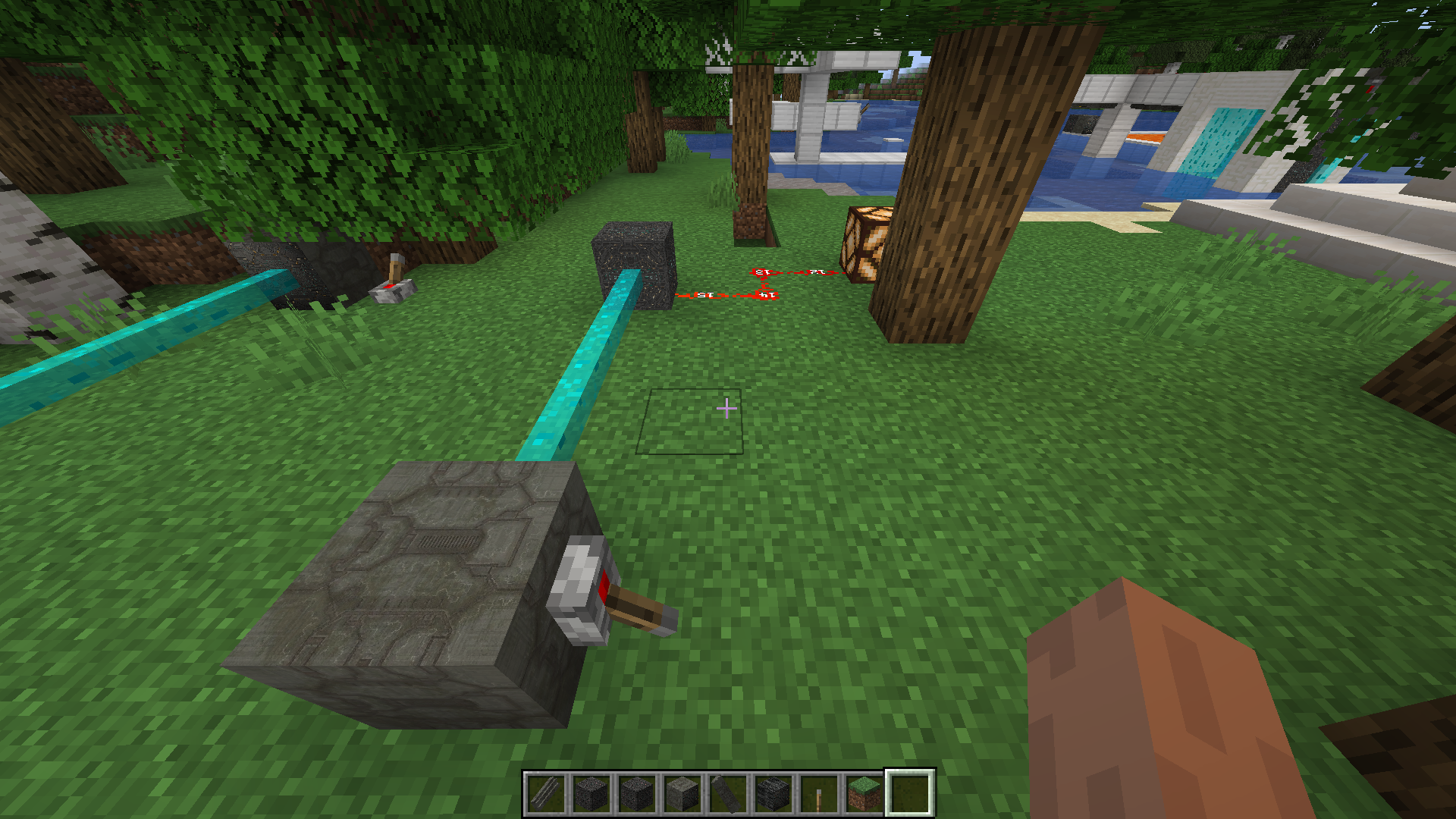 Light power emitters, switched on with levers, send their signal to a receiver that powers a redstone lamp.
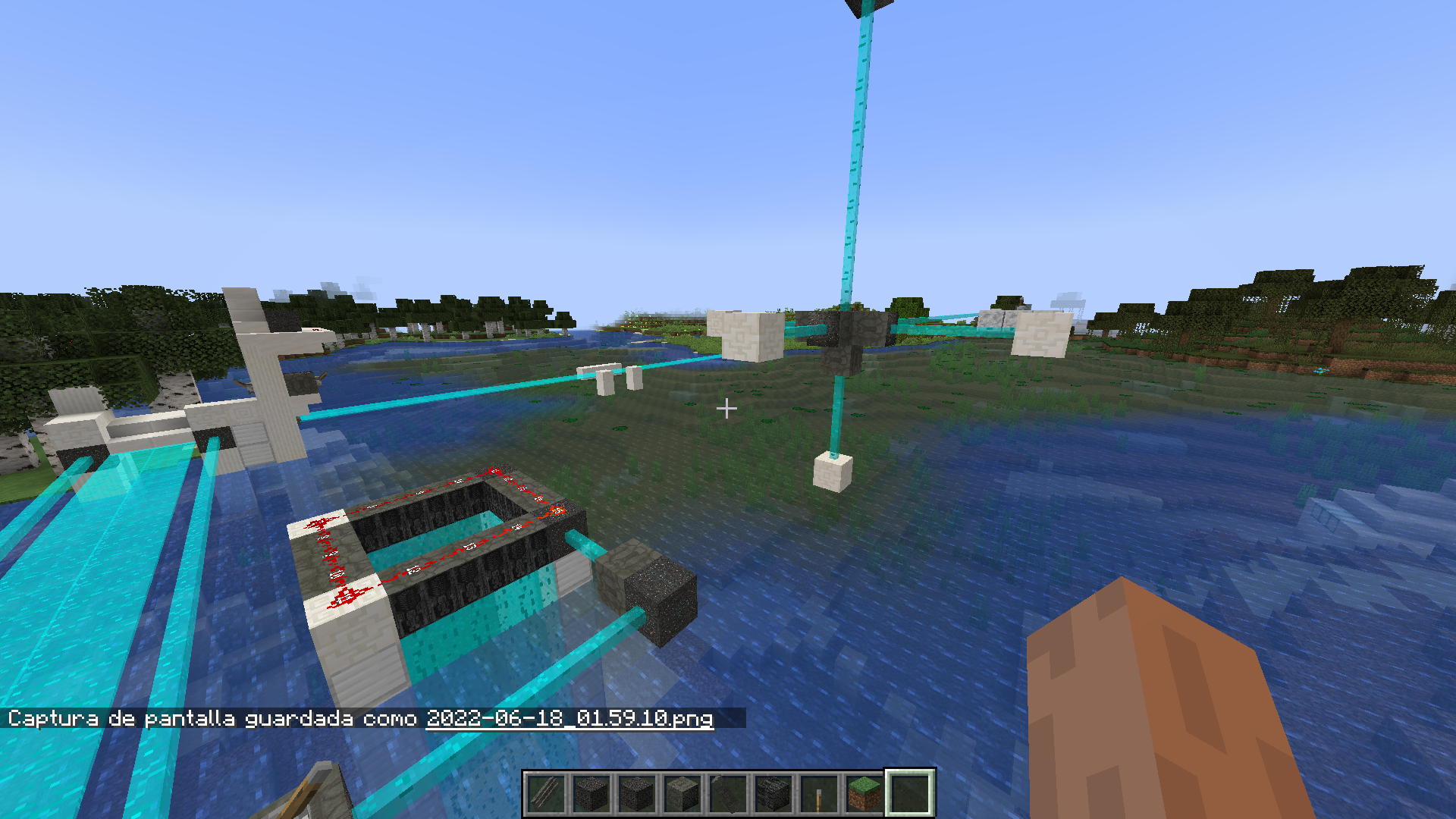 Light power beams carrying redstone signals in several directions, including straight up.
Install the mod on both the client and the server. In singleplayer, the client is enough.
Languages: English and Spanish (Spain, Mexico and Argentina).
Earlier versions were published on the original CurseForge page. That page is no longer maintained: the account was tied to a Twitch login I lost access to, and it couldn't be recovered. This is the same mod by the same author; new versions are published here, on Modrinth and on GitHub.
Created by Arturo Enrique Rosas Gutiérrez (AEROGU, RGMods). Inspired by the Light Bridges and Doors mod and by the Forerunner technology of the Halo series.
Source code: GitHub
All Rights Reserved.
Halo is a trademark of Microsoft. This mod is not affiliated with or endorsed by Microsoft or Halo Studios. Not an official Minecraft product; not approved by or associated with Mojang or Microsoft.
Project description from CurseForge.
Pick your setup
Choose the version and loader you play, then open the matching release.
Check the dependencies, then try the file in a copied instance before changing a world you care about.
Recent files
forerunner_bridges_and_barriers-2.0.0-fabric-26.2.jar
10 Oct 2026
forerunner_bridges_and_barriers-2.0.0-fabric-26.1.2.jar
10 Oct 2026
forerunner_bridges_and_barriers-2.0.0-neoforge-26.1.2.jar
10 Oct 2026
Looking for an older file? The official CurseForge project page is in Resources.
 mod
Simple Tracking Compass is a Minecraft mod that adds a Compass to the top-left corner of your screen which lets you track other players.
 mod
Create custom world portal to travel between dimensions.
 mod
A rewritten continuation of the MagiTek mod NauTec for Minecraft 26.1.2. Ocean tech built on exploration, laser power, bacteria farming, fusion plants, submarines and wireless power networks.