Minecraft version
Back to mods 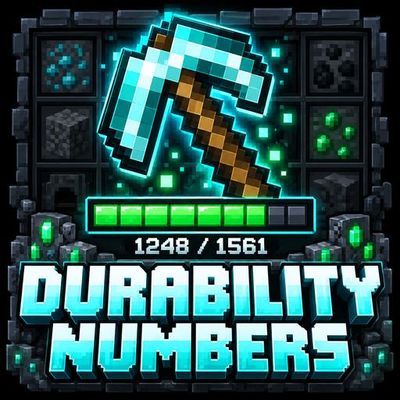
CurseForge · Minecraft mod
DurabilityNumbers by Fox Studios
Exact remaining durability and percentages in equipment tooltips. Read tools, weapons and armor at a glance, with colors that highlight wear.
Choose a version Pick your version below, then grab the matching file.
Quick answer
Which DurabilityNumbers by Fox Studios release should I use?
Latest stable file DurabilityNumbers 1.0.0
Game version 26.3
Loader Fabric
DurabilityNumbers by Fox Studios DurabilityNumbers 1.0.0 targets 26.3 with Fabric. The project page does not say whether this file belongs on the client, dedicated server, or both. No extra mods listed for this file.
Where it goes
Is DurabilityNumbers by Fox Studios required on the client, server, or both?
The project page does not say whether this file belongs on the client, dedicated server, or both.
Client Source doesn’t say
Dedicated server Source doesn’t say
Loader for this release Fabric
Required install it here Optional supported, not mandatory Not supported do not install here Source doesn’t say do not assume
The source does not explicitly classify this release as client-only or server-only.
What else does DurabilityNumbers by Fox Studios DurabilityNumbers 1.0.0 need?
DurabilityNumbers 1.0.0. Change the file and its required mods may change too.
This file does not list any required mods. Do not add a library just because a different file uses it.
This file does not list any required or optional mods.
Before you install it
Add DurabilityNumbers by Fox Studios without breaking your instance.
Built for DurabilityNumbers by Fox Studios DurabilityNumbers 1.0.0. Pick another file and the loader, install side or required mods may change.
- 01
Stick to this file
Use DurabilityNumbers 1.0.0. It targets 26.3 with Fabric; another release may have different loader, side or dependency requirements.
- 02
Bring the mods it needs
This file does not list any required mods. Do not add a library just because a different file uses it.
- 03
Put it on the correct side
The project page does not say whether this file belongs on the client, dedicated server, or both.
- 04
Pick the file you checked
Use the “Get this file” button beside DurabilityNumbers 1.0.0. It opens that exact file at the source.
About this project
What does DurabilityNumbers by Fox Studios add?
DurabilityNumbers
Know exactly how much durability your equipment has left.
DurabilityNumbers adds exact remaining and maximum durability to existing item tooltips. Hover over damageable equipment to read its condition immediately.
Features
- Remaining and maximum durability, with readable thousands separators
- Remaining percentage, enabled by default
- Green, yellow, orange and red text as equipment wears down
- Tools, weapons, armor, shields, wings and other items with standard durability data
- Existing item names, enchantments and lore remain visible
- Local settings for numbers, percentages, colors and decimal precision
Precise and unobtrusive
The information appears inside the item's normal tooltip. No additional HUD, buttons, commands or keyboard shortcuts are needed. Enchantments do not change the displayed maximum unless the item's actual durability data changes.
Items without durability, unbreakable items and hidden durability data are skipped. Custom equipment is supported when it exposes standard durability components; custom systems outside those components are not inferred.
Project description from CurseForge.
Pick your setup
DurabilityNumbers by Fox Studios by Minecraft version and loader
Choose the version and loader you play, then open the matching release.
Check the dependencies, then try the file in a copied instance before changing a world you care about.
Recent files
DurabilityNumbers by Fox Studios versions and loaders
DurabilityNumbers 1.0.0
DurabilityNumbers.jar
10 Oct 2026
Client Source doesn’t say Server Source doesn’t say Dependencies No extras listed Listed on Release listing
Check the 26.3 · Fabric setup Fabric26.3 release
Looking for an older file? The official CurseForge project page is in Resources.
 mod
CurseForge · Minecraft
CollectionMaster
Turn gathered resources into rewards through configurable item collections and milestones.
 mod
CurseForge · Minecraft
True Creeper
It improves many aspects of the creeper to make it a threat.
 mod
CurseForge · Minecraft
Money Trade
Complete Minecraft economy system with an interactive shop GUI and zero-arbitrage pricing.