Minecraft version
Back to mods 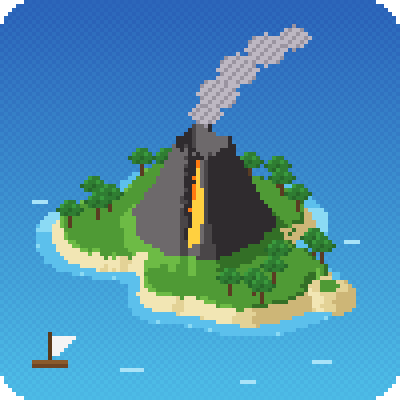
CurseForge · Minecraft mod
Archipelago World
Adds an "Archipelago" world type: spawn on a big home island, sail to themed islands and far archipelagos, with a settings screen and structure editor.
Choose a version Pick your version below, then grab the matching file.
Quick answer
Which Archipelago World release should I use?
beta file Archipelago World 0.9.22
Game version 1.21.1
Loader NeoForge
Archipelago World 0.9.22 targets 1.21.1 with NeoForge. The project page does not say whether this file belongs on the client, dedicated server, or both. No extra mods listed for this file.
Where it goes
Is Archipelago World required on the client, server, or both?
The project page does not say whether this file belongs on the client, dedicated server, or both.
Client Source doesn’t say
Dedicated server Source doesn’t say
Loader for this release NeoForge
Required install it here Optional supported, not mandatory Not supported do not install here Source doesn’t say do not assume
The source does not explicitly classify this release as client-only or server-only.
What else does Archipelago World 0.9.22 need?
Archipelago World 0.9.22. Change the file and its required mods may change too.
This file does not list any required mods. Do not add a library just because a different file uses it.
This file does not list any required or optional mods.
Before you install it
Add Archipelago World without breaking your instance.
Built for Archipelago World 0.9.22. Pick another file and the loader, install side or required mods may change.
- 01
Stick to this file
Use Archipelago World 0.9.22. It targets 1.21.1 with NeoForge; another release may have different loader, side or dependency requirements.
- 02
Bring the mods it needs
This file does not list any required mods. Do not add a library just because a different file uses it.
- 03
Put it on the correct side
The project page does not say whether this file belongs on the client, dedicated server, or both.
- 04
Pick the file you checked
Use the “Get this file” button beside Archipelago World 0.9.22. It opens that exact file at the source.
About this project
What does Archipelago World add?
Archipelago World
You arrive on an island. Around you is open ocean. Somewhere out there is everything else you need.
Archipelago World adds a new world type, "Archipelago", where the land is a scattering of islands instead of one endless continent. You start on a big, varied home island and sail out to explore the rest. It was built for modpack play , but it works great in vanilla survival too.
What your world looks like
- A big home island. Forests, plains, mountains with snowy peaks, rivers and lakes, so you can get started without a boat. Its climate comes from your seed: temperate, hot, cold, tropical, swamp, cherry blossom or steppe.
- Villages guaranteed. There is always a village on your main island, and the kind of village matches the climate.
- Small themed islands. Each small island has a single biome. Biomes are spread across the sea, so you have to travel to find them. One of them hides the stronghold, so the End is reachable.
- Far archipelagos. Roughly 3000 blocks from the centre there are whole new groups of islands, and more beyond them. No two are alike: different shapes, different climates, different biomes. Some of them you will not find anywhere else in Minecraft. Some of them are very rare. And at least one of them is not entirely quiet…
- A world with depth. Caves, long ravines and underground biomes (lush caves, dripstone, deep dark), and caves that continue under the sea floor. Oceans change with the climate of the coast.
Something is out there
The sea is bigger than it looks. Sail far enough and the horizon starts to hold surprises: shapes you would not expect from an island, and places that ask you to stay a while. We are not going to tell you what they are. Go and see.
The Direction compass
Lost at sea? Some chests contain a "Direction" compass. It points to the nearest big island with the biome you want, so you can plan a trip instead of wandering blindly.
Make the world yours
When you create the world, press Customize to open the settings screen. A live preview map (with zoom) shows exactly what you will get.
- Island shapes, size and number of islands, or leave shape and climate on Auto and let the seed decide
- Rivers, lakes, rocky peaks, terrain noise, and the number and size of every biome's cells on the main island
- Paint editor: draw land, water, mountains, hills and biomes by hand, with smoothing, turbulence, undo and redo
- Drag villages and the spawn point on the map; choose the kind of every village
- Structures tab: see every structure on the map (including ones from other mods), click one to change how often it appears, switch it off, add new ones or drag them where you want
- Copy your settings as JSON and share them: the same settings and seed give the same world
Compatibility
- NeoForge for Minecraft 1.21.1, client and server
- Works with Integrated Villages and Integrated Stronghold: their villages and strongholds are used automatically instead of vanilla ones
- Distant Horizons (optional): far terrain shows the islands of an Archipelago world
- Other mods' structures show up in the structures tab so you can tune them
- Not compatible with mods that replace world generation biomes (TerraBlender, Terralith and similar)
Beta notice
This is a beta. Back up important worlds and tell me what you find. Bug reports and ideas are very welcome, please attach latest.log if something crashes.
How to start
- Create New World, then World Type, and choose Archipelago.
- Optional: press Customize and play with the settings.
- Step out and look for the first boat.
Made by 3Den. Licensed under MIT.
Project description from CurseForge.
Pick your setup
Archipelago World by Minecraft version and loader
Choose the version and loader you play, then open the matching release.
Check the dependencies, then try the file in a copied instance before changing a world you care about.
Recent files
Archipelago World versions and loaders
Archipelago World 0.9.22
archipelago_world-0.9.22.jar
15 Oct 2026
Client Source doesn’t say Server Source doesn’t say Dependencies No extras listed Listed on Release listing
Check the 1.21.1 · NeoForge setup 1.21.1NeoForge beta
archipelago_world-0.6.0.jar
12 Oct 2026
Client Source doesn’t say Server Source doesn’t say Dependencies No extras listed Listed on Release listing
Check the 1.21.1 · NeoForge setup 1.21.1NeoForge beta
Archipelago World 0.4.1
archipelago_world-0.4.1.jar
11 Oct 2026
Client Source doesn’t say Server Source doesn’t say Dependencies No extras listed Listed on Release listing
Check the 1.21.1 · NeoForge setup 1.21.1NeoForge beta
Looking for an older file? The official CurseForge project page is in Resources.
 mod
mod CurseForge · Minecraft
[CS] Curse Spells - Iron's Spells Addon
This mod adds 44 spells, including a new "Curse" school and its associated spells, as well as nature spells.
 mod
mod CurseForge · Minecraft
Chinese Weapons
Add some Chinese weapons and armor
 mod
mod CurseForge · Minecraft
Contracts & Bounties
Post material contracts on medieval noticeboards, reserve rewards, and pay players with emeralds or the optional Chronicles RP economy.