Minecraft version
Back to mods 
CurseForge · Minecraft mod
Less Villager Chatter
Villagers and wandering traders say "hmm" less often, and quieter if you want. Server-side, works with vanilla clients.
Choose a version Pick your version below, then grab the matching file.
Quick answer
Which Less Villager Chatter release should I use?
Latest stable file Less Villager Chatter 1.0.2 (NeoForge 26.3)
Game version 26.3
Loader NeoForge
Less Villager Chatter 1.0.2 (NeoForge 26.3) targets 26.3 with NeoForge. The project page does not say whether this file belongs on the client, dedicated server, or both. No extra mods listed for this file.
Where it goes
Is Less Villager Chatter required on the client, server, or both?
The project page does not say whether this file belongs on the client, dedicated server, or both.
Client Source doesn’t say
Dedicated server Source doesn’t say
Loader for this release NeoForge
Required install it here Optional supported, not mandatory Not supported do not install here Source doesn’t say do not assume
The source does not explicitly classify this release as client-only or server-only.
What else does Less Villager Chatter 1.0.2 (NeoForge 26.3) need?
Less Villager Chatter 1.0.2 (NeoForge 26.3). Change the file and its required mods may change too.
This file does not list any required mods. Do not add a library just because a different file uses it.
This file does not list any required or optional mods.
Before you install it
Add Less Villager Chatter without breaking your instance.
Built for Less Villager Chatter 1.0.2 (NeoForge 26.3). Pick another file and the loader, install side or required mods may change.
- 01
Stick to this file
Use Less Villager Chatter 1.0.2 (NeoForge 26.3). It targets 26.3 with NeoForge; another release may have different loader, side or dependency requirements.
- 02
Bring the mods it needs
This file does not list any required mods. Do not add a library just because a different file uses it.
- 03
Put it on the correct side
The project page does not say whether this file belongs on the client, dedicated server, or both.
- 04
Pick the file you checked
Use the “Get this file” button beside Less Villager Chatter 1.0.2 (NeoForge 26.3). It opens that exact file at the source.
About this project
What does Less Villager Chatter add?
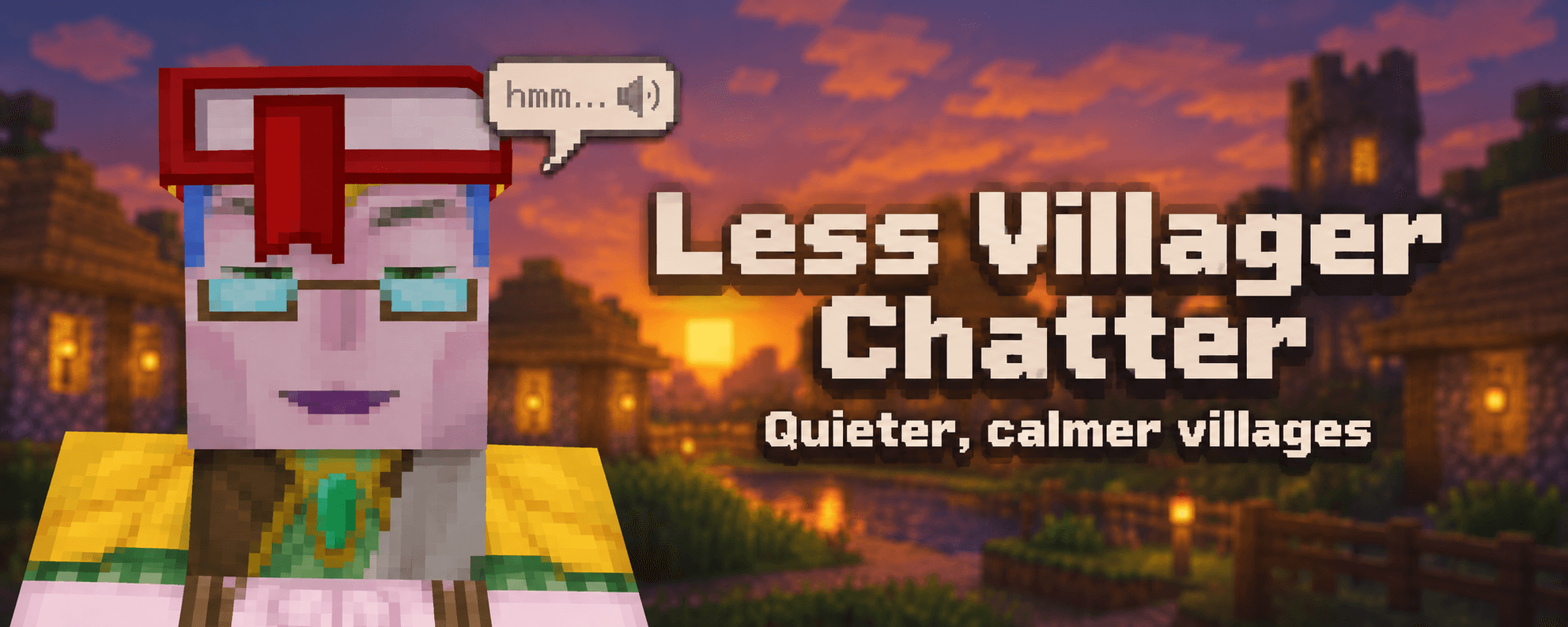
A trading hall with twenty villagers is loud. Each one says "hmm" about every 6 seconds, so a busy village never goes quiet. This mod makes villagers and the wandering trader talk less often, and quieter if you want.
It runs on the server. Players join with a normal vanilla client and install nothing.
What it changes
In vanilla, a villager waits at least 4 seconds after each idle "hmm", then the chance of the next one grows every tick. That averages out to one sound every 6 seconds. The mod makes the wait longer:
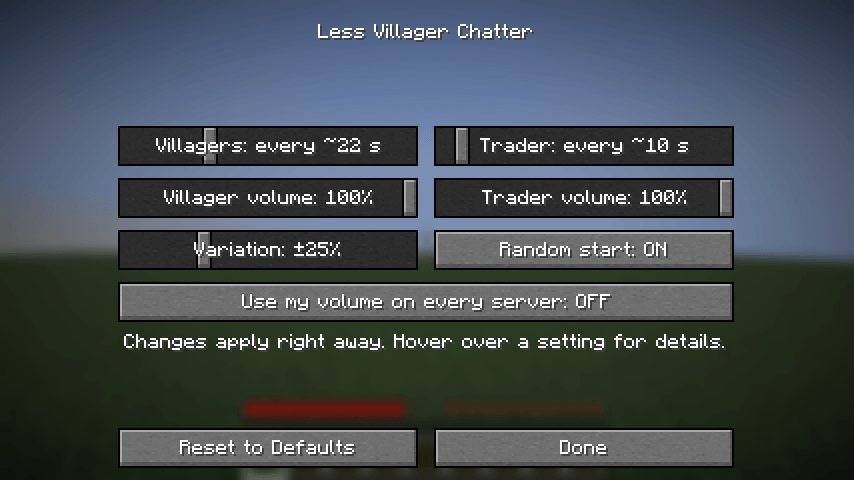
- Villagers: one "hmm" every ~22 s by default (vanilla ~6 s)
- Wandering trader: one "hmm" every ~10 s by default (vanilla ~6 s)
Longer silences have a catch. Villagers that load at the same moment stay in step and then all "hmm" together. Two settings break that up:
- Random start puts each villager at a random point of its cycle when it loads.
- Variation makes every silence randomly up to 25% shorter or longer. The average does not change.
You can also lower the volume of all villager sounds and all wandering trader sounds, each with its own slider.
Other mobs are left alone. Work sounds and the yes/no sounds while trading still play, at the volume you pick.
Singleplayer
Install Mod Menu, open Mods, select Less Villager Chatter and press the settings button. Changes apply right away. Without Mod Menu the mod works the same and reads its config file.
Servers
Drop the jar into the server's mods folder. The settings are in config/lessvillagerchatter.properties, which the mod creates on first start. Restart the server after editing it.
# Ticks of silence after each "hmm" (20 ticks = 1 second)
villagerInterval=400
traderInterval=160
randomStart=true
# Percent, 0 to 90
variation=25
# Percent, 0 to 100
villagerVolume=100
traderVolume=100
# Client only, see below
useOwnVolume=false
The average time between sounds is about (interval + 40) / 20 seconds. 160 gives ~10 s, 400 gives ~22 s and 600 gives ~32 s.
The server's volume reaches vanilla clients through the sound packets. The hurt sound is the one exception: the client plays it on its own, so only players who have the mod hear it quieter.
Your own volume on any server
With the mod on your client, turn on "Use my volume on every server". From then on you hear villagers and traders at your own volume on every server, whether it runs the mod or not.
Requirements
- Minecraft 26.3
- Fabric Loader 0.19 or newer, Java 25
- Fabric API is not needed
- Mod Menu is optional, only for the settings screen
Source code
The source is on GitHub. Bug reports go to the issue tracker.
License
All rights reserved, with permission to use the mod in modpacks. See LICENSE.md.
Project description from CurseForge.
Pick your setup
Less Villager Chatter by Minecraft version and loader
Choose the version and loader you play, then open the matching release.
Minecraft version
26.2
2 loader buildsMinecraft version
26.1.2
2 loader buildsMinecraft version
1.21.11
2 loader buildsMinecraft version
1.21.1
2 loader buildsMinecraft version
1.21
1 loader buildMinecraft version
1.20.1
2 loader buildsCheck the dependencies, then try the file in a copied instance before changing a world you care about.
Recent files
Less Villager Chatter versions and loaders
Less Villager Chatter 1.0.2 (NeoForge 26.3)
less-villager-chatter-neoforge-26.3-1.0.2.jar
1 Nov 2026
Client Source doesn’t say Server Source doesn’t say Dependencies No extras listed Listed on Release listing
Check the 26.3 · NeoForge setup NeoForge26.3 release
Less Villager Chatter 1.0.2 (Fabric 26.3)
less-villager-chatter-fabric-26.3-1.0.2.jar
1 Nov 2026
Client Source doesn’t say Server Source doesn’t say Dependencies No extras listed Listed on Release listing
Check the 26.3 · Fabric setup Fabric26.3 release
Less Villager Chatter 1.0.2 (NeoForge 26.2)
less-villager-chatter-neoforge-26.2-1.0.2.jar
1 Nov 2026
Client Source doesn’t say Server Source doesn’t say Dependencies No extras listed Listed on Release listing
Check the 26.2 · NeoForge setup NeoForge26.2 release
Less Villager Chatter 1.0.2 (Fabric 26.2)
less-villager-chatter-fabric-26.2-1.0.2.jar
1 Nov 2026
Client Source doesn’t say Server Source doesn’t say Dependencies No extras listed Listed on Release listing
Check the 26.2 · Fabric setup Fabric26.2 release
Less Villager Chatter 1.0.2 (NeoForge 26.1.2)
less-villager-chatter-neoforge-26.1.2-1.0.2.jar
1 Nov 2026
Client Source doesn’t say Server Source doesn’t say Dependencies No extras listed Listed on Release listing
Check the 26.1.2 · NeoForge setup NeoForge26.1.2 release
Less Villager Chatter 1.0.2 (Fabric 26.1.2)
less-villager-chatter-fabric-26.1.2-1.0.2.jar
1 Nov 2026
Client Source doesn’t say Server Source doesn’t say Dependencies No extras listed Listed on Release listing
Check the 26.1.2 · Fabric setup Fabric26.1.2 release
Less Villager Chatter 1.0.2 (NeoForge 1.21.11)
less-villager-chatter-neoforge-1.21.11-1.0.2.jar
1 Nov 2026
Client Source doesn’t say Server Source doesn’t say Dependencies No extras listed Listed on Release listing
Check the 1.21.11 · NeoForge setup NeoForge1.21.11 release
Less Villager Chatter 1.0.2 (Fabric 1.21.11)
less-villager-chatter-fabric-1.21.11-1.0.2.jar
1 Nov 2026
Client Source doesn’t say Server Source doesn’t say Dependencies No extras listed Listed on Release listing
Check the 1.21.11 · Fabric setup Fabric1.21.11 release
Less Villager Chatter 1.0.2 (NeoForge 1.21.1)
less-villager-chatter-neoforge-1.21.1-1.0.2.jar
1 Nov 2026
Client Source doesn’t say Server Source doesn’t say Dependencies No extras listed Listed on Release listing
Check the 1.21.1 · NeoForge setup 1.21.1NeoForge release
Less Villager Chatter 1.0.2 (Fabric 1.21.1)
less-villager-chatter-fabric-1.21.1-1.0.2.jar
1 Nov 2026
Client Source doesn’t say Server Source doesn’t say Dependencies No extras listed Listed on Release listing
Check the 1.21.1 · Fabric setup 1.21Fabric1.21.1 release
Less Villager Chatter 1.0.2 (Forge 1.20.1)
less-villager-chatter-forge-1.20.1-1.0.2.jar
1 Nov 2026
Client Source doesn’t say Server Source doesn’t say Dependencies No extras listed Listed on Release listing
Check the 1.20.1 · Forge setup 1.20.1Forge release
Less Villager Chatter 1.0.2 (Fabric 1.20.1)
less-villager-chatter-fabric-1.20.1-1.0.2.jar
1 Nov 2026
Client Source doesn’t say Server Source doesn’t say Dependencies No extras listed Listed on Release listing
Check the 1.20.1 · Fabric setup Fabric1.20.1 release
Looking for an older file? The official CurseForge project page is in Resources.
 mod
CurseForge · Minecraft
LagCleaner
Removes dropped items on a timer with chat warnings. /clearitems runs it now. Inventories and chests are never touched.
 mod
CurseForge · Minecraft
Leaky - Item Lag Fix
Detects broken farms and item leaks, reduces dropped item lag, and safely cleans up dangerous item concentrations
 mod
CurseForge + Modrinth · Minecraft
Persistent Inventory Search
🔎 [Client] Makes search queries remain inside the creative inventory during tab switching and closing.