Mod Menu Optional for Typing Animation 1.3.0 — 26.1-26.1.2 (Forge)
optionalNo matching file

CurseForge · Minecraft mod
Smooth typing, shareable presets, custom keyboard sounds and a personal cursor for chat, signs and text fields. Simple or detailed settings. Client-side only.
Quick answer
Typing Animation 1.3.0 — 26.1-26.1.2 (Forge) targets 26.1, 26.1.1, 26.1.2 with Forge. The project page does not say whether this file belongs on the client, dedicated server, or both. No extra mods listed for this file.
Where it goes
The project page does not say whether this file belongs on the client, dedicated server, or both.
The source does not explicitly classify this release as client-only or server-only.
Typing Animation 1.3.0 — 26.1-26.1.2 (Forge) on 26.1.2 Forge. Every mod below is checked against that same setup.
This file does not list any required mods. Do not add a library just because a different file uses it.
We only count dependency files that match this setup. A file for another loader does not fill the gap.
Before you install it
Built for Typing Animation 1.3.0 — 26.1-26.1.2 (Forge) on 26.1.2 Forge. Pick another file and the loader, install side or required mods may change.
Use Typing Animation 1.3.0 — 26.1-26.1.2 (Forge). It targets 26.1, 26.1.1, 26.1.2 with Forge; another release may have different loader, side or dependency requirements.
This file does not list any required mods. Do not add a library just because a different file uses it.
The project page does not say whether this file belongs on the client, dedicated server, or both.
Use the “Get this file” button beside Typing Animation 1.3.0 — 26.1-26.1.2 (Forge). It opens that exact file at the source.
About this project
A little motion. A little rhythm. Your own typing style.
 Client-only · Shareable presets · Custom sounds · Your own cursor
Give Minecraft's text a little personality. Letters animate in and out, edits glide into place, and optional keyboard sounds give each keystroke a character — in chat, commands, search fields, signs and hanging signs. Settled text keeps its vanilla appearance.
Fabric · Forge · NeoForge · English & Russian · No Fabric API required


Modrinth · CurseForge · GitHub — source code

Insert a word, erase a sentence or paste a message. Text shifts smoothly, while pasted text and autocomplete unfold letter by letter.
Optional adaptive typing follows your pace: faster keystrokes use shorter animations and gentler sound feedback. Slow typing keeps the full effect. Enable it when you want it; pasting stays one bulk edit.
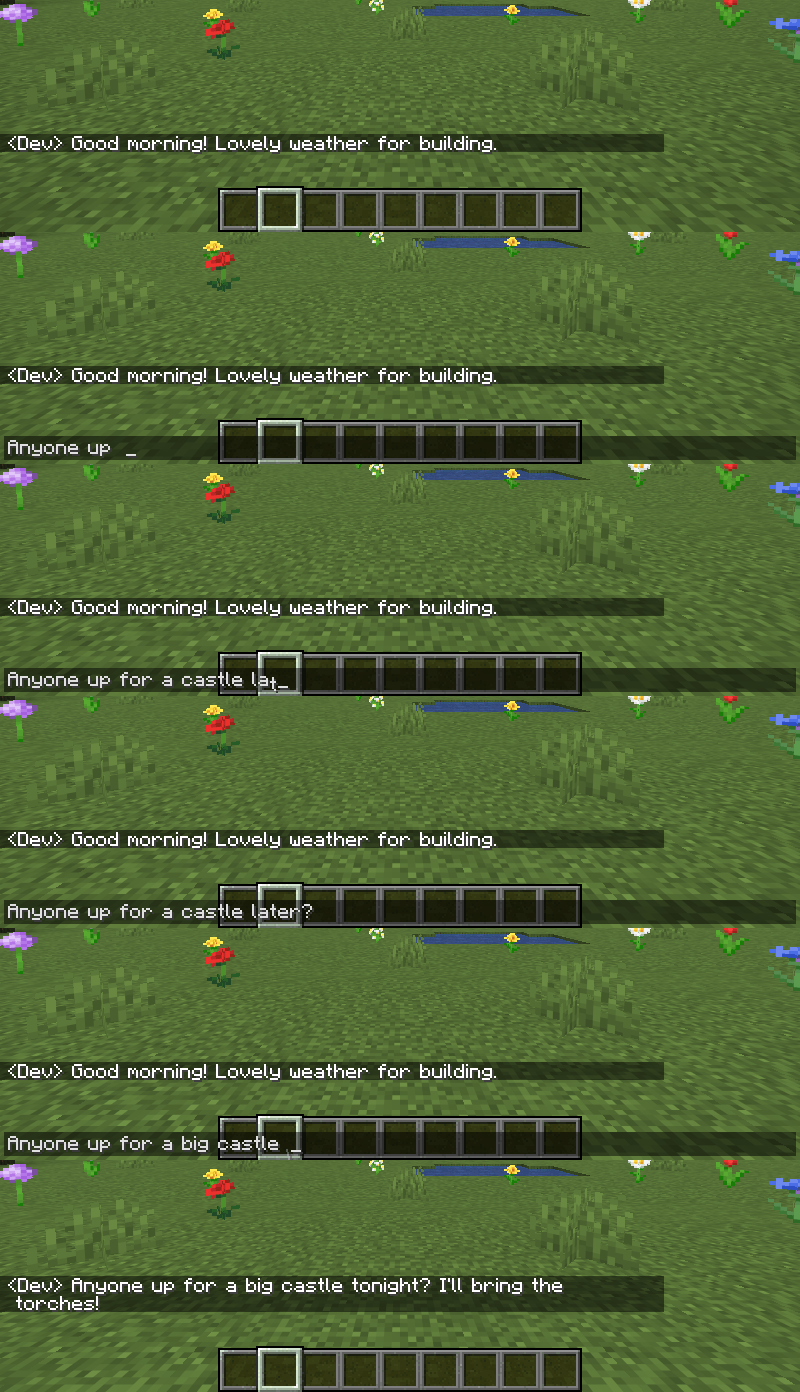
| Appearance | Removal | Timing |
|---|---|---|
| 17 effects + Off | 10 effects + Off | 10 easing curves + Auto |
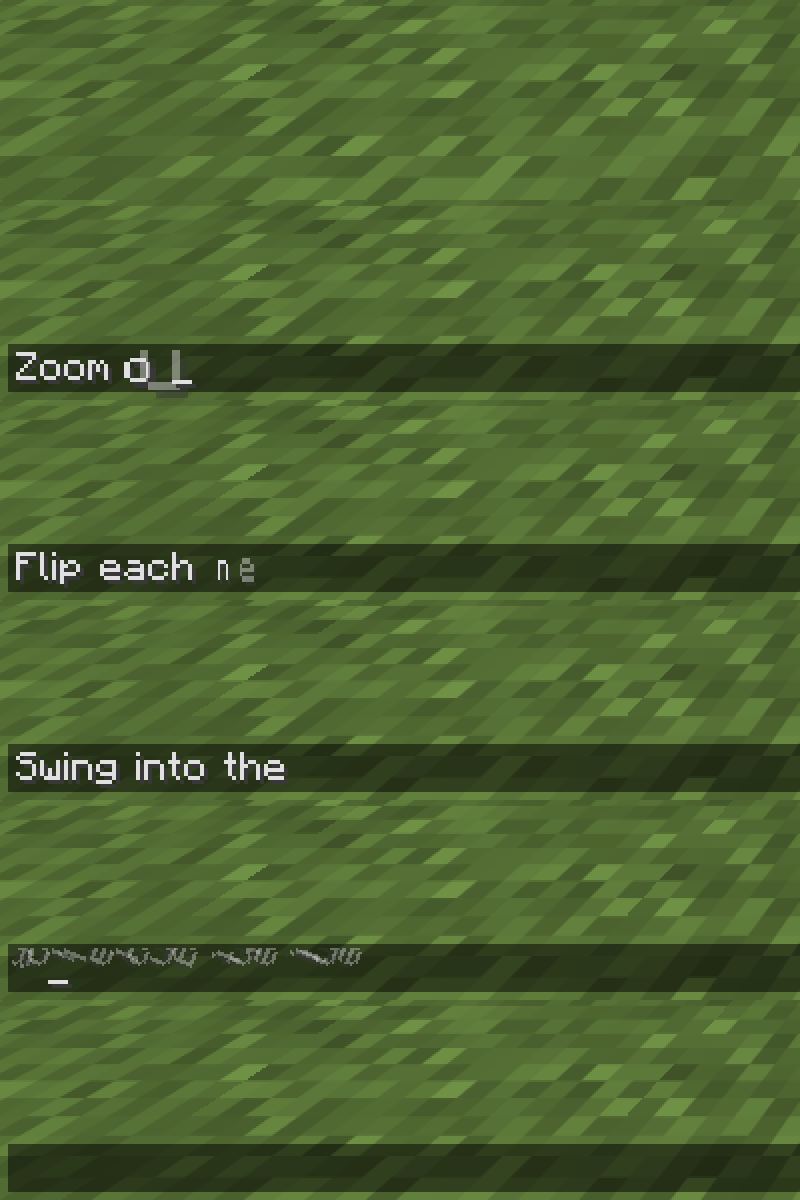
| Pop, Wave, Scramble, Flip, Swing, Roll, Spiral and more | Fade, Fall, Scatter, Spin, Squash and more | Separate duration and intensity; adjustable stagger and text glide |
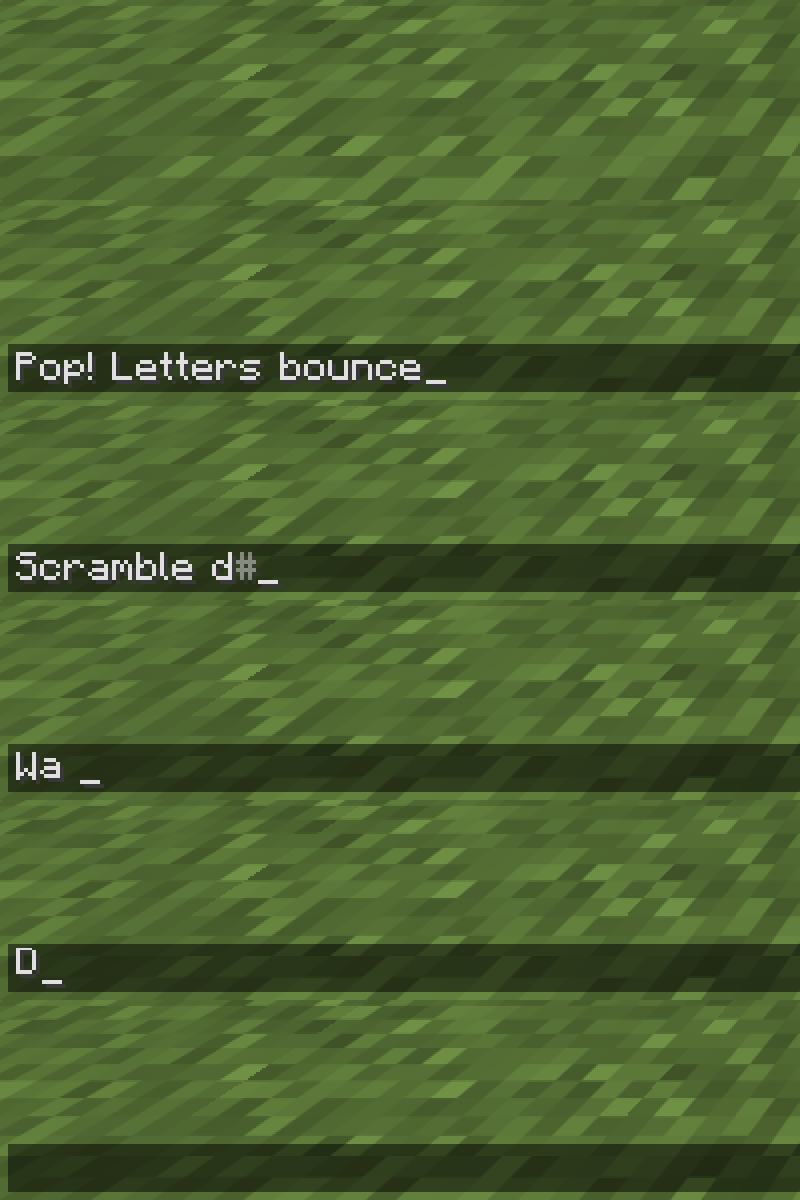
Try Slide Right, Zoom Out, Flip, Swing, Roll and Spiral, then pair them with your favourite removal effect.
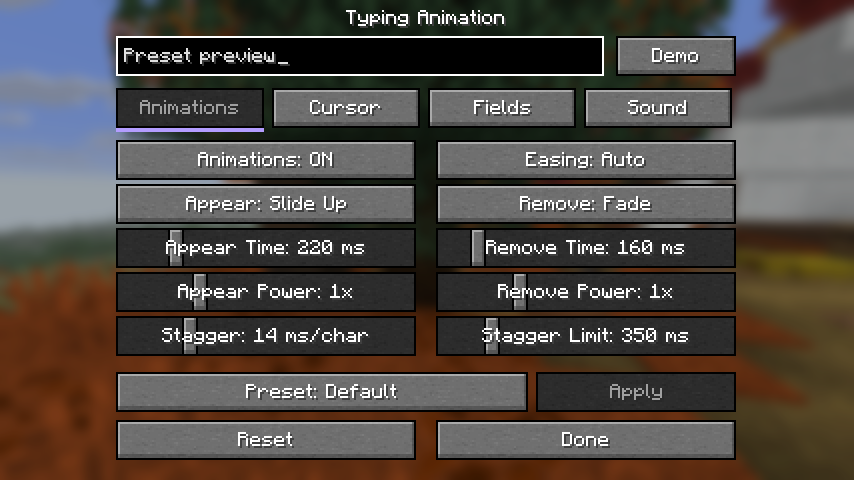
Start with Default · Minimal · Soft · Bouncy · Wave · Glitch. Select a built-in preset, press Apply, then fine-tune it in the live preview. These presets change motion and the cursor while keeping your sound settings and field choices. Manual edits appear as Custom.
Save your own combination of animation, cursor and sound under a name. Apply, duplicate or rename it, then export a JSON preset to share with friends. Importing a matching name creates a separate copy. Your enabled fields and interface preferences stay yours.
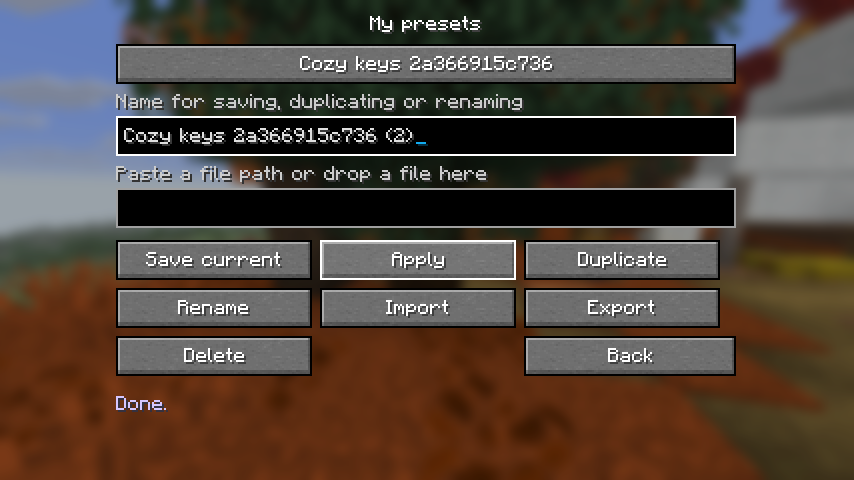

| Typewriter | Mechanical | Soft | Laptop |
|---|---|---|---|
| A crisp, vintage clack | A tactile keyboard click | A gentle, muted tap | A short, light tick |
Four sound families with distinct key, space, Backspace and Enter feedback. Adjust volume, pitch and pitch variation, mute deletion or Enter separately, and use Test Sound to listen before enabling.
New in 1.3: bring your own Ogg Vorbis sound pack. Drop a ZIP into Sound packs, import it, audition it and press Use. Switch between installed packs without another resource reload. Sound pack format. Presets refer to the selected pack; share its ZIP alongside the preset when it uses custom audio.
 Sounds are off by default; your existing sound settings carry over. Enable them in the Sound tab. Pasting makes at most one sound; cursor navigation and automatic field updates stay quiet.
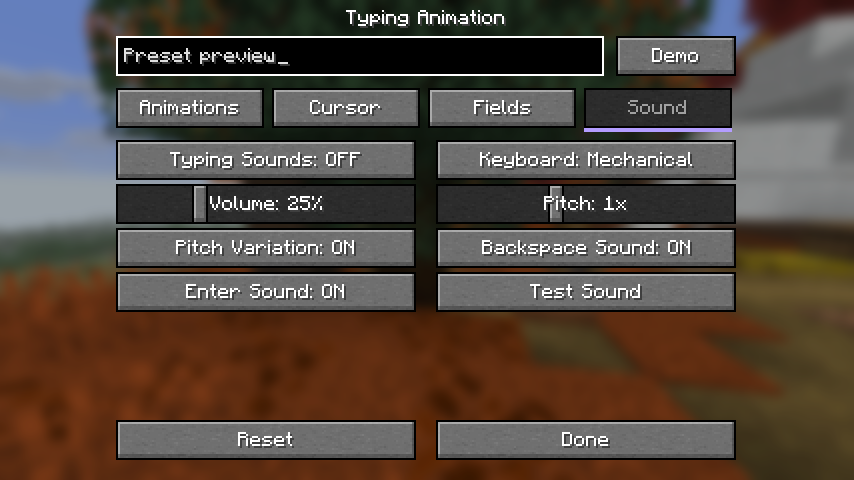
Smooth horizontal and vertical movement, with its own speed setting. Keep the vanilla cursor or choose a bar, underline or translucent block; pick a colour and thickness to match your style.
New in 1.3: enter your own HEX colour, adjust the blink period, choose a soft fade, or keep the caret visible while typing. Find the fine controls in Detailed mode.
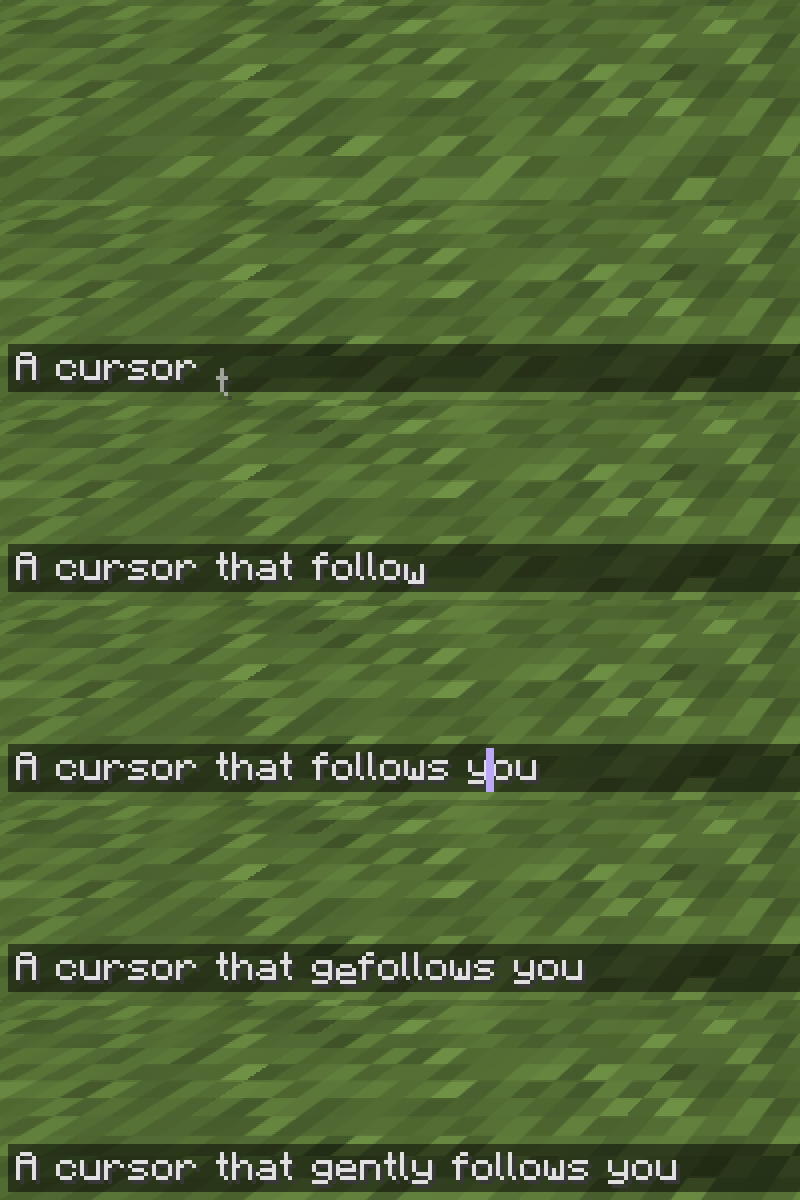
Animations and optional typing sounds work while editing ordinary and hanging signs, across all four lines. Text colours, glowing text and normal editing controls stay intact.
 Make it yours
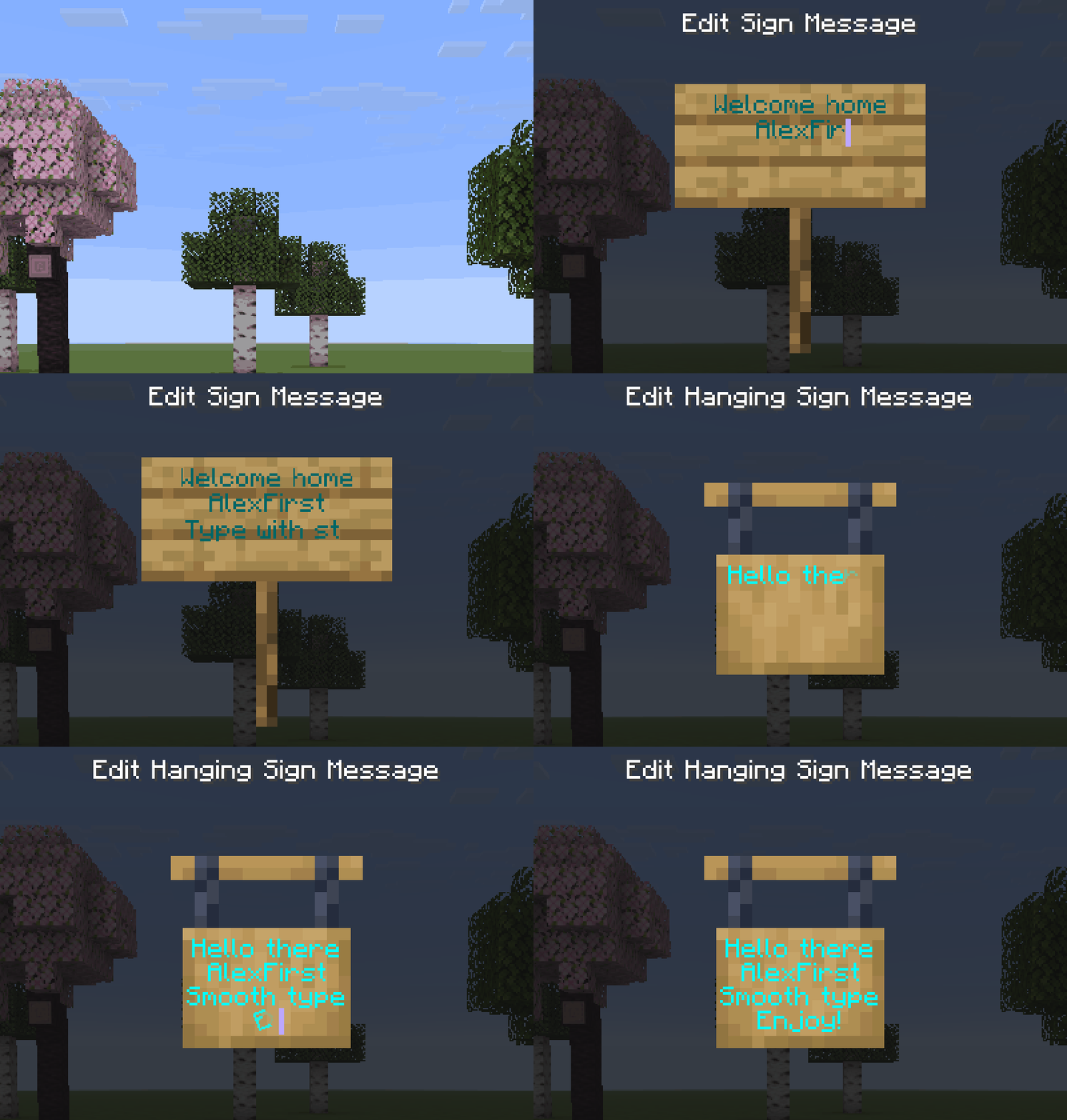
Choose Basic or Detailed on your first settings visit, then switch modes whenever you like. Basic keeps the essentials close; Detailed exposes timing, intensity, blink and sound controls across compact pages. Switching modes keeps your saved values.
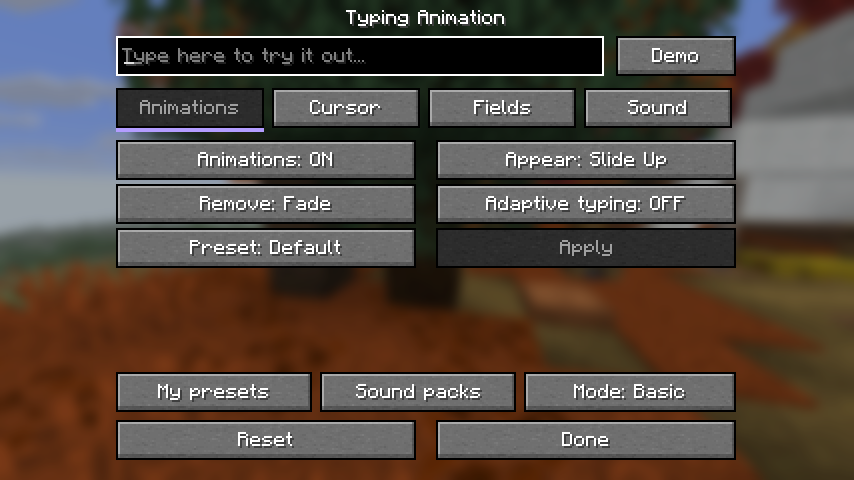
Four settings tabs: Animations · Cursor · Fields · Sound, with a live preview and Demo to try your changes.
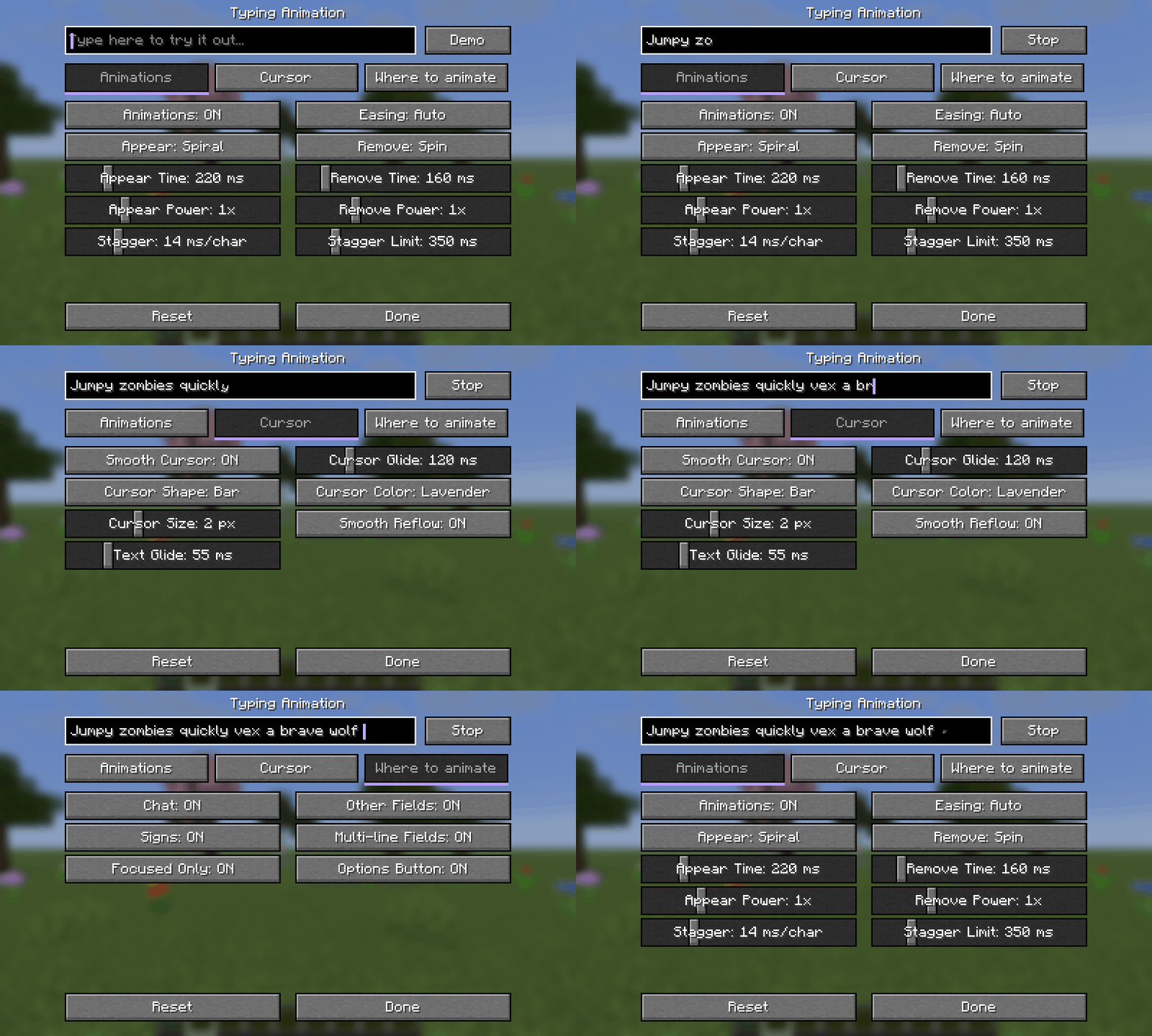
Open Options → Typing Animation…, the Config button in Forge/NeoForge's mod list, or Mod Menu on Fabric. Individual controls apply immediately; a visual preset uses Apply. Settings are saved in config/typinganimation.json.
With Mod Menu installed on Fabric/Quilt, you can hide the Typing Animation button from Options. Without Mod Menu the button stays available, so you can always reach the settings.
Syntax highlighting stays intact while typing and completing commands with Tab.
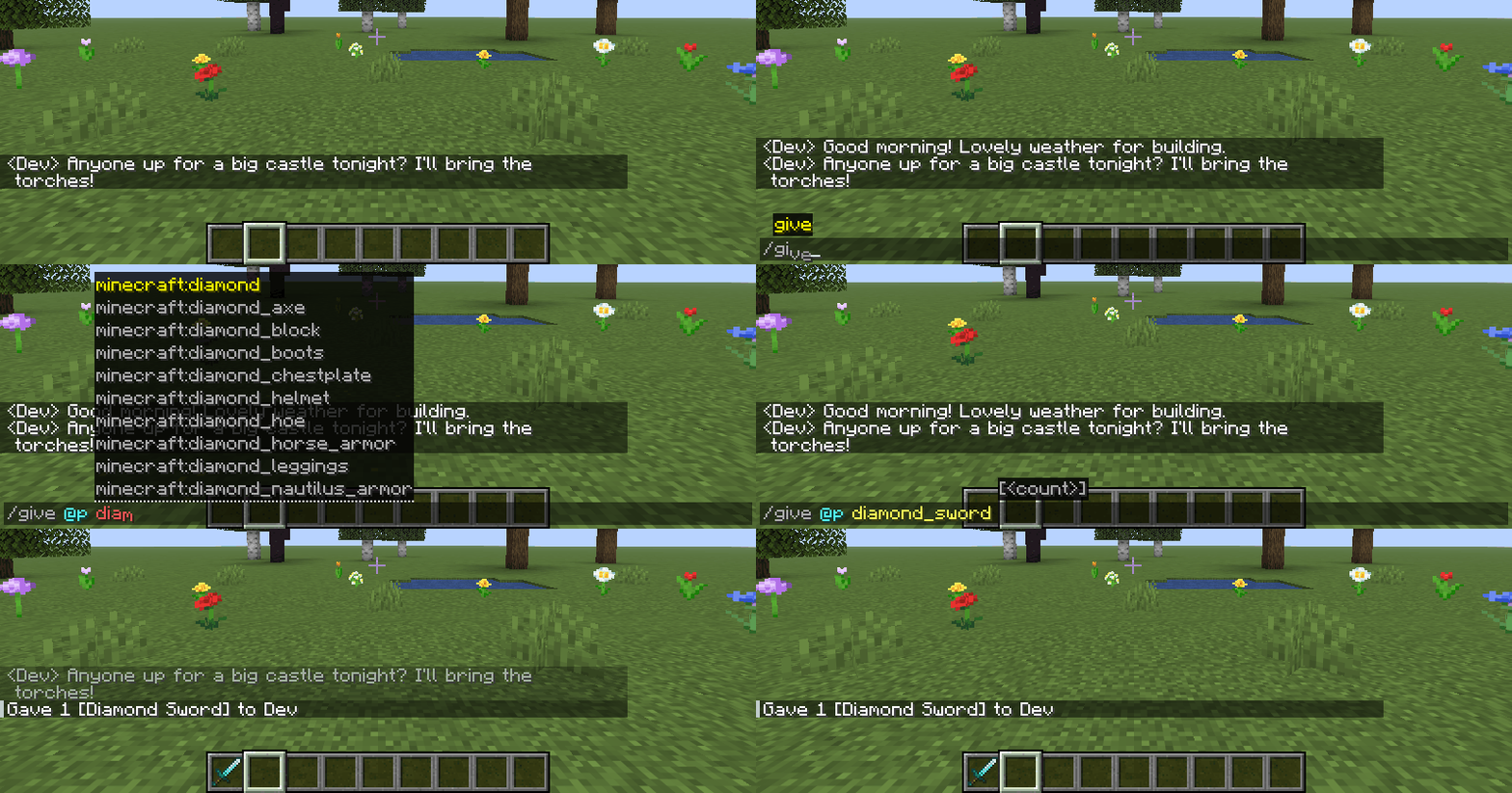

 Download the JAR for your Minecraft version and loader, then put it in
mods. Install on your client; the server does not need the mod. Fabric API is not required.
 Recommended for Fabric/Quilt: Mod Menu — opens the settings directly from your mod list. It is an optional dependency: Modrinth · CurseForge.
Minecraft: 1.20–1.20.1 · 1.21–1.21.1 · 1.21.4 · 1.21.5 · 1.21.6–1.21.8 · 1.21.9–1.21.10 · 1.21.11 · 26.1–26.1.2 · 26.2 · 26.3.

Use the Forge file on NeoForge 1.20.1. Quilt support is limited to the Fabric files specifically tagged Quilt. Minecraft 26.3 requires Quilt Loader 0.30.2 or newer. Book input is supported from Minecraft 1.21.6. Mods replacing the standard text renderer may conflict.
Made by AlexFirst · Source code on GitHub · MIT · Modpacks welcome.
Плавный набор в чате, командах, поиске и обычных и подвесных табличках. 17 эффектов появления, 10 эффектов удаления, отдельные длительность и интенсивность, 10 кривых плавности и «Авто».
Новое в 1.3: сохраняйте собственные пресеты анимации, курсора и звука, копируйте, переименовывайте и делитесь ими через импорт и экспорт JSON. Свои звуковые наборы в ZIP с Ogg Vorbis можно импортировать и прослушать в библиотеке. JSON или ZIP можно перетащить в её окно.
Адаптация к скорости печати ускоряет анимации и приглушает звук при быстром наборе. Включается отдельно. Курсору можно задать HEX-цвет, период и плавность мигания, постоянную видимость при наборе, форму, толщину и плавность движения по двум осям.
При первом входе выберите «Базовый» или «Подробный» интерфейс; режим можно поменять позже без сброса настроек. Четыре вкладки, живой предпросмотр и «Демо» помогают подобрать свой стиль. С установленным Mod Menu на Fabric/Quilt кнопку в «Настройках» можно скрыть; без него она остаётся доступной.
Шесть готовых визуальных наборов применяются кнопкой «Применить». Четыре встроенных звуковых профиля: печатная машинка, механическая клавиатура, мягкий звук и ноутбук. Звук изначально выключен; включается во вкладке «Звук». Для пресета с собственным звуком передайте другу и JSON, и ZIP-набор.
Настройки → Анимация ввода…. Для Fabric/Quilt рекомендуем Mod Menu по ссылкам выше; зависимость необязательная. Для Minecraft 26.3 нужен Quilt Loader 0.30.2 или новее. Мод только клиентский, Fabric API не нужен. Цвета команд сохраняются, книги поддерживаются с 1.21.6. Автор — AlexFirst.
Project description from CurseForge.
Pick your setup
Choose the version and loader you play, then open the matching release.
Showing the newest 12 of 17 game versions. Older files are in the list below.
Check the dependencies, then try the file in a copied instance before changing a world you care about.
Recent files
typinganimation-1.3.0-26.1-26.1.2-forge.jar
8 Nov 2026
typinganimation-1.2.0+26.1-26.1.2-forge.jar
23 Oct 2026
Looking for an older file? The official CurseForge project page is in Resources.
 mod
Don’t mess with the server Play Minecraft with your friends in 2 clicks via P2P
 mod
auto , instant and easy quick Shift + Right-Click: Empty your backpack of all affordable resources and complete bulk trades automatically with one click
 mod
Leave a singleplayer world without saving: undo everything that changed since you joined, TNT craters and all.