Mod Menu Optional for Typing Animation 1.2.0 — 26.3 (NeoForge)
optionalNo matching file

CurseForge · Minecraft mod
Animated typing, immersive keyboard sounds, six visual presets and a smooth custom cursor for chat, signs and text fields. Client-side only.
Quick answer
Typing Animation 1.2.0 — 26.3 (NeoForge) targets 26.3 with NeoForge. The project page does not say whether this file belongs on the client, dedicated server, or both. No extra mods listed for this file.
Where it goes
The project page does not say whether this file belongs on the client, dedicated server, or both.
The source does not explicitly classify this release as client-only or server-only.
Typing Animation 1.2.0 — 26.3 (NeoForge). Change the file and its required mods may change too.
This file does not list any required mods. Do not add a library just because a different file uses it.
We only count dependency files that match this setup. A file for another loader does not fill the gap.
Before you install it
Built for Typing Animation 1.2.0 — 26.3 (NeoForge). Pick another file and the loader, install side or required mods may change.
Use Typing Animation 1.2.0 — 26.3 (NeoForge). It targets 26.3 with NeoForge; another release may have different loader, side or dependency requirements.
This file does not list any required mods. Do not add a library just because a different file uses it.
The project page does not say whether this file belongs on the client, dedicated server, or both.
Use the “Get this file” button beside Typing Animation 1.2.0 — 26.3 (NeoForge). It opens that exact file at the source.
About this project
A little motion. A little rhythm. Your own typing style.
 Client-only · 4 sound presets · 6 visual presets
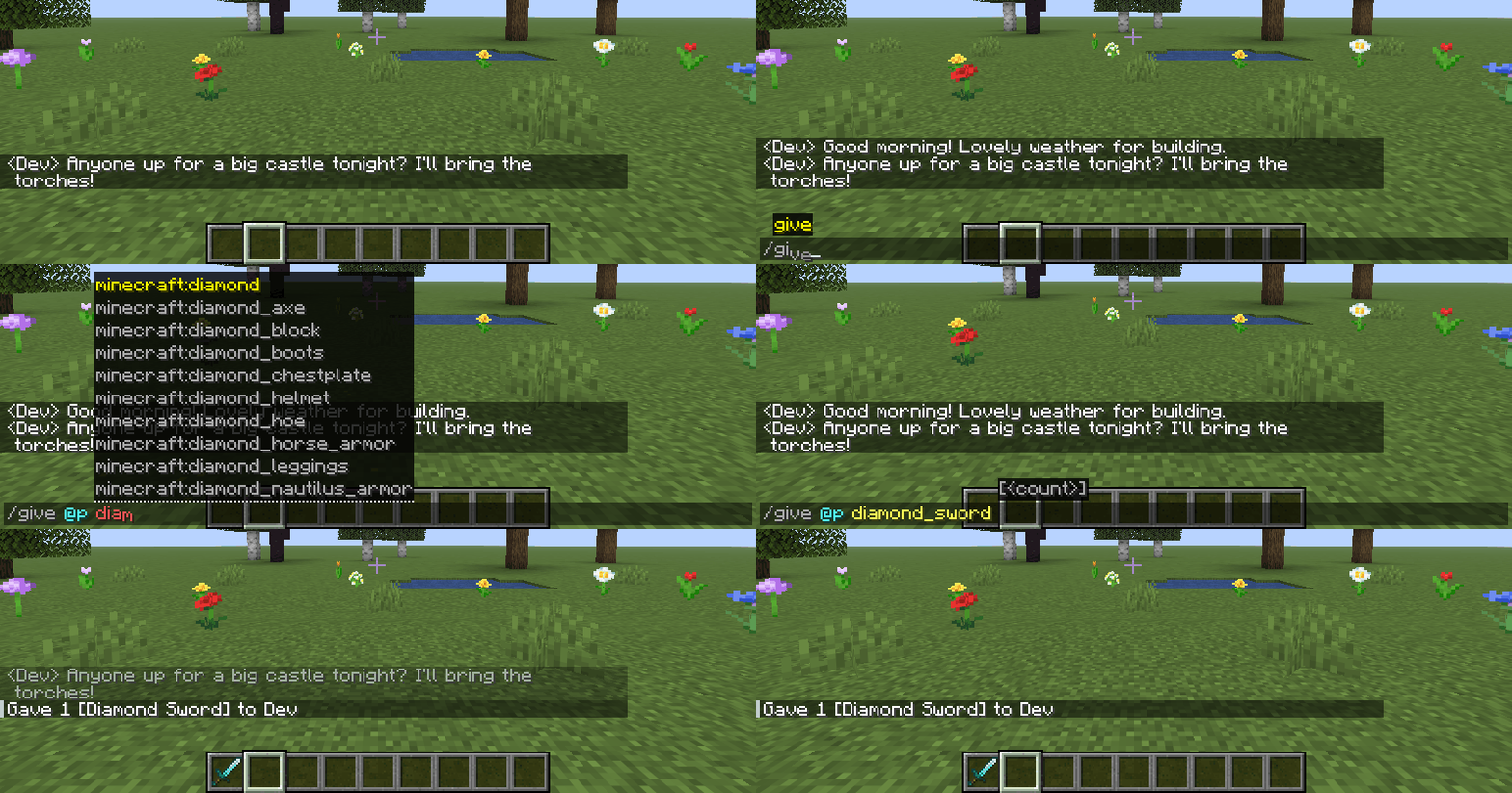
Give Minecraft's text a little personality. Letters animate in and out, edits glide into place, and optional keyboard sounds give each keystroke a character — in chat, commands, search fields, signs and hanging signs. Settled text keeps its vanilla appearance.
Fabric · Forge · NeoForge · English & Russian · No Fabric API required


Modrinth · CurseForge · GitHub — source code

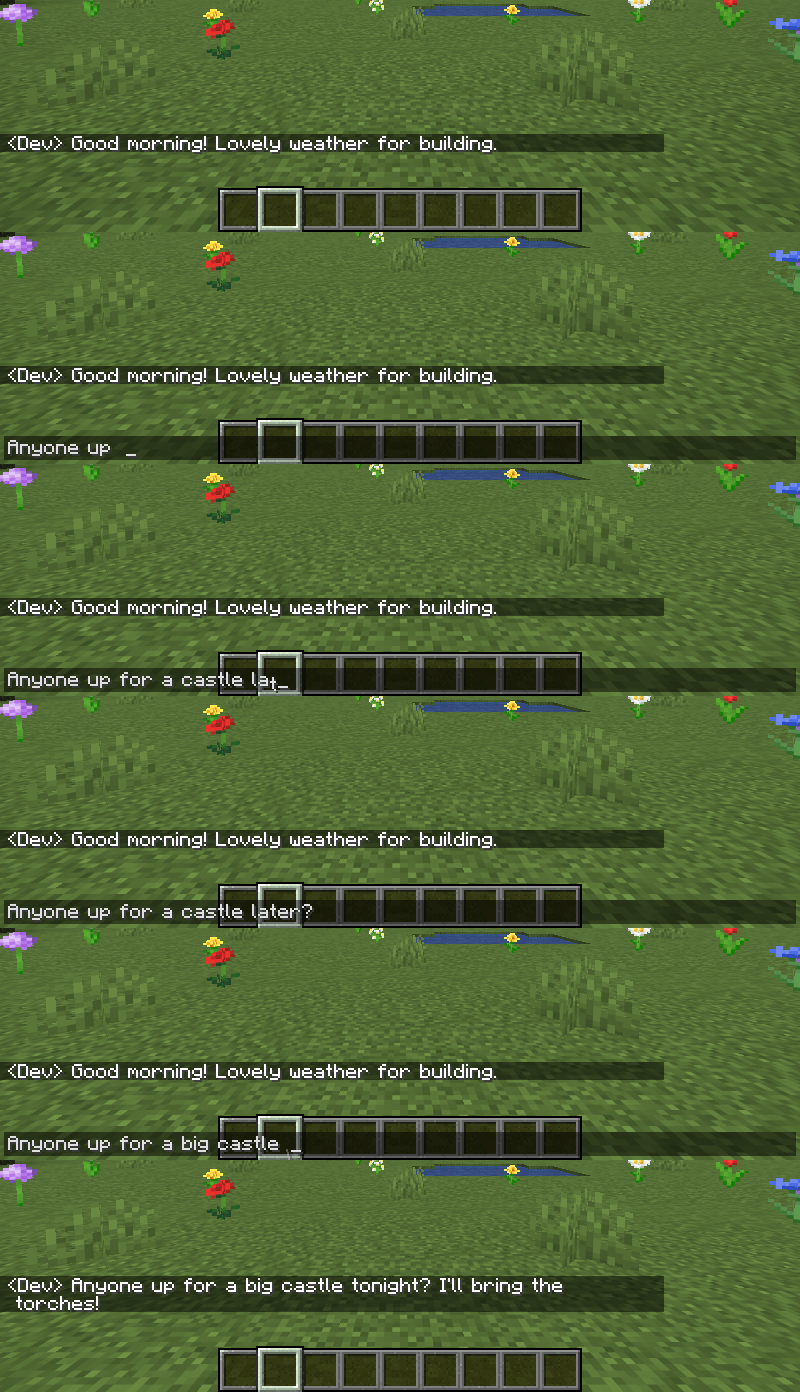
Insert a word, erase a sentence or paste a message. Text shifts smoothly, while pasted text and autocomplete unfold letter by letter.
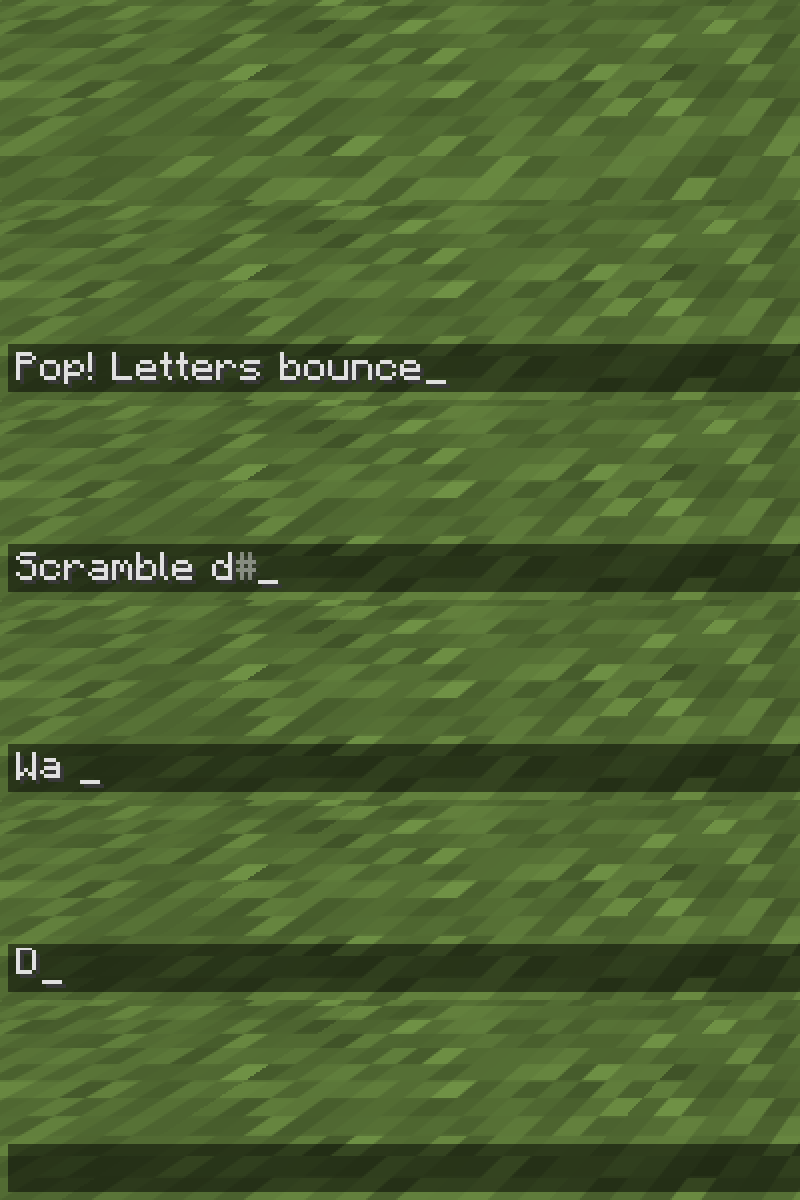
| Appearance | Removal | Timing |
|---|---|---|
| 17 effects + Off | 10 effects + Off | 10 easing curves + Auto |
| Pop, Wave, Scramble, Flip, Swing, Roll, Spiral and more | Fade, Fall, Scatter, Spin, Squash and more | Separate duration and intensity; adjustable stagger and text glide |
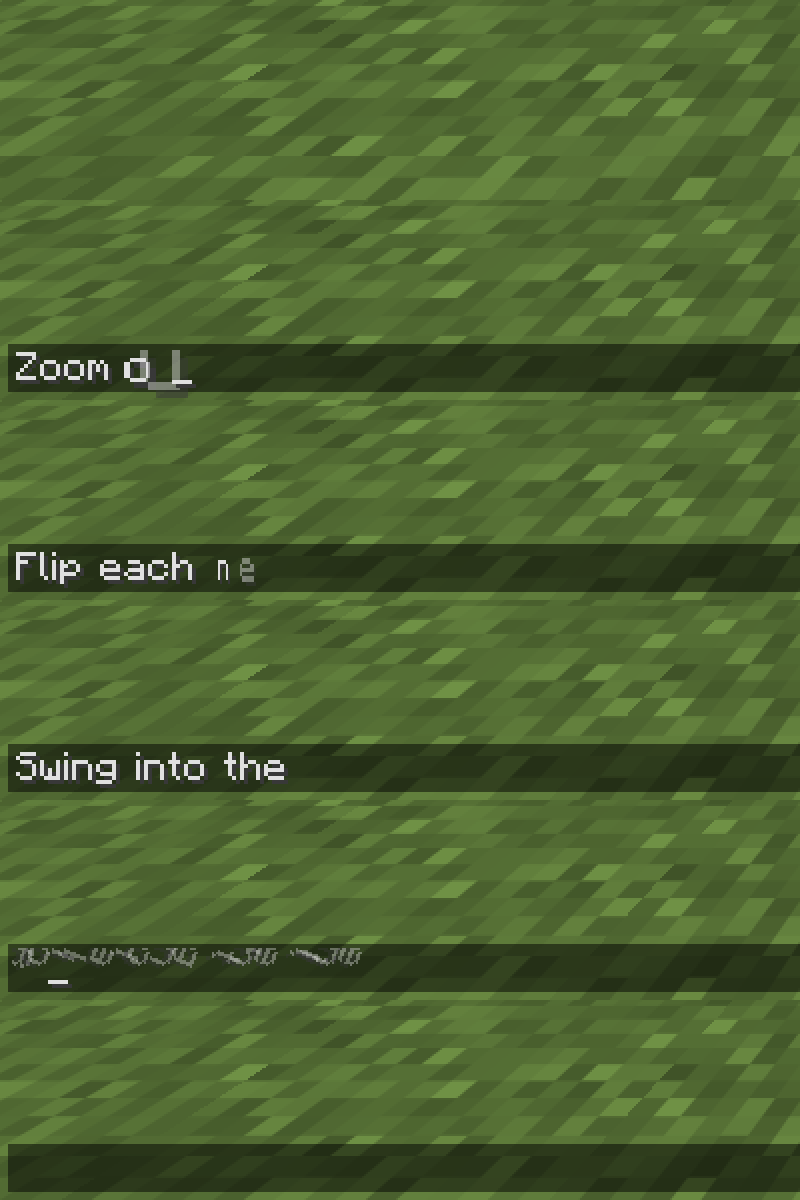
Try Slide Right, Zoom Out, Flip, Swing, Roll and Spiral, then pair them with your favourite removal effect.
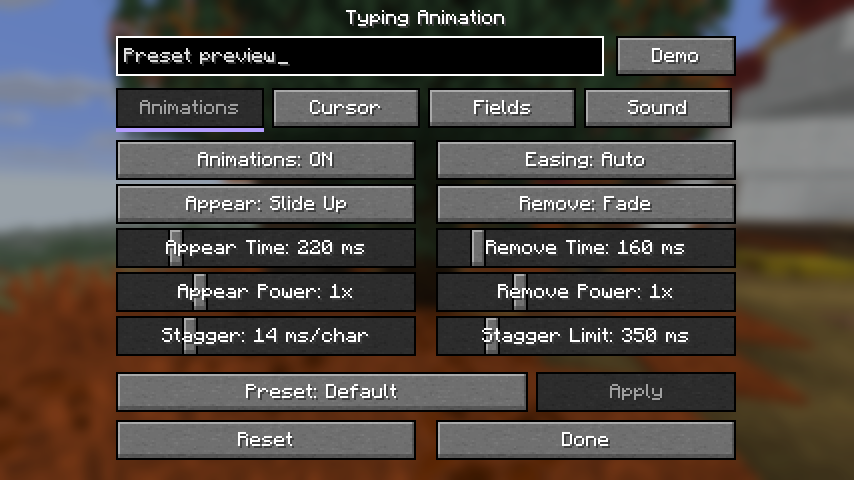
Start with Default · Minimal · Soft · Bouncy · Wave · Glitch. Select a preset, press Apply, then fine-tune it in the live preview. Presets change motion and the cursor; your sound settings and choice of fields stay yours. Manual edits appear as Custom.

| Typewriter | Mechanical | Soft | Laptop |
|---|---|---|---|
| A crisp, vintage clack | A tactile keyboard click | A gentle, muted tap | A short, light tick |
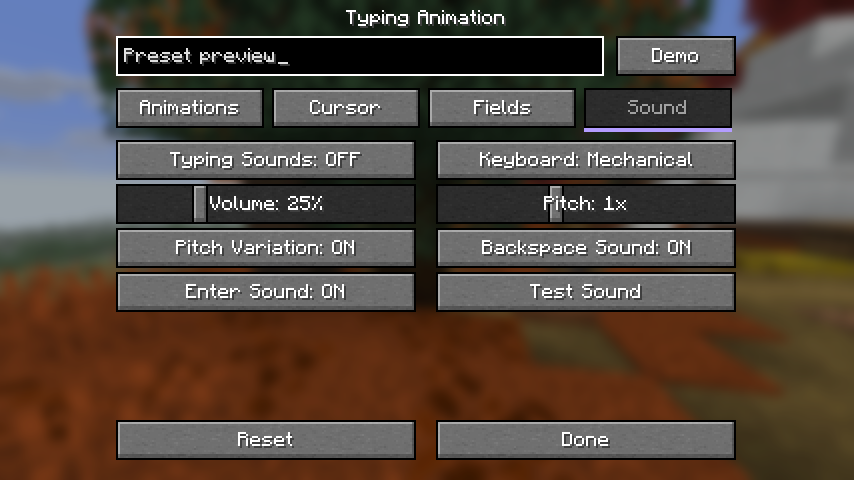
Four sound families with distinct key, space, Backspace and Enter feedback. Adjust volume, pitch and pitch variation, mute deletion or Enter separately, and use Test Sound to listen before enabling.
 Sounds are off by default, including after updating. Enable them in the Sound tab. Pasting makes at most one sound; cursor navigation and automatic field updates stay quiet.
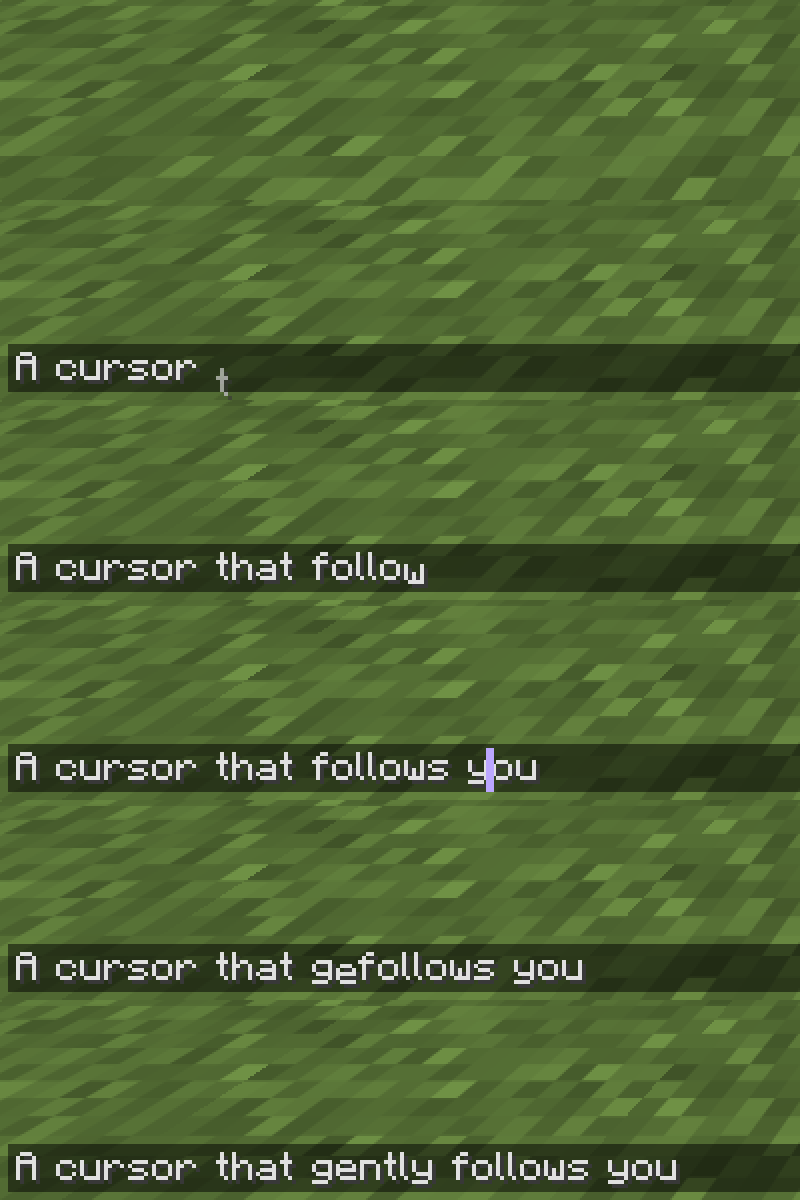
Smooth horizontal and vertical movement, with its own speed setting. Keep the vanilla cursor or choose a bar, underline or translucent block; pick a colour and thickness to match your style.
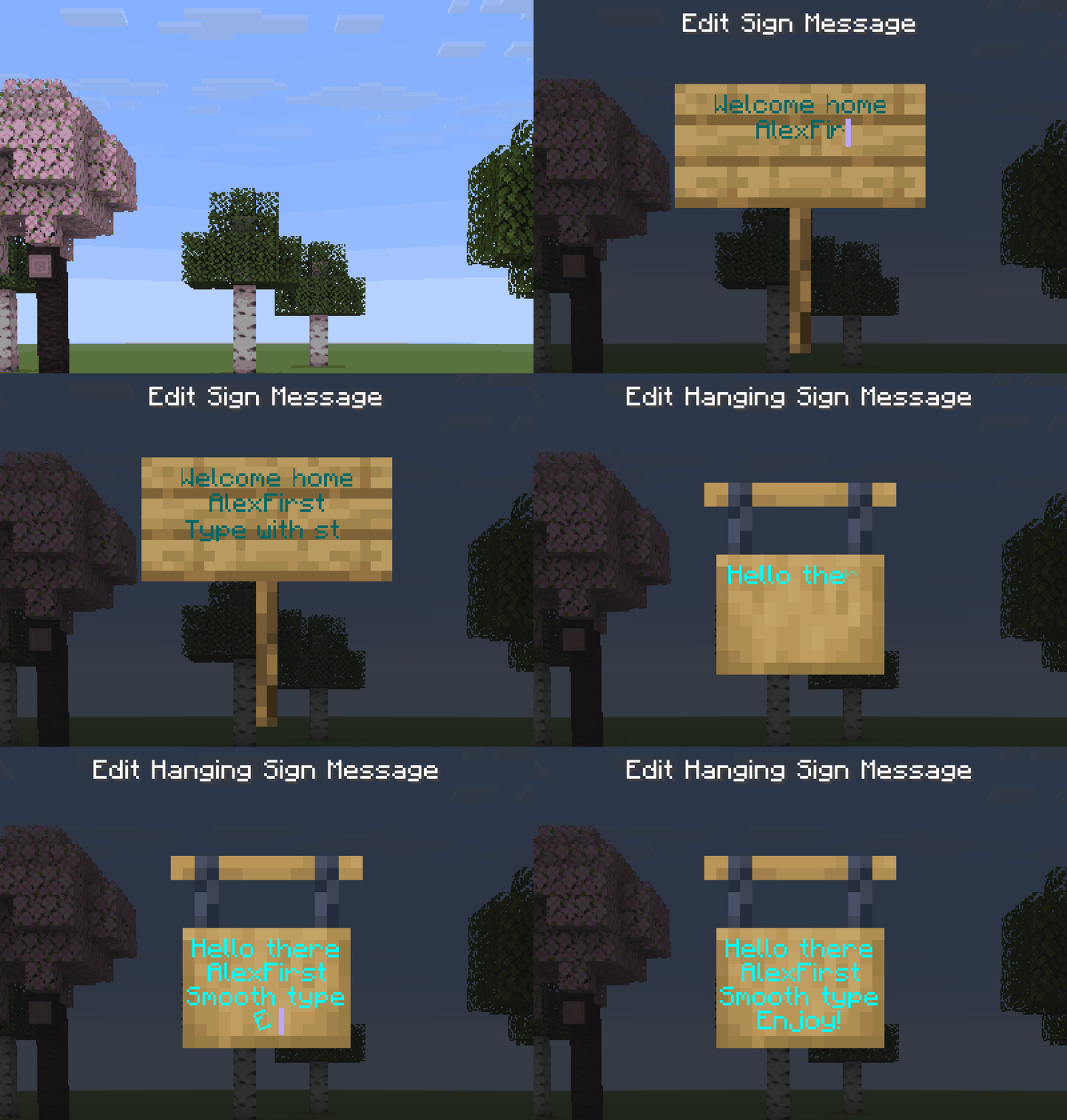
Animations and optional typing sounds work while editing ordinary and hanging signs, across all four lines. Text colours, glowing text and normal editing controls stay intact.
 Make it yours
Four tidy settings tabs: Animations · Cursor · Fields · Sound. Tune appearance and removal separately, cap paste delays, choose where the mod runs, and explore motion in the live preview with Demo.
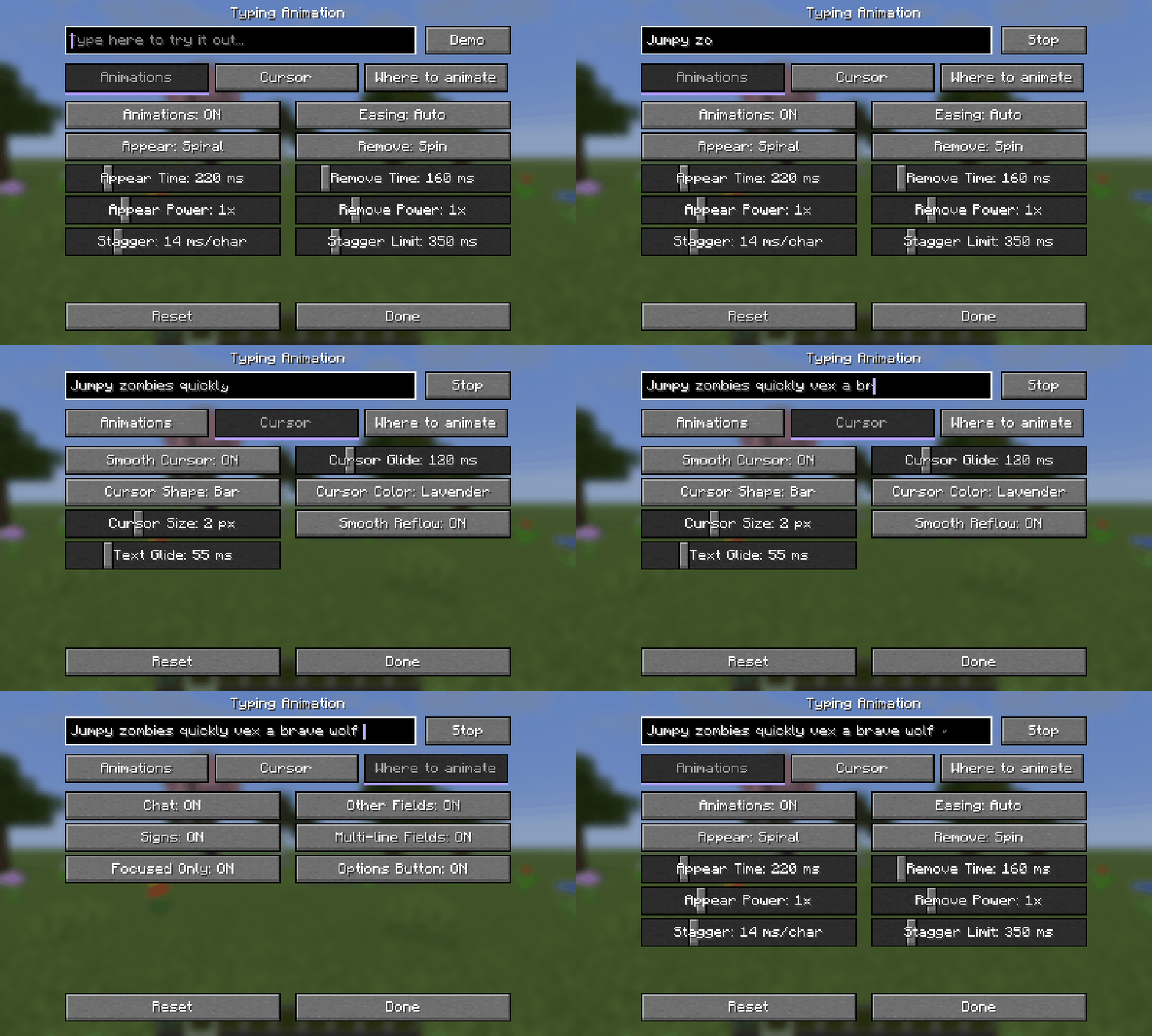
Open Options → Typing Animation…, the Config button in Forge/NeoForge's mod list, or Mod Menu on Fabric. Individual controls apply immediately; a visual preset uses Apply. Settings are saved in config/typinganimation.json.
Syntax highlighting stays intact while typing and completing commands with Tab.

 Download the JAR for your Minecraft version and loader, then put it in
 mods. Install on your client; the server does not need the mod. Fabric API is not required.
 Recommended for Fabric/Quilt: Mod Menu — opens the settings directly from your mod list. It is an optional dependency: Modrinth · CurseForge.
Minecraft: 1.20–1.20.1 · 1.21–1.21.1 · 1.21.4 · 1.21.5 · 1.21.6–1.21.8 · 1.21.9–1.21.10 · 1.21.11 · 26.1–26.1.2 · 26.2 · 26.3.

Use the Forge file on NeoForge 1.20.1. Quilt support is limited to the Fabric files specifically tagged Quilt. Book input is supported from Minecraft 1.21.6. Mods replacing the standard text renderer may conflict.
Made by AlexFirst · Source code on GitHub · MIT · Modpacks welcome.
Плавный набор в чате, командах, поиске и обычных и подвесных табличках. 17 эффектов появления, 10 эффектов удаления, отдельные длительность и интенсивность, 10 кривых плавности и «Авто».
Новое в 1.2: четыре звуковых профиля — печатная машинка, механическая клавиатура, мягкий звук и ноутбук. Есть громкость, тон, разброс тона, отдельные звуки удаления и Enter и кнопка прослушивания. Звук изначально выключен; включается во вкладке «Звук».
Шесть готовых наборов анимации выбираются кнопкой и применяются через «Применить». Звуковые настройки и выбранные поля сохраняются. Курсору можно задать форму, цвет, толщину и плавность движения по двум осям. Четыре вкладки — «Анимации», «Курсор», «Поля», «Звук», живой предпросмотр и «Демо» помогают подобрать свой вариант.
Настройки → Анимация ввода…. Для Fabric/Quilt рекомендуем Mod Menu по ссылкам выше; зависимость необязательная. Мод только клиентский, Fabric API не нужен. Цвета команд сохраняются, книги поддерживаются с 1.21.6. Автор — AlexFirst.
Project description from CurseForge.
Pick your setup
Choose the version and loader you play, then open the matching release.
Showing the newest 12 of 17 game versions. Older files are in the list below.
Check the dependencies, then try the file in a copied instance before changing a world you care about.
Recent files
typinganimation-1.2.0+26.3-neoforge.jar
23 Oct 2026
typinganimation-1.2.0+26.3-forge.jar
23 Oct 2026
typinganimation-1.2.0+26.3-fabric.jar
23 Oct 2026
typinganimation-1.2.0+26.2-neoforge.jar
23 Oct 2026
typinganimation-1.2.0+26.2-forge.jar
23 Oct 2026
typinganimation-1.2.0+26.2-fabric.jar
23 Oct 2026
typinganimation-1.2.0+26.1-26.1.2-neoforge.jar
23 Oct 2026
typinganimation-1.2.0+26.1-26.1.2-forge.jar
23 Oct 2026
typinganimation-1.2.0+26.1-26.1.2-fabric.jar
23 Oct 2026
typinganimation-1.2.0+1.21.11-neoforge.jar
23 Oct 2026
typinganimation-1.2.0+1.21.11-forge.jar
23 Oct 2026
typinganimation-1.2.0+1.21.11-fabric.jar
23 Oct 2026
Looking for an older file? The official CurseForge project page is in Resources.
 mod
modBetter FireFlies (BFF) is a client-side mod that add ambiant Fireflies.
 mod
modAn ultimate color-picking utility created specifically for digital artists in Minecraft using the Daub painting plugin.
 mod
mod🍇 When breaking chorus plants, all chorus fruit will drop at the base position.