Minecraft version
Back to mods 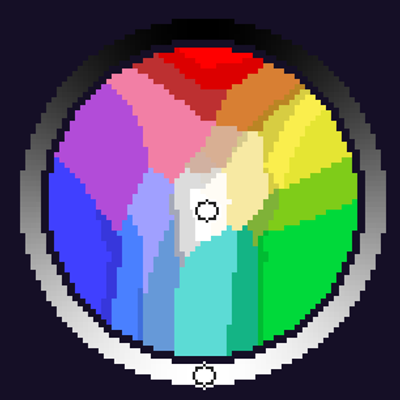
CurseForge · Minecraft mod
Color Wheel
An ultimate color-picking utility created specifically for digital artists in Minecraft using the Daub painting plugin.
Choose a version Pick your version below, then grab the matching file.
Quick answer
Which Color Wheel release should I use?
Latest stable file colorwheel-1.2.1.jar
Game version 26.2
Loader Fabric
Color Wheel colorwheel-1.2.1.jar targets 26.2 with Fabric. The project page does not say whether this file belongs on the client, dedicated server, or both. No extra mods listed for this file.
Where it goes
Is Color Wheel required on the client, server, or both?
The project page does not say whether this file belongs on the client, dedicated server, or both.
Client Source doesn’t say
Dedicated server Source doesn’t say
Loader for this release Fabric
Required install it here Optional supported, not mandatory Not supported do not install here Source doesn’t say do not assume
The source does not explicitly classify this release as client-only or server-only.
What else does Color Wheel colorwheel-1.2.1.jar need?
colorwheel-1.2.1.jar. Change the file and its required mods may change too.
This file does not list any required mods. Do not add a library just because a different file uses it.
This file does not list any required or optional mods.
Before you install it
Add Color Wheel without breaking your instance.
Built for Color Wheel colorwheel-1.2.1.jar. Pick another file and the loader, install side or required mods may change.
- 01
Stick to this file
Use colorwheel-1.2.1.jar. It targets 26.2 with Fabric; another release may have different loader, side or dependency requirements.
- 02
Bring the mods it needs
This file does not list any required mods. Do not add a library just because a different file uses it.
- 03
Put it on the correct side
The project page does not say whether this file belongs on the client, dedicated server, or both.
- 04
Pick the file you checked
Use the “Get this file” button beside colorwheel-1.2.1.jar. It opens that exact file at the source.
About this project
What does Color Wheel add?
🎨 WheelColorPicker (for Daub)
An ultimate color-picking utility created specifically for digital artists in Minecraft using the Daub painting plugin. This mod completely replaces linear sliders with a beautiful, responsive radial color wheel tailored for game-supported tones. It streamlines your painting workflow by letting you mix, track, and apply colors directly into your art sessions.
✨ Features
- 🎨 Built for Daub Artists: Specially designed for perfect integration and compatibility with the Daub drawing plugin.
- 🔄 244 Minecraft Colors: The radial wheel is mathematically optimized to reflect the 244 core colors perfectly supported by Minecraft's engine.
- 📋 Dual History Layout (Toggleable Panels):
- Left Panel (Copies): Keeps a live history of every HEX color you have copied.
- Right Panel (Commands): Tracks your sent/used color commands.
- Clean look: Click the collapse button (
-) at the top of either side panel to hide them instantly when you need to focus on the wheel.
- 🌌 16 UI Themes: Personalize your workspace! Cycle through 16 custom built-in background themes, including a striking Cyberpunk Neon mode.
- ⚡ Instant Clipboard Sync: The "Copy HEX" button sends the exact color hash (e.g.,
#FFFCF5) to your OS clipboard for rapid external use. - 🖌️ Color Combinations: The interface dynamically shows monochrome shades and matching swatches underneath the main inputs.
Project description from CurseForge.
Pick your setup
Color Wheel by Minecraft version and loader
Choose the version and loader you play, then open the matching release.
Check the dependencies, then try the file in a copied instance before changing a world you care about.
Recent files
Color Wheel versions and loaders
colorwheel-1.2.1.jar
28 Oct 2026
Client Source doesn’t say Server Source doesn’t say Dependencies No extras listed Listed on Release listing
Check the 26.2 · Fabric setup Fabric26.2 release
colorwheel-1.1.1.jar
24 Oct 2026
Client Source doesn’t say Server Source doesn’t say Dependencies No extras listed Listed on Release listing
Check the 26.2 · Fabric setup Fabric26.2 release
Looking for an older file? The official CurseForge project page is in Resources.
 mod
CurseForge · Minecraft
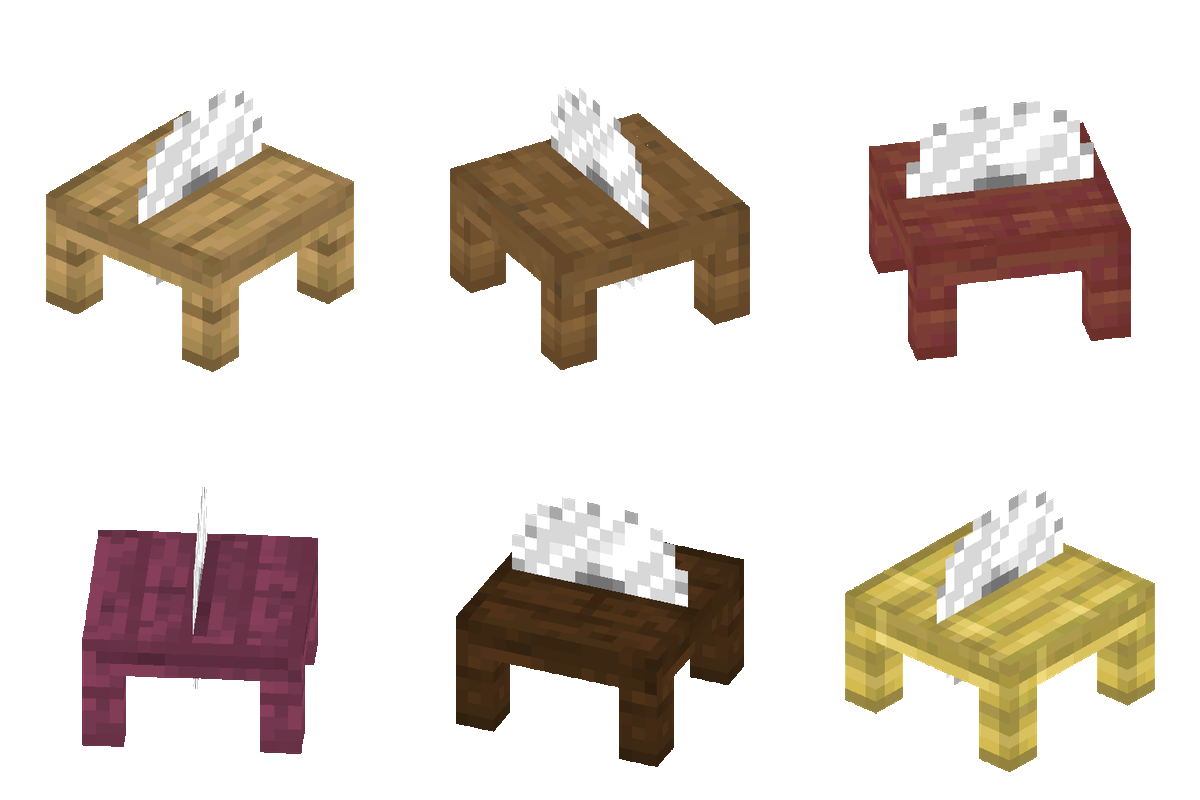
Melo's Woodcutter
Adds a simple Woodcutter block that works like the Stonecutter, but for wood.
 mod
CurseForge · Minecraft
IDEAS Workshop
Building, biomes, mushrooms, redstone and survival conveniences, with Trailcraft, Glassworks and Farmhand included in one IDEAS download.
 mod
CurseForge · Minecraft
Craft to Exile 2 — Русификатор CTE2
Russian UI and Cyrillic font mod for CTE2 2.1.4 — русификатор Craft to Exile 2 на русском для Minecraft 1.20.1.