Minecraft version
Back to mods 
CurseForge · Minecraft mod
Grand Gates
Adds larger doors with animations to your Minecraft world
Choose a version Pick your version below, then grab the matching file.
Quick answer
Which Grand Gates release should I use?
Latest stable file grandgates v1.3.0
Game version 1.21.1
Loader NeoForge
Grand Gates grandgates v1.3.0 targets 1.21.1 with NeoForge. The project page does not say whether this file belongs on the client, dedicated server, or both. No extra mods listed for this file.
Where it goes
Is Grand Gates required on the client, server, or both?
The project page does not say whether this file belongs on the client, dedicated server, or both.
Client Source doesn’t say
Dedicated server Source doesn’t say
Loader for this release NeoForge
Required install it here Optional supported, not mandatory Not supported do not install here Source doesn’t say do not assume
The source does not explicitly classify this release as client-only or server-only.
What else does Grand Gates grandgates v1.3.0 need?
grandgates v1.3.0. Change the file and its required mods may change too.
This file does not list any required mods. Do not add a library just because a different file uses it.
This file does not list any required or optional mods.
Before you install it
Add Grand Gates without breaking your instance.
Built for Grand Gates grandgates v1.3.0. Pick another file and the loader, install side or required mods may change.
- 01
Stick to this file
Use grandgates v1.3.0. It targets 1.21.1 with NeoForge; another release may have different loader, side or dependency requirements.
- 02
Bring the mods it needs
This file does not list any required mods. Do not add a library just because a different file uses it.
- 03
Put it on the correct side
The project page does not say whether this file belongs on the client, dedicated server, or both.
- 04
Pick the file you checked
Use the “Get this file” button beside grandgates v1.3.0. It opens that exact file at the source.
About this project
What does Grand Gates add?
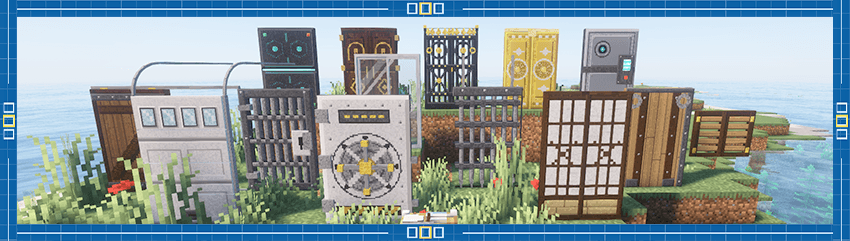
Grand Gates adds nine giant gates to Minecraft, each with its own hand-built open/close animation, plus an animated workbench where you craft them from plain vanilla materials.

Features
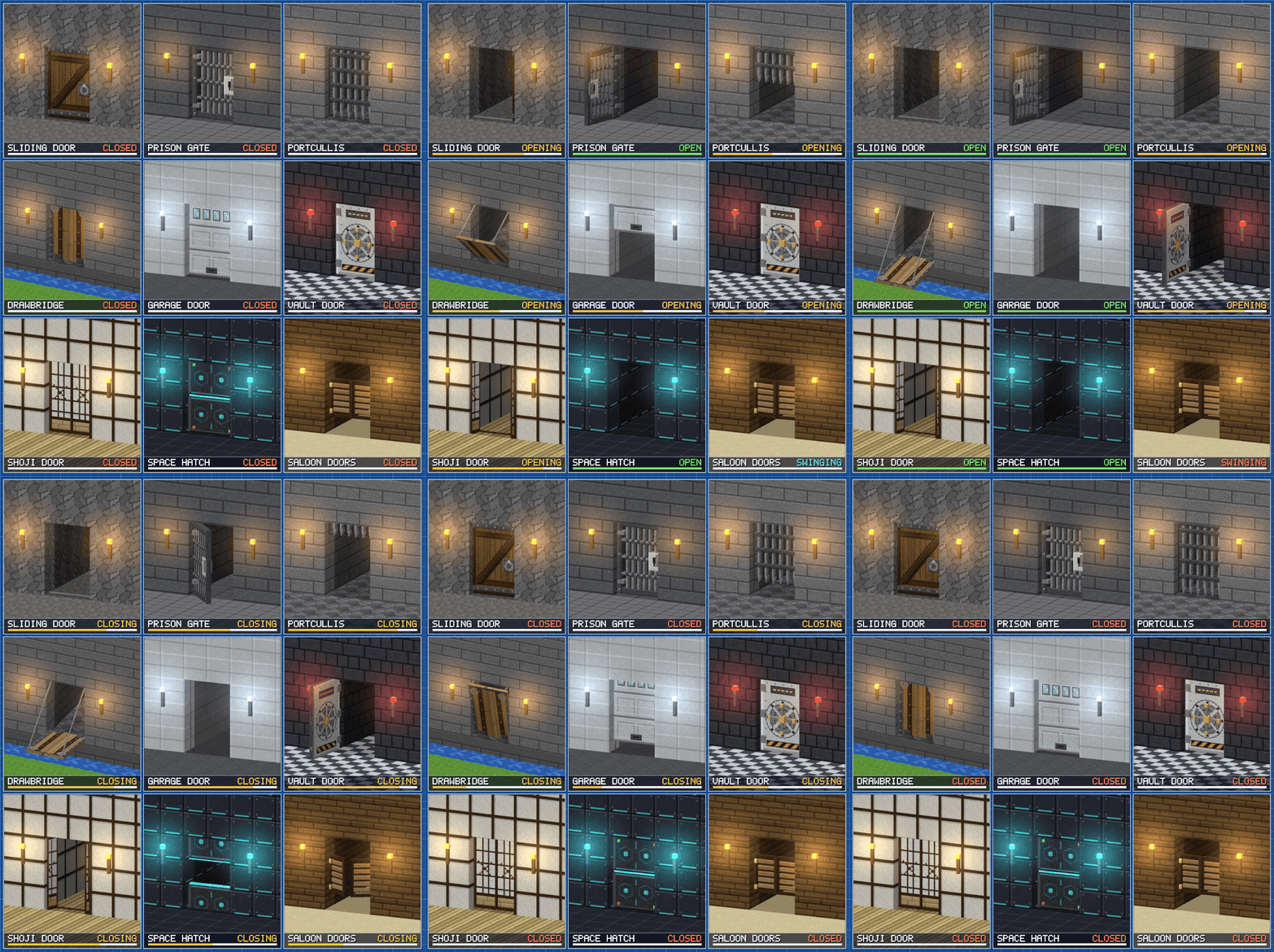
- Nine unique gates, each with a completely different way of moving (no re-skinned doors).
- Big 2×3 size so they finally look like gates, with a matching creative tab.
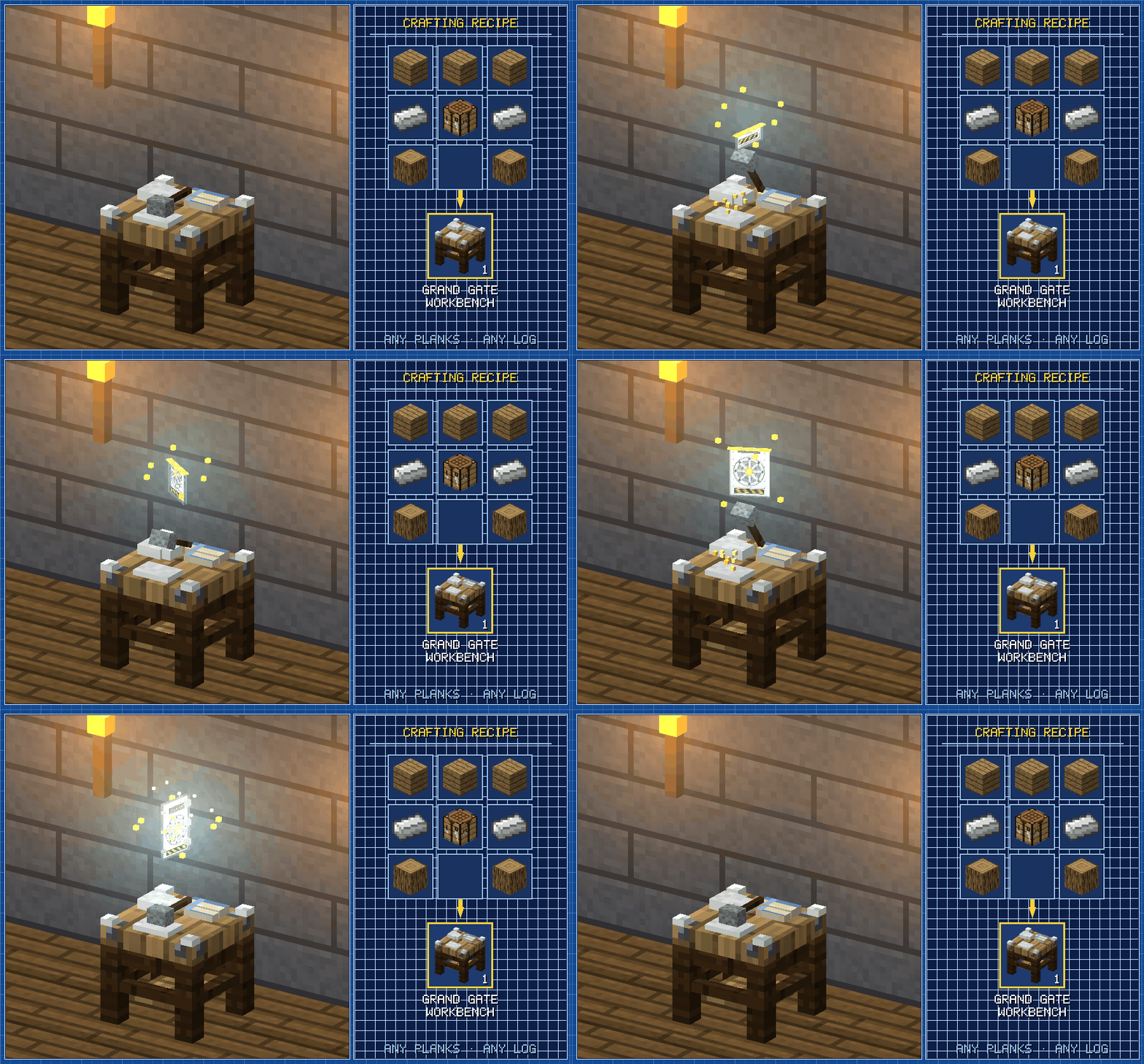
- The Grand Gate Workbench: pick a gate, watch a live looping 3D preview, see what you have and what you're missing, press Craft.
- Crafting is a show: a hammer strikes the anvil five times, sparks orbit, and a hologram prints the gate from the bottom up.
- Vanilla-only recipes: planks, iron, glass, paper and a few extras. No new ores, no grinding.
- Redstone ready: any signal on any of the six parts opens the gate; remove it and it closes.
- Right-click to toggle, including clicking the moving or open leaf itself.
- Collision and selection follow the moving parts, with a safety net that pushes you out if a leaf swings into you.
- Saloon doors you walk straight through, swinging as you pass.
- Detailed textures at 32 px per block, drawn to fit the vanilla look.
The Grand Gate Workbench
FAQ
Which version does it need?
NeoForge for Minecraft 1.21.1.
Does it work on servers?
Yes. Install it on the server and on every client.
Can I put it in a modpack?
Yes.
Can I change the textures?
Yes. Each gate uses a 128×128 texture (a 64×64 layout at 2×). Check the mod's assets for the layout and override it with a resource pack.
Does it work with shaders or Sodium?
Yes but report anything odd.
Why can a gate leaf push me?
Vanilla collision boxes are limited to a block's own space, so a safety net moves you out of any open leaf you are standing inside.
Known limitations
- This is an early release; please report bugs with your log and a description of what you saw.
- Large gates can need extra space around them to animate (see above).
Made by SgodProject
If you build something cool with Grand Gates, share it. We would love to see it.
Project description from CurseForge.
Pick your setup
Grand Gates by Minecraft version and loader
Choose the version and loader you play, then open the matching release.
Check the dependencies, then try the file in a copied instance before changing a world you care about.
Recent files
Grand Gates versions and loaders
grandgates v1.3.0
grandgates-1.3.0.jar.jar
17 Oct 2026
Client Source doesn’t say Server Source doesn’t say Dependencies No extras listed Listed on Release listing
Check the 1.21.1 · NeoForge setup 1.21.1NeoForge release
grandgates v1.2.0
grandgates-1.2.0.jar
16 Oct 2026
Client Source doesn’t say Server Source doesn’t say Dependencies No extras listed Listed on Release listing
Check the 1.21.1 · NeoForge setup 1.21.1NeoForge release
grandgates v1.1.1
grandgates-1.1.1.jar
13 Oct 2026
Client Source doesn’t say Server Source doesn’t say Dependencies No extras listed Listed on Release listing
Check the 1.21.1 · NeoForge setup 1.21.1NeoForge release
Looking for an older file? The official CurseForge project page is in Resources.
 mod
mod CurseForge · Minecraft
EdenCraft AIO Tools
A comprehensive all-in-one suite featuring custom UI panels, an interactive chunk claim map, in-game quest editor with rewards, RPG jobs progression with perks, team management, teleports, and full server administration controls.
 mod
mod CurseForge · Minecraft
Shadered Plus
An addon for Shadered: 6 new skies, the OIIA Cat (big cats too), and Sky Islands, tiny 3D copies of your builds for pedestals and paintings.
 mod
mod CurseForge · Minecraft
PabloCraft
Mod in progress... A hardcore-style mod for having fun solo or with friends. The difficulty changes daily, though players have the freedom to advance the difficulty level if they find the game too easy.