Minecraft version
Back to mods 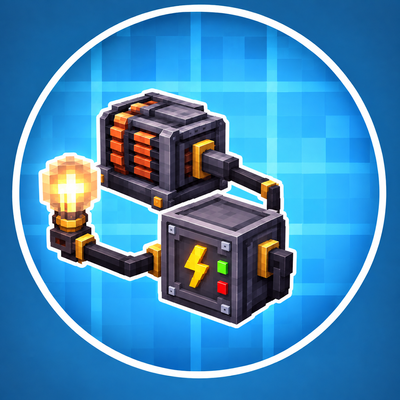
CurseForge · Minecraft mod
Create: Advanced Electricity Addon
Powered lamps, fuse boxes, subsea cables and a modern diving suit for Create: Crafts & Additions.
Choose a version Pick your version below, then grab the matching file.
Quick answer
Which Create: Advanced Electricity Addon release should I use?
Latest stable file advanced_electricity_addon-1.20.1_1.0.2.jar
Game version 1.20.1
Loader Forge
Create: Advanced Electricity Addon advanced_electricity_addon-1.20.1_1.0.2.jar targets 1.20.1 with Forge. The project page does not say whether this file belongs on the client, dedicated server, or both. No extra mods listed for this file.
Where it goes
Is Create: Advanced Electricity Addon required on the client, server, or both?
The project page does not say whether this file belongs on the client, dedicated server, or both.
Client Source doesn’t say
Dedicated server Source doesn’t say
Loader for this release Forge
Required install it here Optional supported, not mandatory Not supported do not install here Source doesn’t say do not assume
The source does not explicitly classify this release as client-only or server-only.
What else does Create: Advanced Electricity Addon advanced_electricity_addon-1.20.1_1.0.2.jar need?
advanced_electricity_addon-1.20.1_1.0.2.jar. Change the file and its required mods may change too.
This file does not list any required mods. Do not add a library just because a different file uses it.
This file does not list any required or optional mods.
Before you install it
Add Create: Advanced Electricity Addon without breaking your instance.
Built for Create: Advanced Electricity Addon advanced_electricity_addon-1.20.1_1.0.2.jar. Pick another file and the loader, install side or required mods may change.
- 01
Stick to this file
Use advanced_electricity_addon-1.20.1_1.0.2.jar. It targets 1.20.1 with Forge; another release may have different loader, side or dependency requirements.
- 02
Bring the mods it needs
This file does not list any required mods. Do not add a library just because a different file uses it.
- 03
Put it on the correct side
The project page does not say whether this file belongs on the client, dedicated server, or both.
- 04
Pick the file you checked
Use the “Get this file” button beside advanced_electricity_addon-1.20.1_1.0.2.jar. It opens that exact file at the source.
About this project
What does Create: Advanced Electricity Addon add?
Crafts & Additions: Lamps & Fuses
Put your Crafts & Additions power grid to work. This addon adds lamps that actually need electricity, real fuse boxes with circuits and breakers, long-distance subsea cables, a control room computer that watches your grid, and a modern diving suit with a working dive computer.
Everything runs on Forge Energy (FE) from Create: Crafts & Additions and connects with its normal wire spools and connectors.
Requirements
Minecraft 1.20.1 with Forge
Create
Create: Crafts & Additions
Optional: MrCrayfish's Furniture Mod: Refurbished (the Power Box can supply its lamps and appliances)
Install the mod on both the server and the client.
💡 Lighting
Light Bulb and Industrial Lamp: they only light up while they receive power. Wire them up with a Crafts & Additions spool. They turn off within a fraction of a second when the power is cut, and they don't flicker.
Alarm Lamp: a flashing red light with a siren. It is triggered by redstone. Right-click it with an empty hand to switch between siren, horn, bell and silent.
⚡ Power Distribution
Fuse Box:
The door opens and closes, and an analog gauge on the door shows the current load.
It has 2 inputs at the bottom (red terminals) and 4 circuits at the top (blue terminals).
Every circuit has its own lever and its own fuse.
The menu shows demand, throughput and an energy meter for each circuit.
Fuses from 16 A up to 500 A:
Overload a circuit for too long and its fuse blows. Short load spikes are tolerated.
A blown fuse can be repaired with wire in a crafting table.
Circuit Breakers from 16 A up to 500 A: they trip instead of burning out. Flip the lever back on and you're done.
Control Panel: a switch with a power meter that sits in the line. It can be locked with a Key, and keys can be copied in a crafting table.
Power Box: a small junction box for walls and ceilings. It powers the block it is mounted on. With Refurbished installed, you can link that mod's lamps and appliances to it.
🌊 Long Distance & Underwater
Subsea Cable:
A waterproof cable that lies on the seabed and carries power over very long distances, even through unloaded chunks.
You place it like Create train tracks. Right-click a placed cable to select it as the start, aim at the target and watch the live preview, then right-click to lay the whole line.
The line follows the terrain and curves smoothly out of the direction the start cable points in.
Subsea Cable Converter: connects the subsea cable to a normal Crafts & Additions grid. Put a regular connector on top; the converter sets the connector's mode for you.
🖥️ Control Room Computer
A live map of your whole grid. It shows fuse boxes, panels, lamps, connectors and subsea lines, and it updates the moment something is built or broken.
It reports broken wires, missing blocks, blown fuses, overloads and switched-off circuits.
It gives a redstone signal when there is a fault, which is handy together with the alarm lamp.
Warnings can be dismissed one by one.
🤿 Modern Diving Suit
Helmet: a full-face helmet with a transparent visor, so your face stays visible. It has a headlamp that lights up underwater.
Suit: a drysuit with a built-in battery.
Leggings and Boots: they make you swim faster.
Full suit: protects you from electric shocks. Bare Crafts & Additions wires that hang in water will shock you otherwise!
Air supply, used in this order:
Air Hose connected to an electric Air Pump
Oxygen Tank (refill it at the pump)
the suit's battery as a reserve
- Charging Station: recharges the suit.
🫧 Decompression & Dive Computer
The diving system uses a realistic pressure model:
Every 10 blocks of water adds 1 bar of pressure. Your body takes up pressure over time while you breathe compressed air.
Ascend too fast after a deep or long dive and you get decompression sickness: nausea, then slowness and weakness, then damage. Diving back down (recompression) helps.
Descend too fast and you get a barotrauma.
Shallow dives down to about 8 blocks never need a stop, just like real diving.
A dive computer on your screen shows:
depth and pressure
ascent and descent speed
remaining air and battery
tissue saturation
the next decompression stop
flashing warnings
Follow the stops and nothing will happen to you.
⚙️ Configuration
You can adjust a lot in the common config file:
power use of every block
fuse ratings, tolerance and overload time
subsea cable throughput and length
air, tank and battery values
electric shock
every decompression setting, or switch decompression off completely
🌍 Languages
English and German.
Requires Create and Create: Crafts & Additions. This is an independent addon and is not affiliated with the Create or Crafts & Additions teams.
Project description from CurseForge.
Pick your setup
Create: Advanced Electricity Addon by Minecraft version and loader
Choose the version and loader you play, then open the matching release.
Check the dependencies, then try the file in a copied instance before changing a world you care about.
Recent files
Create: Advanced Electricity Addon versions and loaders
advanced_electricity_addon-1.20.1_1.0.2.jar
15 Oct 2026
Client Source doesn’t say Server Source doesn’t say Dependencies No extras listed Listed on Release listing
Check the 1.20.1 · Forge setup 1.20.1Forge release
light_bulb_addon_create_crafts_and__addions-1.20.1_1.0.0.jar
14 Oct 2026
Client Source doesn’t say Server Source doesn’t say Dependencies No extras listed Listed on Release listing
Check the 1.20.1 · Forge setup 1.20.1Forge release
Looking for an older file? The official CurseForge project page is in Resources.
 mod
mod CurseForge · Minecraft
Monetary
A next-gen industrial economy engine with dynamic commodity markets, FE power grid sellback, AE2 market cells, FTB Teams shared banks, logistics seals, and a sleek cyberpunk Datapad OS with R&D patents. Anti-exploit and fully customizable for modpacks!
 mod
mod CurseForge + Modrinth · Minecraft
Aerial Hell
Aerial Hell : Sky Dimension & Dungeons, Bosses. Explore the new floating islands dimension, alone or with your friends !
 mod
mod CurseForge + Modrinth · Minecraft
Pet Home
Add some pet collar to make your pets engaging, improves upon and compliments tameable mobs