Minecraft version
Back to mods 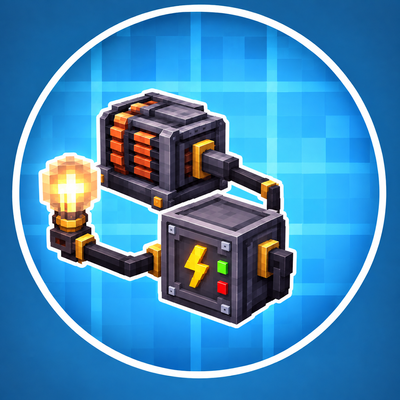
CurseForge · Minecraft mod
Create: Advanced Electricity / Technology Addon
Powered lamps, fuse boxes, subsea cables and a modern diving suit for Create: Crafts & Additions.
Choose a version Pick your version below, then grab the matching file.
Quick answer
Which Create: Advanced Electricity / Technology Addon release should I use?
Latest stable file advanced_electricity_addon-1.20.1_1.0.5.jar
Game version 1.20.1
Loader Forge
Create: Advanced Electricity / Technology Addon advanced_electricity_addon-1.20.1_1.0.5.jar targets 1.20.1 with Forge. The project page does not say whether this file belongs on the client, dedicated server, or both. No extra mods listed for this file.
Where it goes
Is Create: Advanced Electricity / Technology Addon required on the client, server, or both?
The project page does not say whether this file belongs on the client, dedicated server, or both.
Client Source doesn’t say
Dedicated server Source doesn’t say
Loader for this release Forge
Required install it here Optional supported, not mandatory Not supported do not install here Source doesn’t say do not assume
The source does not explicitly classify this release as client-only or server-only.
What else does Create: Advanced Electricity / Technology Addon advanced_electricity_addon-1.20.1_1.0.5.jar need?
advanced_electricity_addon-1.20.1_1.0.5.jar. Change the file and its required mods may change too.
This file does not list any required mods. Do not add a library just because a different file uses it.
This file does not list any required or optional mods.
Before you install it
Add Create: Advanced Electricity / Technology Addon without breaking your instance.
Built for Create: Advanced Electricity / Technology Addon advanced_electricity_addon-1.20.1_1.0.5.jar. Pick another file and the loader, install side or required mods may change.
- 01
Stick to this file
Use advanced_electricity_addon-1.20.1_1.0.5.jar. It targets 1.20.1 with Forge; another release may have different loader, side or dependency requirements.
- 02
Bring the mods it needs
This file does not list any required mods. Do not add a library just because a different file uses it.
- 03
Put it on the correct side
The project page does not say whether this file belongs on the client, dedicated server, or both.
- 04
Pick the file you checked
Use the “Get this file” button beside advanced_electricity_addon-1.20.1_1.0.5.jar. It opens that exact file at the source.
About this project
What does Create: Advanced Electricity / Technology Addon add?
Crafts & Additions: Lamps & Fuses
Other Mod: https://www.curseforge.com/minecraft/mc-mods/create-advanced-computer-technic
Put your Crafts & Additions power grid to work – from the first light bulb to the grid of a whole city.
This addon adds lamps that really need electricity, fuse boxes with circuits and breakers, high voltage pylons, utility poles and subsea cables, computers you build from parts (CPU, RAM, graphics card, hard drive) with a graphical desktop, server racks with websites, a simple control computer, electric valves and flow meters, solar panels, a flare stack that burns your surplus fuel, a modern diving suit, city and street blocks, doors and building blocks.
Everything runs on Forge Energy (FE) from Create: Crafts & Additions and connects with its normal wire spools and connectors. Fluids use Create pipes, pumps and tanks.
Requirements
- Minecraft 1.20.1 with Forge
- Create (6.x)
- Create: Crafts & Additions
- Optional: MrCrayfish's Furniture Mod: Refurbished (the Power Box can supply its lamps and appliances)
- Optional: Advanced Computer Technic – the addon with radio, WiFi, TV, cameras, phones, printer and more for the computers
Install the mod on both the server and the client.
⚡ Power & Lighting
💡 Lamps
- Light Bulb and Industrial Lamp: they only light up while they receive power. They turn off within a fraction of a second when the power is cut, and they don't flicker.
- Alarm Lamp: a flashing red light with a siren, triggered by redstone. Right-click with an empty hand to switch between siren, horn, bell and silent.
🔌 Power Distribution
- Fuse Box: a door that opens and closes, an analog load gauge, 2 inputs (red terminals) and 4 circuits (blue terminals), each with its own lever and fuse. The menu shows demand, throughput and an energy meter per circuit.
- Fuses (16 A – 500 A) blow when a circuit is overloaded for too long – short spikes are tolerated. Repair them with wire in a crafting table. Circuit Breakers (16 A – 500 A) trip instead and are simply switched back on.
- Control Panel: a switch with a power meter in the line, lockable with a Key (keys can be copied).
- Light Switch: a small wall switch in the cable line (in at the bottom, out at the top).
- Emergency Stop: a yellow box with a red mushroom button – everything behind it goes dead at once. Stays pressed until reset with sneak + right-click and gives a redstone signal while triggered.
- Power Box: a junction box for walls and ceilings that powers the block it is mounted on (and Refurbished appliances).
- Automatic connector modes: connectors on generators pull, on machines push, accumulators charge from the side the power comes from. Works with other mods' machines too; a connector you set with the wrench keeps your setting. Can be turned off in the config.
- Port info: look at a port and the HUD tells you what it is (+ / − power, data, antenna, input, output, insulator …) and how many wires are attached. Up to 5 wires per port.
🗼 High Voltage Pylons
Build big lattice pylons layer by layer: a foot with concrete footings, segments, cross arms with insulator strings and a top with a red warning light. They taper like real ones, with long cross arms at the bottom and short ones at the top. The insulators are real Crafts & Additions wire nodes for every wire type (copper, gold, electrum) with spans up to 128 blocks (configurable). A laid cable (also the high-power cable) at the pylon foot feeds into or draws from the line, and data signals travel over the line – computers, servers and devices reach each other across pylons and Crafts & Additions connectors. You can climb up inside.
🪵 Utility Poles
Wooden utility poles for streets and villages: stack pole segments as high as you like (climbable) and put a pole top with crossarm and three insulators on it. All Crafts & Additions wires, spans up to 32 blocks (poleWireLength), power and data are passed on. A street lamp fits right on the pole.
🌊 Subsea Cable
- A waterproof cable on the seabed that carries power over very long distances, even through unloaded chunks.
- Placed like Create train tracks: select the start cable, aim, watch the live preview and lay the whole line with one click. It follows the terrain and curves smoothly.
- The Subsea Cable Converter connects it to a normal Crafts & Additions grid.
🖥️ Control Room Computer
A live map of your whole grid: fuse boxes, panels, lamps, connectors and subsea lines. It reports broken wires, missing blocks, blown fuses, overloads and switched-off circuits, gives a redstone signal on a fault, and warnings can be dismissed one by one.
💻 Computers & Servers
Programmable computers that run on Crafts & Additions power, host websites on server racks and switch your grid over the data cable. With the addon Advanced Computer Technic they also get radio, WiFi, internet, TVs, cameras, printers and phones.
🔩 Build your own PC
- Parts: CPU, RAM, graphics card and hard drive, each in tiers 1–6. You solder them yourself at the Electronics Workbench: pick the target with a tab, place resistors, capacitors, transistors, chips, relays and LEDs (or press Auto) – a checklist shows what the next tier still needs and a rotatable 3D view shows the board as you build it. Every part is a small 3D model in your hand.
- PC tower + PC monitor: the computer is a tower with a glass side panel and case fans with LED rings – the installed parts are visible and glow while it runs. Dye the case with any dye. The modern flat PC Monitor goes next to the tower (or by data cable), keyboard and mouse sit in front of it and it shows the live picture.
- Assembly Bench with a rotatable 3D view: put a PC case, server chassis or laptop shell and the parts in, press Assemble – out comes a computer, server or laptop. Take apart gives the parts back, so you can upgrade. You can also install a part by right-clicking a computer.
- What the parts do: the CPU sets the speed (×0.5 to ×4), RAM the file size and how many programs run nested, the graphics card the resolution and colour depth (up to 640 × 360 at 32 bit), the hard drive the storage (64 KB up to 4 MB NVMe). Your files live on the hard drive and travel with it.
- Laptop: built-in screen, keyboard, touchpad, battery and WiFi. Sneak + right-click folds it up and you take it with you – files and battery included.
- Rename computers and servers with a name tag (or
label,rack name). Pick up a computer with everything on it using sneak + Create wrench. - USB Stick to carry files between computers (
usb put / get).
🖥️ Graphics, Desktop & your own OS
- Graphics mode (
gfx): real pixels at the resolution of your graphics card, colour depth 4, 8, 16, 24 or 32 bit (32 bit with transparency). Lines, rectangles, circles, gradients, pixel font, icons, images and screenshots. The computer window scales the picture as large as your screen allows. - CogOS Desktop (
desktop): wallpaper, icons, taskbar with start menu, clock, WiFi and battery, and built-in apps – Files, Terminal, Browser, Chat, Paint, Calculator, Cameras, System and Settings (resolution, colour depth, colour scheme, wallpaper, computer name, start with desktop). - Your own apps: any program whose first line is
// app: Name, icon: gameshows up on the desktop. Theguitoolkit gives you windows, buttons, text fields, checkboxes, sliders, lists and progress bars in a few lines. - Your own operating system: write a program with
gui.*,os.apps(),os.run(),os.shell()and boot it withsetboot <program>.
✍️ Coding
- New code editor: syntax colours, line numbers, errors shown while you type, auto-indent, auto-closing brackets and quotes, undo/redo, selection with shift and mouse, comment toggle, duplicate line and suggestions as you type (Tab accepts).
- Coding helper (
helfer): writes programs from a description – now also graphical apps, paint, camera monitor, valve control, answering machine, shop and your own OS – and controls the computer: "öffne den desktop", "drucke notizen", "licht hinten an", "ventil zu", "auflösung 320x180 16 bit", "wlan suchen", "neue datei test", "kopiere a nach b", "suche print in spiel", "rechne (3+4)*12", "spiel musik jakob". It shows the matching command so you learn it. - Colour codes
&0–&fin printed text, and&,|,:,;,<,>all work in code (also typed with AltGr). - CogScript stays simple, works like ComputerCraft (
term,fs,rednet,peripheral,redstone…) and has a full manual on the computer (help).
🌐 Websites & Online Shops
- Server Rack with up to 8 servers, each with its own domain, password and name – with a smoked glass door you open to insert or pull out servers, rails, vents and server handles.
- Server programs:
rack puta file andrack runit – it keeps running on the server in the background (also after a restart),rack logshows its output. - Website templates (
site neu start / shop / blog / gaestebuch / umfrage), preview before uploading andsite hochladen. - Forms:
{{input:name}},{{password:pw}},{{submit:Send}}in any page. - Online shops (with Advanced Computer Technic): a Parcel Station at the server rack is your shop's stock. Set prices with
shop preis, list the offers on your site withshop.items()and buy links. Customers pay from their own parcel station (emeralds by default) and the goods arrive there – sell anything you made yourself. - Designer, text pages with colours and links, script pages with storage – as before.
- Visitors reach the websites over radio or WiFi – both come with Advanced Computer Technic.
🔌 Your grid on the computer
- Computers read and switch valves (
valve.open / close) and flow meters (meter.read) on the data cable, and fuse boxes, light switches, emergency stops, control panels, solar panels and flare stacks nearby (power.list / toggle / set). - E-Mail app: every computer has an address (#12 or its name), mails wait in the mailbox until they are read.
- Printer: prints files as written books and pictures as sheets (paper + ink sac).
- App builder on the desktop: create your own apps from templates (valves and flow, power, clock, buttons …) without typing a single command.
🖥️ Control Computer & Data Server
- Control Computer: a control panel without programming. It finds fuse boxes (each of the 4 circuits), light switches, emergency stops (trip only – reset on site), control panels (not when locked with the key), electric valves, valve actuators, flow meters, flare stacks and solar panels within 24 blocks, shows their state, load and flow, and switches them with one click.
- Data Server: records the readings of all devices nearby every 20 seconds – the control computer shows a history graph for the device you click.
- Both need power on the + / − terminals at the back.
💧 Fluids
- Flow Meter: placed in a pipe line it measures the total, per tick and per second, shown on its display and readable by the control computer. Flow meter and electric valve pass the fluid on through the connected Create pipes.
- Electric Valve: opens and closes a pipe by redstone or from the control computer.
- Valve Actuator: next to a Create Fluid Valve it opens and closes it by redstone or from the control computer.
☀️ Power Plants
☀️ Solar Panel
Up to 30 FE/t at noon with a clear sky, less in the rain, nothing at night. Needs open sky.
🔥 Flare Stack
Burns flammable fluids – diesel, biodiesel, gasoline, kerosene, ethanol, oils and more. Pipe the fuel into the base and stack flare stack pipes on top (up to 24 high): a realistic flame burns at the red-white tip, smoke rises depending on the fuel, and the flame lights up the area at night. Up to 100 mB/t, switched off by redstone.
🤿 Diving
- Diving Suit: a full-face helmet with transparent visor and headlamp, a drysuit with built-in battery, leggings and boots for faster swimming. The full suit protects against electric shocks from bare wires in water.
- Air supply in this order: Air Hose from an electric Air Pump, then Oxygen Tanks in three tiers – tier 1 (copper) 5 minutes, tier 2 (brass) 10 minutes, tier 3 (reinforced) 15 minutes – then the suit battery as a reserve. Charging Station recharges the suit.
- Decompression: every 10 blocks of water add 1 bar. Ascend too fast after a deep or long dive and you get decompression sickness, descend too fast and you get a barotrauma. Dives down to about 8 blocks never need a stop.
- Dive computer on screen: depth, pressure, ascent / descent speed, air and battery, tissue saturation, the next decompression stop and warnings.
🏙️ City & Street
- 20 deco blocks: asphalt (walk 20 % faster) with white or yellow lines, sidewalk tiles, curb, manhole cover, street lamp (turns on at dusk by itself), traffic light (red – red/yellow – green – yellow, redstone holds red), distribution cabinet, transformer station, cable drum, road barrier, traffic cone, raised floor tile, ceiling light, ventilation duct, catwalk grating, fire extinguisher (right-click puts out fires nearby), emergency exit sign and bollard.
🧱 Building Blocks, Doors & Deco
- Reinforced concrete (block, slab, stairs, wall, bricks, tiles, pillar) – as blast resistant as obsidian. Plus hazard concrete, steel plating, steel grate, reinforced glass.
- Doors: steel door, lab door with window, security door (redstone only), heavy bunker door and steel hatch.
- Blast Door: 3 × 3 blocks, the two leaves slide sideways into the wall – by right-click or redstone.
🔧 Electronics
The Electronics Workbench: fit blank circuit boards with resistors, capacitors, transistors, microchips, relays and LEDs on an 8 × 5 grid. The parts decide the result – basic, control or processor board, or a computer part – and every board looks exactly like you built it. Tabs for the target, an Auto button, a live checklist and a rotatable 3D view of the board.
The Control Panel has a new control room style screen with an analog gauge, flow history and a big status lamp, and a more detailed model.
🔊 Sounds
Switches, breakers and relays, blowing fuses, valve motors, alarms and siren, blast door motor, flare stack roar and electric arcs.
🎬 Ponder Scenes
Hold W over an item for animated Create-style tutorials: HV pylons, solar panel, switches, fuse box, subsea cable, computer, server rack, laying power cables, electric valve and flare stack.
⚙️ Configuration
Almost everything can be adjusted in the common config: power use of every block, fuses, subsea cable, pylon span (pylonWireLength), utility pole span (poleWireLength), chunk loading of the grid (gridChunkLoading), computer speed, file limits, laptop battery, shop currency, control computer range, solar output, flare stack fuels, oxygen tank capacities, air and battery values, electric shock and every decompression setting.
🌍 Languages
English and German. The full CogScript reference is in COGSCRIPT_BEFEHLE.md (German) and in-game with help.
Optional: JEI (Electronics Workbench and Assembly Bench) and Advanced Computer Technic (radio, WiFi, TV, cameras and phones).
Requires Create and Create: Crafts & Additions. This is an independent addon and is not affiliated with the Create or Crafts & Additions teams.
Project description from CurseForge.
Pick your setup
Create: Advanced Electricity / Technology Addon by Minecraft version and loader
Choose the version and loader you play, then open the matching release.
Check the dependencies, then try the file in a copied instance before changing a world you care about.
Recent files
Create: Advanced Electricity / Technology Addon versions and loaders
advanced_electricity_addon-1.20.1_1.0.5.jar
23 Oct 2026
Client Source doesn’t say Server Source doesn’t say Dependencies No extras listed Listed on Release listing
Check the 1.20.1 · Forge setup 1.20.1Forge release
advanced_electricity_addon-1.20.1_1.0.4.jar
22 Oct 2026
Client Source doesn’t say Server Source doesn’t say Dependencies No extras listed Listed on Release listing
Check the 1.20.1 · Forge setup 1.20.1Forge release
advanced_electricity_addon-1.20.1_1.0.3.jar
17 Oct 2026
Client Source doesn’t say Server Source doesn’t say Dependencies No extras listed Listed on Release listing
Check the 1.20.1 · Forge setup 1.20.1Forge release
advanced_electricity_addon-1.20.1_1.0.2.jar
15 Oct 2026
Client Source doesn’t say Server Source doesn’t say Dependencies No extras listed Listed on Release listing
Check the 1.20.1 · Forge setup 1.20.1Forge release
light_bulb_addon_create_crafts_and__addions-1.20.1_1.0.0.jar
14 Oct 2026
Client Source doesn’t say Server Source doesn’t say Dependencies No extras listed Listed on Release listing
Check the 1.20.1 · Forge setup 1.20.1Forge release
Looking for an older file? The official CurseForge project page is in Resources.
 mod
mod CurseForge + Modrinth · Minecraft
DragonMine Z: Auto Trainer
This is an unofficial add-on for DragonMine Z that will allow you to automatically complete the training minigames to make the TP grind much easier.
 mod
mod CurseForge + Modrinth · Minecraft
Music Player
Play music from many sources like youtube, soundcloud or radio livestreams
 mod
mod CurseForge + Modrinth · Minecraft
Questlog
Adds a quest system designed to make info conveyance in modpacks far more intuitive!