Cobblemon Needed by Cobble Party HUD 0.2.0 (NeoForge)
requiredMatching file found Matched file: Cobblemon v1.8.2 ~ NeoForge
CurseForge · Minecraft mod
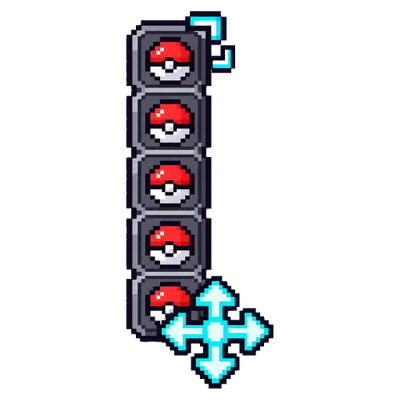
Client-side mod for Cobblemon: move and resize the party HUD anywhere on screen, vertical or horizontal, mirrored on the right side.
Quick answer
Cobble Party HUD 0.2.0 (NeoForge) targets 1.21.1 with NeoForge. The project page does not say whether this file belongs on the client, dedicated server, or both. All 2 required mods have matching files.
Where it goes
The project page does not say whether this file belongs on the client, dedicated server, or both.
The source does not explicitly classify this release as client-only or server-only.
Cobble Party HUD 0.2.0 (NeoForge). Change the file and its required mods may change too.
Install Cobblemon, Kotlin for Forge first. We found matching files for this game-version and loader setup. 1 comes through another mod in the chain.
1 extra mod was pulled in by another dependency. Indented rows show who needs each one. We only count dependency files that match this setup. A file for another loader does not fill the gap.
Before you install it
Built for Cobble Party HUD 0.2.0 (NeoForge). Pick another file and the loader, install side or required mods may change.
Use Cobble Party HUD 0.2.0 (NeoForge). It targets 1.21.1 with NeoForge; another release may have different loader, side or dependency requirements.
Install Cobblemon, Kotlin for Forge first. We found matching files for this game-version and loader setup. 1 comes through another mod in the chain.
The project page does not say whether this file belongs on the client, dedicated server, or both.
Use the “Get this file” button beside Cobble Party HUD 0.2.0 (NeoForge). It opens that exact file at the source.
About this project
Move and resize Cobblemon's party HUD, anywhere on your screen.
Cobblemon's party HUD (the six portraits on the left) can't be moved or resized: it can cover part of the screen, overlap other HUDs and doesn't adapt to very large or very small monitors. Cobble Party HUD lets you put it wherever you want:
Available for Fabric and NeoForge. Works on any server: it's client-side only, nothing to install on the server.
Everything is saved to config/cobblepartyhud.json.
Cobble Party HUD only moves and resizes what Cobblemon already shows. It doesn't add any information to the HUD.
Available for Fabric and NeoForge (download the file for your loader).
Does it work on servers? Yes. It's client-side only, so you can use it on any Cobblemon server (check its rules first, as with any mod).
Can I go back to the normal HUD? Yes: press Reset in the editor, or turn the mod off with the on/off button. Your layout is kept for when you turn it back on.
What if Cobblemon changes its HUD in a future version? The mod hooks into the drawing of Cobblemon's party HUD (tested with Cobblemon 1.7.3 to 1.8.2). If a hook can't be applied, that part is skipped instead of crashing the game, and the HUD stays in its original place.
Source code and issues: GitHub · License: MIT
Pokémon is a trademark of Nintendo, Game Freak and The Pokémon Company. This mod is not affiliated with them or with the Cobblemon team.
Project description from CurseForge.
Pick your setup
Choose the version and loader you play, then open the matching release.
Check the dependencies, then try the file in a copied instance before changing a world you care about.
Recent files
cobblepartyhud-neoforge-0.2.0.jar
17 Oct 2026
cobblepartyhud-fabric-0.2.0.jar
17 Oct 2026
cobblepartyhud-0.1.1.jar
17 Oct 2026
cobblepartyhud-0.1.0.jar
14 Oct 2026
Looking for an older file? The official CurseForge project page is in Resources.
 mod
modFlexible on-screen key prompts and convenient key remapping features.
 mod
modAwesome player animations for your Minecraft world
 mod
modMakes Paraglider Stamina now used on weapons, basic attacks, jump attacks, and even Innates! I have Weapons of Miracles working on them even with their Innates. Have a configurable in-game Config that is easy for all. More coming down the Road!