



Minecraft version
Back to mods 
CurseForge · Minecraft mod
OS Weather
A dynamic, localized weather and atmospheric simulation system for Minecraft.
Choose a version Pick your version below, then grab the matching file.
Quick answer
Which OS Weather release should I use?
Latest stable file OS Weather v1.0 (NeoForge 26.3)
Game version 26.3
Loader NeoForge
OS Weather v1.0 (NeoForge 26.3) targets 26.3 with NeoForge. The project page does not say whether this file belongs on the client, dedicated server, or both. No extra mods listed for this file.
Where it goes
Is OS Weather required on the client, server, or both?
The project page does not say whether this file belongs on the client, dedicated server, or both.
Client Source doesn’t say
Dedicated server Source doesn’t say
Loader for this release NeoForge
Required install it here Optional supported, not mandatory Not supported do not install here Source doesn’t say do not assume
The source does not explicitly classify this release as client-only or server-only.
What else does OS Weather v1.0 (NeoForge 26.3) need?
OS Weather v1.0 (NeoForge 26.3). Change the file and its required mods may change too.
This file does not list any required mods. Do not add a library just because a different file uses it.
This file does not list any required or optional mods.
Before you install it
Add OS Weather without breaking your instance.
Built for OS Weather v1.0 (NeoForge 26.3). Pick another file and the loader, install side or required mods may change.
- 01
Stick to this file
Use OS Weather v1.0 (NeoForge 26.3). It targets 26.3 with NeoForge; another release may have different loader, side or dependency requirements.
- 02
Bring the mods it needs
This file does not list any required mods. Do not add a library just because a different file uses it.
- 03
Put it on the correct side
The project page does not say whether this file belongs on the client, dedicated server, or both.
- 04
Pick the file you checked
Use the “Get this file” button beside OS Weather v1.0 (NeoForge 26.3). It opens that exact file at the source.
About this project
What does OS Weather add?
🌦️ OS Weather
A dynamic and localized weather experience for Minecraft.





About
OS Weather transforms Minecraft's Overworld with a dynamic, localized atmospheric simulation.
Instead of a single global weather state, different regions experience their own conditions influenced by biomes, temperature, humidity, pressure and wind.
From clear skies and rainfall to snowstorms and extreme weather, the atmosphere evolves naturally as you explore.
One world. Different climates. A living atmosphere.
✨ What It Adds
- Localized weather across different regions and players
- 47 climate-weighted atmospheric scenarios
- Rain, snow, thunderstorms, fog, sandstorms and blizzards
- Dynamic temperature, humidity, pressure and wind
- Smooth weather transitions between regions
- Persistent atmospheric conditions across sessions
- Server-controlled simulation with multiplayer synchronization
- Customizable clouds, precipitation, fog, particles and sounds
- Live server configuration and administrative weather commands
- Public developer API with custom weather overrides
- Optional API-Only Mode without the built-in simulation
- Support for Fabric & NeoForge across six Minecraft/loader combinations
⚙️ Configuration & Commands
Customize client visuals and server weather behavior through configuration files or the optional in-game settings interface.
Commands: /osweather status, /osweather info, /osweather set, /osweather clear, /osweather reload
Vanilla /weather commands are also integrated.
📦 Compatibility
Minecraft: 1.21.1 / 26.2 / 26.3
Loaders: Fabric & NeoForge
Java: 21 (1.21.1) / 25 (26.2–26.3)
Fabric API: Required on Fabric
Cloth Config & Mod Menu: Optional
Environment: Singleplayer & Multiplayer
License: All Rights Reserved
Install the JAR matching your Minecraft version and mod loader.
V1.0 Note: Some advanced visual effects and compatibility testing are still being refined. See the wiki for current limitations.
📖 Documentation & Support
Report Bugs & Suggest Features • Join our Discord
💙 Support the Project
Enjoying OS Weather? Help support future updates and upcoming Our Story Collection projects!

💖 Support us on Patreon • 💬 Join our Discord community
🖥️ Game Hosting
Planning a Minecraft adventure with friends? Host your server with our official partner, BisectHosting!
🎁 Get 25% OFF with promo code OURSTORY.
➜ Get your Minecraft server with BisectHosting — 25% OFF
Every purchase through our partner link helps support future Our Story projects.
🌍 Explore More Our Story Projects
Discover more Minecraft mods and modpacks developed by LevelsFR and the Our Story Collection.

Explore on CurseForge • Explore on Modrinth
Created by LevelsFR
Part of the Our Story Collection
CurseForge • Modrinth • Discord • Patreon • Ko-Fi
Project description from CurseForge.
Pick your setup
OS Weather by Minecraft version and loader
Choose the version and loader you play, then open the matching release.
Minecraft version
26.2
2 loader buildsMinecraft version
1.21.1
2 loader buildsCheck the dependencies, then try the file in a copied instance before changing a world you care about.
Recent files
OS Weather versions and loaders
OS Weather v1.0 (NeoForge 26.3)
osweather-26.3-neoforge-1.0.jar
17 Oct 2026
Client Source doesn’t say Server Source doesn’t say Dependencies No extras listed Listed on Release listing
Check the 26.3 · NeoForge setup NeoForge26.3 release
OS Weather v1.0 (Fabric 26.3)
osweather-26.3-fabric-1.0.jar
17 Oct 2026
Client Source doesn’t say Server Source doesn’t say Dependencies 1 required · 1 unchecked Listed on Release listing
Check the 26.3 · Fabric setup Fabric26.3 release
OS Weather v1.0 (NeoForge 26.2)
osweather-26.2-neoforge-1.0.jar
17 Oct 2026
Client Source doesn’t say Server Source doesn’t say Dependencies No extras listed Listed on Release listing
Check the 26.2 · NeoForge setup NeoForge26.2 release
OS Weather v1.0 (Fabric 26.2)
osweather-26.2-fabric-1.0.jar
17 Oct 2026
Client Source doesn’t say Server Source doesn’t say Dependencies 1 required · 1 unchecked Listed on Release listing
Check the 26.2 · Fabric setup Fabric26.2 release
OS Weather v1.0 (NeoForge 1.21.1)
osweather-1.21.1-neoforge-1.0.jar
17 Oct 2026
Client Source doesn’t say Server Source doesn’t say Dependencies No extras listed Listed on Release listing
Check the 1.21.1 · NeoForge setup 1.21.1NeoForge release
OS Weather v1.0 (Fabric 1.21.1)
osweather-1.21.1-fabric-1.0.jar
17 Oct 2026
Client Source doesn’t say Server Source doesn’t say Dependencies 1 required · 1 unchecked Listed on Release listing
Check the 1.21.1 · Fabric setup Fabric1.21.1 release
OS Weather v1.0-beta
osweather-neoforge-1.0-beta+1.21.1.jar
16 Oct 2026
Client Source doesn’t say Server Source doesn’t say Dependencies No extras listed Listed on Release listing
Check the 1.21.1 · NeoForge setup 1.21.1NeoForge beta
Looking for an older file? The official CurseForge project page is in Resources.
 mod
mod CurseForge · Minecraft
Matcha Rebaked
An unofficial port of Matcha Flavoured for NeoForge
 mod
mod CurseForge · Minecraft
Wentory's Coolstuff
A Vanilla+ mod that adds cool, surprising, and occasionally absurd mechanics, mobs, items, and visual effects to Minecraft.
 mod
mod CurseForge · Minecraft
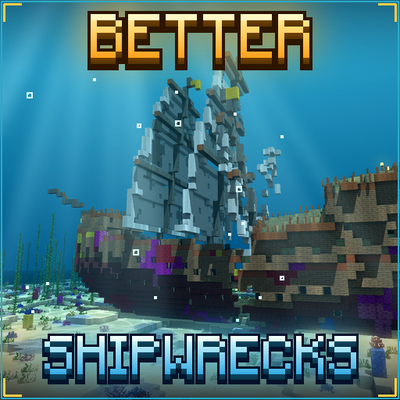
TONI's Better Shipwrecks: Sunken Ships & Pirate Wrecks (Forge/Fabric)
Every shipwreck rebuilt as a huge 3D ship: galleons, brigs, merchantmen, sloops and Viking longships, sunk or beached in many ways. Vanilla loot, server-side.