Minecraft version
Back to mods 
CurseForge · Minecraft mod
Realm Notifications
Beautiful medieval-style notifications for your Minecraft RP server, featuring animated alerts, custom sounds, notification history and mod integrations.
Choose a version Pick your version below, then grab the matching file.
Quick answer
Which Realm Notifications release should I use?
Latest stable file realm-notifications-0.1.1.jar
Game version 1.21.1
Loader NeoForge
Realm Notifications realm-notifications-0.1.1.jar targets 1.21.1 with NeoForge. The project page does not say whether this file belongs on the client, dedicated server, or both. No extra mods listed for this file.
Where it goes
Is Realm Notifications required on the client, server, or both?
The project page does not say whether this file belongs on the client, dedicated server, or both.
Client Source doesn’t say
Dedicated server Source doesn’t say
Loader for this release NeoForge
Required install it here Optional supported, not mandatory Not supported do not install here Source doesn’t say do not assume
The source does not explicitly classify this release as client-only or server-only.
What else does Realm Notifications realm-notifications-0.1.1.jar need?
realm-notifications-0.1.1.jar. Change the file and its required mods may change too.
This file does not list any required mods. Do not add a library just because a different file uses it.
This file does not list any required or optional mods.
Before you install it
Add Realm Notifications without breaking your instance.
Built for Realm Notifications realm-notifications-0.1.1.jar. Pick another file and the loader, install side or required mods may change.
- 01
Stick to this file
Use realm-notifications-0.1.1.jar. It targets 1.21.1 with NeoForge; another release may have different loader, side or dependency requirements.
- 02
Bring the mods it needs
This file does not list any required mods. Do not add a library just because a different file uses it.
- 03
Put it on the correct side
The project page does not say whether this file belongs on the client, dedicated server, or both.
- 04
Pick the file you checked
Use the “Get this file” button beside realm-notifications-0.1.1.jar. It opens that exact file at the source.
About this project
What does Realm Notifications add?
Realm Notifications
Bring elegant medieval notifications to your Minecraft experience!
Realm Notifications introduces an immersive notification system designed for roleplay, economy and kingdom servers.
Instead of relying entirely on chat messages, compatible mods can display beautiful animated notifications directly on your screen.
Inspired by medieval parchment, royal seals and fantasy aesthetics, the interface fits naturally into medieval-themed Minecraft worlds.
Features
Beautiful Medieval UI: Elegant parchment-themed notification cards.
Animated Notifications: Smooth visual notifications for important events.
Custom Positioning: Choose between five different screen positions.
Adjustable Duration: Configure notifications to remain visible for 3 to 15 seconds.
Optional Sounds: Enable or disable notification sounds.
Notification History: Review recent notifications in a dedicated journal.
Player Preferences: Customize notifications individually.
Event Categories: Different notification styles for different types of events.
Developer API: Other mods can integrate with the notification system.
Supported Events
When compatible mods are installed, notifications can display:
Money transfers and payments
Advancement rewards
Contract and bounty updates
Market sales and collected earnings
Treasury transactions and salaries
Elections and voting updates
How to Use
Press N to open the notification journal.
From the Preferences tab, you can customize notification position, duration, sounds, animations and history settings.
The keybind can be changed in Minecraft Controls.
Compatible Mods
Chronicles RP
Realm Rewards
Contracts & Bounties
Realm Council
Crown Ledger
Realm Markets
Realm Titles
Compatible integration versions may vary.
Realm Notifications does not modify gameplay mechanics, player balances or permissions. It only displays notifications for events handled by other mods.
Requirements
Minecraft 1.21.1
NeoForge 21.1.256+
Java 21
Install on the server and participating clients for the full notification experience.
Developed by ROCKABITS.
Project description from CurseForge.
Pick your setup
Realm Notifications by Minecraft version and loader
Choose the version and loader you play, then open the matching release.
Check the dependencies, then try the file in a copied instance before changing a world you care about.
Recent files
Realm Notifications versions and loaders
realm-notifications-0.1.1.jar
20 Oct 2026
Client Source doesn’t say Server Source doesn’t say Dependencies No extras listed Listed on Release listing
Check the 1.21.1 · NeoForge setup 1.21.1NeoForge release
realm-notifications-0.1.0.jar
17 Oct 2026
Client Source doesn’t say Server Source doesn’t say Dependencies No extras listed Listed on Release listing
Check the 1.21.1 · NeoForge setup 1.21.1NeoForge release
Looking for an older file? The official CurseForge project page is in Resources.
 mod
CurseForge · Minecraft
Keybinds Extended
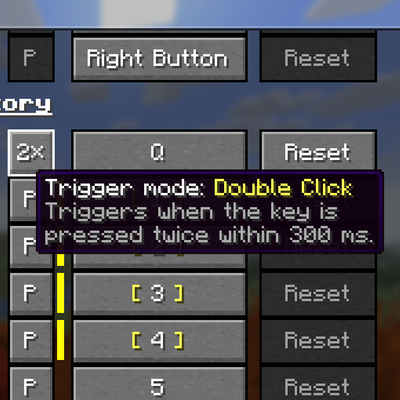
Extends keybinds with different modes - you can make the keybind work with various press triggers such as "On Press", "On Release", "Hold", "Double-Click". Adds support for mouse wheel keybinds
 mod
CurseForge · Minecraft
hyper dogs!
Who wouldn't want a dog that jumps 30 blocks to kill the player who's using a mace on you?
 mod
CurseForge · Minecraft
Extra Inventory Rows
Adds a configurable amount of extra inventory rows!