Configuration Needed by Keybinds Extended extendedkeybinds-neoforge-1.0.0+1.21.1
requiredMatching file found Matched file: configuration-neoforge-1.21.1-3.1.1
CurseForge · Minecraft mod
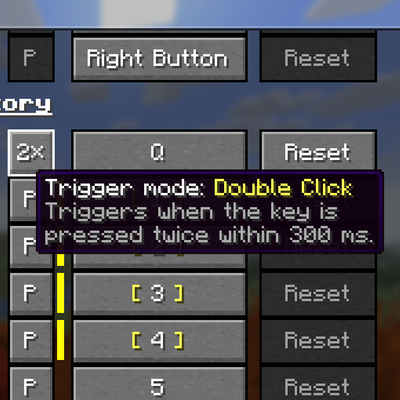
Extends keybinds with different modes - you can make the keybind work with various press triggers such as "On Press", "On Release", "Hold", "Double-Click". Adds support for mouse wheel keybinds
Quick answer
Keybinds Extended extendedkeybinds-neoforge-1.0.0+1.21.1 targets 1.21.1 with NeoForge. The project page does not say whether this file belongs on the client, dedicated server, or both. All 1 required mods have matching files.
Where it goes
The project page does not say whether this file belongs on the client, dedicated server, or both.
The source does not explicitly classify this release as client-only or server-only.
extendedkeybinds-neoforge-1.0.0+1.21.1. Change the file and its required mods may change too.
Install Configuration first. We found matching files for this game-version and loader setup.
We only count dependency files that match this setup. A file for another loader does not fill the gap.
Before you install it
Built for Keybinds Extended extendedkeybinds-neoforge-1.0.0+1.21.1. Pick another file and the loader, install side or required mods may change.
Use extendedkeybinds-neoforge-1.0.0+1.21.1. It targets 1.21.1 with NeoForge; another release may have different loader, side or dependency requirements.
Install Configuration first. We found matching files for this game-version and loader setup.
The project page does not say whether this file belongs on the client, dedicated server, or both.
Use the “Get this file” button beside extendedkeybinds-neoforge-1.0.0+1.21.1. It opens that exact file at the source.
About this project
Small backstory - while developing my other project I encountered the need to handle more keybind actions such as double-clicks etc. During implementation I decided to separate the logic into new mod which is how this project was born.
Currently the project is made for 26.3 as it is the version where I am developing the mod, but I plan to backport it to 26.1.2 and 1.21.1 (but no 1.20.1). Same applies for mod loaders - right now it is NeoForge only as we utilize a lot of the logic added by NeoForge, but eventually we might add support for Fabric too if enough people are interested
There are 2 main features:
Press/Release/Hold/Double-Click/Continuous - now you can configure multiple keybinds under the same key with different trigger mechanismThis mod is completely CLIENT-SIDE so you can use it on vanilla servers too. We also have simple API you can use to integrate your existing keybinds with this mod
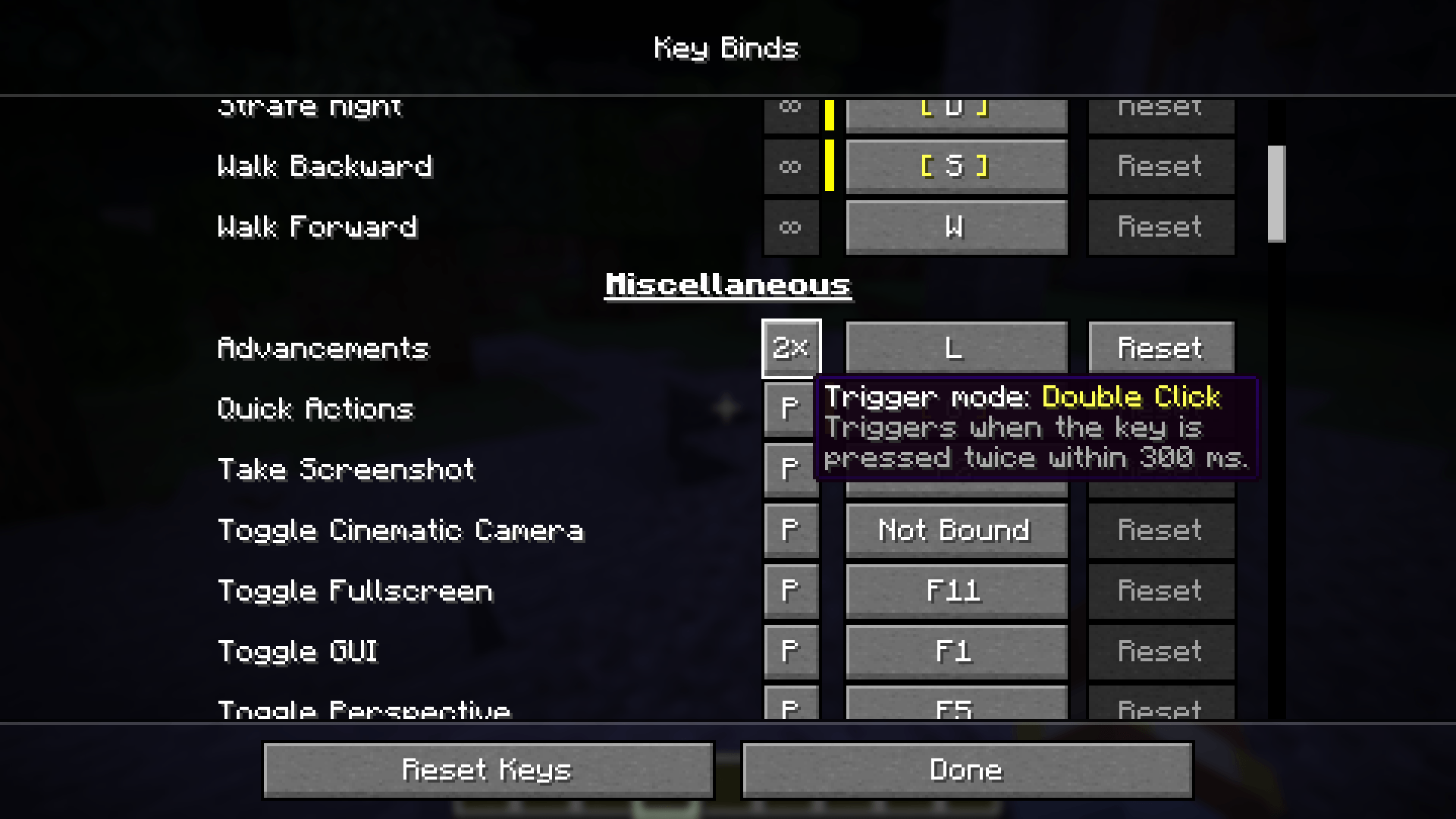 Each normal keybinding now accepts 5 different trigger modes:
Press - Same as vanilla behavior, however with this mod installed the key is triggered ONLY ONCE even when you continue holding the key down for longer period of timeRelease - Same as Press but triggered once key is actually releasedHold - Requires you to hold down the key for 0.5 seconds (configurable) before it is triggeredDouble-Click - triggered when you press the key twice within double-click timeout interval which is 0.3 seconds by default (configurable)Continuous - As long as key is held down, action is triggered on each tick. So for example when Jump key is continuous you will continue jumping while you hold the key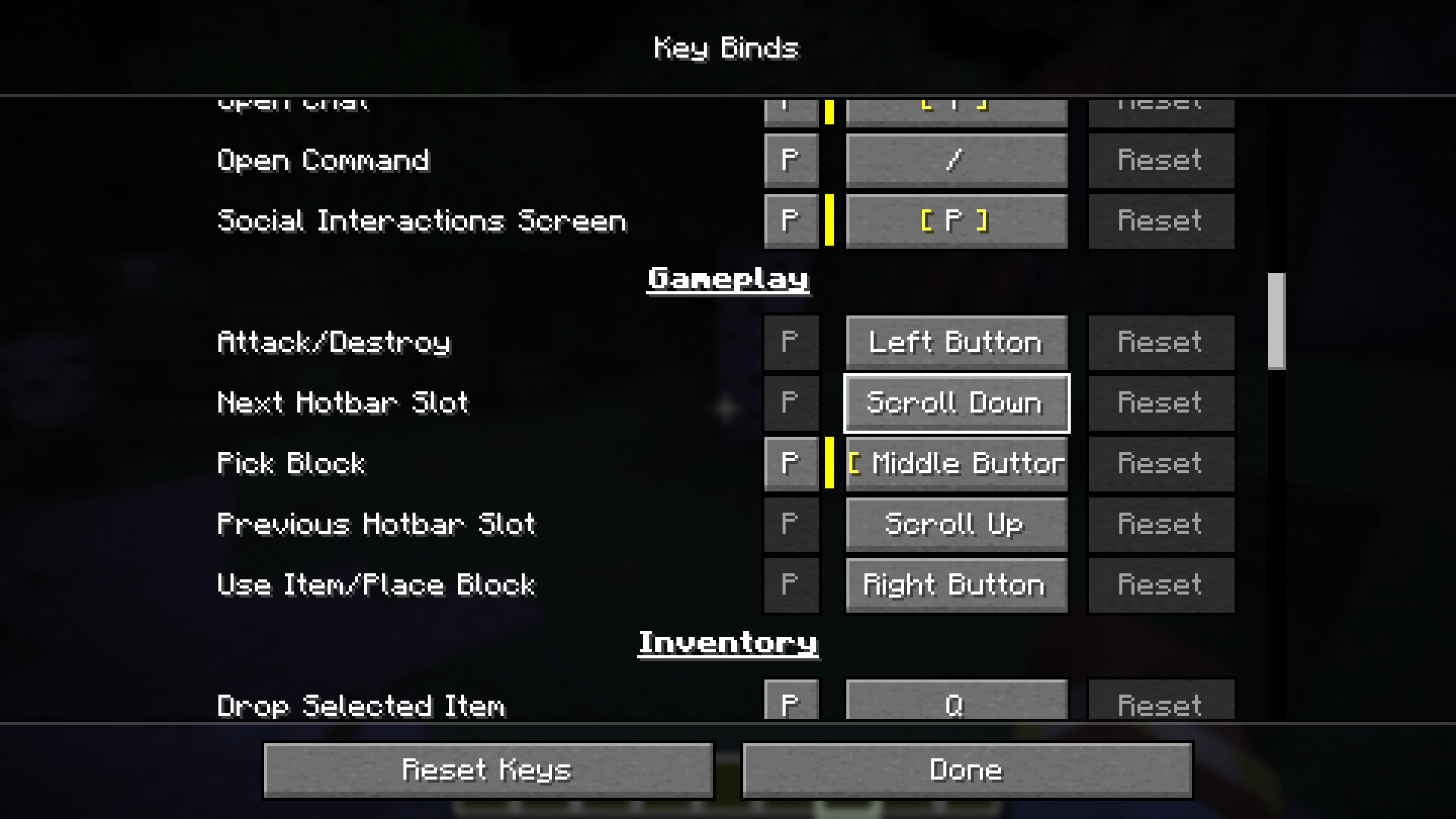 Small quality of life feature which is already supported by most games - now you can bind actions such as mouse wheel up/down for your keybinds (also supports key modifiers such as ALT/SHIFT/CONTROL). Minecraft previously had some hardcoded logic such as swapping hotbar slots - we have added new keybinds for this action too to preserve original logic, but now you can unbind it/change it to something else
See bottom of README.md section on GitHub
Project description from CurseForge.
Pick your setup
Choose the version and loader you play, then open the matching release.
Check the dependencies, then try the file in a copied instance before changing a world you care about.
Recent files
extendedkeybinds-neoforge-1.0.0-1.21.1.jar
21 Nov 2026
extendedkeybinds-neoforge-1.0.0-26.1.2.jar
21 Nov 2026
extendedkeybinds-neoforge-1.0.0-26.3.jar
17 Nov 2026
Looking for an older file? The official CurseForge project page is in Resources.
 mod
Adds fast and fun combat and utility magic that stays true to the vanilla Minecraft look & feel. Spells live on spell gems you craft, enchant, and can cast manually by wand or automated via spell dispenser.
 mod
Five survival helpers in one: tree feller, vein miner, 2x2-5x5 dig upgrades, a 3D explorer's rucksack that shows what you carry, and a lantern your pets can wear.
 mod
A mod that provides dynamic player attributes for Tacz.